> ## Documentation Index
> Fetch the complete documentation index at: https://docs.magichour.ai/llms.txt
> Use this file to discover all available pages before exploring further.
# 2026
> Latest feature enhancements in Magic Hour
export const VideoPlayer = ({src, loop = false, autoPlay = false}) => {
return
;
};
## WAN 2.2 Model in Text-to-Video and Image-to-Video API
We've added the WAN 2.2 model to both the Text-to-Video and Image-to-Video APIs, giving you another high-quality option for generation.
Choose it by setting the model to "wan-2.2" in your request.
```ts theme={null}
// Text-to-Video
await client.v1.textToVideo.generate({
model: "wan-2.2",
prompt: "A cinematic timelapse over snow-capped mountains at sunrise",
});
// Image-to-Video
await client.v1.imageToVideo.generate({
model: "wan-2.2",
imageUrl: "https://example.com/source-image.jpg",
});
```
## Added Wan 2.2 for Image-to-Video and Text-to-Video
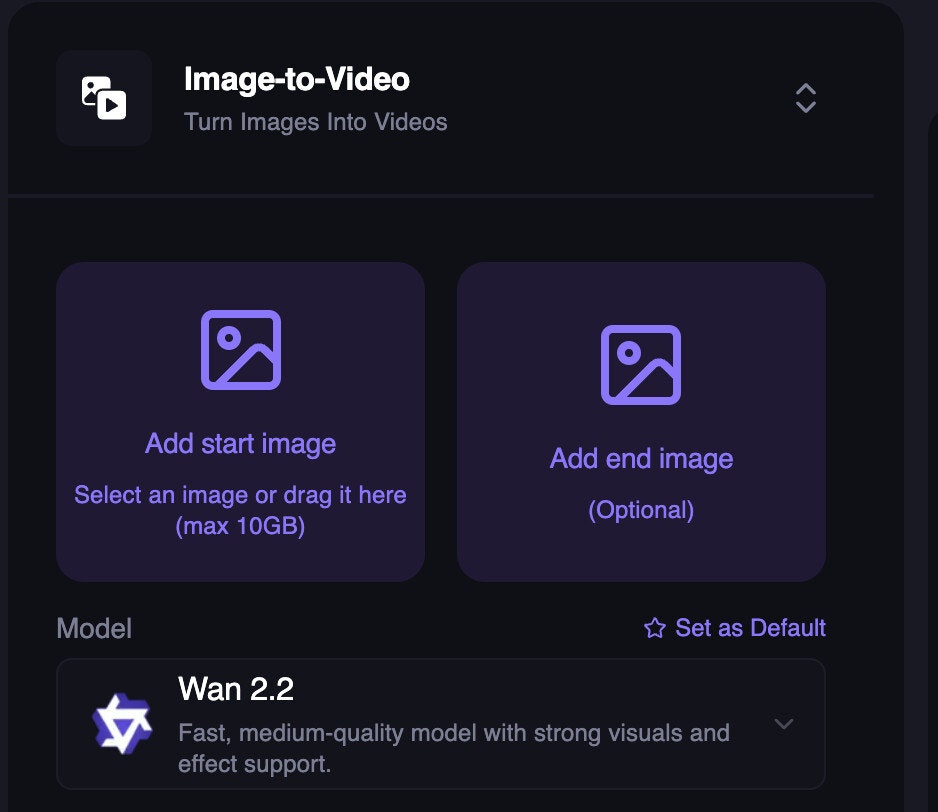 Wan 2.2 is now available for Image-to-Video and Text-to-Video. Expect visibly higher quality compared to LTX-2.
Try it out now: [https://magichour.ai/create/image-to-video](https://magichour.ai/create/image-to-video), [https://magichour.ai/create/text-to-video](https://magichour.ai/create/text-to-video)
## Storyboard Generator Upgraded to Nano Banana 2; Nano Banana Deprecated
Nano Banana 2 (NB2) is now available in the Storyboard Generator. NB2 supports 4K and delivers higher quality results than the original Nano Banana.
The original Nano Banana model is deprecated.
Try it out now: [https://magichour.ai/create/ai-storyboard-generator](https://magichour.ai/create/ai-storyboard-generator)
## Head Swap in the API
Head swap is now available in the Magic Hour API, enabling you to programmatically swap heads in your content.
Use it to automate personalized creatives and power interactive experiences directly from your app or workflow.
Try it out now: [https://docs.magichour.ai/api-reference/image-projects/head-swap](https://docs.magichour.ai/api-reference/image-projects/head-swap)
## One-Step Lip Sync Creation
Wan 2.2 is now available for Image-to-Video and Text-to-Video. Expect visibly higher quality compared to LTX-2.
Try it out now: [https://magichour.ai/create/image-to-video](https://magichour.ai/create/image-to-video), [https://magichour.ai/create/text-to-video](https://magichour.ai/create/text-to-video)
## Storyboard Generator Upgraded to Nano Banana 2; Nano Banana Deprecated
Nano Banana 2 (NB2) is now available in the Storyboard Generator. NB2 supports 4K and delivers higher quality results than the original Nano Banana.
The original Nano Banana model is deprecated.
Try it out now: [https://magichour.ai/create/ai-storyboard-generator](https://magichour.ai/create/ai-storyboard-generator)
## Head Swap in the API
Head swap is now available in the Magic Hour API, enabling you to programmatically swap heads in your content.
Use it to automate personalized creatives and power interactive experiences directly from your app or workflow.
Try it out now: [https://docs.magichour.ai/api-reference/image-projects/head-swap](https://docs.magichour.ai/api-reference/image-projects/head-swap)
## One-Step Lip Sync Creation
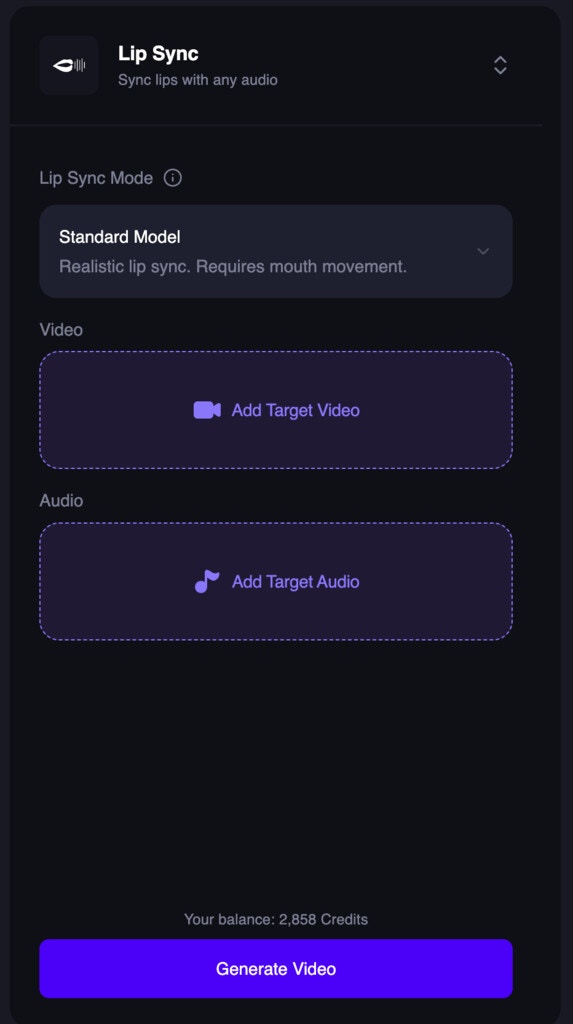 We simplified the Lip Sync creation flow to a single step, so you can get from idea to result faster with fewer clicks.
Try it out now: [https://magichour.ai/create/lip-sync](https://magichour.ai/create/lip-sync)
## Previously Used Images in AI Image Editor (Desktop)
We simplified the Lip Sync creation flow to a single step, so you can get from idea to result faster with fewer clicks.
Try it out now: [https://magichour.ai/create/lip-sync](https://magichour.ai/create/lip-sync)
## Previously Used Images in AI Image Editor (Desktop)
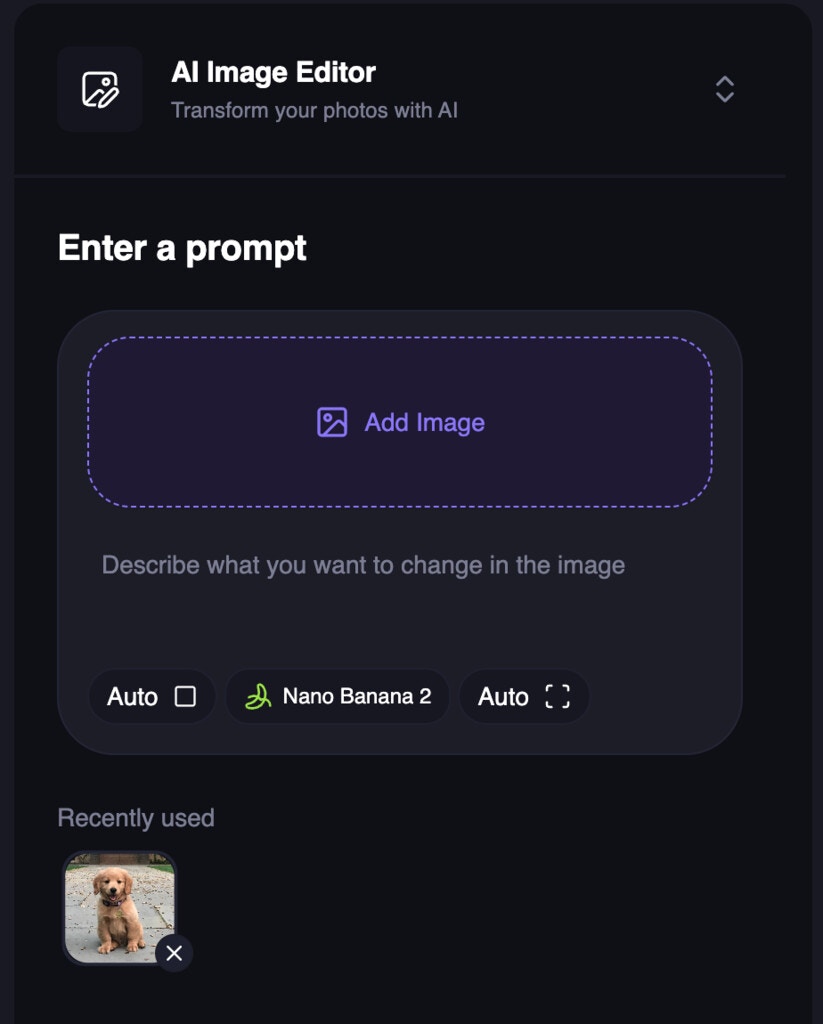 On desktop, the AI Image Editor now surfaces your previously used images during the creation flow so you can quickly pick up where you left off or reuse a reference.
Try it out now: [https://magichour.ai/create/ai-image-editor](https://magichour.ai/create/ai-image-editor)
## Specifying Language in Voice Tools
On desktop, the AI Image Editor now surfaces your previously used images during the creation flow so you can quickly pick up where you left off or reuse a reference.
Try it out now: [https://magichour.ai/create/ai-image-editor](https://magichour.ai/create/ai-image-editor)
## Specifying Language in Voice Tools
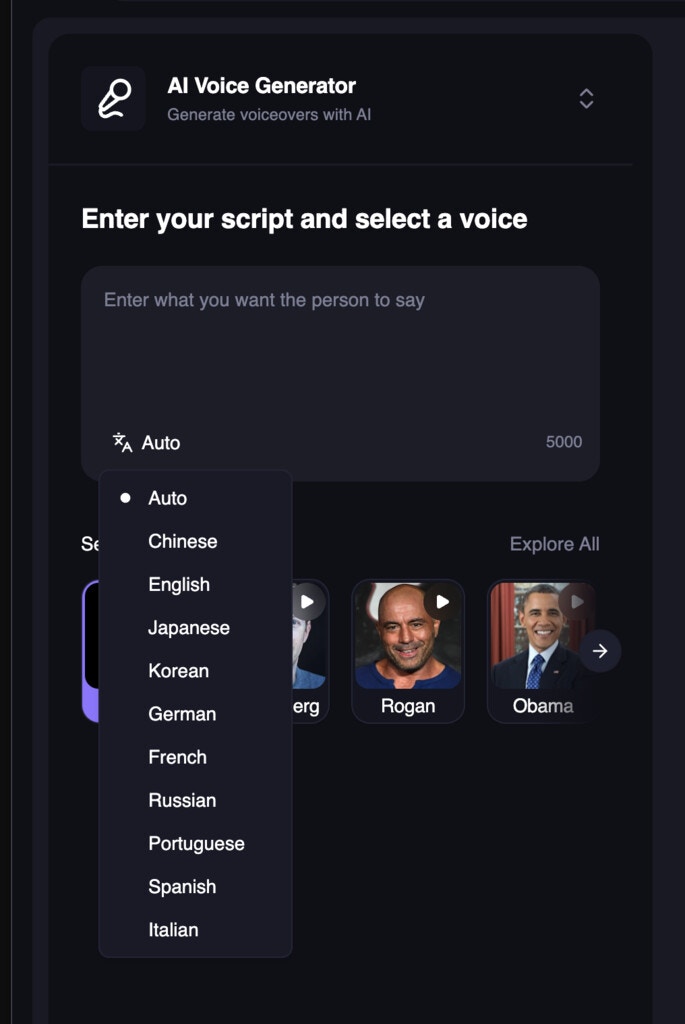 You can now specify a language when using the voice tools. If you don’t provide a value, we’ll use Auto detection by default.
Try it out now: [https://magichour.ai/create/ai-voice-generator](https://magichour.ai/create/ai-voice-generator)
## Choose Output Resolution in AI Image Editor
You can now specify a language when using the voice tools. If you don’t provide a value, we’ll use Auto detection by default.
Try it out now: [https://magichour.ai/create/ai-voice-generator](https://magichour.ai/create/ai-voice-generator)
## Choose Output Resolution in AI Image Editor
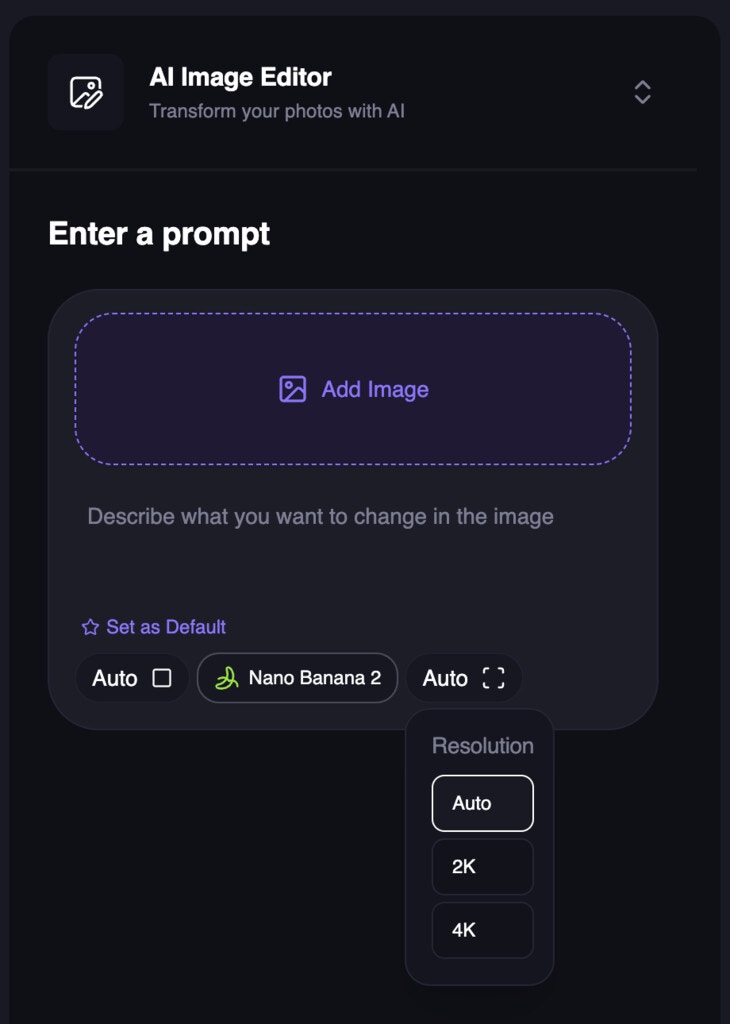 You can now select the output resolution directly in the AI Image Editor tool.
Try it out now: [https://magichour.ai/create/ai-image-editor](https://magichour.ai/create/ai-image-editor)
## End-Frame Support in Image-to-Video API
We added end-frame support to the Image-to-Video API. Now, you can provide an end frame to use as the last frame of the video.
```python theme={null}
res = client.v1.image_to_video.generate(
assets={
"image_file_path": "/path/to/1234.png",
"end_image_file_path": "/path/to/1234.png",
},
end_seconds=5.0,
)
```
## Out-of-credit API errors now return HTTP 402
Our API now returns HTTP 402 Payment Required when a request fails due to insufficient credits (previously 422). This better reflects the billing-related nature of the error.
If you check for specific status codes, update your error handling to look for 402.
```ts theme={null}
// Example: handle out-of-credit responses
const res = await fetch(url, options);
if (res.status === 402) {
// Payment Required — prompt user to add credits or update billing
throw new Error("Payment required: please add credits to continue.");
}
if (!res.ok) {
// Handle other errors
const err = await res.text();
throw new Error(`Request failed: ${res.status} ${err}`);
}
// Proceed with success path
const data = await res.json();
```
## Refreshed Lip Sync free tool UI
You can now select the output resolution directly in the AI Image Editor tool.
Try it out now: [https://magichour.ai/create/ai-image-editor](https://magichour.ai/create/ai-image-editor)
## End-Frame Support in Image-to-Video API
We added end-frame support to the Image-to-Video API. Now, you can provide an end frame to use as the last frame of the video.
```python theme={null}
res = client.v1.image_to_video.generate(
assets={
"image_file_path": "/path/to/1234.png",
"end_image_file_path": "/path/to/1234.png",
},
end_seconds=5.0,
)
```
## Out-of-credit API errors now return HTTP 402
Our API now returns HTTP 402 Payment Required when a request fails due to insufficient credits (previously 422). This better reflects the billing-related nature of the error.
If you check for specific status codes, update your error handling to look for 402.
```ts theme={null}
// Example: handle out-of-credit responses
const res = await fetch(url, options);
if (res.status === 402) {
// Payment Required — prompt user to add credits or update billing
throw new Error("Payment required: please add credits to continue.");
}
if (!res.ok) {
// Handle other errors
const err = await res.text();
throw new Error(`Request failed: ${res.status} ${err}`);
}
// Proceed with success path
const data = await res.json();
```
## Refreshed Lip Sync free tool UI
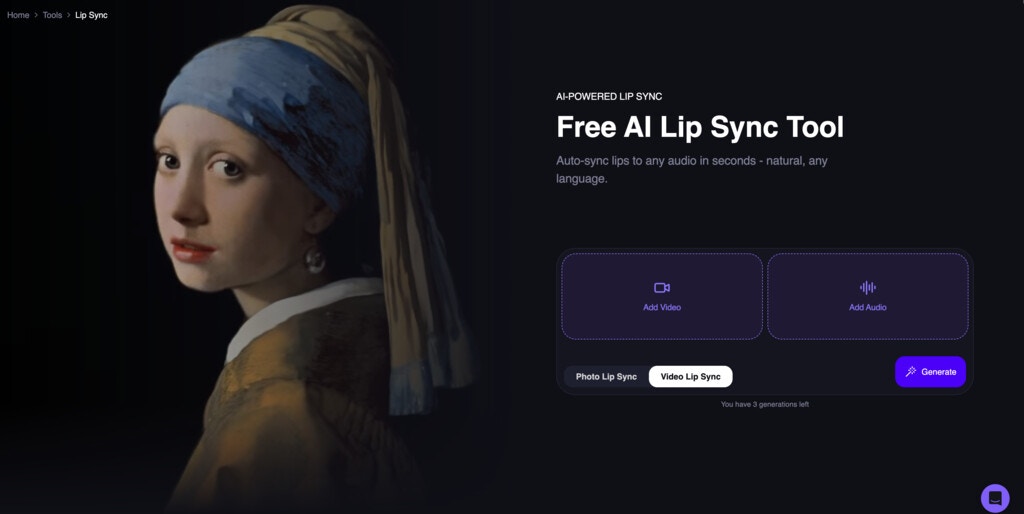 We updated the Lip Sync free tool with a cleaner, more consistent interface. The refreshed layout makes common actions easier to find and use.
Try it out now: [https://magichour.ai/products/lip-sync](https://magichour.ai/products/lip-sync)
## Revamped Talking Photo free tool UI
We updated the Lip Sync free tool with a cleaner, more consistent interface. The refreshed layout makes common actions easier to find and use.
Try it out now: [https://magichour.ai/products/lip-sync](https://magichour.ai/products/lip-sync)
## Revamped Talking Photo free tool UI
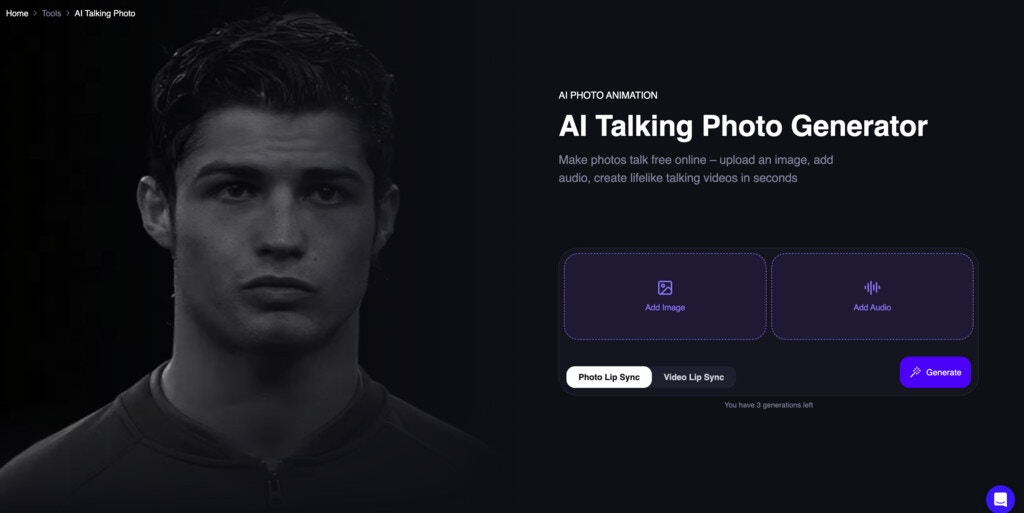 The Talking Photo free tool now sports an updated UI for a more streamlined experience. The refreshed visuals align it with the rest of the Magic Hour toolkit.
Try it out now: [https://magichour.ai/products/ai-talking-photo](https://magichour.ai/products/ai-talking-photo)
## Audio-to-Video Comes to the Dashboard
The Talking Photo free tool now sports an updated UI for a more streamlined experience. The refreshed visuals align it with the rest of the Magic Hour toolkit.
Try it out now: [https://magichour.ai/products/ai-talking-photo](https://magichour.ai/products/ai-talking-photo)
## Audio-to-Video Comes to the Dashboard
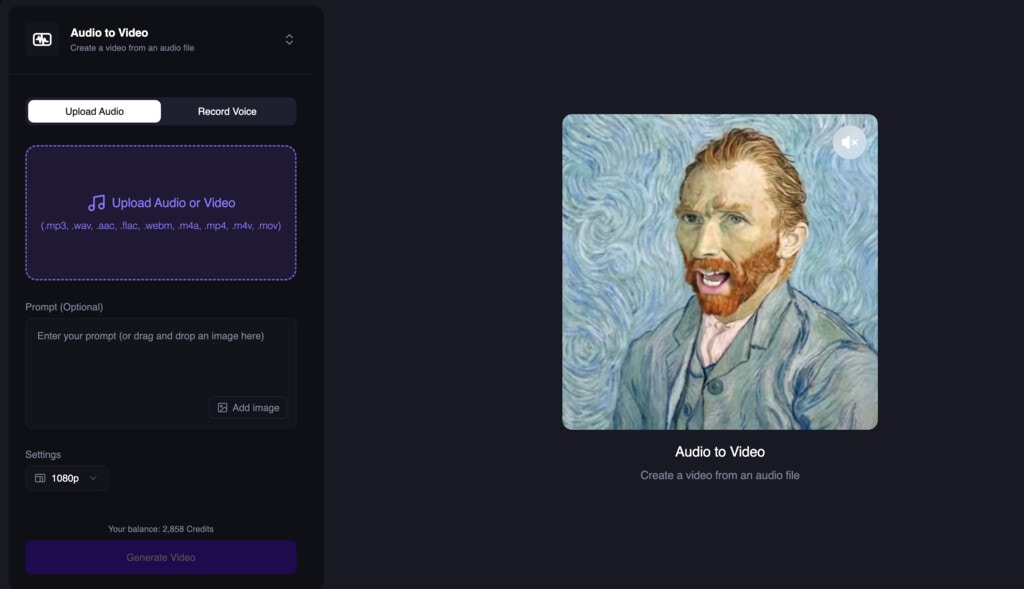 Turn any audio clip into a stylized video right from the Video section of the dashboard.
Try it out now: [https://magichour.ai/create/audio-to-video](https://magichour.ai/create/audio-to-video)
## Free Video Extender
Turn any audio clip into a stylized video right from the Video section of the dashboard.
Try it out now: [https://magichour.ai/create/audio-to-video](https://magichour.ai/create/audio-to-video)
## Free Video Extender
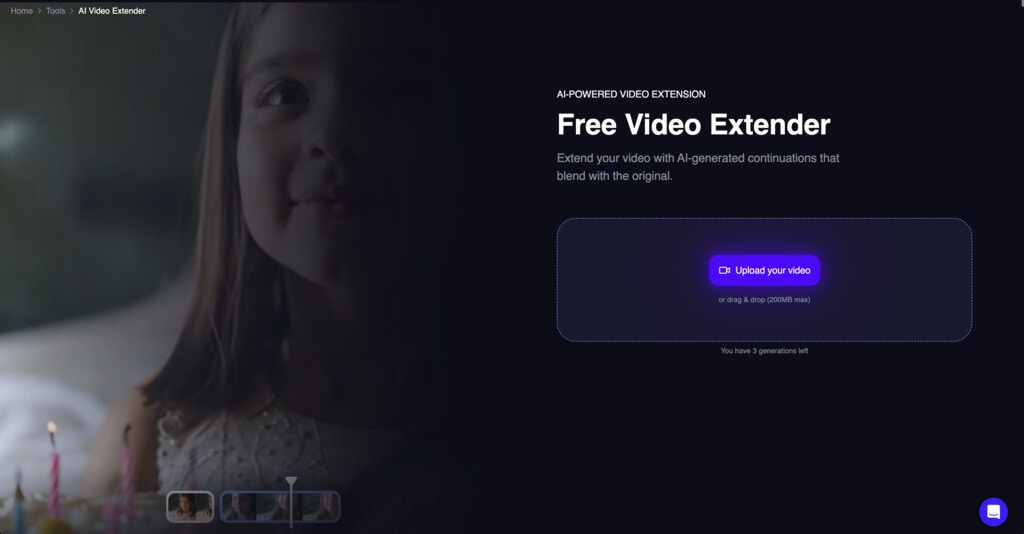 We launched a Video Extender that appends 5 seconds to your uploaded clip—no prompt or audio needed.
Try it out now: [https://magichour.ai/products/ai-video-extender](https://magichour.ai/products/ai-video-extender)
## New AI Video Extender
We launched a Video Extender that appends 5 seconds to your uploaded clip—no prompt or audio needed.
Try it out now: [https://magichour.ai/products/ai-video-extender](https://magichour.ai/products/ai-video-extender)
## New AI Video Extender
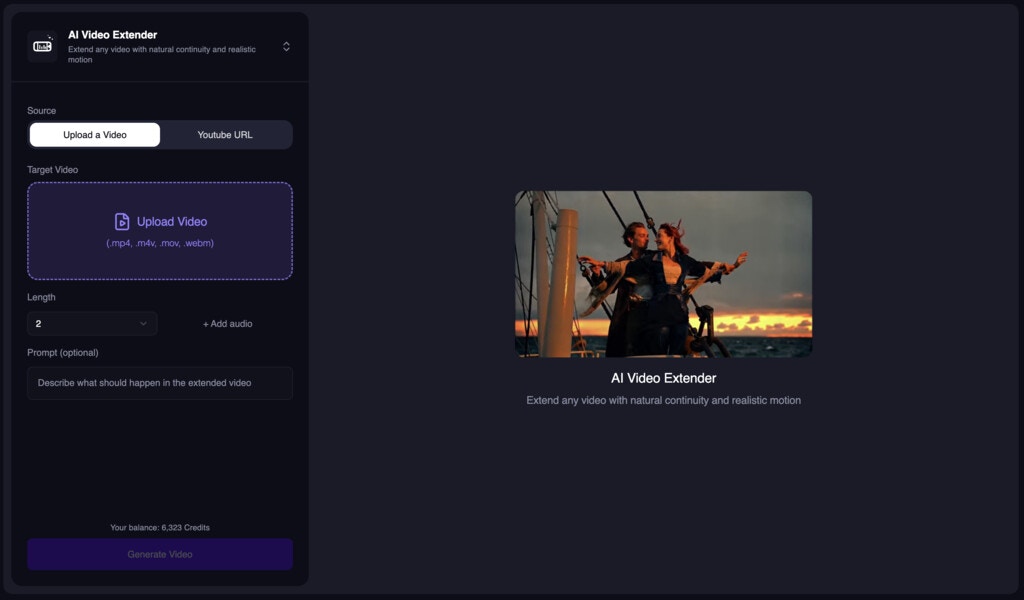 Easily extend your existing videos with our new AI Video Extender. Upload a clip, choose how much longer you want it, and optionally guide the continuation with a prompt or add audio. No subscription required.
* Cost: 1 credit per frame
* Typical speed: \~60s for a 5s 576x576 video
* Inputs: Video, Length, Resolution, Prompt (optional), Audio (optional)
Try it out now by visiting [https://magichour.ai/create/ai-video-extender](https://magichour.ai/create/ai-video-extender).
## Free Add Sound to Video (5s Preview)
Easily extend your existing videos with our new AI Video Extender. Upload a clip, choose how much longer you want it, and optionally guide the continuation with a prompt or add audio. No subscription required.
* Cost: 1 credit per frame
* Typical speed: \~60s for a 5s 576x576 video
* Inputs: Video, Length, Resolution, Prompt (optional), Audio (optional)
Try it out now by visiting [https://magichour.ai/create/ai-video-extender](https://magichour.ai/create/ai-video-extender).
## Free Add Sound to Video (5s Preview)
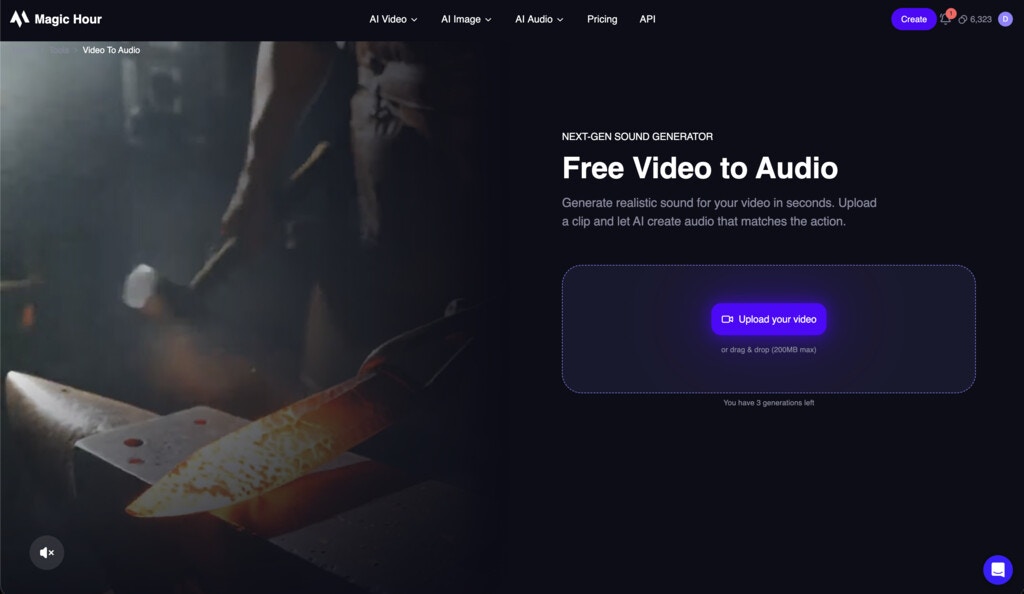 We launched a free tool that generates audio for your uploaded video and merges it back into the clip. Upload a video and generation starts immediately so you can hear results fast.
You get 3 free generations per day, and each preview covers the first 5 seconds of your video. Output is the same video file with the newly generated audio track—no separate audio download required. The primary action is labeled “Add Sound to Video (5s)”.
## Nano Banana 2 in AI Image Editor and Generator
We launched a free tool that generates audio for your uploaded video and merges it back into the clip. Upload a video and generation starts immediately so you can hear results fast.
You get 3 free generations per day, and each preview covers the first 5 seconds of your video. Output is the same video file with the newly generated audio track—no separate audio download required. The primary action is labeled “Add Sound to Video (5s)”.
## Nano Banana 2 in AI Image Editor and Generator
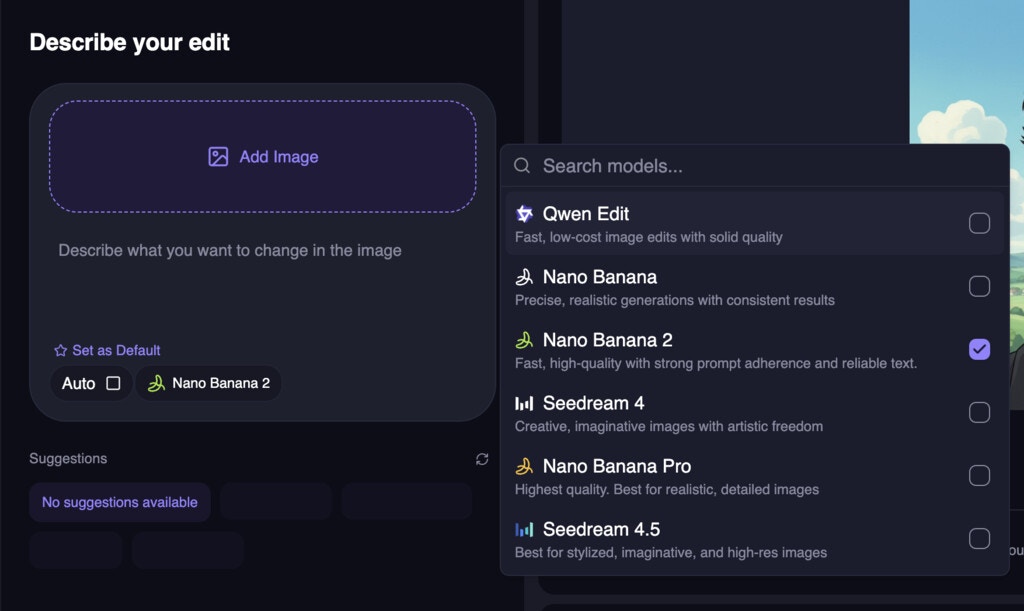 Nano Banana 2 is now available in both the AI Image Editor and AI Image Generator. In the model selector, it appears with the description: “Fast, high-quality with strong prompt adherence and reliable text.”
Due to higher compute costs, Nano Banana 2 consumes 2x the credits of Nano Banana when selected.
## New Video to Audio Tool
Nano Banana 2 is now available in both the AI Image Editor and AI Image Generator. In the model selector, it appears with the description: “Fast, high-quality with strong prompt adherence and reliable text.”
Due to higher compute costs, Nano Banana 2 consumes 2x the credits of Nano Banana when selected.
## New Video to Audio Tool
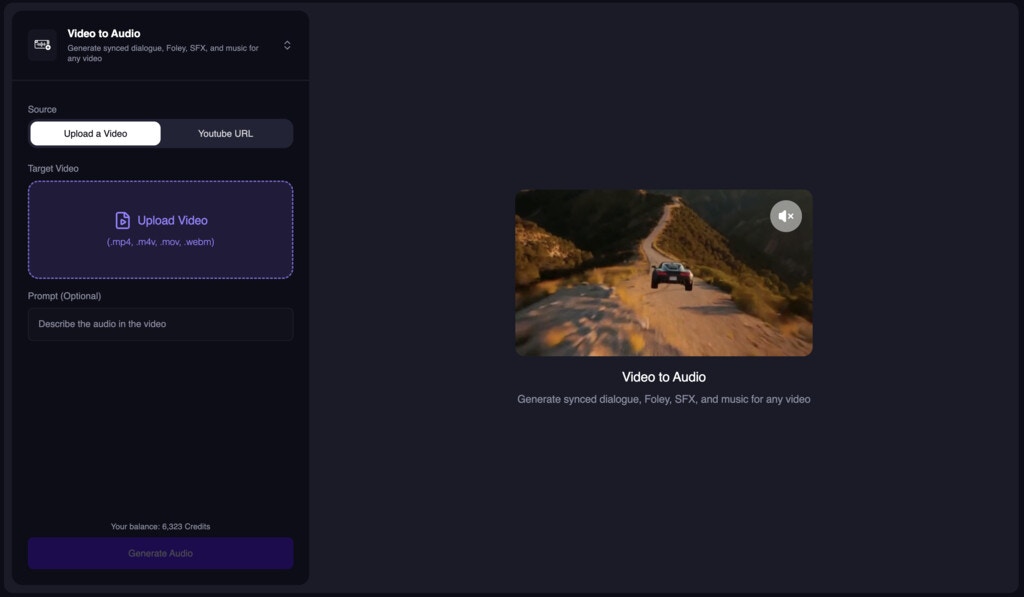 Turn any video into an audio track in the browser. We've added a simple, fast Video to Audio creator under the Audio section, using our familiar creation template—no subscription required.
Inputs:
* Video
* Length (trims video if shorter than the source)
* Resolution
* Prompt (optional)
Generation takes about \~60s for a 5s 576x576 video. Usage is billed at 1 credit per frame.
Try it out now: [https://magichour.ai/create/video-to-audio](https://magichour.ai/create/video-to-audio)
## Added LTX-2 Model for Image-to-Video and Text-to-Video
We now added LTX-2 Model for Image-to-Video and Text-to-Video. The big change we made is that you can use LTX-2 (at 480p) without a subscription.
Turn any video into an audio track in the browser. We've added a simple, fast Video to Audio creator under the Audio section, using our familiar creation template—no subscription required.
Inputs:
* Video
* Length (trims video if shorter than the source)
* Resolution
* Prompt (optional)
Generation takes about \~60s for a 5s 576x576 video. Usage is billed at 1 credit per frame.
Try it out now: [https://magichour.ai/create/video-to-audio](https://magichour.ai/create/video-to-audio)
## Added LTX-2 Model for Image-to-Video and Text-to-Video
We now added LTX-2 Model for Image-to-Video and Text-to-Video. The big change we made is that you can use LTX-2 (at 480p) without a subscription.
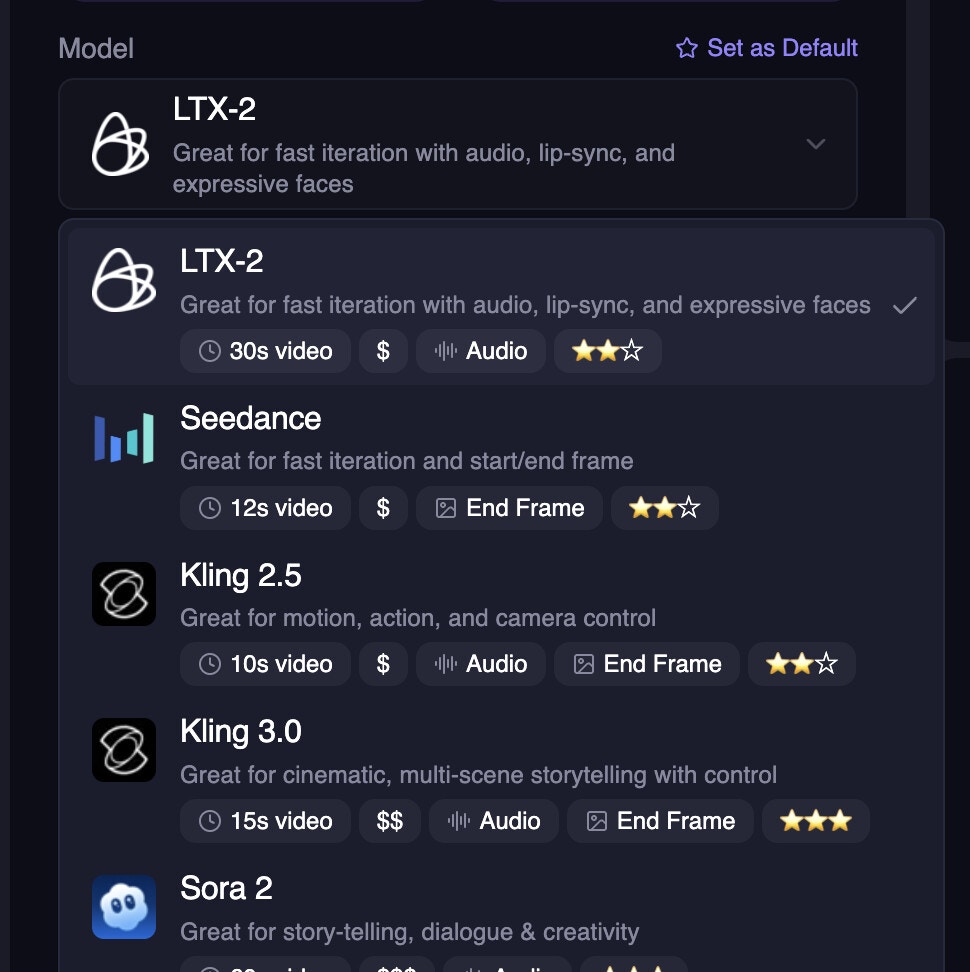 You can try it now by visiting [https://magichour.ai/create/image-to-video](https://magichour.ai/create/image-to-video) and [https://magichour.ai/create/text-to-video](https://magichour.ai/create/text-to-video).
## Added Kling 3.0 support to APIs
We now added Kling 3.0 to our API and released it for all SDKs.
```python theme={null}
res = client.v1.image_to_video.generate(
...
model="kling-3.0",
)
```
Try it out now by upgrading to the latest version of the SDK.
## Added Kling 3.0 To Image-to-Video and Text-to-Video
We introduced Kling 3.0 to Image-to-Video and Text-to-Video. It is a new model that is faster, sharper, and has better results.
You can try it now by visiting [https://magichour.ai/create/image-to-video](https://magichour.ai/create/image-to-video) and [https://magichour.ai/create/text-to-video](https://magichour.ai/create/text-to-video).
## Added Kling 3.0 support to APIs
We now added Kling 3.0 to our API and released it for all SDKs.
```python theme={null}
res = client.v1.image_to_video.generate(
...
model="kling-3.0",
)
```
Try it out now by upgrading to the latest version of the SDK.
## Added Kling 3.0 To Image-to-Video and Text-to-Video
We introduced Kling 3.0 to Image-to-Video and Text-to-Video. It is a new model that is faster, sharper, and has better results.
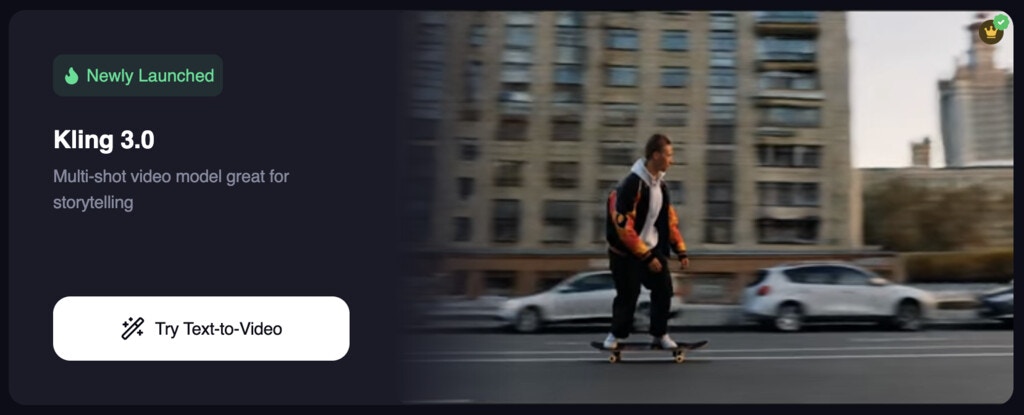 You can try it now by visiting [https://magichour.ai/create/image-to-video](https://magichour.ai/create/image-to-video) and [https://magichour.ai/create/text-to-video](https://magichour.ai/create/text-to-video).
## Named export for Client in Node SDK
To resolve import issues between cjs/esm modules, we have added a named export for the Client class in the Node SDK. This fixes the issue "TypeError: Client is not a constructor" when importing the Client class in a Node.js environment.
```ts theme={null}
const { Client } = require("magic-hour");
import { Client } from "magic-hour";
```
Try it out now by upgrading to the latest version of the SDK.
## Updated AI Image Editor API to include models param
You can now specify the following models for AI Image Editor:
* `qwen-edit`
* `nano-banana`
* `nano-banana-pro`
* `seedream-v4`
* `seedream-v4.5`
```python theme={null}
res = client.v1.ai_image_editor.generate(
...
model="nano-banana",
)
```
Try it out now by upgrading to the latest version of the SDK.
## AI Storyboard Generator
We launched a new tool called AI Storyboard Generator. It allows you to generate a storyboard for your video project.
You can try it now by visiting [https://magichour.ai/create/image-to-video](https://magichour.ai/create/image-to-video) and [https://magichour.ai/create/text-to-video](https://magichour.ai/create/text-to-video).
## Named export for Client in Node SDK
To resolve import issues between cjs/esm modules, we have added a named export for the Client class in the Node SDK. This fixes the issue "TypeError: Client is not a constructor" when importing the Client class in a Node.js environment.
```ts theme={null}
const { Client } = require("magic-hour");
import { Client } from "magic-hour";
```
Try it out now by upgrading to the latest version of the SDK.
## Updated AI Image Editor API to include models param
You can now specify the following models for AI Image Editor:
* `qwen-edit`
* `nano-banana`
* `nano-banana-pro`
* `seedream-v4`
* `seedream-v4.5`
```python theme={null}
res = client.v1.ai_image_editor.generate(
...
model="nano-banana",
)
```
Try it out now by upgrading to the latest version of the SDK.
## AI Storyboard Generator
We launched a new tool called AI Storyboard Generator. It allows you to generate a storyboard for your video project.
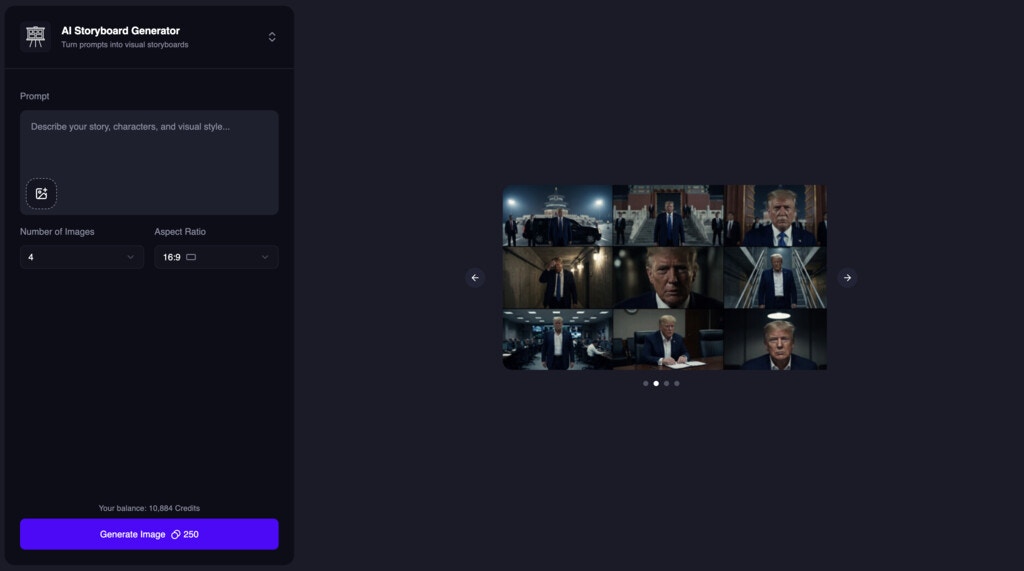 Try it out now: [https://magichour.ai/create/ai-storyboard-generator](https://magichour.ai/create/ai-storyboard-generator)
## Cheaper AI Image Upscaler
We introduced a new mode for AI Image Upscaler that is 50% cheaper. We are calling it `Pro` mode.
| Mode | Scale Factor | Credits |
| :------- | :----------- | :------ |
| Pro | 2x | 25 |
| Creative | 2x | 50 |
| Pro | 4x | 100 |
| Creative | 4x | 200 |
Try it out now: [https://magichour.ai/create/ai-image-upscaler](https://magichour.ai/create/ai-image-upscaler)
## M4A Audio Support
Added support for `.m4a` audio uploads so you can upload more types of audio files. This feature is available to all modes with audio input.
## Lip Sync Mode Improvements
We made some internal improvements to Lip Sync standard and pro modes for smoother, more reliable results.
Try it out now: [https://magichour.ai/create/lip-sync](https://magichour.ai/create/lip-sync)
Note: This feature is currently available to users with a subscription.
## Video Upscaler Dashboard Tool
Added a new dashboard tool to upscale videos.
Try it out now: [https://magichour.ai/create/ai-storyboard-generator](https://magichour.ai/create/ai-storyboard-generator)
## Cheaper AI Image Upscaler
We introduced a new mode for AI Image Upscaler that is 50% cheaper. We are calling it `Pro` mode.
| Mode | Scale Factor | Credits |
| :------- | :----------- | :------ |
| Pro | 2x | 25 |
| Creative | 2x | 50 |
| Pro | 4x | 100 |
| Creative | 4x | 200 |
Try it out now: [https://magichour.ai/create/ai-image-upscaler](https://magichour.ai/create/ai-image-upscaler)
## M4A Audio Support
Added support for `.m4a` audio uploads so you can upload more types of audio files. This feature is available to all modes with audio input.
## Lip Sync Mode Improvements
We made some internal improvements to Lip Sync standard and pro modes for smoother, more reliable results.
Try it out now: [https://magichour.ai/create/lip-sync](https://magichour.ai/create/lip-sync)
Note: This feature is currently available to users with a subscription.
## Video Upscaler Dashboard Tool
Added a new dashboard tool to upscale videos.
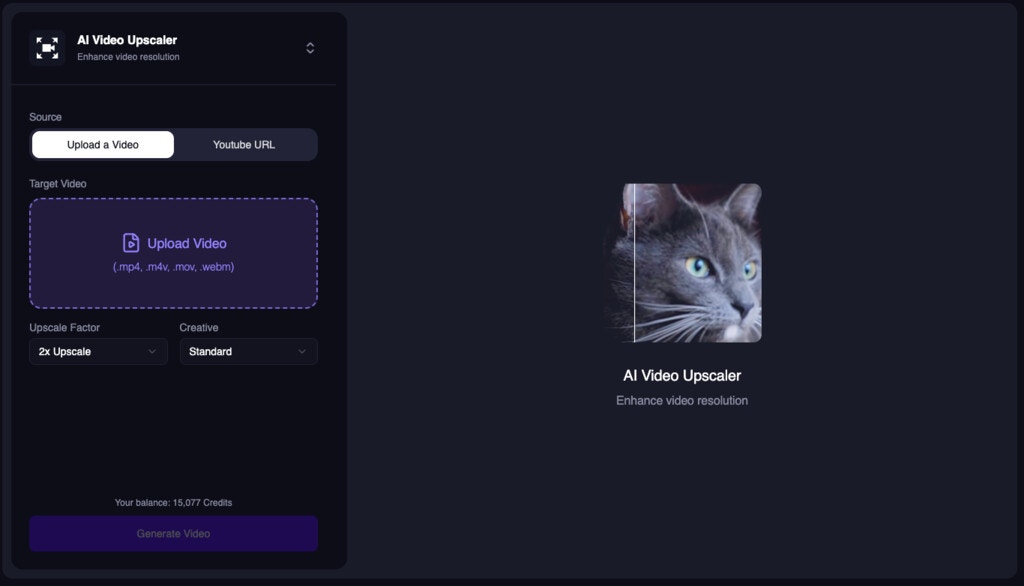 Try it out now: [https://magichour.ai/create/video-upscaler](https://magichour.ai/create/video-upscaler)
Note: This feature is currently available to users with a subscription.
## AI Image Generator API Model Selection
The AI Image Generator API now accepts a `model` parameter so users can choose between available models.
```python theme={null}
res = client.v1.ai_image_generator.create(
...
model="z-image-turbo",
)
```
Try it out now by upgrading to the latest version of the SDK.
## Improved Head Swap Dashboard
We added Head Swap to the dashboard experience.
Try it out now: [https://magichour.ai/create/video-upscaler](https://magichour.ai/create/video-upscaler)
Note: This feature is currently available to users with a subscription.
## AI Image Generator API Model Selection
The AI Image Generator API now accepts a `model` parameter so users can choose between available models.
```python theme={null}
res = client.v1.ai_image_generator.create(
...
model="z-image-turbo",
)
```
Try it out now by upgrading to the latest version of the SDK.
## Improved Head Swap Dashboard
We added Head Swap to the dashboard experience.
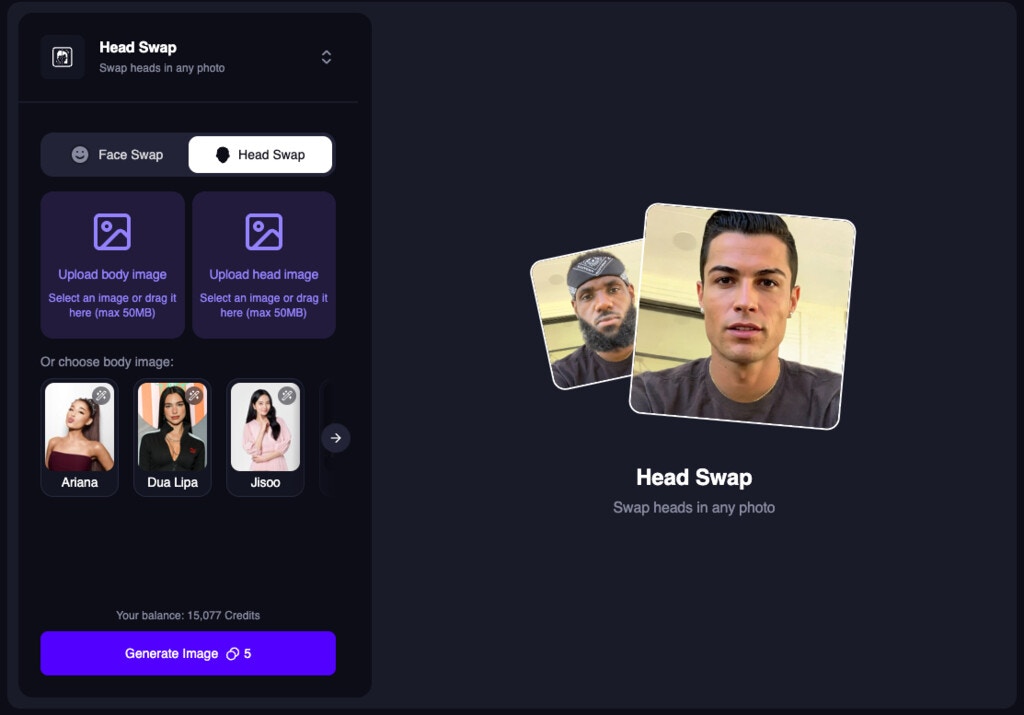 Try it out now: [https://magichour.ai/products/head-swap](https://magichour.ai/products/head-swap)
## Model Selection for Image-to-Video and Text-to-Video APIs
Added a `model` parameter to the Image-to-Video and Text-to-Video APIs so users can choose between available models. This brings the same model selection experience to the API as the create page.
```python theme={null}
res = client.v1.image_to_video.create(
...
model="sora-2",
)
```
Try it out now by upgrading to the latest version of the SDK.
## Head Swap Free Tool
Launched the free Head Swap tool at `/products/head-swap` for quick, zero-cost swaps.
Try it out now: [https://magichour.ai/products/head-swap](https://magichour.ai/products/head-swap)
## Model Selection for Image-to-Video and Text-to-Video APIs
Added a `model` parameter to the Image-to-Video and Text-to-Video APIs so users can choose between available models. This brings the same model selection experience to the API as the create page.
```python theme={null}
res = client.v1.image_to_video.create(
...
model="sora-2",
)
```
Try it out now by upgrading to the latest version of the SDK.
## Head Swap Free Tool
Launched the free Head Swap tool at `/products/head-swap` for quick, zero-cost swaps.
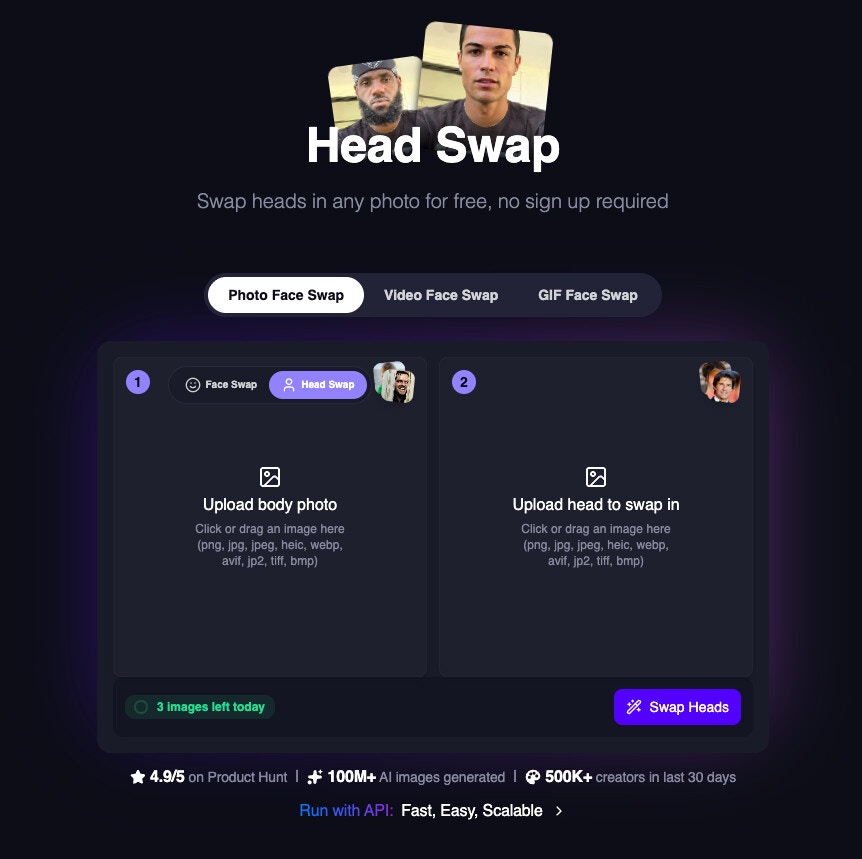 Try it out now: [https://magichour.ai/products/head-swap](https://magichour.ai/products/head-swap)
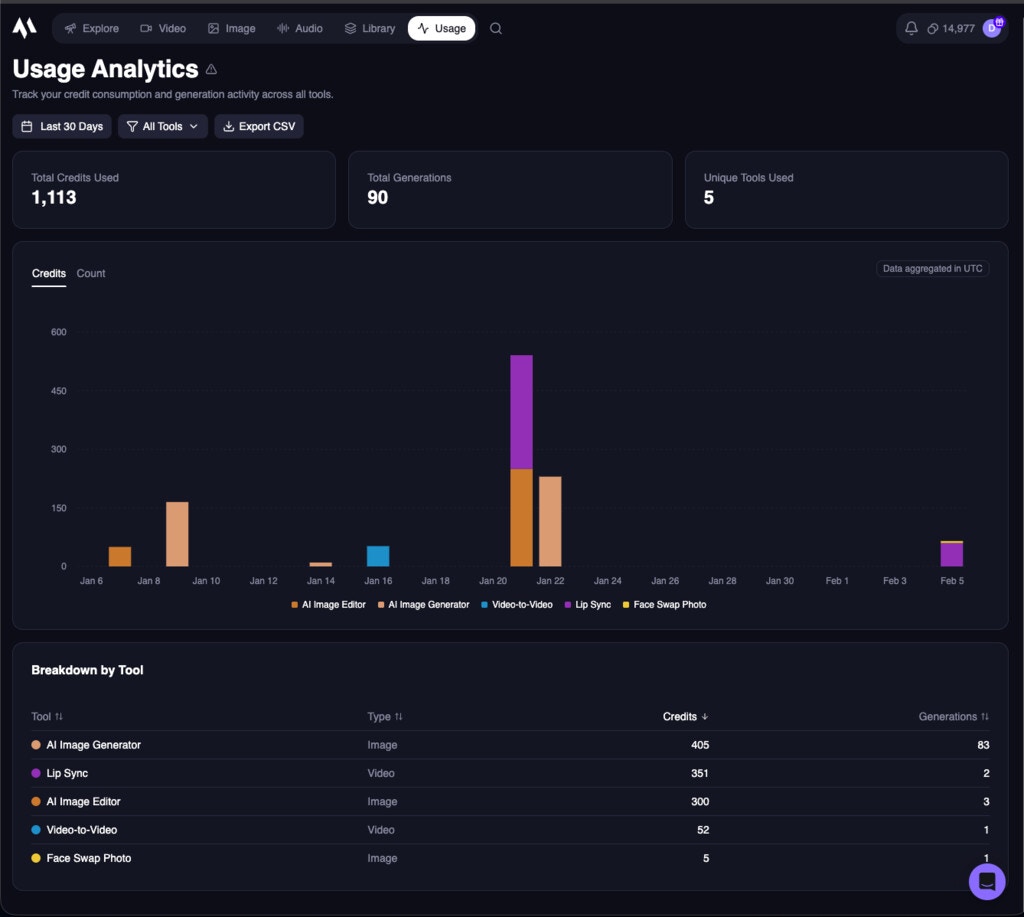
## New Usage Page
Added a dedicated `/usage` page so users can track their consumption at a glance.
Try it out now: [https://magichour.ai/products/head-swap](https://magichour.ai/products/head-swap)
## New Usage Page
Added a dedicated `/usage` page so users can track their consumption at a glance.
 ## Node SDK URL Inputs
The Node SDK now supports URL inputs for `.generate` functions in v0.45.0, previously it only supported local file paths.
## Added `max_resolution` to AI Talking Photo API
We added a new `max_resolution` param to the AI Talking Photo API. You can now specify the maximum resolution of the output video if you want a specific resolution.
```python theme={null}
res = client.v1.ai_talking_photo.generate(
...
max_resolution="576"
)
```
## Added Nano Banana Pro to AI Image Generator
AI Image Generator now includes Nano Banana Pro as a new model option.
## Node SDK URL Inputs
The Node SDK now supports URL inputs for `.generate` functions in v0.45.0, previously it only supported local file paths.
## Added `max_resolution` to AI Talking Photo API
We added a new `max_resolution` param to the AI Talking Photo API. You can now specify the maximum resolution of the output video if you want a specific resolution.
```python theme={null}
res = client.v1.ai_talking_photo.generate(
...
max_resolution="576"
)
```
## Added Nano Banana Pro to AI Image Generator
AI Image Generator now includes Nano Banana Pro as a new model option.
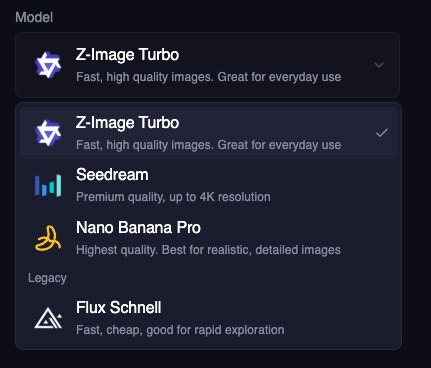 Try it out now: [https://magichour.ai/create/ai-image-generator](https://magichour.ai/create/ai-image-generator)
## Higher Free User Resolution
Free users can now generate sharper outputs with a higher max resolution of 576px (up from 512px).
## Improved AI Clothes Changer
We improved the AI Clothes Changer to use Qwen for better results.
Try it out now: [https://magichour.ai/create/ai-image-generator](https://magichour.ai/create/ai-image-generator)
## Higher Free User Resolution
Free users can now generate sharper outputs with a higher max resolution of 576px (up from 512px).
## Improved AI Clothes Changer
We improved the AI Clothes Changer to use Qwen for better results.
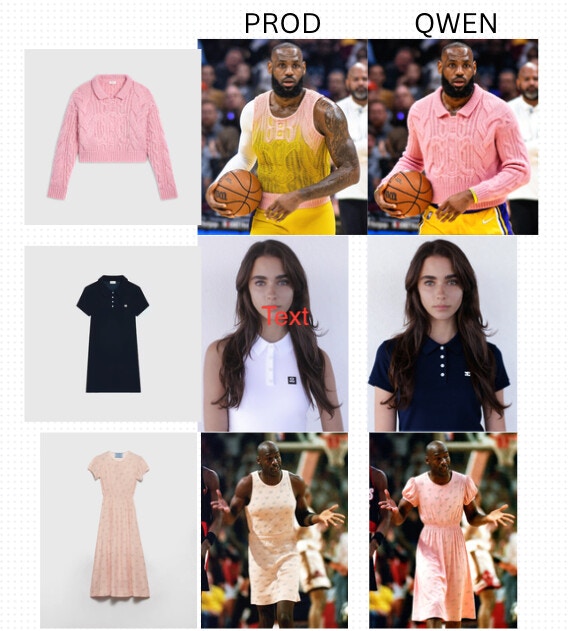 Try it out now: [https://magichour.ai/create/ai-clothes-changer](https://magichour.ai/create/ai-clothes-changer)
## Improved Photo Colorizer
We've improved the Photo Colorizer with better color accuracy and more natural results. Try it out now!
Before:
Try it out now: [https://magichour.ai/create/ai-clothes-changer](https://magichour.ai/create/ai-clothes-changer)
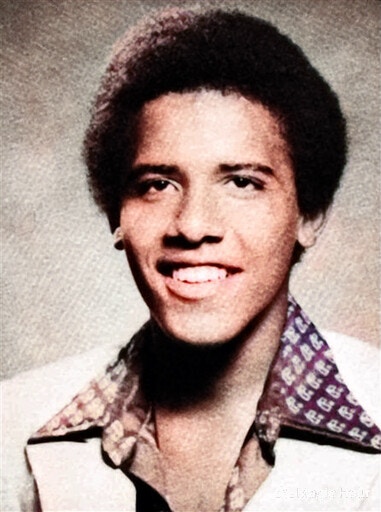
## Improved Photo Colorizer
We've improved the Photo Colorizer with better color accuracy and more natural results. Try it out now!
Before:
 After:
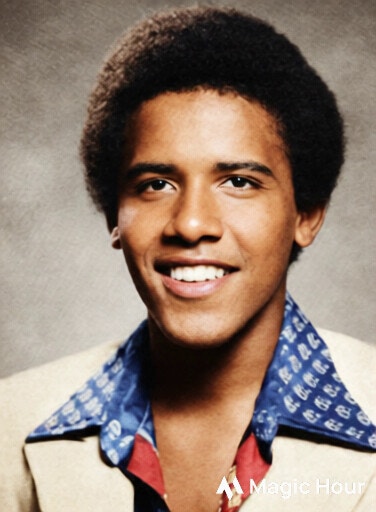 Try it out now: [https://magichour.ai/create/photo-colorizer](https://magichour.ai/create/photo-colorizer)
## Voice Cloner API
We've added support for the Voice Cloner API, allowing you to clone voices programmatically.
To take advantage of this change, please upgrade your SDK version to the latest.
* [Python SDK](https://github.com/magichourhq/magic-hour-python/releases)
* [Node SDK](https://github.com/magichourhq/magic-hour-node/releases)
* [Go SDK](https://github.com/magichourhq/magic-hour-go/releases)
* [Rust SDK](https://github.com/magichourhq/magic-hour-rust/releases)
## Qwen-Edit Model for AI Image Editor
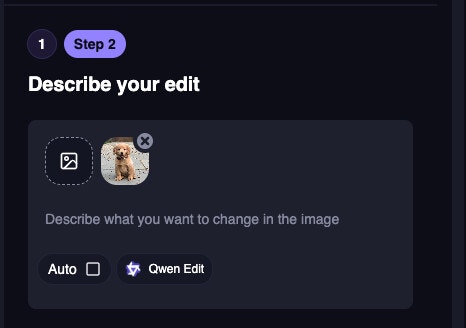
We added Qwen-Edit as a new model option for AI Image Editor. This model has great performance at 1/5 the cost of our other models.
Try it out now: [https://magichour.ai/create/photo-colorizer](https://magichour.ai/create/photo-colorizer)
## Voice Cloner API
We've added support for the Voice Cloner API, allowing you to clone voices programmatically.
To take advantage of this change, please upgrade your SDK version to the latest.
* [Python SDK](https://github.com/magichourhq/magic-hour-python/releases)
* [Node SDK](https://github.com/magichourhq/magic-hour-node/releases)
* [Go SDK](https://github.com/magichourhq/magic-hour-go/releases)
* [Rust SDK](https://github.com/magichourhq/magic-hour-rust/releases)
## Qwen-Edit Model for AI Image Editor
We added Qwen-Edit as a new model option for AI Image Editor. This model has great performance at 1/5 the cost of our other models.
 Try it out now: [https://magichour.ai/create/ai-image-editor](https://magichour.ai/create/ai-image-editor)