> ## Documentation Index
> Fetch the complete documentation index at: https://docs.magichour.ai/llms.txt
> Use this file to discover all available pages before exploring further.
# 2024
> List of feature releases in 2024
export const VideoPlayer = ({src, loop = false, autoPlay = false}) => {
return
;
};
## File URL Support for Face Swap Video and Photo APIs.
To make it easier to use input files, we now allow file URLs for `image_file_path` and `video_file_path` in the following APIs:
* POST /v1/face-swap
* POST /v1/face-swap-photo
Simply pass the url in the `file_path` inputs:
```json theme={null}
{
"image_file_path": "https://cdn.yourwebsite.com/files/image.png",
"video_file_path": "https://cdn.yourwebsite.com/files/video.mp4"
}
```
## Increased Video Download URL Expiration
In the response of `GET /v1/video-projects/:id`, the expiration time is increased from **1 hour** to **24 hours**.
The `GET /v1/image-projects/:id` was already returning 24 hours expiration, so this change make both of these APIs have matching behavior.
## Added `.downloads` key to `GET /v1/video-projects/:id`
In the response of `GET /v1/video-projects/:id`, we added `.downloads` key to return a list of output urls. This make video and image project response have matching behavior so it's easier to work with both APIs.
The `.download` key is still part of the response to ensure backwards compatibility.
```diff theme={null}
{
- "download": {
- "url": "https://video.magichour.ai/id/output.mp4?auth-token=1234",
- "expires_at": "2024-12-18T00:00:00.000Z"
- },
+ "downloads": [
+ {
+ "url": "https://video.magichour.ai/id/output.mp4?auth-token=1234",
+ "expires_at": "2024-12-18T00:00:00.000Z"
+ }
+ ],
}
```
## Added Image Background Remover API
Now you can remove background from your images via API. Get started with this new API using:
* [Python SDK](https://github.com/magichourhq/magic-hour-python/tree/main/magic_hour/resources/v1/image_background_remover)
* [Node SDK](https://github.com/magichourhq/magic-hour-node/tree/main/src/resources/v1/image-background-remover)
* [Go SDK](https://github.com/magichourhq/magic-hour-go/tree/main/resources/v1/image_background_remover)
* [Rust SDK](https://github.com/magichourhq/magic-hour-rust/tree/main/src/resources/v1/image_background_remover)
* [Rest API](/api-reference/image-projects/image-background-remover)
## Launching Image Background Remover!
Head over to [Image Background Remover](https://magichour.ai/create/image-background-remover) to create yours today!
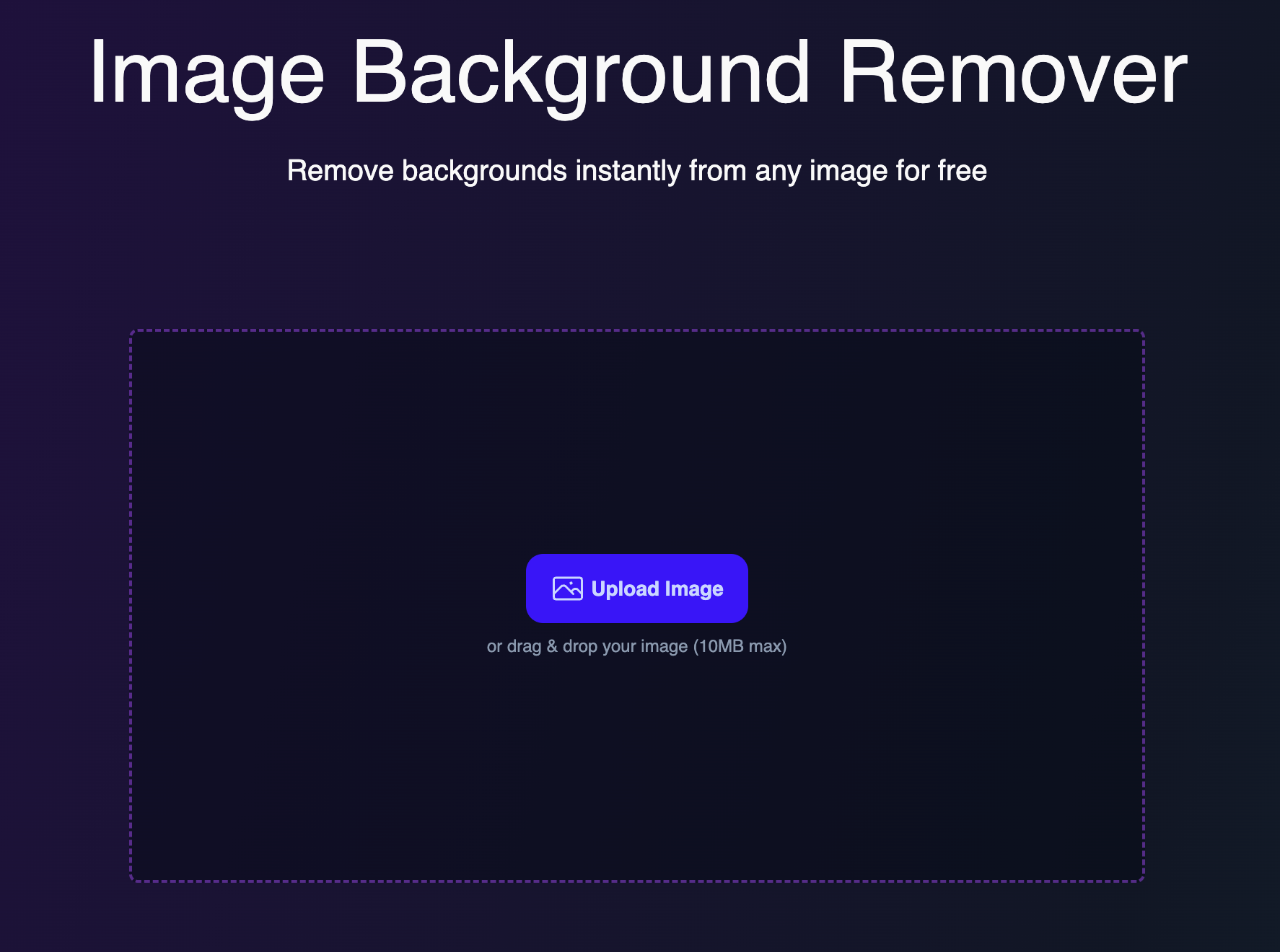
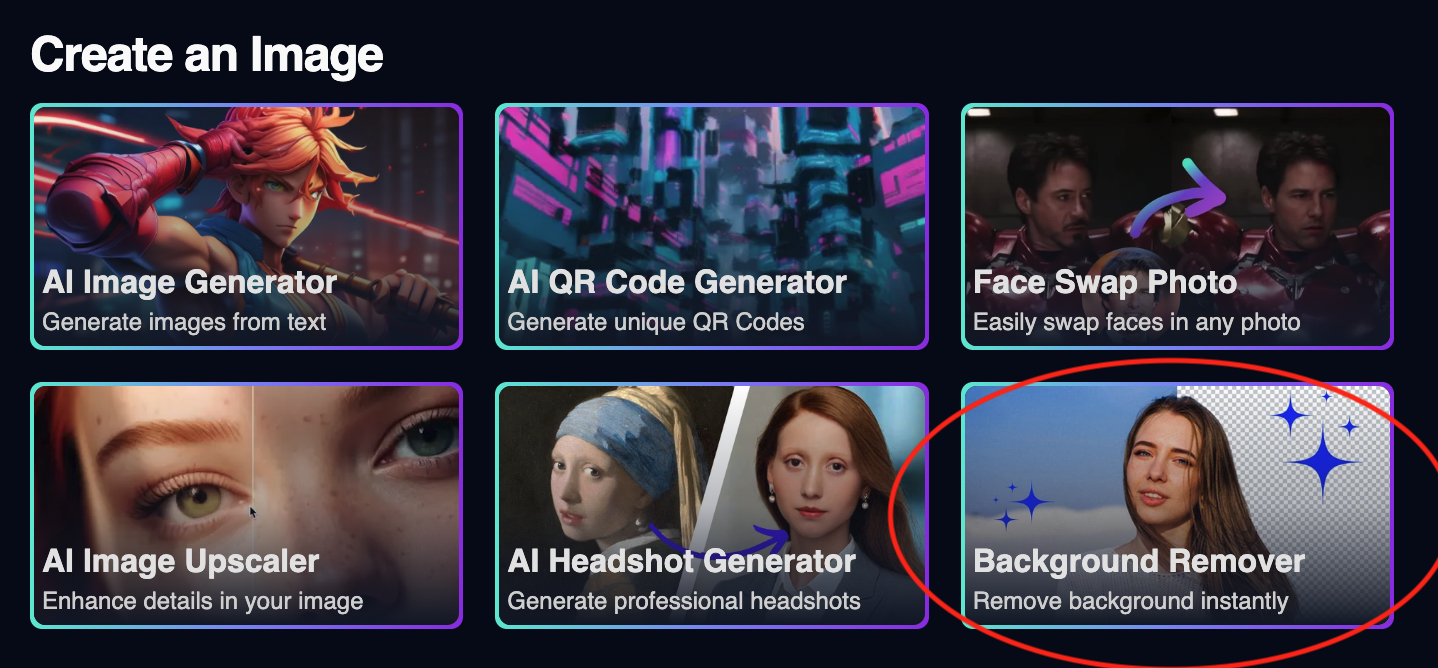 We also launched a free tool to the [Image Background Remover Product Page](https://magichour.ai/products/image-background-remover) so you can try out the new product for free!
 ## Specify Height & Width Must be at Least 64px in `POST /v1/video-to-video`
This is an API validation update to ensure that `height` and `width` of the API call are both above 64.
Originally, this was not validated at the API level, and the video will fail to render. Now, you will get a validation error for invalid height/width in the request body.
For example, passing `height: 32` will return in the following 400 response:
```json theme={null}
{
"message": "Request validation failed",
"pathParameterErrors": null,
"headerErrors": null,
"queryParameterErrors": null,
"bodyErrors": {
"issues": [
{
"code": "too_small",
"minimum": 64,
"type": "number",
"inclusive": true,
"exact": false,
"message": "Number must be greater than or equal to 64",
"path": ["height"]
}
],
"name": "ZodError"
}
}
```
## Add Animation to API
Now you can create stop-motion animations via API. Get started with this new API using:
* [Python SDK](https://github.com/magichourhq/magic-hour-python/tree/main/magic_hour/resources/v1/animation)
* [Node SDK](https://github.com/magichourhq/magic-hour-node/tree/main/src/resources/v1/animation)
* [Go SDK](https://github.com/magichourhq/magic-hour-go/tree/main/resources/v1/animation)
* [Rust SDK](https://github.com/magichourhq/magic-hour-rust/tree/main/src/resources/v1/animation)
* [Rest API](/api-reference/video-projects/animation)
Fun Fact: Animation was the first mode we built on Magic Hour!
## Error Visibility on Errors
Previously, whenever an error occurred on generation, there's no additional details on why.
We now added an `error` key to the `GET /v1/image-projects/:id` and `GET /v1/video-projects/:id` APIs to give you deeper visibility into what happened.
```json theme={null}
{
"error": {
"code": "",
"message": ""
}
}
```
If you see `unknown_error` as the code, please reach out to our team at [support@magichour.ai](mailto:support@magichour.ai) to debug further.
## Delete Image/Video Project APIs
After you downloaded the output, you now can delete the generated asset from our storage. This is a highly requested feature from our API users to improve privacy for the end user.
Now you can call
```
DELETE /v1/image-projects/:id
DELETE /v1/video-projects/:id
```
This change is also released to all SDKs.
* [Python SDK](https://github.com/magichourhq/magic-hour-python/tree/main/magic_hour/resources/v1/video_projects)
* [Node SDK](https://github.com/magichourhq/magic-hour-node/tree/main/src/resources/v1/video-projects)
* [Go SDK](https://github.com/magichourhq/magic-hour-go/tree/main/resources/v1/video_projects)
* [Rust SDK](https://github.com/magichourhq/magic-hour-rust/tree/main/src/resources/v1/video_projects)
## Improve Error Message When File Path is Invalid
If the `audio_file_path`, `image_file_path`, or `video_file_path` points to a file that does not exist in our storage, we previously returns the error
> Asset path api-assets/id/video.mp4 is invalid
This error is not very actionable. The new error is now:
> file path ' api-assets/id/video.mp4' does not exist. Please make sure that the value matches the 'items.\[].file\_path' from the /v1/files/upload-urls API and the files are uploaded by sending a PUT request to the upload url.
## Added `max_fps_limit` to `POST /v1/lip-sync`
This was a feature requested by one of our API users, who wanted reduce frame usage while using APIs. Allowing to set a `max_fps_limit` means you limit the maximum of cost of the video.
For example, if the original video has an FPS of 60 with a duration of 10 seconds, generation would previously cost **600** frames. Now, you can pass `"max_fps_limit": 24` and only be charged **240** frames.
If the video fps is lower than the `max_fps_limit` set, we will deduct frames based on the actual
FPS of the video
You can see more details in the [API Reference](/api-reference/video-projects/lip-sync#body-max-fps-limit)
## Longer Videos for Face Swap and Lip Sync
We updated the maximum frames for Face Swap Video and Lip Sync from 6,000 to 20,000 frames.
Now you can generate videos that are **3.3x** longer! 📈
The table summaries the length of video you can generate for a few common video FPS:
| FPS | Previous | New |
| :-- | :---------------------------------------------- | :----------------------------------------------- |
| 24 | {Math.floor(6000 / 24 / 60 / 0.1) / 10} minutes | {Math.floor(20000 / 24 / 60 / 0.1) / 10} minutes |
| 30 | {Math.floor(6000 / 30 / 60 / 0.1) / 10} minutes | {Math.floor(20000 / 30 / 60 / 0.1) / 10} minutes |
| 60 | {Math.floor(6000 / 60 / 60 / 0.1) / 10} minutes | {Math.floor(20000 / 60 / 60 / 0.1) / 10} minutes |
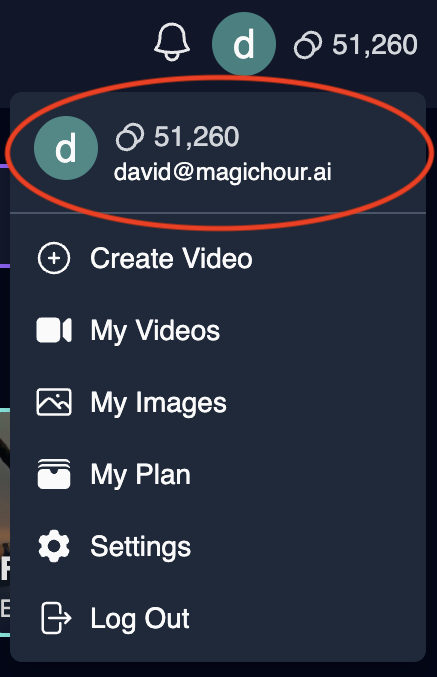
## See Your Email in Menu
Many of us have multiple emails, and sometimes it is hard to know what email you used. So we added your email to the profile menu.
## Specify Height & Width Must be at Least 64px in `POST /v1/video-to-video`
This is an API validation update to ensure that `height` and `width` of the API call are both above 64.
Originally, this was not validated at the API level, and the video will fail to render. Now, you will get a validation error for invalid height/width in the request body.
For example, passing `height: 32` will return in the following 400 response:
```json theme={null}
{
"message": "Request validation failed",
"pathParameterErrors": null,
"headerErrors": null,
"queryParameterErrors": null,
"bodyErrors": {
"issues": [
{
"code": "too_small",
"minimum": 64,
"type": "number",
"inclusive": true,
"exact": false,
"message": "Number must be greater than or equal to 64",
"path": ["height"]
}
],
"name": "ZodError"
}
}
```
## Add Animation to API
Now you can create stop-motion animations via API. Get started with this new API using:
* [Python SDK](https://github.com/magichourhq/magic-hour-python/tree/main/magic_hour/resources/v1/animation)
* [Node SDK](https://github.com/magichourhq/magic-hour-node/tree/main/src/resources/v1/animation)
* [Go SDK](https://github.com/magichourhq/magic-hour-go/tree/main/resources/v1/animation)
* [Rust SDK](https://github.com/magichourhq/magic-hour-rust/tree/main/src/resources/v1/animation)
* [Rest API](/api-reference/video-projects/animation)
Fun Fact: Animation was the first mode we built on Magic Hour!
## Error Visibility on Errors
Previously, whenever an error occurred on generation, there's no additional details on why.
We now added an `error` key to the `GET /v1/image-projects/:id` and `GET /v1/video-projects/:id` APIs to give you deeper visibility into what happened.
```json theme={null}
{
"error": {
"code": "",
"message": ""
}
}
```
If you see `unknown_error` as the code, please reach out to our team at [support@magichour.ai](mailto:support@magichour.ai) to debug further.
## Delete Image/Video Project APIs
After you downloaded the output, you now can delete the generated asset from our storage. This is a highly requested feature from our API users to improve privacy for the end user.
Now you can call
```
DELETE /v1/image-projects/:id
DELETE /v1/video-projects/:id
```
This change is also released to all SDKs.
* [Python SDK](https://github.com/magichourhq/magic-hour-python/tree/main/magic_hour/resources/v1/video_projects)
* [Node SDK](https://github.com/magichourhq/magic-hour-node/tree/main/src/resources/v1/video-projects)
* [Go SDK](https://github.com/magichourhq/magic-hour-go/tree/main/resources/v1/video_projects)
* [Rust SDK](https://github.com/magichourhq/magic-hour-rust/tree/main/src/resources/v1/video_projects)
## Improve Error Message When File Path is Invalid
If the `audio_file_path`, `image_file_path`, or `video_file_path` points to a file that does not exist in our storage, we previously returns the error
> Asset path api-assets/id/video.mp4 is invalid
This error is not very actionable. The new error is now:
> file path ' api-assets/id/video.mp4' does not exist. Please make sure that the value matches the 'items.\[].file\_path' from the /v1/files/upload-urls API and the files are uploaded by sending a PUT request to the upload url.
## Added `max_fps_limit` to `POST /v1/lip-sync`
This was a feature requested by one of our API users, who wanted reduce frame usage while using APIs. Allowing to set a `max_fps_limit` means you limit the maximum of cost of the video.
For example, if the original video has an FPS of 60 with a duration of 10 seconds, generation would previously cost **600** frames. Now, you can pass `"max_fps_limit": 24` and only be charged **240** frames.
If the video fps is lower than the `max_fps_limit` set, we will deduct frames based on the actual
FPS of the video
You can see more details in the [API Reference](/api-reference/video-projects/lip-sync#body-max-fps-limit)
## Longer Videos for Face Swap and Lip Sync
We updated the maximum frames for Face Swap Video and Lip Sync from 6,000 to 20,000 frames.
Now you can generate videos that are **3.3x** longer! 📈
The table summaries the length of video you can generate for a few common video FPS:
| FPS | Previous | New |
| :-- | :---------------------------------------------- | :----------------------------------------------- |
| 24 | {Math.floor(6000 / 24 / 60 / 0.1) / 10} minutes | {Math.floor(20000 / 24 / 60 / 0.1) / 10} minutes |
| 30 | {Math.floor(6000 / 30 / 60 / 0.1) / 10} minutes | {Math.floor(20000 / 30 / 60 / 0.1) / 10} minutes |
| 60 | {Math.floor(6000 / 60 / 60 / 0.1) / 10} minutes | {Math.floor(20000 / 60 / 60 / 0.1) / 10} minutes |
## See Your Email in Menu
Many of us have multiple emails, and sometimes it is hard to know what email you used. So we added your email to the profile menu.
 ## Select Events for Webhook
We added the ability to select specific events to send to your webhook event.
## Select Events for Webhook
We added the ability to select specific events to send to your webhook event.
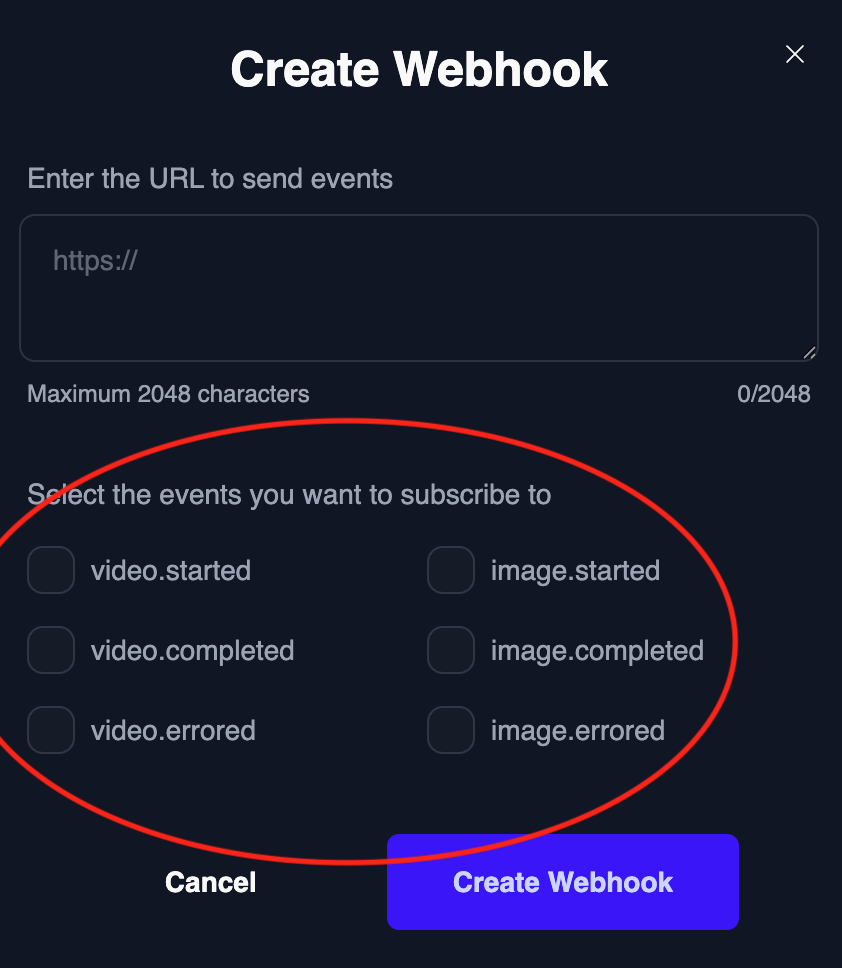 You can create your webhook by going to the [Developer Hub](https://magichour.ai/developer)
## Make `name` Actually Optional in APIs
Currently, the `name` field in APIs are `nullable`, when it should be `optional`. Before this change, even if you didn't want to add a name for a particular render, you still need to pass in the key with a `null` value.
```json theme={null}
{
"name": null
}
```
After this change, you can leave off `name` completely.
## New AI Image APIs
Added the following AI image tools to our API:
* [POST /v1/ai-headshot-generator](/api-reference/image-projects/ai-headshot-generator)
* [POST /v1/ai-image-generator](/api-reference/image-projects/ai-image-generator)
* [POST /v1/ai-image-upscaler](/api-reference/image-projects/ai-image-upscaler)
* [POST /v1/ai-qr-code-generator](/api-reference/image-projects/ai-qr-code-generator)
All of our SDKs are updated with the new endpoints
* [Python SDK](https://github.com/magichourhq/magic-hour-python)
* [Node SDK](https://github.com/magichourhq/magic-hour-node)
* [Go SDK](https://github.com/magichourhq/magic-hour-go)
* [Rust SDK](https://github.com/magichourhq/magic-hour-rust)
## First AI Image APIs and Webhook Events
We have added our first set of APIs for image modes:
* [GET /v1/image-projects/:id](/api-reference/image-projects/get-image-details)
* [POST /v1/face-swap-photo](/api-reference/image-projects/face-swap-photo)
Also introduced 3 additional webhook events
* `image.started`
* `image.completed`
* `image.errored`
## Documentation Improvements
* We reorganized our API docs to combine all video and image modes under one tag.
* [Webhook Documentation](/webhook-reference) is split into its own documentation.
## Added `high_quality` Param to Image-to-Video API
Added `High Quality` mode to [Image-to-Video](https://magichour.ai/create/image-to-video). "High Quality" is better at detail preservation, ideal for humans and complex images.
To use high quality mode, simply check `High Quality` checkbox.
## Added Support for `.webm` Video
Now you can use `.webm` files in our web app without having to convert to a supported format.
## Added Support for `.gif` For Face Swap
Ever saw a funny gif and wanted to put yourself in the scene? Now you can! We added support to allow `.gif` files for face swap mode, both in the web UI and API
## Delete Generated Images on Account Deletion
When you request to delete your account, we remove all personal data, delete your information from Stripe, and erase all generated videos. We discovered that generated images were not included in this process. This has now been fixed—going forward, and we have reviewed and deleted any remaining images for previously deleted accounts.
## Allow Custom Prompt for AI Image Upscaler
Now you can have more control over the upscaled image. We enabled custom prompt for "Creative" style.
You can create your webhook by going to the [Developer Hub](https://magichour.ai/developer)
## Make `name` Actually Optional in APIs
Currently, the `name` field in APIs are `nullable`, when it should be `optional`. Before this change, even if you didn't want to add a name for a particular render, you still need to pass in the key with a `null` value.
```json theme={null}
{
"name": null
}
```
After this change, you can leave off `name` completely.
## New AI Image APIs
Added the following AI image tools to our API:
* [POST /v1/ai-headshot-generator](/api-reference/image-projects/ai-headshot-generator)
* [POST /v1/ai-image-generator](/api-reference/image-projects/ai-image-generator)
* [POST /v1/ai-image-upscaler](/api-reference/image-projects/ai-image-upscaler)
* [POST /v1/ai-qr-code-generator](/api-reference/image-projects/ai-qr-code-generator)
All of our SDKs are updated with the new endpoints
* [Python SDK](https://github.com/magichourhq/magic-hour-python)
* [Node SDK](https://github.com/magichourhq/magic-hour-node)
* [Go SDK](https://github.com/magichourhq/magic-hour-go)
* [Rust SDK](https://github.com/magichourhq/magic-hour-rust)
## First AI Image APIs and Webhook Events
We have added our first set of APIs for image modes:
* [GET /v1/image-projects/:id](/api-reference/image-projects/get-image-details)
* [POST /v1/face-swap-photo](/api-reference/image-projects/face-swap-photo)
Also introduced 3 additional webhook events
* `image.started`
* `image.completed`
* `image.errored`
## Documentation Improvements
* We reorganized our API docs to combine all video and image modes under one tag.
* [Webhook Documentation](/webhook-reference) is split into its own documentation.
## Added `high_quality` Param to Image-to-Video API
Added `High Quality` mode to [Image-to-Video](https://magichour.ai/create/image-to-video). "High Quality" is better at detail preservation, ideal for humans and complex images.
To use high quality mode, simply check `High Quality` checkbox.
## Added Support for `.webm` Video
Now you can use `.webm` files in our web app without having to convert to a supported format.
## Added Support for `.gif` For Face Swap
Ever saw a funny gif and wanted to put yourself in the scene? Now you can! We added support to allow `.gif` files for face swap mode, both in the web UI and API
## Delete Generated Images on Account Deletion
When you request to delete your account, we remove all personal data, delete your information from Stripe, and erase all generated videos. We discovered that generated images were not included in this process. This has now been fixed—going forward, and we have reviewed and deleted any remaining images for previously deleted accounts.
## Allow Custom Prompt for AI Image Upscaler
Now you can have more control over the upscaled image. We enabled custom prompt for "Creative" style.
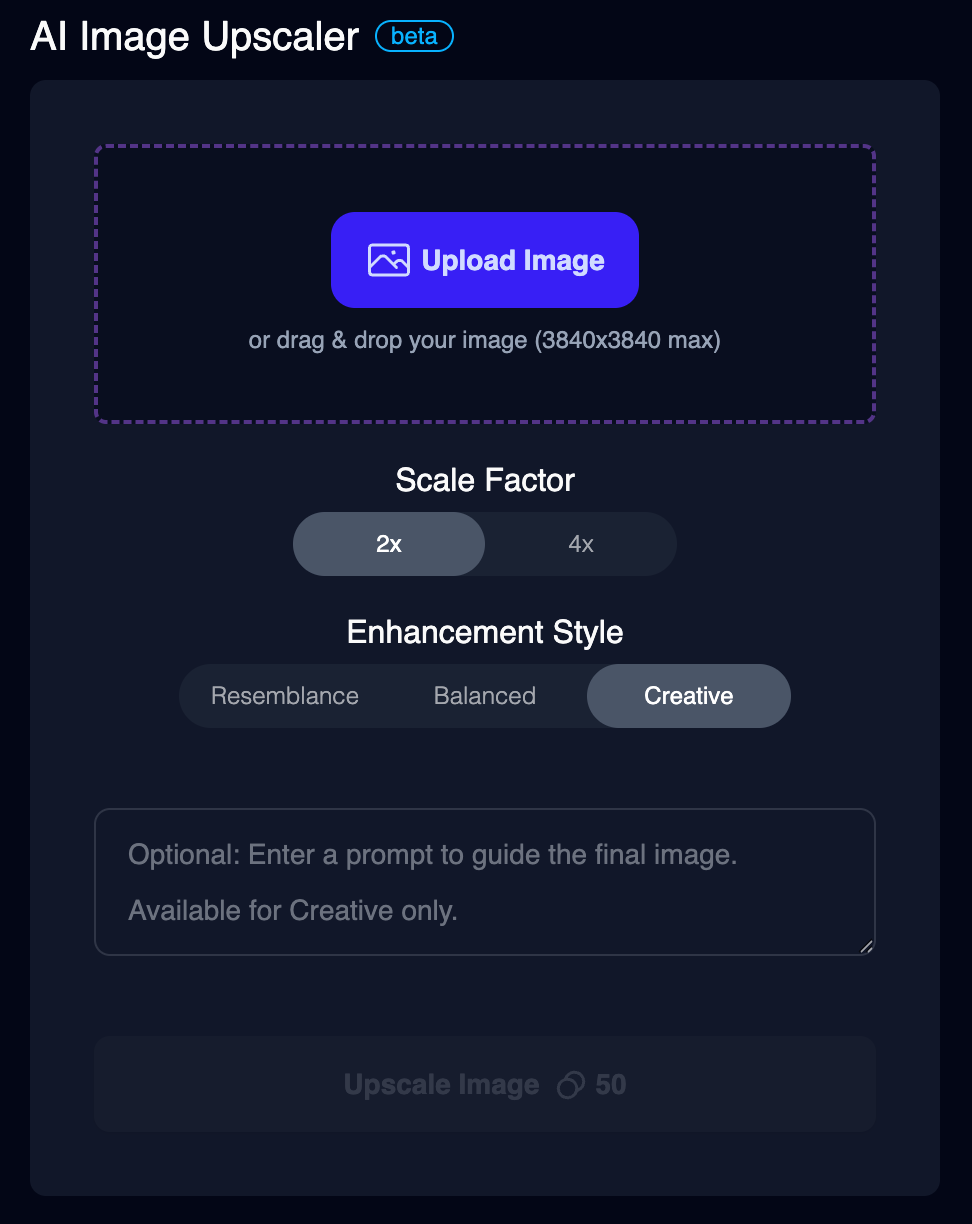 ## AI Headshot Generator
We added the `AI Headshot Generator` to our dashboard!
Try it now: [AI Headshot Generator](https://magichour.ai/create/ai-headshot-generator)
## Parallel Image Rendering
For our image modes, you used to have to wait for the previous render to complete first before queueing your next image. We have now enabled parallel rendering for
* [AI Image Generator](https://magichour.ai/create/ai-image-generator)
* [AI QR Code](https://magichour.ai/create/ai-qr-code-generator)
* [Face Swap Photo](https://magichour.ai/create/face-swap-photo)
## Launching AI Image Upscaler
We shipped a new too: `AI Image Upscaler`!
Try it now: [AI Image Upscaler](https://magichour.ai/create/ai-headshot-generator)
## Allow Any Text in QR Code Generator
QR Code can represent any text, and we removed the `URL` limitation to our QR code generator. You can now use any text!
Try it now: [AI QR Code Upscaler](https://magichour.ai/create/ai-qr-code-generator)
## Launching Face Swap Photo in Dashboard
We added Face Swap Photo to our dashboard experience.
Try it now: [Face Swap Photo](https://magichour.ai/create/face-swap-photo)
## Launching AI QR Code Generator in Dashboard
We added AI QR Code Generator to our dashboard experience.
Try it now: [AI QR Code Generator](https://magichour.ai/create/face-swap-photo)
## Webhook Notification
You can now configure a webhook endpoint to be notified of status changes. We support `video.started`, `video.completed`, and `video.errored` events. This is a more efficient way to check whether a video ahs completed as compared to polling `GET /v1/video-projects/:id`.
Get more details in our [webhook overview](/integration/webhook/overview)
## Launching 4 Additional Video-to-Video Art Styles
## AI Headshot Generator
We added the `AI Headshot Generator` to our dashboard!
Try it now: [AI Headshot Generator](https://magichour.ai/create/ai-headshot-generator)
## Parallel Image Rendering
For our image modes, you used to have to wait for the previous render to complete first before queueing your next image. We have now enabled parallel rendering for
* [AI Image Generator](https://magichour.ai/create/ai-image-generator)
* [AI QR Code](https://magichour.ai/create/ai-qr-code-generator)
* [Face Swap Photo](https://magichour.ai/create/face-swap-photo)
## Launching AI Image Upscaler
We shipped a new too: `AI Image Upscaler`!
Try it now: [AI Image Upscaler](https://magichour.ai/create/ai-headshot-generator)
## Allow Any Text in QR Code Generator
QR Code can represent any text, and we removed the `URL` limitation to our QR code generator. You can now use any text!
Try it now: [AI QR Code Upscaler](https://magichour.ai/create/ai-qr-code-generator)
## Launching Face Swap Photo in Dashboard
We added Face Swap Photo to our dashboard experience.
Try it now: [Face Swap Photo](https://magichour.ai/create/face-swap-photo)
## Launching AI QR Code Generator in Dashboard
We added AI QR Code Generator to our dashboard experience.
Try it now: [AI QR Code Generator](https://magichour.ai/create/face-swap-photo)
## Webhook Notification
You can now configure a webhook endpoint to be notified of status changes. We support `video.started`, `video.completed`, and `video.errored` events. This is a more efficient way to check whether a video ahs completed as compared to polling `GET /v1/video-projects/:id`.
Get more details in our [webhook overview](/integration/webhook/overview)
## Launching 4 Additional Video-to-Video Art Styles
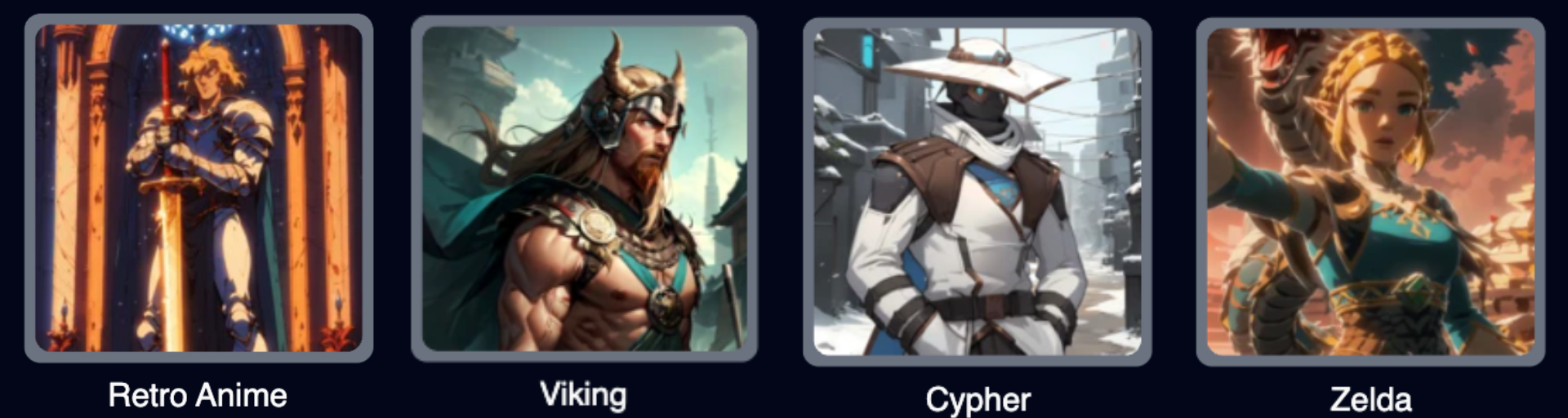 Try them now: [Video-to-Video](https://magichour.ai/create/video-to-video)
## Launching Free Lip Sync Tool
Now you can try out our lip sync tool even without creating an account.
Try them now: [Video-to-Video](https://magichour.ai/create/video-to-video)
## Launching Free Lip Sync Tool
Now you can try out our lip sync tool even without creating an account.
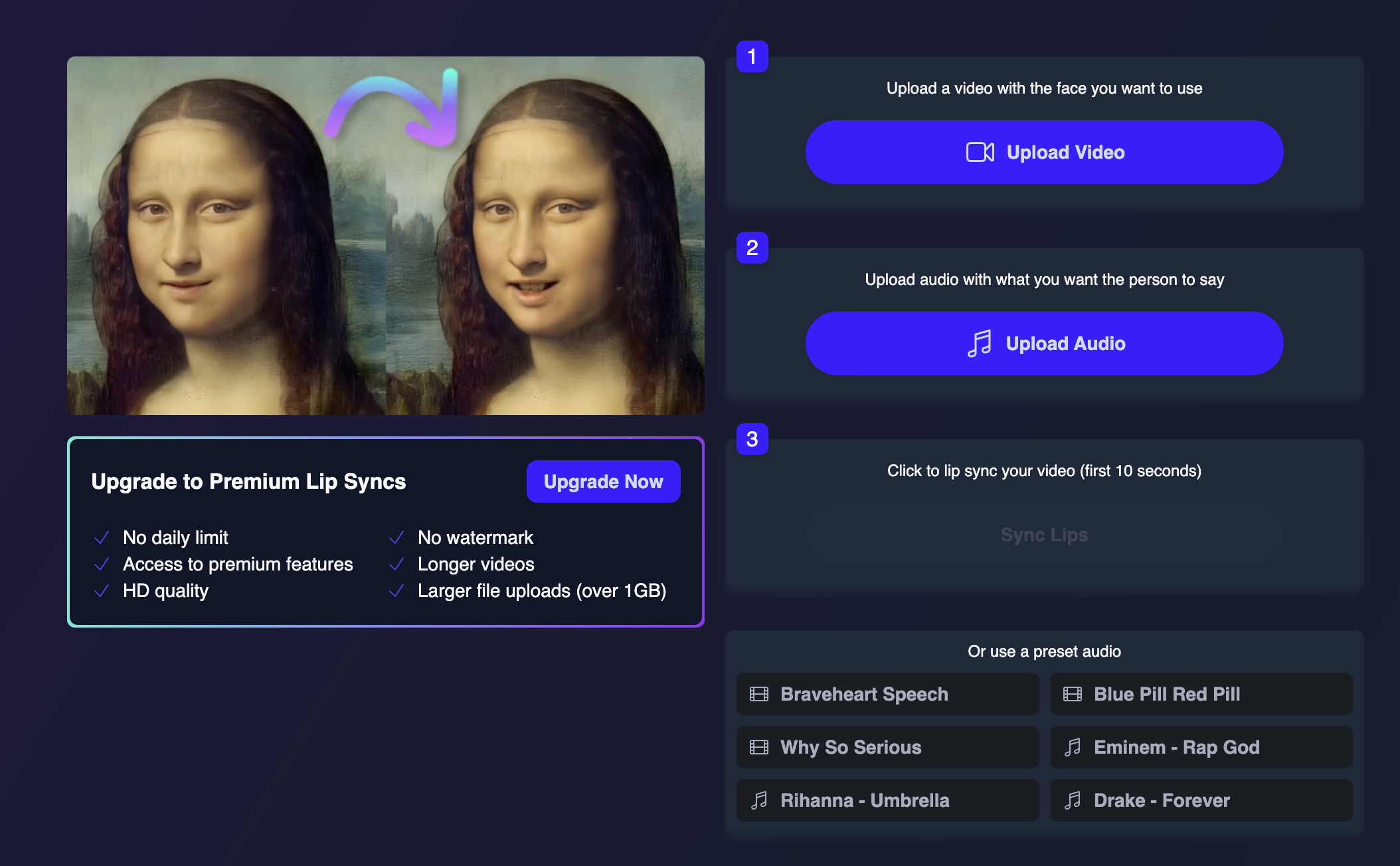 Try it now: [Free Lip Sync](https://magichour.ai/products/lip-sync)
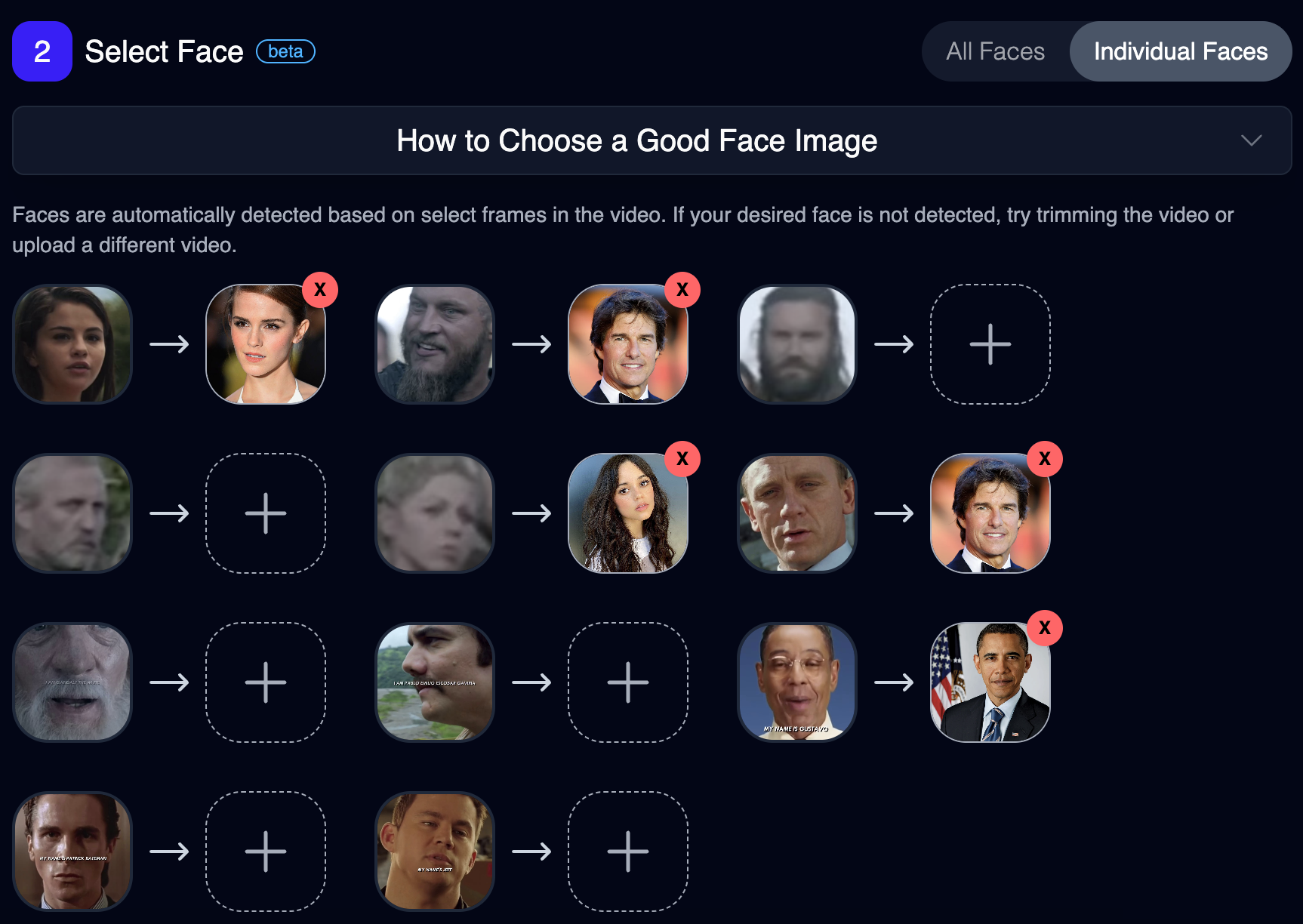
## Multi-Face Swap
we just launched a highly requested feature: Multi-Face Swap!
Now, you can swap individual faces in a video with anyone you choose. Just head to [https://magichour.ai/create/face-swap](https://magichour.ai/create/face-swap), upload your video, and select "Individual Faces" to get started
Try it now: [Free Lip Sync](https://magichour.ai/products/lip-sync)
## Multi-Face Swap
we just launched a highly requested feature: Multi-Face Swap!
Now, you can swap individual faces in a video with anyone you choose. Just head to [https://magichour.ai/create/face-swap](https://magichour.ai/create/face-swap), upload your video, and select "Individual Faces" to get started
 ## New AI Image Generator
We launched a new AI image generator - it's now higher resolution, faster, more photorealistic, and has better prompt adherence.
You can try it at [https://magichour.ai/create/ai-image-generator](https://magichour.ai/create/ai-image-generator), available to all users.
## New AI Image Generator
We launched a new AI image generator - it's now higher resolution, faster, more photorealistic, and has better prompt adherence.
You can try it at [https://magichour.ai/create/ai-image-generator](https://magichour.ai/create/ai-image-generator), available to all users.
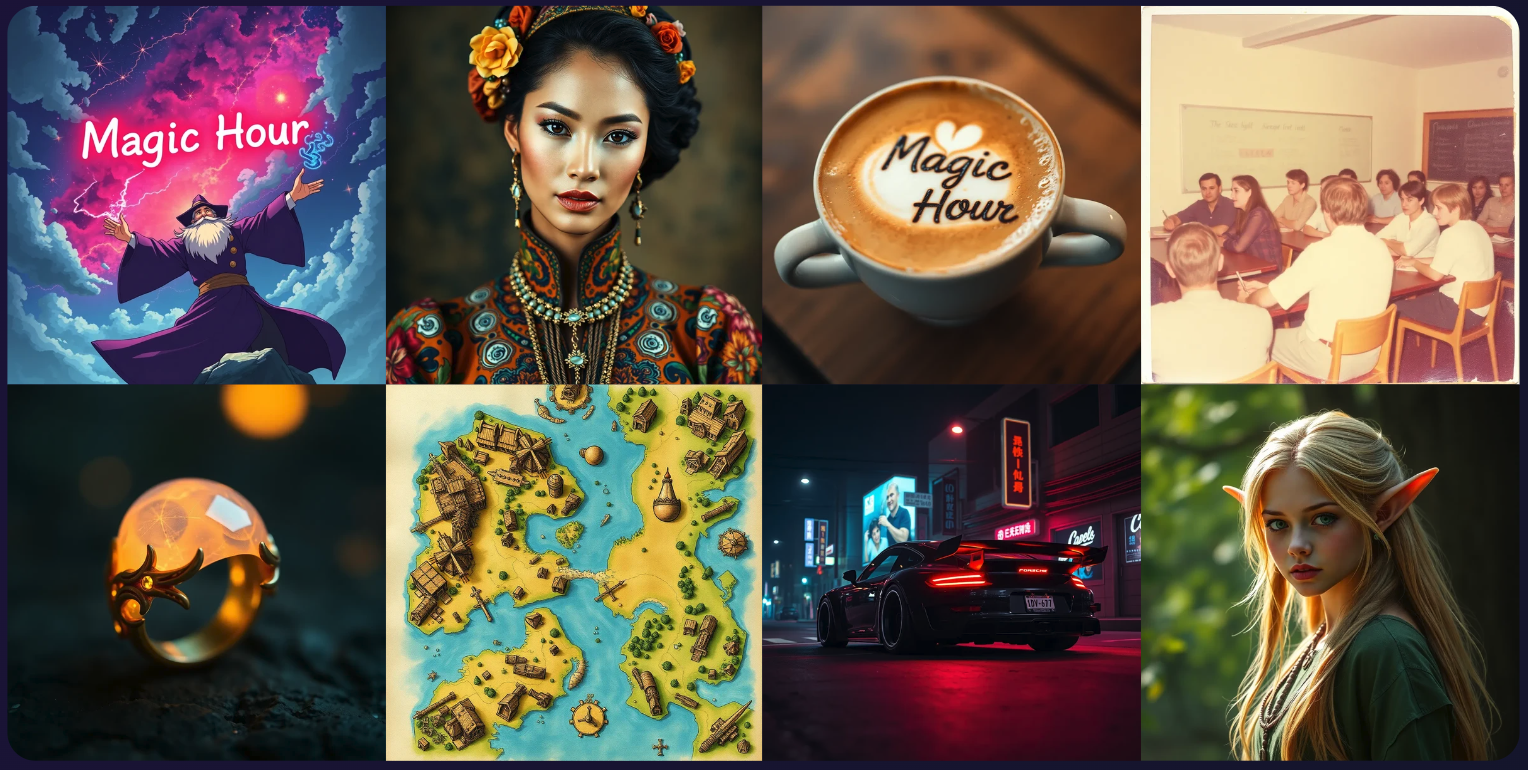 ## Launching 10 New Video-to-Video Art Styles
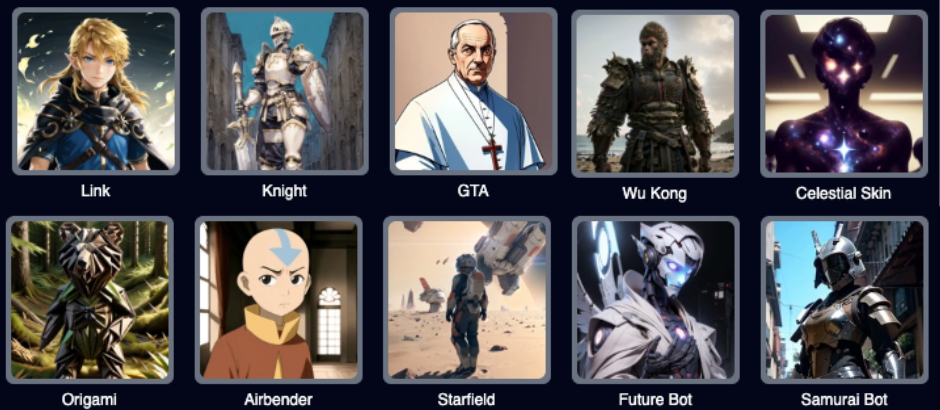 Try them now: [Video-to-Video](https://magichour.ai/create/video-to-video)
## Video-to-Video V2!
We launched a new version of Video-to-Video called **V2**.
It has a stylistic quality that is more consistent and less "noisy" than V1.
Some styles that work well with V2 are "The Void," "Android," and "Street Fighter," try them out yourself!
Try them now: [Video-to-Video](https://magichour.ai/create/video-to-video)
## Added Text-to-Video API
Text-to-Video is now available via API! Get started with this new API using:
* [Python SDK](https://github.com/magichourhq/magic-hour-python/tree/main/magic_hour/resources/v1/text_to_video)
* [Node SDK](https://github.com/magichourhq/magic-hour-node/tree/main/src/resources/v1/text-to-video)
* [Go SDK](https://github.com/magichourhq/magic-hour-go/tree/main/resources/v1/text_to_video)
* [Rust SDK](https://github.com/magichourhq/magic-hour-rust/tree/main/src/resources/v1/text_to_video)
* [Rest API](/api-reference/video-projects/text-to-video)
## Added Image-to-Video API
Image-to-Video is now available via API! Get started with this new API using:
* [Python SDK](https://github.com/magichourhq/magic-hour-python/tree/main/magic_hour/resources/v1/image_to_video)
* [Node SDK](https://github.com/magichourhq/magic-hour-node/tree/main/src/resources/v1/image-to-video)
* [Go SDK](https://github.com/magichourhq/magic-hour-go/tree/main/resources/v1/image_to_video)
* [Rust SDK](https://github.com/magichourhq/magic-hour-rust/tree/main/src/resources/v1/image_to_video)
* [Rest API](/api-reference/video-projects/image-to-video)
## Improved Dashboard
Now that we support image generation, we now allow you toggle between videos and images in your dashboard.
Try them now: [Video-to-Video](https://magichour.ai/create/video-to-video)
## Video-to-Video V2!
We launched a new version of Video-to-Video called **V2**.
It has a stylistic quality that is more consistent and less "noisy" than V1.
Some styles that work well with V2 are "The Void," "Android," and "Street Fighter," try them out yourself!
Try them now: [Video-to-Video](https://magichour.ai/create/video-to-video)
## Added Text-to-Video API
Text-to-Video is now available via API! Get started with this new API using:
* [Python SDK](https://github.com/magichourhq/magic-hour-python/tree/main/magic_hour/resources/v1/text_to_video)
* [Node SDK](https://github.com/magichourhq/magic-hour-node/tree/main/src/resources/v1/text-to-video)
* [Go SDK](https://github.com/magichourhq/magic-hour-go/tree/main/resources/v1/text_to_video)
* [Rust SDK](https://github.com/magichourhq/magic-hour-rust/tree/main/src/resources/v1/text_to_video)
* [Rest API](/api-reference/video-projects/text-to-video)
## Added Image-to-Video API
Image-to-Video is now available via API! Get started with this new API using:
* [Python SDK](https://github.com/magichourhq/magic-hour-python/tree/main/magic_hour/resources/v1/image_to_video)
* [Node SDK](https://github.com/magichourhq/magic-hour-node/tree/main/src/resources/v1/image-to-video)
* [Go SDK](https://github.com/magichourhq/magic-hour-go/tree/main/resources/v1/image_to_video)
* [Rust SDK](https://github.com/magichourhq/magic-hour-rust/tree/main/src/resources/v1/image_to_video)
* [Rest API](/api-reference/video-projects/image-to-video)
## Improved Dashboard
Now that we support image generation, we now allow you toggle between videos and images in your dashboard.
 ## Launching Image-to-Video Mode
We launched a new image-to-video mode. It's higher quality, can generate **one minute** videos, and you can enter a prompt in addition to the image.
Some of our favorite use cases are animating paintings, historic photos, and memes.
You can try it out at [https://magichour.ai/create/image-to-video](https://magichour.ai/create/image-to-video)
## Launching Text-to-Video Mode
We launched a new text-to-video mode. It's has high realism and consistency, and you can generate up to 60 second videos.
You can try it out at [https://magichour.ai/create/text-to-video](https://magichour.ai/create/text-to-video)
## Added Video-to-Video API
Video-to-Video is now available via API! Get started with this new API using:
* [Python SDK](https://github.com/magichourhq/magic-hour-python/tree/main/magic_hour/resources/v1/video_to_video)
* [Node SDK](https://github.com/magichourhq/magic-hour-node/tree/main/src/resources/v1/video-to-video)
* [Go SDK](https://github.com/magichourhq/magic-hour-go/tree/main/resources/v1/video_to_video)
* [Rust SDK](https://github.com/magichourhq/magic-hour-rust/tree/main/src/resources/v1/video_to_video)
* [Rest API](/api-reference/video-projects/video-to-video)
## Added Lip Sync API
Lip Sync is now available via API! Get started with this new API using:
* [Python SDK](https://github.com/magichourhq/magic-hour-python/tree/main/magic_hour/resources/v1/lip_sync)
* [Node SDK](https://github.com/magichourhq/magic-hour-node/tree/main/src/resources/v1/lip-sync)
* [Go SDK](https://github.com/magichourhq/magic-hour-go/tree/main/resources/v1/lip_sync)
* [Rust SDK](https://github.com/magichourhq/magic-hour-rust/tree/main/src/resources/v1/lip_sync)
* [Rest API](/api-reference/video-projects/lip-sync)
## AI Headshot Now 3x Faster
We made a major speed improvement that reduced AI Headshot generation time
> \~90s -> \~30s. 3x faster! 🚀
## Launching AI Headshot Generator
we launched a new free tool today: AI headshot generator. It takes one selfie and turns it into a professional photo.
## Launching Image-to-Video Mode
We launched a new image-to-video mode. It's higher quality, can generate **one minute** videos, and you can enter a prompt in addition to the image.
Some of our favorite use cases are animating paintings, historic photos, and memes.
You can try it out at [https://magichour.ai/create/image-to-video](https://magichour.ai/create/image-to-video)
## Launching Text-to-Video Mode
We launched a new text-to-video mode. It's has high realism and consistency, and you can generate up to 60 second videos.
You can try it out at [https://magichour.ai/create/text-to-video](https://magichour.ai/create/text-to-video)
## Added Video-to-Video API
Video-to-Video is now available via API! Get started with this new API using:
* [Python SDK](https://github.com/magichourhq/magic-hour-python/tree/main/magic_hour/resources/v1/video_to_video)
* [Node SDK](https://github.com/magichourhq/magic-hour-node/tree/main/src/resources/v1/video-to-video)
* [Go SDK](https://github.com/magichourhq/magic-hour-go/tree/main/resources/v1/video_to_video)
* [Rust SDK](https://github.com/magichourhq/magic-hour-rust/tree/main/src/resources/v1/video_to_video)
* [Rest API](/api-reference/video-projects/video-to-video)
## Added Lip Sync API
Lip Sync is now available via API! Get started with this new API using:
* [Python SDK](https://github.com/magichourhq/magic-hour-python/tree/main/magic_hour/resources/v1/lip_sync)
* [Node SDK](https://github.com/magichourhq/magic-hour-node/tree/main/src/resources/v1/lip-sync)
* [Go SDK](https://github.com/magichourhq/magic-hour-go/tree/main/resources/v1/lip_sync)
* [Rust SDK](https://github.com/magichourhq/magic-hour-rust/tree/main/src/resources/v1/lip_sync)
* [Rest API](/api-reference/video-projects/lip-sync)
## AI Headshot Now 3x Faster
We made a major speed improvement that reduced AI Headshot generation time
> \~90s -> \~30s. 3x faster! 🚀
## Launching AI Headshot Generator
we launched a new free tool today: AI headshot generator. It takes one selfie and turns it into a professional photo.
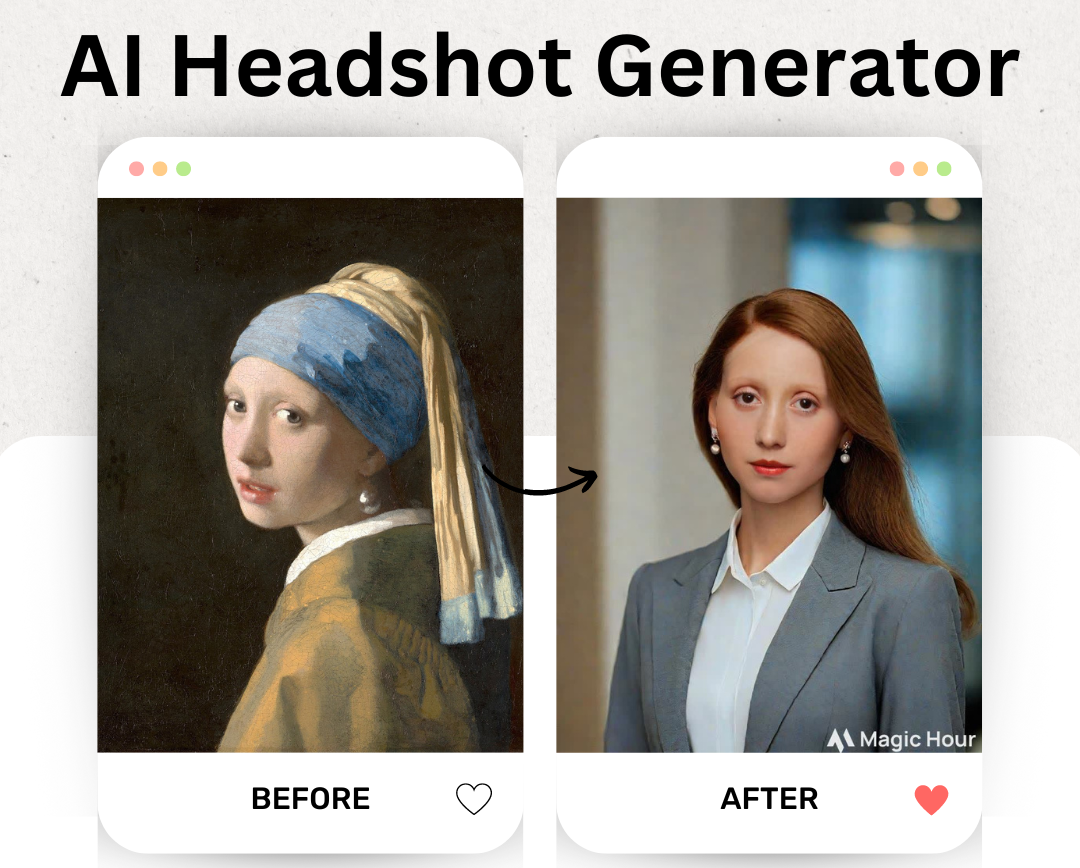 Try it out at [https://magichour.ai/products/ai-headshot-generator](https://magichour.ai/products/ai-headshot-generator)
## Launching Free AI Image Generator
we launched a free AI image generator. Generate any image using text!
Try it out at [https://magichour.ai/products/ai-headshot-generator](https://magichour.ai/products/ai-headshot-generator)
## Launching Free AI Image Generator
we launched a free AI image generator. Generate any image using text!
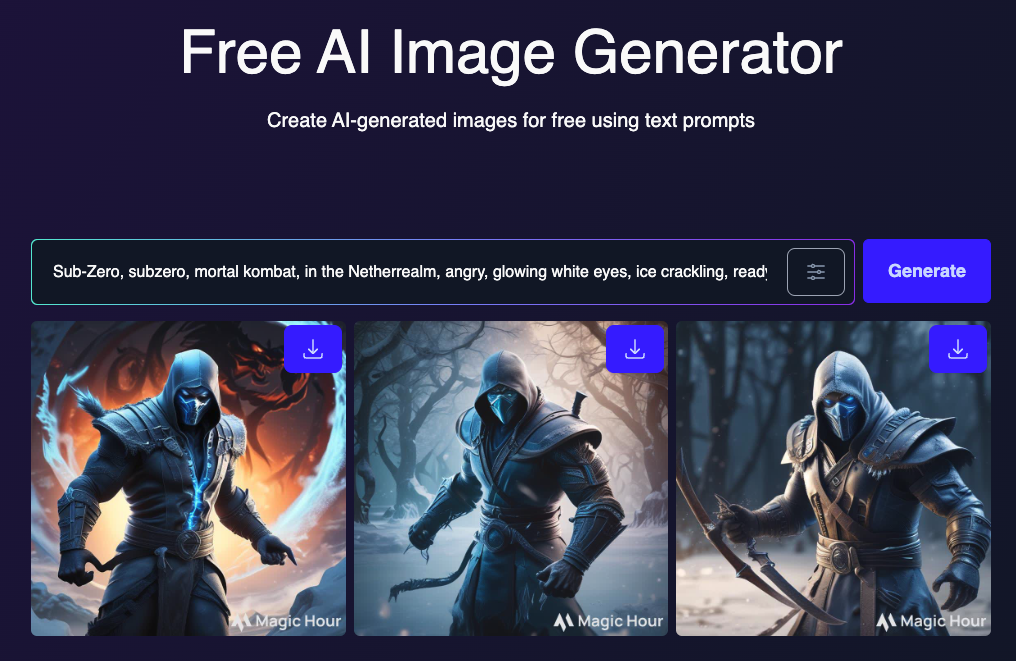 Try it out at [https://magichour.ai/products/ai-image-generator](https://magichour.ai/products/ai-image-generator)
## Launching Free Face Swap Video
we launched a free version of our face swap video tool.
Try it out at [https://magichour.ai/products/ai-image-generator](https://magichour.ai/products/ai-image-generator)
## Launching Free Face Swap Video
we launched a free version of our face swap video tool.
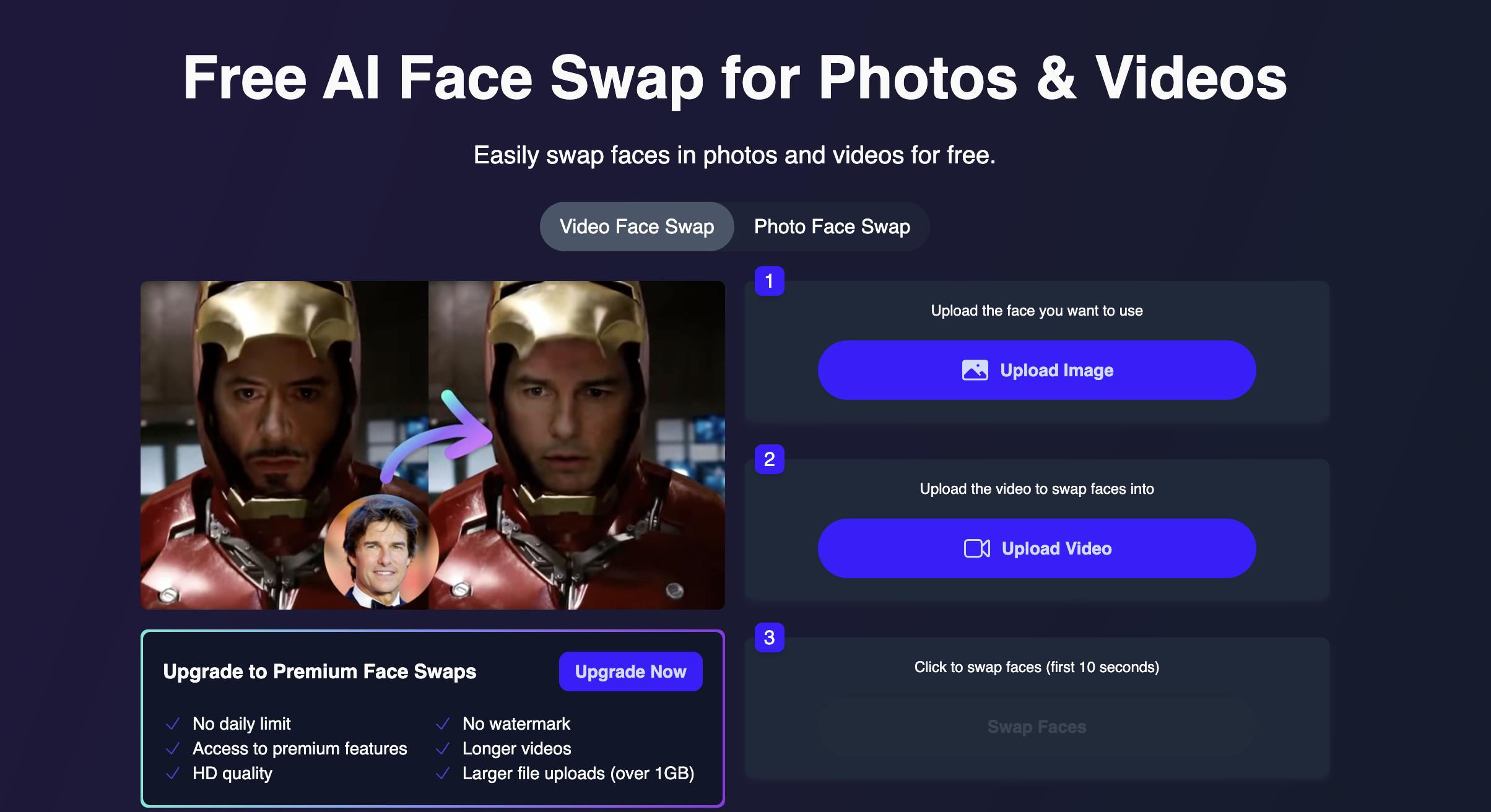 Try it out at [https://magichour.ai/products/face-swap?mode=video](https://magichour.ai/products/face-swap?mode=video)
## API Now Available to All Users
We want everyone to be able to try out our API, so removed any limitation based on subscription tier. Now you can create an API key and call the API!
Now, you no longer need an active `Pro` or `Business` subscription to access the API.
## New Sign In/Up Pages
We rebuild the Sign In and Sign Up Pages for a more optimize flow.
## Launching Free Face Swap Photo Tool
You can now swap faces into photos completely free, sign in not required (but we would love it if you do)
Try it out at [https://magichour.ai/products/face-swap?mode=video](https://magichour.ai/products/face-swap?mode=video)
## API Now Available to All Users
We want everyone to be able to try out our API, so removed any limitation based on subscription tier. Now you can create an API key and call the API!
Now, you no longer need an active `Pro` or `Business` subscription to access the API.
## New Sign In/Up Pages
We rebuild the Sign In and Sign Up Pages for a more optimize flow.
## Launching Free Face Swap Photo Tool
You can now swap faces into photos completely free, sign in not required (but we would love it if you do)
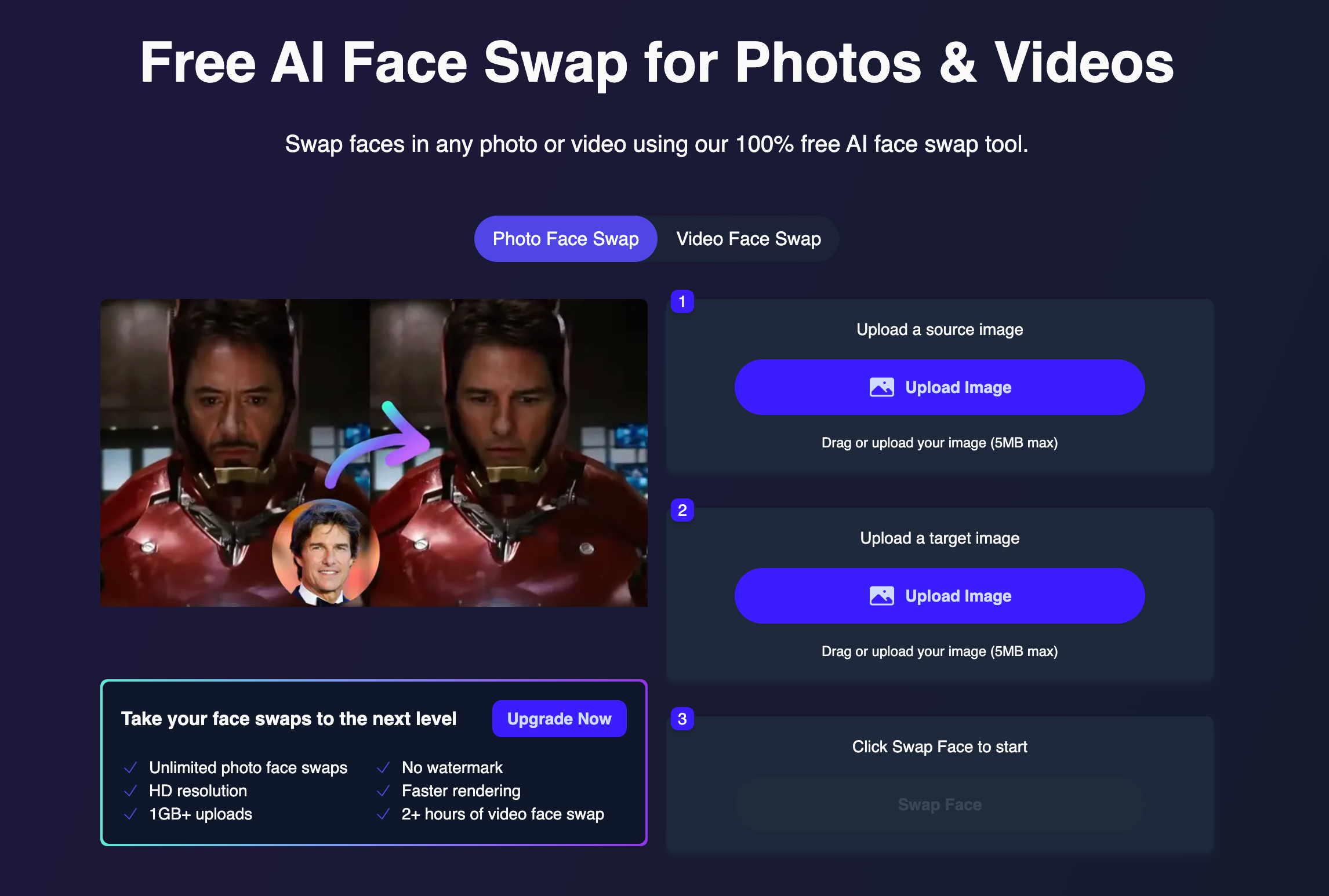 Try it now: [https://magichour.ai/products/face-swap?mode=photo](https://magichour.ai/products/face-swap?mode=photo)
## API Now Available to Pro Users
We opened up our API to more users. Anyone with an active `Pro` or `Business` subscription to access the API.
## Launching the Magic Hour API
Magic Hour officially has an API offering! It is currently available to users with an active `Business` subscription. But we plan to open up the API to more users.
As part of the initial launch, you can upload assets to our storage and create face swap videos.
```sh theme={null}
curl --request POST \
--url https://api.magichour.ai/v1/face-swap \
--header 'Authorization: Bearer ' \
--header 'Content-Type: application/json' \
--data '{
"name": "Face Swap video",
"height": 960,
"width": 512,
"start_seconds": 0,
"end_seconds": 15,
"assets": {
"image_file_path": "image/id/1234.png",
"video_source": "file",
"video_file_path": "api-assets/id/1234.mp4"
}
}'
```
The following APIs are available as part of the initial launch
* [POST /v1/face-swap](/api-reference/video-projects/face-swap-video)
* [GET /v1/video-projects/:id](/api-reference/video-projects/get-video-details)
* [POST /v1/files/upload-urls](/api-reference/files/generate-asset-upload-urls)
Get started by creating an [API key](https://magichour.ai/developer)
## Search Templates
Did you find a template you like and want to find more templates like it? Now you can with our new template search!
Try it now: [https://magichour.ai/products/face-swap?mode=photo](https://magichour.ai/products/face-swap?mode=photo)
## API Now Available to Pro Users
We opened up our API to more users. Anyone with an active `Pro` or `Business` subscription to access the API.
## Launching the Magic Hour API
Magic Hour officially has an API offering! It is currently available to users with an active `Business` subscription. But we plan to open up the API to more users.
As part of the initial launch, you can upload assets to our storage and create face swap videos.
```sh theme={null}
curl --request POST \
--url https://api.magichour.ai/v1/face-swap \
--header 'Authorization: Bearer ' \
--header 'Content-Type: application/json' \
--data '{
"name": "Face Swap video",
"height": 960,
"width": 512,
"start_seconds": 0,
"end_seconds": 15,
"assets": {
"image_file_path": "image/id/1234.png",
"video_source": "file",
"video_file_path": "api-assets/id/1234.mp4"
}
}'
```
The following APIs are available as part of the initial launch
* [POST /v1/face-swap](/api-reference/video-projects/face-swap-video)
* [GET /v1/video-projects/:id](/api-reference/video-projects/get-video-details)
* [POST /v1/files/upload-urls](/api-reference/files/generate-asset-upload-urls)
Get started by creating an [API key](https://magichour.ai/developer)
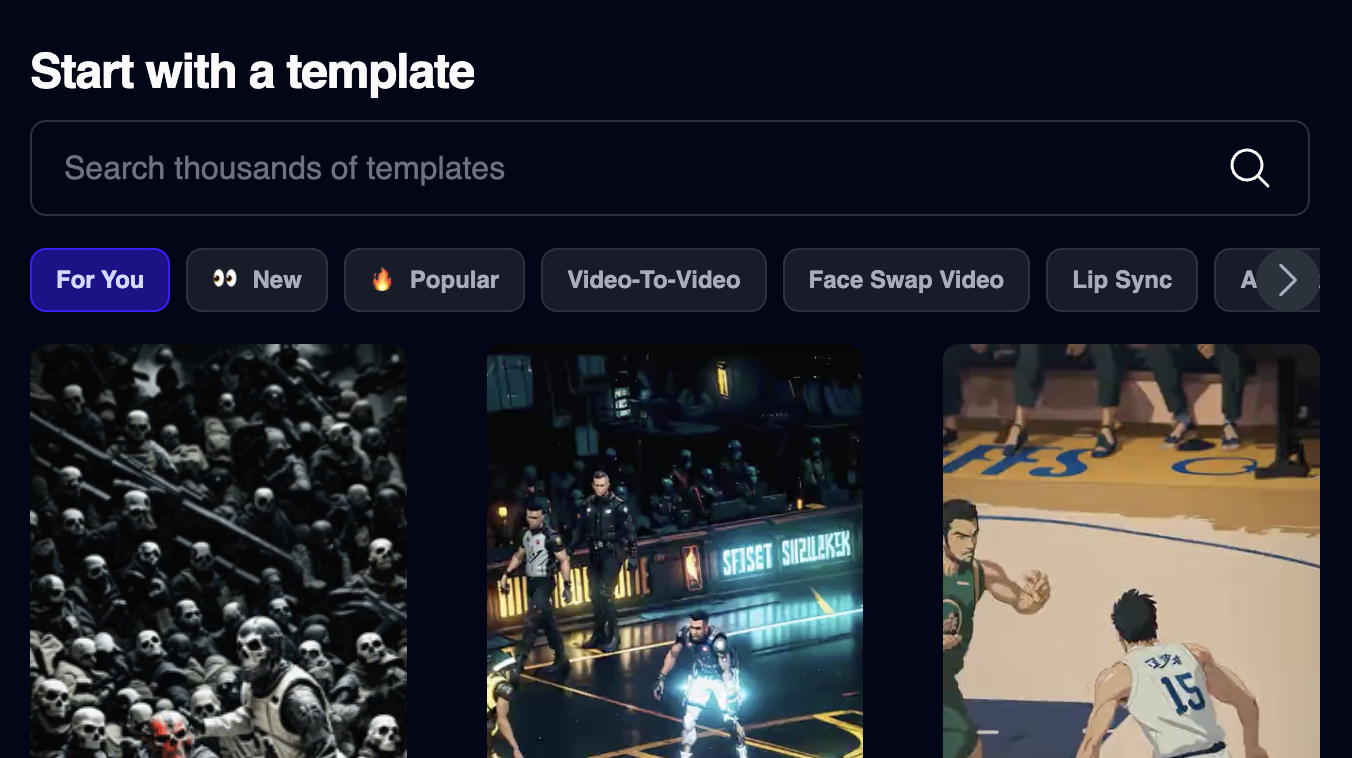
## Search Templates
Did you find a template you like and want to find more templates like it? Now you can with our new template search!
 ## 10 New Styles for Video-to-Video
We just added 10 more art styles you can use for video-to-video
* Ink
* Underwater
* On Fire
* Tarot Card
* Power Armor
* Unholy
* Thick Impasto
* Impressionism
* Film
* Lego
## Explore Templates Page
We just replaced our old "Feed" page with a new templates page with thousands of editable, high quality templates that make creating engaging videos easy.
## Text to Speech for Lip Sync Videos
You can now generate audio for a list of celebrity voices to use for your lip sync videos!
## 10 New Styles for Video-to-Video
We just added 10 more art styles you can use for video-to-video
* Ink
* Underwater
* On Fire
* Tarot Card
* Power Armor
* Unholy
* Thick Impasto
* Impressionism
* Film
* Lego
## Explore Templates Page
We just replaced our old "Feed" page with a new templates page with thousands of editable, high quality templates that make creating engaging videos easy.
## Text to Speech for Lip Sync Videos
You can now generate audio for a list of celebrity voices to use for your lip sync videos!
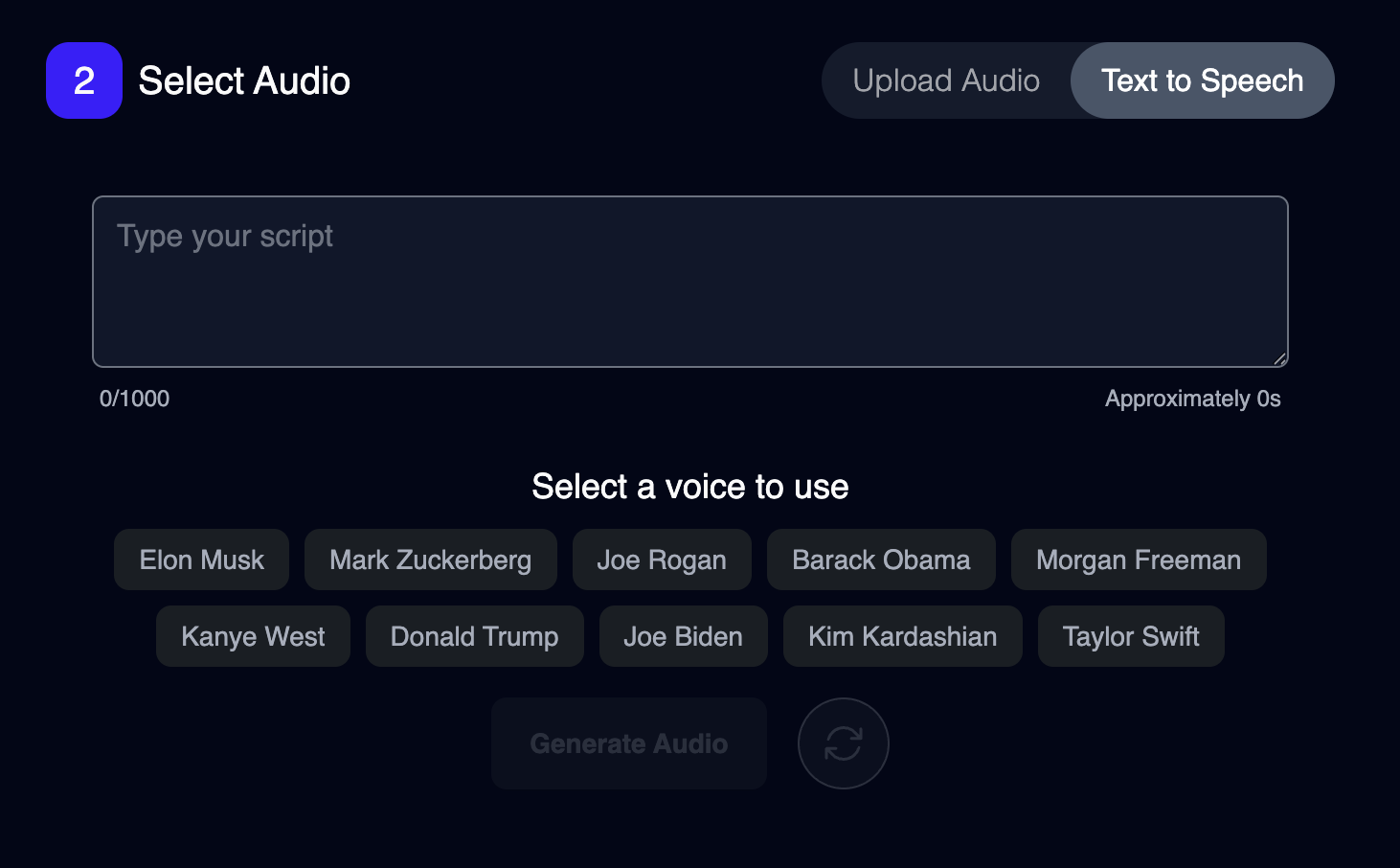 Try it out now: [https://magichour.ai/create/lip-sync](https://magichour.ai/create/lip-sync)
## Introducing Business Subscription
We launched a new pricing tier, benefits includes:
* 250,000 frames per month.
* 4K resolution for Face Swap and Lip Sync.
* 3GB file uploads
* Direct line to the CEO
We are discounting this plan by 40% to start!
Check it out now [https://magichour.ai/pricing](https://magichour.ai/pricing)
## Delete Account
We understand if you just want to try us out and delete your account for privacy reasons. So we now allow you to delete your account.
To delete, visit [https://magichour.ai/settings](https://magichour.ai/settings) and click `Delete Account`.
## Launching Lip Sync
We launched Lip Sync, a new mode that lets you match the lips in a video to any audio.
Try it out at [https://magichour.ai/create/lip-sync](https://magichour.ai/create/lip-sync)
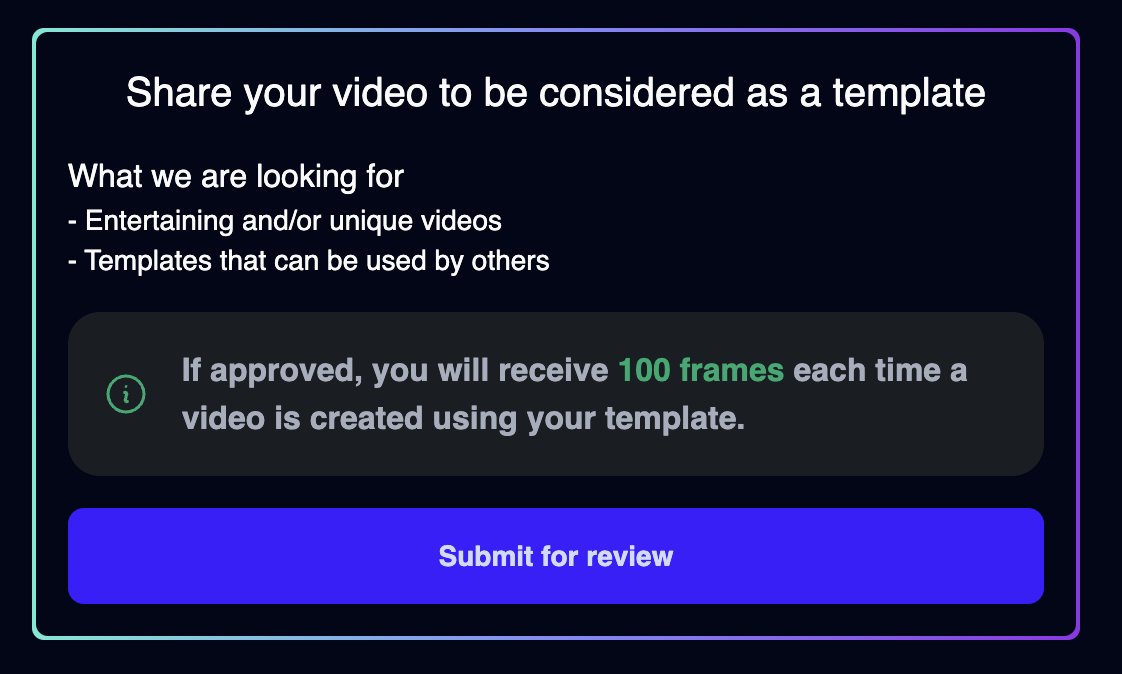
## Submit Your Video as Template
For certain modes, you now can submit your output as a template.
Try it out now: [https://magichour.ai/create/lip-sync](https://magichour.ai/create/lip-sync)
## Introducing Business Subscription
We launched a new pricing tier, benefits includes:
* 250,000 frames per month.
* 4K resolution for Face Swap and Lip Sync.
* 3GB file uploads
* Direct line to the CEO
We are discounting this plan by 40% to start!
Check it out now [https://magichour.ai/pricing](https://magichour.ai/pricing)
## Delete Account
We understand if you just want to try us out and delete your account for privacy reasons. So we now allow you to delete your account.
To delete, visit [https://magichour.ai/settings](https://magichour.ai/settings) and click `Delete Account`.
## Launching Lip Sync
We launched Lip Sync, a new mode that lets you match the lips in a video to any audio.
Try it out at [https://magichour.ai/create/lip-sync](https://magichour.ai/create/lip-sync)
## Submit Your Video as Template
For certain modes, you now can submit your output as a template.
 ## Daily Reward
Every day, you can now claim 100 free frames! That's 3000 frames per month!
## Daily Reward
Every day, you can now claim 100 free frames! That's 3000 frames per month!
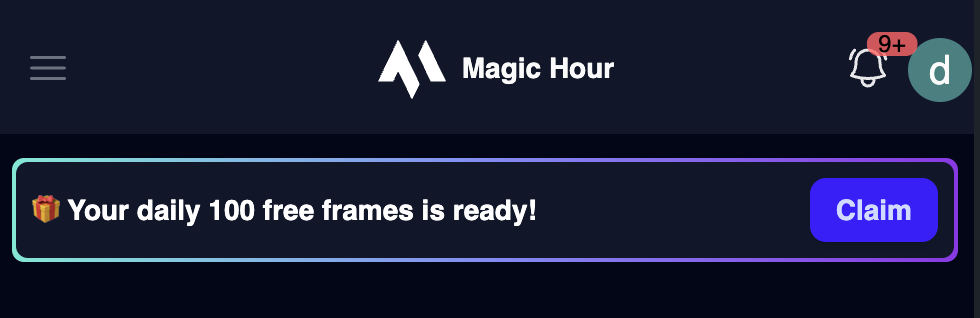 Visit [https://magichour.ai/create](https://magichour.ai/create) to claim yours today!
## New Landing Page
We overhauled our landing page designs. Check it out and let us know what you think!
[https://magichour.ai/](https://magichour.ai/)
## Launching Templates
We just launched Templates. Templates are the easiest way to make high quality videos. No more fumbling over prompts, just choose a template, customize it, and share it.
You can find Templates at [https://magichour.ai/create](https://magichour.ai/create). Templates are only available for Video-to-Video, but we're working on adding more templates.
## 6 New Styles for Video-to-Video
We just added 6 more art styles you can use for video-to-video
* Yoji Shinkawa
* Clay
* Marble Sculpture
* Street Fighter
* Cyberpunk Illustration
* Ki Charge
## Integrated Realistic Model for Video-to-Video
Now you can pick between `Dreamshaper` and `Realistic` AI models to use when generating your video.
## Double Creator Subscription Frames
We updated creator plan monthly frames from **5,000** to **10,000**. So now you can make twice as many videos!
## New Notification Center
We launched a new in-app notification center, so you can see all of your video progress in one place.
## Longer Videos for Face Swap
We updated the maximum frames for Face Swap Video from 4,000 to 6,000 frames.
Now you can generate videos that are **1.5x** longer!
The table summaries the length of video you can generate for a few common video FPS:
| FPS | Previous | New |
| :-- | :---------------------------------------------- | :---------------------------------------------- |
| 24 | {Math.floor(4000 / 24 / 60 / 0.1) / 10} minutes | {Math.floor(6000 / 24 / 60 / 0.1) / 10} minutes |
| 30 | {Math.floor(4000 / 30 / 60 / 0.1) / 10} minutes | {Math.floor(6000 / 30 / 60 / 0.1) / 10} minutes |
| 60 | {Math.floor(4000 / 60 / 60 / 0.1) / 10} minutes | {Math.floor(6000 / 60 / 60 / 0.1) / 10} minutes |
## Improving Subscription Benefits
We've just made some major improvements to our subscription plans.
**Creator**
* 960x960 to 1024x1024 max resolution
* 500 MB uploads to 1 GB uploads
**Pro**
* 1344x1344 to 1476x1476 max resolution
* 1 GB uploads to 2 GB uploads
Plus, we made some behind the scene changes that starts your video upload as soon as you drag it in, so you won't have to wait as long after clicking render.
## Upgrading Video-to-Video Quality
Exciting news: we've upgraded Video-to-Video, enhancing quality across all tiers, especially for Pro users.
The changes, subtle yet significant, are ideal for discerning and professional users. Check out our before-and-after video to see the improvements:
## Launching Image-to-Video Quality
We just launched a new mode called Image-to-Video. Simply upload an image and generate a 4 second video bringing it to life.
Note it's available to Creator and Pro users only.
## Improved Face Swap with High Quality Swaps
We drastically improved the output quality of faces in Face Swap
Visit [https://magichour.ai/create](https://magichour.ai/create) to claim yours today!
## New Landing Page
We overhauled our landing page designs. Check it out and let us know what you think!
[https://magichour.ai/](https://magichour.ai/)
## Launching Templates
We just launched Templates. Templates are the easiest way to make high quality videos. No more fumbling over prompts, just choose a template, customize it, and share it.
You can find Templates at [https://magichour.ai/create](https://magichour.ai/create). Templates are only available for Video-to-Video, but we're working on adding more templates.
## 6 New Styles for Video-to-Video
We just added 6 more art styles you can use for video-to-video
* Yoji Shinkawa
* Clay
* Marble Sculpture
* Street Fighter
* Cyberpunk Illustration
* Ki Charge
## Integrated Realistic Model for Video-to-Video
Now you can pick between `Dreamshaper` and `Realistic` AI models to use when generating your video.
## Double Creator Subscription Frames
We updated creator plan monthly frames from **5,000** to **10,000**. So now you can make twice as many videos!
## New Notification Center
We launched a new in-app notification center, so you can see all of your video progress in one place.
## Longer Videos for Face Swap
We updated the maximum frames for Face Swap Video from 4,000 to 6,000 frames.
Now you can generate videos that are **1.5x** longer!
The table summaries the length of video you can generate for a few common video FPS:
| FPS | Previous | New |
| :-- | :---------------------------------------------- | :---------------------------------------------- |
| 24 | {Math.floor(4000 / 24 / 60 / 0.1) / 10} minutes | {Math.floor(6000 / 24 / 60 / 0.1) / 10} minutes |
| 30 | {Math.floor(4000 / 30 / 60 / 0.1) / 10} minutes | {Math.floor(6000 / 30 / 60 / 0.1) / 10} minutes |
| 60 | {Math.floor(4000 / 60 / 60 / 0.1) / 10} minutes | {Math.floor(6000 / 60 / 60 / 0.1) / 10} minutes |
## Improving Subscription Benefits
We've just made some major improvements to our subscription plans.
**Creator**
* 960x960 to 1024x1024 max resolution
* 500 MB uploads to 1 GB uploads
**Pro**
* 1344x1344 to 1476x1476 max resolution
* 1 GB uploads to 2 GB uploads
Plus, we made some behind the scene changes that starts your video upload as soon as you drag it in, so you won't have to wait as long after clicking render.
## Upgrading Video-to-Video Quality
Exciting news: we've upgraded Video-to-Video, enhancing quality across all tiers, especially for Pro users.
The changes, subtle yet significant, are ideal for discerning and professional users. Check out our before-and-after video to see the improvements:
## Launching Image-to-Video Quality
We just launched a new mode called Image-to-Video. Simply upload an image and generate a 4 second video bringing it to life.
Note it's available to Creator and Pro users only.
## Improved Face Swap with High Quality Swaps
We drastically improved the output quality of faces in Face Swap