> ## Documentation Index
> Fetch the complete documentation index at: https://docs.magichour.ai/llms.txt
> Use this file to discover all available pages before exploring further.
# 2025
> Latest feature enhancements in Magic Hour
export const VideoPlayer = ({src, loop = false, autoPlay = false}) => {
return
;
};
## Z-Image-Turbo Model for AI Image Generator
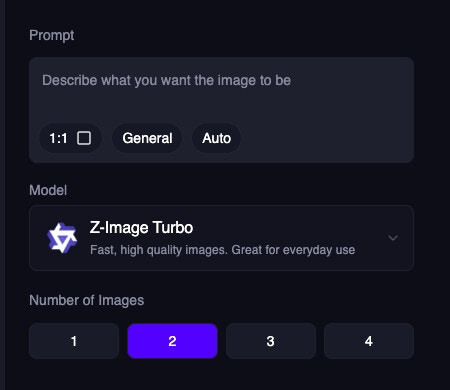
We added Z-Image-Turbo as a new model option for AI Image Generator, providing faster and higher-quality image generation.
## Saved Faces for Face Swap
You can now save frequently used faces for Face Swap, making it easier to swap faces with your go-to images.
Try it out now: [https://magichour.ai/create/face-swap](https://magichour.ai/create/face-swap) by uploading a face to use and save it for future use.
## New Image Editor Models: Nano Banana Pro and Seedream 4.5
We added support for Nano Banana Pro and Seedream 4.5 models, giving you even more options for high-quality image editing.
Try it out now: [https://magichour.ai/create/ai-image-editor](https://magichour.ai/create/ai-image-editor)
## Improved Upload Experience
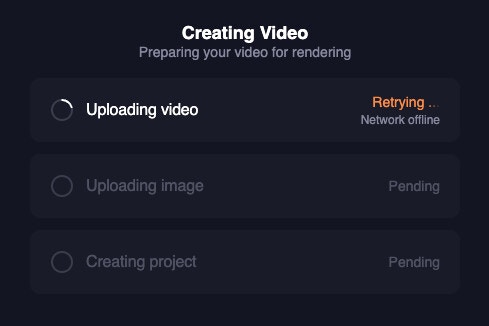
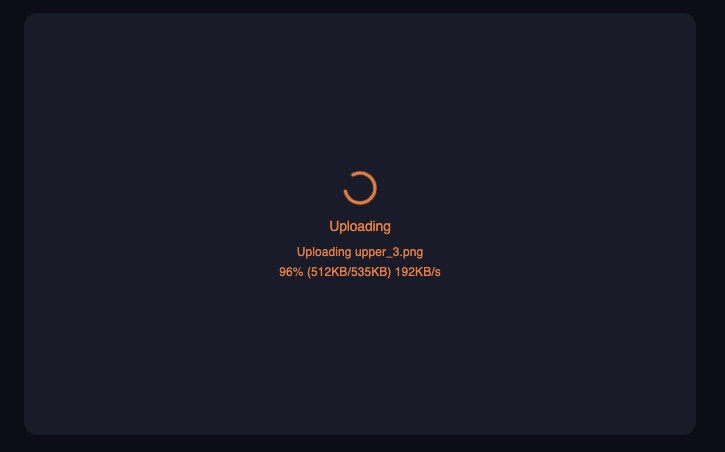
We make a significant improvement to the upload experience, including upload speed and estimated time remaining (ETA). You'll now see real-time progress updates.
Plus, we added a lot of behind the scene changes to make the upload process faster and more reliable, especially for spotty internet connections.
We now
* retry the upload on any network error (up to 40 times)
* resume the upload from the last uploaded chunk so you don't have to start over if the upload is interrupted
## 4x Upscale Available to All Users
We made 4x upscale available to all users. Previously, this feature was only available to Pro+ users.
Try it out now: [https://magichour.ai/create/ai-image-upscaler](https://magichour.ai/create/ai-image-upscaler)
## Increased Prompt Character Limit for AI Image Editor to 15k
We increased the prompt character limit for AI Image Editor from the 2,000 characters to 15,000 characters, allowing you to provide more detailed editing instructions.
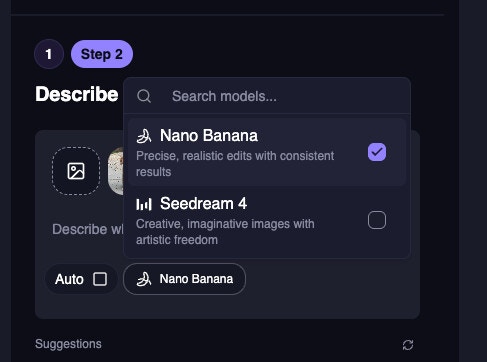
## Allow Selecting Multiple Models in AI Image Editor
You can now select multiple AI models in the AI Image Editor to compare results and choose the best output for your needs.
## Veo 3.1 Extend - Up to 56 Seconds
We added Veo 3.1 Extend support for Text-to-Video and Image-to-Video, allowing you to generate videos up to 56 seconds long with extended capabilities.
Try it out now: [https://magichour.ai/create/text-to-video](https://magichour.ai/create/text-to-video) and [https://magichour.ai/create/image-to-video](https://magichour.ai/create/image-to-video)
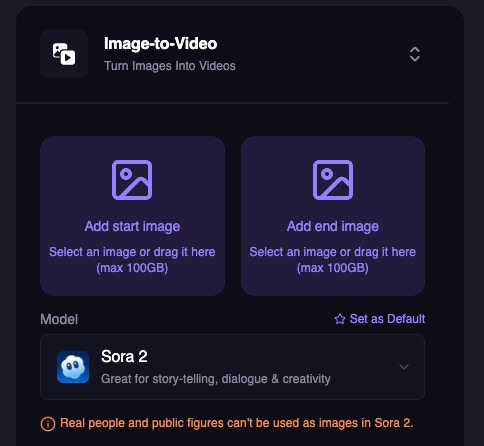
## Introducing Sora 2 in Text-to-Video and Image-to-Video
We added support for Sora 2 in Text-to-Video and Image-to-Video, giving you access to the latest video generation model for even better results.
We allow you to generate videos up to 60 seconds!
## Mobile Navigation Bar on /create Page
We added a mobile navigation bar to the /create page for better navigation on mobile devices.
## Show Upload Progress on Free Tools
We added a progress indicator to show upload progress on all free tools. This gives you better visibility into the upload process.
## Increased Lip Sync Frame Limit from 20k to 120k
We increased the frame limit for Lip Sync from 20k to 120k frames, allowing you to generate longer videos.
For reference, for a 30 FPS video:
| FPS | Previous | New |
| :-- | :----------------------------------------------- | :------------------------------------------------ |
| 30 | {Math.floor(20000 / 30 / 60 / 0.1) / 10} minutes | {Math.floor(120000 / 30 / 60 / 0.1) / 10} minutes |
## Face Swap Video Frame Limit Increased to 100k
We increased the frame limit for Face Swap Video from 20k to 100k frames. You can now generate even longer videos.
For reference, for a 30 FPS video:
| FPS | Previous | New |
| :-- | :----------------------------------------------- | :------------------------------------------------ |
| 30 | {Math.floor(20000 / 30 / 60 / 0.1) / 10} minutes | {Math.floor(100000 / 30 / 60 / 0.1) / 10} minutes |
## Single-Step Face Swap Video
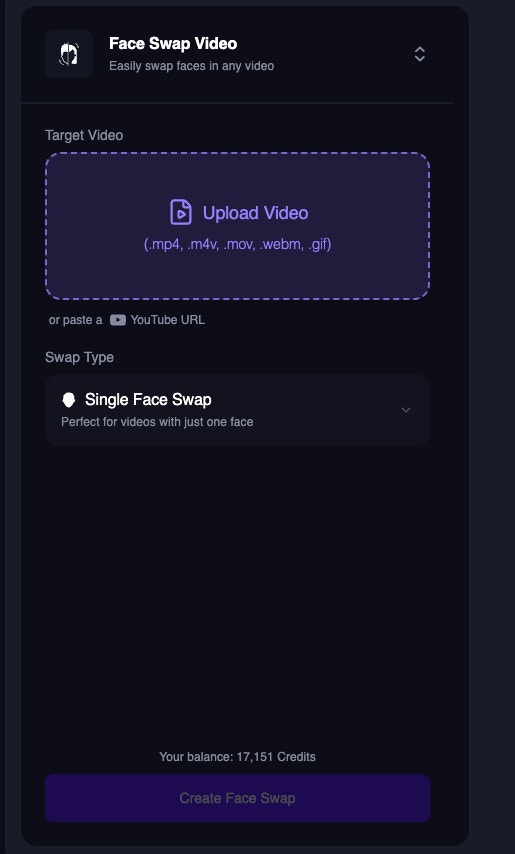
We simplified the Face Swap Video creation process in /create/face-swap-video to require just one step instead of multiple steps.
Try it out now: [https://magichour.ai/create/face-swap-video](https://magichour.ai/create/face-swap-video)
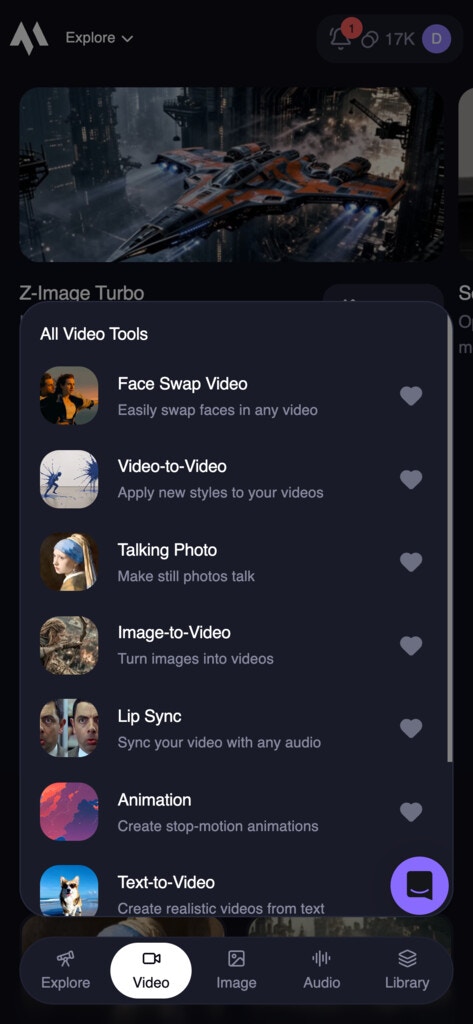
## New Mobile /create Page UI
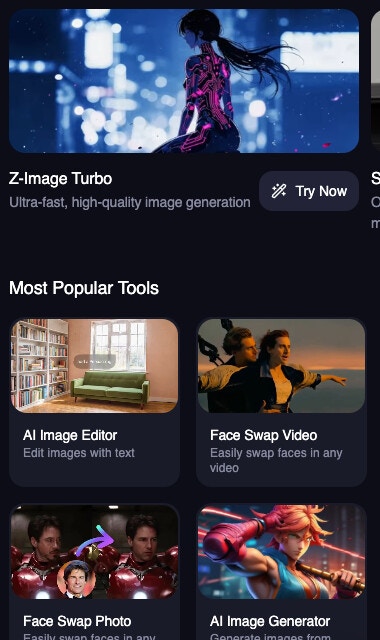
We redesigned the /create page UI for mobile users to be more user-friendly and intuitive.
Try it out now: [https://magichour.ai/create](https://magichour.ai/create)
## New AI Selfie Product Page
We redesigned the AI Selfie Product Page to be more user-friendly and intuitive.
Try it out now: [https://magichour.ai/products/ai-selfie-generator](https://magichour.ai/products/ai-selfie-generator)
## Save Image-to-Video and Text-to-Video Model as Default
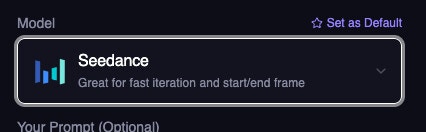
You can now save your preferred AI model as the default for Image-to-Video and Text-to-Video, making it easier to generate videos with your favorite model.
## New Face Swap GIF Product Page
We added free tool to allow you to face swaps gifs.
Try it out now: [https://magichour.ai/products/face-swap/gif](https://magichour.ai/products/face-swap/gif)
## New Models for Image-to-Video and Text-to-Video, plus audio support
We added support for the following models in Image-to-Video and Text-to-Video:
* Kling 2.5 Audio
* Veo 3.1
* Veo 3.1 Audio
Try it out now: [https://magichour.ai/create/image-to-video](https://magichour.ai/create/image-to-video) and [https://magichour.ai/create/text-to-video](https://magichour.ai/create/text-to-video)
## Updated Video-to-Video UI
We updated the Video-to-Video UI to align with the rest of the product pages, providing a more consistent user experience.
Try it out now: [https://magichour.ai/create/video-to-video](https://magichour.ai/create/video-to-video)
## Image Editor Sub-tools
We added sub-tools to the Image Editor to better demonstrate the capabilities of the tool.
Try it out now: [https://magichour.ai/products/ai-image-editor](https://magichour.ai/products/ai-image-editor)
## Image-to-Image Free Tool
We launched a free tool for Image-to-Image. Try it out without signing up!
Try it out now: [https://magichour.ai/products/image-to-image](https://magichour.ai/products/image-to-image)
## New AI Headshot Generator Product Page
We redesigned the AI Headshot Generator Product Page to be more user-friendly and intuitive.
Try it out now: [https://magichour.ai/products/ai-headshot-generator](https://magichour.ai/products/ai-headshot-generator)
## Video-to-Video Free Tool
We launched a free tool for Video-to-Video. Now you can get a better sense of what you can create with Video-to-Video.
Try it out now: [https://magichour.ai/products/video-to-video](https://magichour.ai/products/video-to-video)
## New UI for AI Image Generator Product Page
We redesigned the AI Image Generator Product Page to be more user-friendly and intuitive.
Try it out now: [https://magichour.ai/products/ai-image-generator](https://magichour.ai/products/ai-image-generator)
## New UI for AI Image Editor Product Page
We redesigned the AI Image Editor Product Page to be more user-friendly and intuitive.
Try it out now: [https://magichour.ai/products/ai-image-editor](https://magichour.ai/products/ai-image-editor)
## New UI for AI GIF Generator Product Page
We redesigned the AI GIF Generator Product Page to be more user-friendly and intuitive.
Try it out now: [https://magichour.ai/products/ai-gif-generator](https://magichour.ai/products/ai-gif-generator)
## Allow Video for Audio Inputs in Lip Sync and AI Talking Photo
You can now use video files as audio inputs for Lip Sync and AI Talking Photo. We will handle the audio extraction for you.
## New UI for AI Talking Photo Product Page
We redesigned the AI Talking Photo Product Page to be more user-friendly and intuitive.
Try it out now: [https://magichour.ai/products/ai-talking-photo](https://magichour.ai/products/ai-talking-photo)
## New UI for AI Image Upscaler
We redesigned the AI Image Upscaler UI to be more user-friendly and intuitive.
Try it out now: [https://magichour.ai/create/ai-image-upscaler](https://magichour.ai/create/ai-image-upscaler)
## New UI for Image Background Remover
We redesigned the Image Background Remover UI to be more user-friendly and intuitive.
Try it out now: [https://magichour.ai/create/image-background-remover](https://magichour.ai/create/image-background-remover)
## New UI for Lip Sync Product Page
We redesigned the Lip Sync Product Page to be more user-friendly and intuitive.
Try it out now: [https://magichour.ai/products/lip-sync](https://magichour.ai/products/lip-sync)
## Product Switcher to allow easy navigation between products
We added a new product switcher to the header so you can easily navigate between products.
## New UI for AI Headshot Generator
We redesigned the AI Headshot Generator UI to be more user-friendly and intuitive.
Try it out now: [https://magichour.ai/create/ai-headshot-generator](https://magichour.ai/create/ai-headshot-generator)
## New UI for Face Swap Photo
We redesigned the Face Swap Photo UI to be more user-friendly and intuitive.
## Sign in using 6 digit code
We added a new way to sign in to your account using a 6 digit code sent to your email. You can still sign in using the magic link. This way, you don't have to use the same device to sign in.
## New UI for Auto Subtitle Generator
We redesigned the Auto Subtitle Generator UI to be more user-friendly and intuitive.
Try it out now: [https://magichour.ai/create/auto-subtitle-generator](https://magichour.ai/create/auto-subtitle-generator)
## Brand new UI for Face Swap Product Page
We completely redesigned the Face Swap Product Page to be more user-friendly and intuitive.
Try it out now: [https://magichour.ai/products/face-swap](https://magichour.ai/products/face-swap)
## New UI for Dashboard AI Clothes Changer
New UI for AI Clothes Changer in dashboard.
Try it out now: [https://magichour.ai/products/ai-clothes-changer](https://magichour.ai/products/ai-clothes-changer)
## Add voice recording AI Voice Changer
We added a new voice recording feature to AI Voice Changer. You can now record your voice and use it as the basis for your voice change.
Try it out now: [https://magichour.ai/create/ai-voice-changer](https://magichour.ai/create/ai-voice-changer)
## Allow `webm` for audio files
We added support for `webm` audio files in Lip Sync and AI Talking Photo.
## Added generation sidebar to more modes
Our new generation sidebar is now available for AI Talking Photo, Image to Video, Text to Video, Face Swap, Lip Sync, and AI Voice Changer.
The sidebar allows you to better keep track of your generations while you're working on your next idea.
Try it out now:
* [https://magichour.ai/create/ai-talking-photo](https://magichour.ai/create/ai-talking-photo)
* [https://magichour.ai/create/image-to-video](https://magichour.ai/create/image-to-video)
* [https://magichour.ai/create/text-to-video](https://magichour.ai/create/text-to-video)
* [https://magichour.ai/create/face-swap](https://magichour.ai/create/face-swap)
* [https://magichour.ai/create/lip-sync](https://magichour.ai/create/lip-sync)
* [https://magichour.ai/create/ai-voice-changer](https://magichour.ai/create/ai-voice-changer)
## New UI for Image-to-Video
We redesigned the Image-to-Video UI to be more user-friendly and intuitive.
Try it out now: [https://magichour.ai/create/image-to-video](https://magichour.ai/create/image-to-video)
## Video-to-Video Now Accessible to All Users
We made Video-to-Video accessible to all users. We want everyone to be able to try it out and see the quality of the videos we can generate.
We also make Video-to-Video preview image generation temporarily free of charge.
Try it out now: [https://magichour.ai/create/video-to-video](https://magichour.ai/create/video-to-video)
## Faster and more variety for AI Image Editor suggestions
We made two big improvements to AI Image Editor suggestions:
* Suggestions are now 50% faster
* On suggestion refresh, we now show more variety of suggestions.
## AI Voice Changer Free Tool and Dashboard Tool
We launched a new free tool to change the voice of an audio file. Just upload an audio file and we'll change the voice for you.
Try it out now: [https://magichour.ai/products/ai-voice-changer](https://magichour.ai/products/ai-voice-changer) and [https://magichour.ai/create/ai-voice-changer](https://magichour.ai/create/ai-voice-changer)
## New UI for Text-to-Video
We redesigned the Text-to-Video UI to be more user-friendly and intuitive.
Try it out now: [https://magichour.ai/create/text-to-video](https://magichour.ai/create/text-to-video)
## Adaptive Suggestions for AI Image Editor
We added suggestions for AI Image Editor based on the image you're editing.
Try it out now: [https://magichour.ai/create/ai-image-editor](https://magichour.ai/create/ai-image-editor)
## Added payment section to My Plan page
We added a new payment section to My Plan page. You can now see your list of payment methods.
Try it out now: [https://magichour.ai/my-plan](https://magichour.ai/my-plan)
## HEIC support for AI Image Editor
We added support for HEIC images in AI Image Editor.
Try it out now: [https://magichour.ai/create/ai-image-editor](https://magichour.ai/create/ai-image-editor)
## 4k Resolution Images for AI Image Generator
You can now generate 4k resolution images.
Try it out now: [https://magichour.ai/create/ai-image-generator](https://magichour.ai/create/ai-image-generator)
Note: The 4k resolution is only available for users with an business subscription.
## Multi-Image Edit Mode for AI Image Editor
We added a new multi-image edit mode to AI Image Editor. You can now include up to 10 images in your edit.
Try it out now: [https://magichour.ai/create/ai-image-editor](https://magichour.ai/create/ai-image-editor)
## All subscribers now have access to 720p and 1080p resolution for Image to Video and Text to Video
We no longer require Pro+ subscription to generate 720p and 1080p videos for Image to Video and Text to Video. All subscribers can now enjoy higher resolution videos.
Try it out now: [https://magichour.ai/create/image-to-video](https://magichour.ai/create/image-to-video) or [https://magichour.ai/create/text-to-video](https://magichour.ai/create/text-to-video)
## New UI for AI Image Generator
We redesigned the AI Image Generator UI to be more user-friendly and intuitive. We added a new sidebar so you can better keep track of your generations while you're working on your next idea.
Try it out now: [https://magichour.ai/create/ai-image-generator](https://magichour.ai/create/ai-image-generator)
## Voice Cloner Free Tool
We launched a new free tool to clone voices. Just upload a voice and we'll clone it for you.
Try it free now: [https://magichour.ai/products/ai-voice-cloner](https://magichour.ai/products/ai-voice-cloner)
## Increased character limit to 1000 for all users
We updated the character limit for text to speech to 1000 for all users. You can now generate longer audio files for Lip Sync and AI Talking Photo.
Try it out now: [https://magichour.ai/create/lip-sync](https://magichour.ai/create/lip-sync) or [https://magichour.ai/create/ai-talking-photo](https://magichour.ai/create/ai-talking-photo)
## New UI for AI Gif Generator
We redesigned the AI Gif Generator UI to be more user-friendly and intuitive. We added a new sidebar so you can better keep track of your generations while you're working on your next idea.
Try it out now: [https://magichour.ai/create/ai-gif-generator](https://magichour.ai/create/ai-gif-generator)
## Improved precision for start and end seconds
We updated all the inputs for start and end seconds to allow 2 decimal places. This is a quality of life improvement to make it easier to specify the exact time you want to start and end the video.
## Added `Pro` mode to AI Image Generator
You can now use the `Pro` mode to generate images with higher quality and more natural results.
See the difference:
Try it out now: [https://magichour.ai/create/ai-image-generator](https://magichour.ai/create/ai-image-generator) and select the `Pro` mode to get started.
**Note**: The `Pro` mode is only available for users with an existing subscription.
## New Lip Sync UI
We redesigned the Lip Sync UI to be more user-friendly and intuitive.
Try it out now: [https://magichour.ai/create/lip-sync](https://magichour.ai/create/lip-sync)
## New /create page UI for desktop users
We redesigned the /create page UI for desktop users to be more user-friendly and intuitive.
Try it out now: [https://magichour.ai/create](https://magichour.ai/create)
## Add generation mode to Lip Sync API
We recently introduced standard and pro mode to Lip Sync, and now we've added a generation mode param to the API and SDKs.
## Added audio project APIs
We recently added support for audio generations, and now we've added the following APIs for audio projects.
* `POST /v1/ai-voice-generator`
* `GET /v1/audio-projects/:id`
* `DELETE /v1/audio-projects/:id`
## New AI Talking Photo UI
We redesigned the Talking Photo UI to be more user-friendly and intuitive.
Try it out now: [https://magichour.ai/create/ai-talking-photo](https://magichour.ai/create/ai-talking-photo)
## New Face Swap Video UI
We redesigned the Face Swap Video UI to be more user-friendly and intuitive.
Try it out now: [https://magichour.ai/create/face-swap-video](https://magichour.ai/create/face-swap-video)
## Added `Standard` and `Pro` mode to Lip Sync
We added two new modes to Lip Sync: `Standard` and `Pro`. The existing Lip Sync mode is renamed to `Lite`
See the video below for the difference:
Try it out now: [https://magichour.ai/create/lip-sync](https://magichour.ai/create/lip-sync) and select the `Standard` or `Pro` mode to get started.
**Note**: The `Standard` and `Pro` modes are only available for users with an existing subscription.
## Speed up Lip Sync Videos
We sped up the generation time for Lip Sync by 50-60%! This change applies to all Lip Sync users.
Give it a try now: [https://magichour.ai/create/lip-sync](https://magichour.ai/create/lip-sync)
## Simplified the Video-to-video API by making multiple params optional.
We updated the following params in the Video-to-video API to be optional:
* `version` - default to `default`
* `prompt_type` - default to `default`
* `prompt` - now it is no longer necessary to specify `prompt: null` if you don't want to have any prompt.
* `model` - default to `default`
## AI Voice Generator Dashboard Tool
The AI Voice Generator is now available in the /create page.
Try it out now: [https://magichour.ai/create/ai-voice-generator](https://magichour.ai/create/ai-voice-generator). This feature is available to all users!
## AI Voice Generator Free tool. Now available!
We launched a free tool to generate voice from text. Just upload a text file and we'll generate a voice for you.
Try it out now: [https://magichour.ai/products/ai-voice-generator](https://magichour.ai/products/ai-voice-generator)
**Note**: The free tool is limited to 200 characters per generation.
## Added output format to the AI Gif Generator API
We added a new `output_format` param to the AI Gif Generator API. You can now specify the output format of the generated file. Valid values are `gif`, `webm`, and `mp4`.
```python theme={null}
res = client.v1.ai_gif_generator.generate(
...
output_format="mp4"
)
```
Try it up by updating to latest version of the SDK
## Increased gif output resolution
GIF outputs were previously limited to 512x512. They now correctly support resolutions up to 1024x1024.
## AI Talking Photo Pro Mode
We just launched Pro Mode for Talking Photo — with better lip-sync accuracy, higher-quality visuals, and more natural results.
See and hear the difference:
Try it out now: [https://magichour.ai/create/ai-talking-photo](https://magichour.ai/create/ai-talking-photo)
## Brand new UI for AI Image Editor
We redesigned the UI for AI Image Editor to make it more user-friendly and intuitive.
Try it out now: [https://magichour.ai/create/ai-image-editor](https://magichour.ai/create/ai-image-editor)
## Version Selector for Face Swap Photo
Since we introduced a new version of Face Swap Photo, we added a version selector to the create page so you can switch between the old and new versions.
Try it out now: [https://magichour.ai/create/face-swap-photo](https://magichour.ai/create/face-swap-photo)
## Version Selector for Face Swap Video
Since we introduced a new version of Face Swap Video, we added a version selector to the create page so you can switch between the old and new versions.
Try it out now: [https://magichour.ai/create/face-swap-video](https://magichour.ai/create/face-swap-video)
## New and improved Node/Typescript SDK
We have updated the Node/Typescript SDK to include a `.generate` function for every client. This function will handle the uploading and downloading of files for you.
```typescript theme={null}
const client = new Client((token = "YOUR_API_KEY"));
const res = await client.v1.imageToVideo.generate(
{
assets: { imageFilePath: "/path/to/1234.png" },
endSeconds: 5.0,
name: "Image To Video video",
resolution: "720p",
},
{
waitForCompletion: true,
downloadOutputs: true,
downloadDirectory: ".",
}
);
```
Checkout the release notes to learn more: [https://github.com/magichourhq/magic-hour-node/releases/tag/v0.37.0](https://github.com/magichourhq/magic-hour-node/releases/tag/v0.37.0)
## New and improved Python SDK
Two pain points for our SDKs are
* uploading files
* checking for status / downloading output.
We have now updated the Python SDK to include a `.generate` function for every client. This function will handle the uploading and downloading of files for you.
```python theme={null}
from magic_hour import Client
client = Client(token="YOUR_API_KEY")
response = client.v1.image_to_video.generate(
assets={"image_file_path": "path/to/image.png"},
end_seconds=5.0,
resolution="720p",
wait_for_completion=True,
download_outputs=True,
download_directory="",
)
```
Checkout the release notes to learn more: [https://github.com/magichourhq/magic-hour-python/releases/tag/v0.36.0](https://github.com/magichourhq/magic-hour-python/releases/tag/v0.36.0)
## New Face Swap Version
We deployed a new version of face that is faster, sharper, and has better identify preservation. All web users has automatically been upgraded to the new version.
If you're using the API, you can fallback to the old version by specifying `.style.version = "v1"`. Please upgrade your sdk version to `v0.36.0` to take advantage of the this change.
* [Python SDK v0.36.0](https://github.com/magichourhq/magic-hour-python/releases/tag/v0.36.0)
* [Node SDK v0.36.0](https://github.com/magichourhq/magic-hour-node/releases/tag/v0.36.0)
* [Go SDK v0.36.0](https://github.com/magichourhq/magic-hour-go/releases/tag/v0.36.0)
* [Rust SDK v0.36.0](https://github.com/magichourhq/magic-hour-rust/releases/tag/v0.36.0)
## Fixing generation error for long animation videos
We fixed a generation error for long animation videos. This error was caused by the server running out of disk space. We have since fixed the issue!
## Brand new headshot form UI
We rebuilt the headshot form UI to be more user-friendly and intuitive.
Try it out now: [https://magichour.ai/create/ai-headshot-generator](https://magichour.ai/create/ai-headshot-generator)
## Fully deprecating all height/width params for face swap, image-to-video, lip sync, and video-to-video API
We removed all validations for the height and width params for face swap, image-to-video, lip sync, and video-to-video API. Previously, if you specified height or width, you're required to specify both. Now, we will automatically calculate the output size based on the input size and your subscription tier.
To take advantage of the this change, please upgrade your sdk version to `v0.35.0`.
* [Python SDK v0.35.0](https://github.com/magichourhq/magic-hour-python/releases/tag/v0.35.0)
* [Node SDK v0.35.0](https://github.com/magichourhq/magic-hour-node/releases/tag/v0.35.0)
* [Go SDK v0.35.0](https://github.com/magichourhq/magic-hour-go/releases/tag/v0.35.0)
* [Rust SDK v0.35.0](https://github.com/magichourhq/magic-hour-rust/releases/tag/v0.35.0)
## Simplifying `POST /v1/ai-face-editor` API by making individual face editing params optional.
Previously, you need to specify all the face editing params. Now, you can specify only the params you want to edit. This is a quality of life improvement to make it easier to use the API.
```diff theme={null}
res = client.v1.ai_face_editor.create(
assets={"image_file_path": "api-assets/id/1234.png"},
style={
- "enhance_face": False,
"eye_gaze_horizontal": 50,
- "eye_gaze_vertical": 0.0,
- "eye_open_ratio": 0.0,
- "eyebrow_direction": 0.0,
- "head_pitch": 0.0,
- "head_roll": 0.0,
- "head_yaw": 0.0,
- "lip_open_ratio": 0.0,
- "mouth_grim": 0.0,
- "mouth_position_horizontal": 0.0,
- "mouth_position_vertical": 0.0,
- "mouth_pout": 0.0,
- "mouth_purse": 0.0,
- "mouth_smile": 0.0,
},
name="Face Editor image",
)
```
To take advantage of the this change, please upgrade your sdk version to `v0.34.0`.
* [Python SDK v0.34.0](https://github.com/magichourhq/magic-hour-python/releases/tag/v0.34.0)
* [Node SDK v0.34.0](https://github.com/magichourhq/magic-hour-node/releases/tag/v0.34.0)
* [Go SDK v0.34.0](https://github.com/magichourhq/magic-hour-go/releases/tag/v0.34.0)
* [Rust SDK v0.34.0](https://github.com/magichourhq/magic-hour-rust/releases/tag/v0.34.0)
## Improved error message for APIs
We reworking the error handling for APIs. Now, the error message will be more descriptive and helpful.
A few examples:
```diff theme={null}
{
- "message": "Expected integer, received float"
+ "message": "Invalid type for height: expected integer, got float"
}
```
```diff theme={null}
{
- "message": "Required, Required"
+ "message": "Missing required field: start_seconds (expected number); Missing required field: end_seconds (expected number)"
}
```
## Recent images for Image to Video
We added a quality of life improvement to Image to Video. You can now see the recent 4 images you've used for Image to Video.
Try it out now: [https://magichour.ai/create/image-to-video](https://magichour.ai/create/image-to-video)
## Updating API documentation sample code to SDK samples
Previously, the code samples in the API documentation were not using our SDK. We pushed an update to ensure all languages we support now show the SDK code as the sample to make it easier to integrate.
Check it out now: [https://docs.magichour.ai/api-reference](https://docs.magichour.ai/api-reference)
## Migrated AI Headshot Generator API to the latest model
After our latest model update for AI Headshot Generator, we migrated the API to the latest model. No change is needed to start generating using the latest model.
## Multi-face swap for Face Swap Photo
Now, you can pick and choose which faces to swap in a photo.
Try it out now: [https://magichour.ai/create/face-swap-photo](https://magichour.ai/create/face-swap-photo)
## End frame support for Image to Video.
We've added support for end frame in Image to Video. You can now specify the end frame of the video, and watch the start frame morph into the end frame.
Try it out now: [https://magichour.ai/create/image-to-video](https://magichour.ai/create/image-to-video)
Note: this is only available for the 480p resolution. We are working on adding support for the higher resolutions.
## Major Improvements to One-shot Headshot Outputs
We've made major improvements to the one-shot headshot outputs. See the before and after below:
Head over to [https://magichour.ai/create/ai-headshot-generator](https://magichour.ai/create/ai-headshot-generator) to try it out now!
## Train Model Page
We created a new page to train your own model and see the list of models you've trained.
Head over to [https://magichour.ai/create/train-model](https://magichour.ai/create/train-model) to try it out now!
## Launching V3 of Video-to-Video
We just launched Video-to-Video v3: our most consistent, stylized, and realistic version yet.
You can turn anyone into a Minecraft character, Game of Thrones character, or WWI soldier - without VFX, post-production, or a big budget.
Try it out now: [https://magichour.ai/create/video-to-video](https://magichour.ai/create/video-to-video)
## Added background replacement functionality to Image Background Remover API
We've added background replacement functionality to the Image Background Remover API. You can now replace the background of an image with a new background.
To take advantage of the this change, please upgrade your sdk version to `v0.33.0`.
* [Python SDK v0.33.0](https://github.com/magichourhq/magic-hour-python/releases/tag/v0.33.0)
* [Node SDK v0.33.0](https://github.com/magichourhq/magic-hour-node/releases/tag/v0.33.0)
* [Go SDK v0.33.0](https://github.com/magichourhq/magic-hour-go/releases/tag/v0.33.0)
* [Rust SDK v0.33.0](https://github.com/magichourhq/magic-hour-rust/releases/tag/v0.33.0)
## Added support for individual face swapping in Face Swap Video API
We've enhanced the Face Swap Video API to support selective face swapping. You can now specify which faces to swap in a video using the new `face_mappings` parameter. This gives you more precise control over face swapping operations.
To take advantage of the this change, please upgrade your sdk version to `v0.32.0`.
* [Python SDK v0.32.0](https://github.com/magichourhq/magic-hour-python/releases/tag/v0.32.0)
* [Node SDK v0.32.0](https://github.com/magichourhq/magic-hour-node/releases/tag/v0.32.0)
* [Go SDK v0.32.0](https://github.com/magichourhq/magic-hour-go/releases/tag/v0.32.0)
* [Rust SDK v0.32.0](https://github.com/magichourhq/magic-hour-rust/releases/tag/v0.31.1)
Note: `v0.31.0` had a bug where the `image_file_path` is still required even if you're using `face_swap_mode: individual-faces`. This has been fixed in `v0.31.1`.
## Fixed authentication issue on `GET /v1/face-detection/{id}` API
We noticed that the `GET /v1/face-detection/{id}` API was always returning 401 Unauthorized. We have since fixed the issue and the API should now be working as expected.
To take advantage of the this change, please upgrade your sdk version to `v0.30.1`.
* [Python SDK v0.30.1](https://github.com/magichourhq/magic-hour-python/releases/tag/v0.30.1)
* [Node SDK v0.30.1](https://github.com/magichourhq/magic-hour-node/releases/tag/v0.30.1)
* [Go SDK v0.30.1](https://github.com/magichourhq/magic-hour-go/releases/tag/v0.30.1)
* [Rust SDK v0.30.1](https://github.com/magichourhq/magic-hour-rust/releases/tag/v0.30.1)
## Added APIs for face detection and face swap
We added two new APIs for face detection and face swap:
[`POST /v1/face-detection`](/api-reference/files/face-detection)
* Detect faces in an image or video
[`GET /v1/face-detection/{id}`](/api-reference/files/get-face-detection-details)
* Get the result of a face detection job
* Detected faces are added to the response as `faces` as soon as any face is detected.
Example usage:
```python theme={null}
res = client.v1.face_detection.create(
assets={
"target_file_path": "https://cdn.magichour.ai/target.jpg",
},
confidence_score='0.75',
)
task_id = res.id
status = "pending"
while status != 'complete':
res = client.v1.face_detection.get(id=task_id)
status = res.status
time.sleep(1)
res = client.v1.face_swap_photo.create(
assets={
"face_swap_mode": 'individual-faces',
"target_file_path": "https://cdn.magichour.ai/target.jpg",
"face_mappings": [
{
"new_face": "https://cdn.magichour.ai/new_face.jpg",
"original_face": res.faces[0].path
}
]
},
)
```
To take advantage of the this change, please upgrade your sdk version to `v0.30.0`.
* [Python SDK v0.30.0](https://github.com/magichourhq/magic-hour-python/releases/tag/v0.30.0)
* [Node SDK v0.30.0](https://github.com/magichourhq/magic-hour-node/releases/tag/v0.30.0)
* [Go SDK v0.30.0](https://github.com/magichourhq/magic-hour-go/releases/tag/v0.30.0)
* [Rust SDK v0.30.0](https://github.com/magichourhq/magic-hour-rust/releases/tag/v0.30.0)
## Added support for individual face swapping in Face Swap Photo API
We've enhanced the Face Swap Photo API to support selective face swapping. You can now specify which faces to swap in a photo using the new `face_mappings` parameter. This gives you more precise control over face swapping operations.
Example usage:
```python theme={null}
res = client.v1.face_swap_photo.create(
assets={
"face_swap_mode": 'individual-faces',
"target_file_path": "https://cdn.magichour.ai/target.jpg",
"face_mappings": [
{
"new_face": "https://cdn.magichour.ai/new_face.jpg",
"original_face": "api-assets/id/0-0.png"
}
]
},
)
```
To take advantage of the this change, please upgrade your sdk version to `v0.29.0`.
* [Python SDK v0.29.0](https://github.com/magichourhq/magic-hour-python/releases/tag/v0.29.0)
* [Node SDK v0.29.0](https://github.com/magichourhq/magic-hour-node/releases/tag/v0.29.0)
* [Go SDK v0.29.0](https://github.com/magichourhq/magic-hour-go/releases/tag/v0.29.0)
* [Rust SDK v0.29.0](https://github.com/magichourhq/magic-hour-rust/releases/tag/v0.29.0)
Note: the original face path is part of the response from the face detection API \[Coming soon]
## Increased Talking Photo duration limit to 60 seconds
We've extended the maximum duration for Talking Photo generations from 30 seconds to 60 seconds. This allows for longer, more engaging animated content while maintaining the same high quality output.
This update applies to both the API and dashboard.
To take advantage of the this change, please upgrade your sdk version to `v0.28.0`.
* [Python SDK v0.28.0](https://github.com/magichourhq/magic-hour-python/releases/tag/v0.28.0)
* [Node SDK v0.28.0](https://github.com/magichourhq/magic-hour-node/releases/tag/v0.28.0)
* [Go SDK v0.28.0](https://github.com/magichourhq/magic-hour-go/releases/tag/v0.28.0)
* [Rust SDK v0.28.0](https://github.com/magichourhq/magic-hour-rust/releases/tag/v0.28.0)
## Added additional functions to the Image Details modal
We added additional functions to the Image Details modal, including:
* Upscale
* Edit
* Turn into video
* Remove background
## Added `POST /v1/auto-subtitle-generator` API
We added support for the `POST /v1/auto-subtitle-generator` API, which allows you to generate subtitles for your videos.
To take advantage of the this change, please upgrade your sdk version to `v0.27.0`.
* [Python SDK v0.27.0](https://github.com/magichourhq/magic-hour-python/releases/tag/v0.27.0)
* [Node SDK v0.27.0](https://github.com/magichourhq/magic-hour-node/releases/tag/v0.27.0)
* [Go SDK v0.27.0](https://github.com/magichourhq/magic-hour-go/releases/tag/v0.27.0)
* [Rust SDK v0.27.0](https://github.com/magichourhq/magic-hour-rust/releases/tag/v0.27.0)
## Fixing duration issue in 480p Image to Video and Text to Video
We found an issue where the duration of the output video is always 5s even if you specified 10s. We have since fixed the issue and the duration of the output video should now be correct. And we fully refunded all affected videos.
## Fixing webhook timeout issue
We were notified that webhook delivery was seeing delays. This was caused by a invalid webhook configuration where the delivery was not properly timing out in a reasonable amount of time. We have since fixed the issue and webhook delivery should be back to normal.
## Cheaper Image to Video and Text to Video
We introduced a new 480p resolution for Image to Video and Text to Video, which is 60% cheaper!
For a 5s video, 480p uses 120 credits, while 720p uses 300 credits.
Note that the 480p resolution only support 5s or 10s videos.
Check it out now:
* [https://magichour.ai/create/image-to-video](https://magichour.ai/create/image-to-video)
* [https://magichour.ai/create/text-to-video](https://magichour.ai/create/text-to-video)
To take advantage of the 480p resolution video in our SDKs, please upgrade your sdk version to `v0.26.0`.
* [Python SDK v0.26.0](https://github.com/magichourhq/magic-hour-python/releases/tag/v0.26.0)
* [Node SDK v0.26.0](https://github.com/magichourhq/magic-hour-node/releases/tag/v0.26.0)
* [Go SDK v0.26.0](https://github.com/magichourhq/magic-hour-go/releases/tag/v0.26.0)
* [Rust SDK v0.26.0](https://github.com/magichourhq/magic-hour-rust/releases/tag/v0.26.0)
## AI Image Editor Free Tool, Dashboard Tool, and API endpoint
We launched everything in one go for AI Image Editor:
* Free tool: [https://magichour.ai/products/ai-image-editor](https://magichour.ai/products/ai-image-editor)
* Dashboard tool: [https://magichour.ai/create/ai-image-editor](https://magichour.ai/create/ai-image-editor)
* API endpoint: [https://docs.magichour.ai/api-reference/image-projects/ai-image-editor](https://docs.magichour.ai/api-reference/image-projects/ai-image-editor)
To take advantage of the this change, please upgrade your sdk version to `v0.25.0`.
* [Python SDK v0.25.0](https://github.com/magichourhq/magic-hour-python/releases/tag/v0.25.0)
* [Node SDK v0.25.0](https://github.com/magichourhq/magic-hour-node/releases/tag/v0.25.0)
* [Go SDK v0.25.0](https://github.com/magichourhq/magic-hour-go/releases/tag/v0.25.0)
* [Rust SDK v0.25.0](https://github.com/magichourhq/magic-hour-rust/releases/tag/v0.25.0)
## Brand new my library page
We consolidated my video and my image pages into a single my library page. We believe this is a more intuitive way to manage your projects. Go check it out now: [https://magichour.ai/my-library](https://magichour.ai/my-library)
## Image to Video Free Tool
As a fast follow, we launched a free tool for Image to Video.
Try it out now: [https://magichour.ai/products/image-to-video](https://magichour.ai/products/image-to-video)
## Text to Video Free Tool
We launched a free tool that allows you to create videos from text. Try without signing up!
Try it out now: [https://magichour.ai/products/text-to-video](https://magichour.ai/products/text-to-video)
## Simplify file upload
We updated the signature of the upload url from the `POST /v1/files/upload-urls` endpoint to not require `Content-Type` header. This should simplify the upload process a bit, you're welcome to pass in the content type of your file or leave it completely.
```diff theme={null}
with open(local_path, 'rb') as file:
response = requests.put(
response.items[0].upload_url,
data=file,
- headers={'Content-Type': 'application/octet-stream'}
)
```
## Split up AI headshot and selfie modes
On our dashboard page, we split up AI headshot and AI selfie into separate modes, making it easier to find the correct mode you're interested in.
## Additional art styles for stylized selfies for one-shot model
We added additional styles specifically for our "One-Shot" model, which do not require training your own model so you can easily get started.
Look for styles with the following icon:
## Add support for tools for `POST /v1/ai-image-generator` endpoint
We added `.style.tool` to the API so you can pick a specific tool to use for the AI Image generator. We have over 30 tools available to help better customize the style of your output. See the list of tools available via: [https://docs.magichour.ai/api-reference/image-projects/ai-image-generator#body-style-tool](https://docs.magichour.ai/api-reference/image-projects/ai-image-generator#body-style-tool)
To take advantage of the this change, please upgrade your sdk version to `0.24.0`.
* [Python SDK v0.24.0](https://github.com/magichourhq/magic-hour-python/releases/tag/v0.24.0)
* [Node SDK v0.24.0](https://github.com/magichourhq/magic-hour-node/releases/tag/v0.24.0)
* [Go SDK v0.24.0](https://github.com/magichourhq/magic-hour-go/releases/tag/v0.24.0)
* [Rust SDK v0.24.0](https://github.com/magichourhq/magic-hour-rust/releases/tag/v0.24.0)
## Brand new developer page
We rebuild the Developer Hub to make it more informative and easier to navigate. Check it out and let me know what you think at [https://magichour.ai/developer](https://magichour.ai/developer)
* unified usage analytics with the rest of the developer hub, so you don't have to visit a different url to see your usage.
* split up the page into multiple tabs for `Analytics & Billing`, `API Keys`, and `Webhooks`.
* added an invoice history table to show all prior invoices, and also showing if any credit is applied.
## Stylized selfie free tool
We shipped a free tool so you can try out AI Selfie for free.
Try it out now: [https://magichour.ai/products/ai-selfie-generator](https://magichour.ai/products/ai-selfie-generator)!
## Added image preview for professional headshot styles
To make it easier to pick the right style for your headshot, we added image previews to the style buttons
Try it out now: [https://magichour.ai/create/ai-headshot-generator](https://magichour.ai/create/ai-headshot-generator)!
## Stylized Selfies
We created a new tool that allow you to stylized your selfies in a variety of styles. You have the ability to train a model using your photos or use one image as your base image.
Try it out now: [https://magichour.ai/create/ai-selfie-generator](https://magichour.ai/create/ai-selfie-generator)!
## Improved AI Headshot Generator
We improved our AI Headshot Generator! Now you can create studio-quality headshots by training a model using your photos. It's more realistic, accurate, and consistent than our one-shot model.
Try it out at [https://magichour.ai/create/ai-headshot-generator](https://magichour.ai/create/ai-headshot-generator)
(Note: each training costs 2,000 credits)
## Fixed: Unable to cancel subscription with scheduled plan change
We resolved an issue that prevented users from canceling their subscription if a plan change was scheduled. You can now cancel at any time, even with an upcoming plan update.
## Add generation mode and intensity param to talking photo API
We recently introduced `Expressive` mode to Talking Photo, and now it has been added to the API as well. We also added a `.style.intensity` param to help control amount of motion and expressiveness.
To take advantage of the this change, please upgrade your sdk version to `0.23.0`.
* [Python SDK v0.23.0](https://github.com/magichourhq/magic-hour-python/releases/tag/v0.23.0)
* [Node SDK v0.23.0](https://github.com/magichourhq/magic-hour-node/releases/tag/v0.23.0)
* [Go SDK v0.23.0](https://github.com/magichourhq/magic-hour-go/releases/tag/v0.23.0)
* [Rust SDK v0.23.0](https://github.com/magichourhq/magic-hour-rust/releases/tag/v0.23.0)
## 🚀 Brand new Pricing Page
We've redesigned our pricing page to make it easier to pick the right plan for you. The new page includes a clear breakdown of how many videos and images you can generate with each plan.
No more guesswork — just clear, upfront info so you can create with confidence.
We also think it looks way, way better.
See for yourself [https://magichour.ai/pricing](https://magichour.ai/pricing)
## Renamed `frames` to `credit` in the API.
We originally named our credit system `frame` because we started off only having video modes, but since we now include images as well, using frame as the name of our credit system can cause confusion, so we renamed it.
We introduced this change in sdk v0.22.0, and deprecated fields referencing `frames`
* added `credits_charged` field in the API response for get details API and success responses from create API calls.
* deprecated `total_frame_cost` from the `GET /v1/video-projects/:id` API.
* deprecated `estimated_frame_cost` from the success response in create video API.
* deprecated `total_frame_cost` from the `GET /v1/image-projects/:id` API.
* deprecated `frame_cost` from the success response in create image API.
To take advantage of the this change, please upgrade your sdk version to `0.22.0`.
* [Python SDK v0.22.0](https://github.com/magichourhq/magic-hour-python/releases/tag/v0.22.0)
* [Node SDK v0.22.0](https://github.com/magichourhq/magic-hour-node/releases/tag/v0.22.0)
* [Go SDK v0.22.0](https://github.com/magichourhq/magic-hour-go/releases/tag/v0.22.0)
* [Rust SDK v0.22.0](https://github.com/magichourhq/magic-hour-rust/releases/tag/v0.22.0)
## "No Art Style" Art Style for Video to Video
We launched No Art Style in Video-to-Video, allowing you to "choose-your-own-adventure" with any art style or character
## High Bitrate in Face Swap Video and Lip Sync
We launched High Bitrate in Face Swap Video and Lip Sync, which maintains output video quality.
This feature is currently available to users with a Pro or Business subscription.
## Launching Talking Photos called Expressive Mode
It features more facial expressions and better mouth movement accuracy.
The previous version of Talking Photos is still available as Stable Mode.
## Simplify Video-to-Video API by making `height`/`width` optional
We removed `height` and `width` as required params for the `POST /v1/video-to-video` API. We now will automatically figure out orientation of the output video based on the input video.
To take advantage of the this change, please upgrade your sdk version to `0.20.0`.
* [Python SDK v0.20.0](https://github.com/magichourhq/magic-hour-python/releases/tag/v0.20.0)
* [Node SDK v0.20.0](https://github.com/magichourhq/magic-hour-node/releases/tag/v0.20.0)
* [Go SDK v0.20.0](https://github.com/magichourhq/magic-hour-go/releases/tag/v0.20.0)
* [Rust SDK v0.20.0](https://github.com/magichourhq/magic-hour-rust/releases/tag/v0.20.0)
## Stable Mode in Lip Sync Video
We launched **Stable Mode** in Lip Sync Video, which reduces flickering in face swaps with beards, mustaches, piercings, and other items on the face. To use it, select "Stable Mode" under the setting Face Mask after uploading a video. The default setting, "Smart Mode," remains the same and is recommended for most videos.
## AI Gif Generator in Create Page + API
Try it now [https://magichour.ai/create](https://magichour.ai/create)
The GIF Generator is also available via [API](/api-reference/image-projects/ai-gif-generator).
To take advantage of the this change, please upgrade your sdk version to `0.19.0`.
* [Python SDK v0.19.0](https://github.com/magichourhq/magic-hour-python/releases/tag/v0.19.0)
* [Node SDK v0.19.0](https://github.com/magichourhq/magic-hour-node/releases/tag/v0.19.0)
* [Go SDK v0.19.0](https://github.com/magichourhq/magic-hour-go/releases/tag/v0.19.0)
* [Rust SDK v0.19.0](https://github.com/magichourhq/magic-hour-rust/releases/tag/v0.19.0)
## 🎉 New: Free AI Gif Generator
You can create cool gif for free!
Try it out now [https://magichour.ai/products/ai-gif-generator](https://magichour.ai/products/ai-gif-generator)
## Simplify Image-to-Video API
We removed `height` and `width` as required params for the `POST /v1/image-to-video` API. We now will automatically figure out orientation of the output video based on the input image.
To take advantage of the this change, please upgrade your sdk version to `0.18.0`.
* [Python SDK v0.18.0](https://github.com/magichourhq/magic-hour-python/releases/tag/v0.18.0)
* [Node SDK v0.18.0](https://github.com/magichourhq/magic-hour-node/releases/tag/v0.18.0)
* [Go SDK v0.18.0](https://github.com/magichourhq/magic-hour-go/releases/tag/v0.18.0)
* [Rust SDK v0.18.0](https://github.com/magichourhq/magic-hour-rust/releases/tag/v0.18.0)
## Photo Colorizer in Create Page + API
If you have any old black/white photos, you can now colorizer it in the dashboard. Try it now [https://magichour.ai/create](https://magichour.ai/create)
The colorizer is also available via [API](/api-reference/image-projects/photo-colorizer).
To take advantage of the this change, please upgrade your sdk version to `0.17.0`.
* [Python SDK v0.17.0](https://github.com/magichourhq/magic-hour-python/releases/tag/v0.17.0)
* [Node SDK v0.17.0](https://github.com/magichourhq/magic-hour-node/releases/tag/v0.17.0)
* [Go SDK v0.17.0](https://github.com/magichourhq/magic-hour-go/releases/tag/v0.17.0)
* [Rust SDK v0.17.0](https://github.com/magichourhq/magic-hour-rust/releases/tag/v0.17.0)
## Simplify Lip Sync API and New AI Face Editor API
We removed `height` and `width` as required params for the `POST /v1/lip-sync` API. We now will automatically figure out aspect ratio of the input video and resize based on your subscription's maximum resolution. This makes it easier to create the video as you no longer need to figure out the aspect ratio of your input video and compute the height/width.
See [Resolution Limits by Subscription](/billing/resolution-limits) for detailed limits by tier.
We also released `POST /v1/ai-face-editor` API.
To take advantage of the this change, please upgrade your sdk version to `0.16.0`.
* [Python SDK v0.16.0](https://github.com/magichourhq/magic-hour-python/releases/tag/v0.16.0)
* [Node SDK v0.16.0](https://github.com/magichourhq/magic-hour-node/releases/tag/v0.16.0)
* [Go SDK v0.16.0](https://github.com/magichourhq/magic-hour-go/releases/tag/v0.16.0)
* [Rust SDK v0.16.0](https://github.com/magichourhq/magic-hour-rust/releases/tag/v0.16.0)
## Simplify Face Swap Video API
We removed `height` and `width` as required params for the `POST /v1/face-swap` API. We now will automatically figure out aspect ratio of the input video and resize based on your subscription's maximum resolution. This makes it easier to create the video as you no longer need to figure out the aspect ratio of your input video and compute the height/width.
See [Resolution Limits by Subscription](/billing/resolution-limits) for detailed limits by tier.
To take advantage of the this change, please upgrade your sdk version to `0.15.0`.
* [Python SDK v0.15.0](https://github.com/magichourhq/magic-hour-python/releases/tag/v0.15.0)
* [Node SDK v0.15.0](https://github.com/magichourhq/magic-hour-node/releases/tag/v0.15.0)
* [Go SDK v0.15.0](https://github.com/magichourhq/magic-hour-go/releases/tag/v0.15.0)
* [Rust SDK v0.15.0](https://github.com/magichourhq/magic-hour-rust/releases/tag/v0.15.0)
## Stable Mode in Face Swap Video and Photo
We launched **Stable Mode** in Face Swap Video and Photo, which reduces flickering in face swaps with beards, mustaches, piercings, and other items on the face. To use it, select "Stable Mode" under the setting Face Mask after uploading a video. The default setting, "Smart Mode," remains the same and is recommended for most videos.
## Higher Quality Text-to-Video
We added higher quality mode to `Text-to-video`
This feature is available to all web and API users.
## 🎉 New: Free AI Face Editor in Create Page
Now you can edit photos in our create page, meaning your outputs will be saved and you have no daily limit! Each meme costs 1 frame.
## API Changes
To take advantage of the latest changes, please upgrade to `0.13.0`.
* [Python SDK v0.13.0](https://github.com/magichourhq/magic-hour-python/releases/tag/v0.13.0)
* [Node SDK v0.13.0](https://github.com/magichourhq/magic-hour-node/releases/tag/v0.13.0)
* [Go SDK v0.13.0](https://github.com/magichourhq/magic-hour-go/releases/tag/v0.13.0)
* [Rust SDK v0.13.0](https://github.com/magichourhq/magic-hour-rust/releases/tag/v0.13.0)
### 🎉 Create Memes via API
We added `POST /v1/ai-meme-generator` to our APIs and SDKs. Now you can create memes even faster!
Check out [API reference](/api-reference/image-projects/ai-meme-generator)
### ⚠️ Breaking changes in GET image/video project APIs
The `GET /v1/video-projects/:id` and `GET /v1/image-projects/:id` API type field is updated from enum to string field. This field is mainly used for internal filtering, and having the field being enum means any new mode we add becomes a breaking change. So we decided to introduce this breaking change once so we can more easily add new modes down the line.
## 🎉 Edit Face in Create Page
Now you can create memes in our create page, meaning your outputs will be saved and you have no daily limit! Each meme costs 10 frames.
## 🎉 New: Photo Colorizer Free Tool
Colorize your photo in seconds, completed free! [https://staging.magichour.ai/products/photo-colorizer](https://staging.magichour.ai/products/photo-colorizer)
## 🎉 Create Memes in Create Page
Now you can create memes in our create page, meaning your outputs will be saved and you have no daily limit! Each meme costs 10 frames.
## 🎉 New: Free AI Face Editor
Change expression in seconds, completely free! [https://magichour.ai/products/ai-face-editor](https://magichour.ai/products/ai-face-editor)
## Longer Talking Photo Videos
We made improvements to our Talking Photo mode. Now you can generate videos up to 30 seconds, up from 10s.
| Previous | New | Improvement |
| :------- | :-- | :---------- |
| 10s | 30s | 3x |
## 🎉 New: Free AI Meme Generator
Create hilarious memes in seconds using our curated templates. No signup needed—just pick a template and go! [https://magichour.ai/products/ai-meme-generator](https://magichour.ai/products/ai-meme-generator)
## 🐛 Fixed 500 Error in Video Projects API
We fixed an issue where `GET /v1/video-projects` would return a 500 error when requesting a video project with `type: TALKING_PHOTO`.
## 🎨 Improved Animation Output
We improved Animation mode to make results more artistic, creative, and fluid.
Previously, we used a fast LCM model that often produced a grainy, burnt-in look. Now, we've prioritized visual quality and switched to a higher quality model with minimal speed tradeoffs.
Give it a try at [https://magichour.ai/create/animation](https://magichour.ai/create/animation) and let us know what you think.
## 🎙️ Launching AI Talking Photo API
Checkout the [AI Talking Photo API Reference](/api-reference/video-projects/ai-talking-photo)
For SDKs, please upgrade to `0.12.0` to create AI Talking Photo
* [Python SDK v0.12.0](https://github.com/magichourhq/magic-hour-python/releases/tag/v0.12.0)
* [Node SDK v0.12.0](https://github.com/magichourhq/magic-hour-node/releases/tag/v0.12.0)
* [Go SDK v0.12.0](https://github.com/magichourhq/magic-hour-go/releases/tag/v0.12.0)
* [Rust SDK v0.12.0](https://github.com/magichourhq/magic-hour-rust/releases/tag/v0.12.0)
## Launching 5 New Video-to-Video Art Styles
We added a few additional art styles for Video-to-Video.
Try them now: [Video-to-Video](https://magichour.ai/create/video-to-video)
## Improved Error Banner
We updated the error banner you see in the image/video details
The new banner includes additional info on why the render failed, and provided some quick actions to retry or contact us for assistance.
## AI Talking Photo Create Page Launch
We've launched AI Talking Photo in the [Create Page](https://magichour.ai/create)!
With this launch, you can:
* generate up to 10 seconds of video, vs 5 seconds in the free tool.
* utilize our text-to-speech feature as the basis for your audio
Try it now at [AI Talking Photo Create Page](https://magichour.ai/create/ai-talking-photo)
## Launching AI Talking Photo Free Tool
Now you can turn photo into a live video! Try it now for free at [https://magichour.ai/products/ai-talking-photo](https://magichour.ai/products/ai-talking-photo)
## Launching 36 AI Image Generator Art Styles
We launched **36** new AI image generator art styles so you can generate the image in your vision more easily. This feature is available to all users!
Try it for free: [https://magichour.ai/products/ai-image-generator](https://magichour.ai/products/ai-image-generator)
Create an account to create more [https://magichour.ai/create/ai-image-generator](https://magichour.ai/create/ai-image-generator)
## AI Clothes Changer Speed Improvement
We've upgraded our AI Clothes Changer to version 3, providing enhanced quality and performance for all your virtual wardrobe needs.
On [2025-03-07](/changelog#2025-03-07), we released an improved version of AI Clothes changer with higher quality to paid users only. This version improved the quality of the output; however, it was much slower than the previous version. In this latest update, we drastically improved generation time of the new version.
| Version | Time | Improvement |
| :------ | :----------- | :---------- |
| 1.0 | \~18 seconds | -- |
| 2.0 | \~43 seconds | 2.4x slower |
| 3.0 | \~6 seconds | 7.2x faster |
This release is available to all users!
## AI Headshot Generator Custom Prompt Feature
We've added prompt customization to our AI Headshot Generator, allowing you to better control the style and appearance of your professional headshots. This feature is available on the web app and API.
To try it out, head over to [AI Headshot Generator](https://magichour.ai/create/ai-headshot-generator).
To use custom prompt with Rest API, add the `prompt` param to your request.
```json theme={null}
{
"style": {
"prompt": "professional passport photo"
}
}
```
For SDKs, please upgrade to `0.10.0` to use custom prompt with AI Headshot Generator.
* [Python SDK v0.10.0](https://github.com/magichourhq/magic-hour-python/releases/tag/v0.10.0)
* [Node SDK v0.10.0](https://github.com/magichourhq/magic-hour-node/releases/tag/v0.10.0)
* [Go SDK v0.10.0](https://github.com/magichourhq/magic-hour-go/releases/tag/v0.10.0)
* [Rust SDK v0.10.0](https://github.com/magichourhq/magic-hour-rust/releases/tag/v0.10.0)
## Added Error Codes For Invalid File Path
We added 3 API error codes to identify invalid file path issues. You can get the error details using the `GET /v1/image-projects/:id` and `GET /v1/video-projects/:id` endpoints by accessing `.error.code` and `.error.message` fields.
| Error Code | Error Message |
| :------------------- | :--------------------------------------------------------------------------------------------------------------------------------------------------------------------------------------------------------------------------------------------------------------------------------------------- |
| `invalid_audio_path` | The audio\_file\_path value provided does not point to a valid audio file. This value should be a valid URL or file\_path from the API [https://docs.magichour.ai/api-reference/files/generate-asset-upload-urls](https://docs.magichour.ai/api-reference/files/generate-asset-upload-urls). |
| `invalid_image_path` | The image\_file\_path value provided does not point to a valid image file. This\` value should be a valid URL or file\_path from the API [https://docs.magichour.ai/api-reference/files/generate-asset-upload-urls](https://docs.magichour.ai/api-reference/files/generate-asset-upload-urls). |
| `invalid_video_path` | The video\_file\_path value provided does not point to a valid video file. This value should be a valid URL or file\_path from the API [https://docs.magichour.ai/api-reference/files/generate-asset-upload-urls](https://docs.magichour.ai/api-reference/files/generate-asset-upload-urls). |
## Improved Model / Garment Detection For Small Images
We make improvements to our model and garment detection to better find subjects in low resolution images.
Previously, you would get the error `Please use an image with a detectable model` or `Please use an image with a detectable outfit`.
## AI Clothes Changer Quality Upgrade
We released an improved version of AI Clothes changer with higher quality to paid users only. This version has better masking, less errors, and preserves elements more of the original image, like hair.
## Faster Rendering for AI Headshot and Face Swap Photo
We optimized our AI Headshot Generator and Face Swap Photo tools, cutting rendering times drastically.
| Tool | Previous Time | New Time | Improvement |
| :-------------------- | :------------ | :---------- | :---------- |
| AI Headshot Generator | \~30 seconds | \~7 seconds | 4.3x faster |
| Face Swap Photo | \~16 seconds | \~6 seconds | 2.5x faster |
## Improved face detection in Multi-Face Swap
We improved face detection accuracy in Multi-Face Swap for images with zoomed in faces.
## Multi Face Swap Just Got Better! 🚀
We've improved our Multi Face Swap mode — now with **2.5x** faster processing and higher quality!
## Added `.m4v` File Support
All APIs and web UIs now allows files with `.m4v` extension. All SDKs are updated to reflect this change.
* [Python SDK v0.9.3](https://github.com/magichourhq/magic-hour-python/releases/tag/v0.9.3)
* [Node SDK v0.9.3](https://github.com/magichourhq/magic-hour-node/releases/tag/v0.9.3)
* [Go SDK v0.9.3](https://github.com/magichourhq/magic-hour-go/releases/tag/v0.9.3)
* [Rust SDK v0.9.3](https://github.com/magichourhq/magic-hour-rust/releases/tag/v0.9.3)
## Customizable Caption Templates! 🎉
We've added customization options to give you control over your subtitles appearance. You can now customize:
* Text color, text highlight color, and Text border color.
* Vertical and horizontal position.
Try it now: [Auto Subtitle Generator](https://magichour.ai/create/auto-subtitle-generator)
## Animation and Video-to-Video APIs Now Allow File URLs.
To make it easier to use input files, we have now updated final two endpoints to support file urls for input files:
* `POST /v1/animation`
* `POST /v1/video-to-video`
Now, you won't have to upload files to our storage first before calling these two APIs.
```python Python SDK {4} theme={null}
res = client.v1.video_to_video.create(
assets={
"video_source": "file",
"video_file_path": "https://cdn.yourwebsite.com/files/video.mp4"
}
)
```
```typescript Node SDK {4} theme={null}
const res = await client.v1.videoToVideo.create({
assets: {
videoSource: "file",
videoFilePath: "https://cdn.yourwebsite.com/files/video.mp4",
},
});
```
```go Go SDK {4} theme={null}
res, err := client.V1.VideoToVideo.Create(video_to_video.CreateRequest{
Assets: types.PostV1VideoToVideoBodyAssets{
VideoSource: types.PostV1VideoToVideoBodyAssetsVideoSourceEnumFile,
VideoFilePath: nullable.NewValue("https://cdn.yourwebsite.com/files/video.mp4"),
},
})
```
```rust Rust SDK {4} theme={null}
let res = client.v1().video_to_video().create(magic_hour::resources::v1::video_to_video::CreateRequest {
assets: magic_hour::models::PostV1VideoToVideoBodyAssets {
video_source: magic_hour::models::PostV1VideoToVideoBodyAssetsVideoSourceEnum::File,
video_file_path: Some("https://cdn.yourwebsite.com/files/video.mp4".to_string()),
},
);
```
```python Python SDK {4-5} theme={null}
res = client.v1.animation.create(
assets={
"audio_source": "file",
"audio_file_path": "https://cdn.yourwebsite.com/files/audio.mp3",
"image_file_path": "https://cdn.yourwebsite.com/files/image.png",
},
)
```
```typescript Node SDK {4-5} theme={null}
const res = await client.v1.animation.create({
assets: {
audioSource: "file",
audioFilePath: "https://cdn.yourwebsite.com/files/audio.mp3",
imageFilePath: "https://cdn.yourwebsite.com/files/image.png",
},
});
```
```go Go SDK {4-5} theme={null}
res, err := client.V1.Animation.Create(animation.CreateRequest{
Assets: types.PostV1AnimationBodyAssets{
AudioSource: types.PostV1AnimationBodyAssetsAudioSourceEnumFile,
AudioFilePath: nullable.NewValue("https://cdn.yourwebsite.com/files/audio.mp3"),
ImageFilePath: nullable.NewValue("https://cdn.yourwebsite.com/files/image.png"),
},
})
```
```rust Rust SDK {4-5} theme={null}
let res = client.v1().animation().create(magic_hour::resources::v1::animation::CreateRequest {
assets: magic_hour::models::PostV1AnimationBodyAssets {
audio_file_path: Some("https://cdn.yourwebsite.com/files/audio.mp3".to_string()),
audio_source: magic_hour::models::PostV1AnimationBodyAssetsAudioSourceEnum::File,
image_file_path: Some("https://cdn.yourwebsite.com/files/image.png".to_string()),
},
);
```
All of our APIs now supports file URLs!
## Generate Subtitle for 3+ Minutes Videos
We added the `Auto Subtitle Generator` to our dashboard! The max duration of our [current tool](https://magichour.ai/products/auto-subtitle-generator) is 30 seconds. We have now expanded the max to 10,000 frames. This means you can generate videos of length:
* 6.9 minutes at 24fps
* 5.5 minutes at 30fps
Try it now: [Auto Subtitle Generator](https://magichour.ai/create/auto-subtitle-generator)
## Added `high_quality` Param to Image-to-Video API
We previously introduced a `High Quality` checkbox to the web app. Now, our API supports high quality generation as well. As a quick recap, "High Quality" is better at detail preservation, ideal for humans and complex images.
To use high quality mode, simply add `.style.high_quality` param when calling the API.
```diff theme={null}
{
"style": {
+ "high_quality": true
}
}
```
## File URL Support for 5 different APIs.
To make it easier to work with input files, we added support for file urls for the following APIs:
* POST /v1/ai-headshot-generator
* POST /v1/ai-image-upscaler
* POST /v1/image-background-remover
* POST /v1/image-to-video
* POST /v1/lip-sync
Now you don't have to upload the file to Magic Hour storage first before using the asset in the APIs. Simply use the url in the `file_path` inputs:
```json theme={null}
{
"audio_file_path": "https://cdn.yourwebsite.com/files/audio.mp3",
"image_file_path": "https://cdn.yourwebsite.com/files/image.png",
"video_file_path": "https://cdn.yourwebsite.com/files/video.mp4"
}
```
## Launching Usage-Based Pricing for API users
Benefits:
* ✅ Pay only for what you use
* ✅ Volume discounts—up to 50% off
* ✅ Never run out of frames
For example, 15,000 frames now costs just \$18 on our Creator tier instead of \$27 with a subscription.
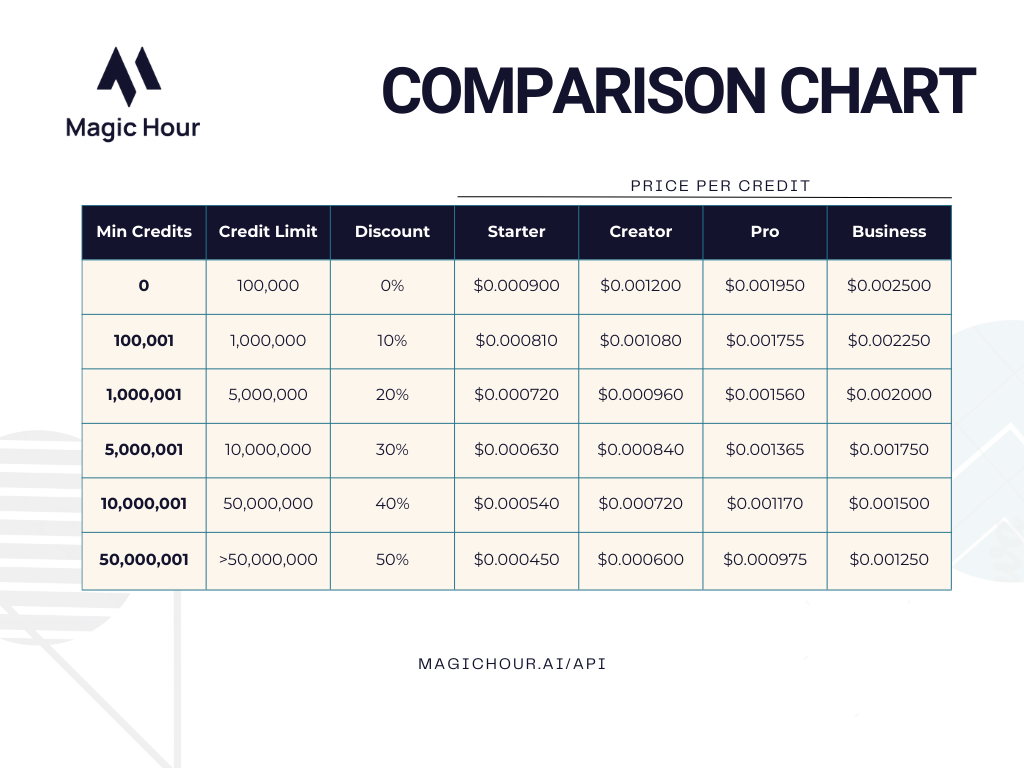
If you're interested in our new pricing, send us an email at [support@magichour.ai](mailto:support@magichour.ai).
## Detailed Usage Cost Breakdown + Usage Analytics
For users who has an active usage-based pricing subscription, we added detailed breakdown of cost based on each usage tier in your [Developer Hub](https://magichour.ai/developer)
Plus, get detailed analytics on your usage:
## Added More Error Codes For More Visibility
We added 4 more API error codes to help you identify why a particular render failed. You can get the error details using the `GET /v1/image-projects/:id` and `GET /v1/video-projects/:id` endpoints by accessing `.error.code` and `.error.message` fields.
| Error Code | Error Message |
| :-------------------- | :---------------------------------------------------------------------------------------------------------------------------------- |
| `invalid_audio_file` | The audio file contains invalid data. Please try a different file. |
| `invalid_image_file` | The image file contains invalid data. Please try a different file. |
| `invalid_video_file` | The video file contains invalid data. Please try a different file. |
| `invalid_youtube_url` | The youtube video cannot be downloaded. The video may be private, age-restricted, or region-restricted. Please try a different url. |
## Added AI Clothes Changer API
AI Clothes Changer is now available via API! Get started with this new API using:
* [Python SDK](https://github.com/magichourhq/magic-hour-python/tree/main/magic_hour/resources/v1/ai_clothes_changer)
* [Node SDK](https://github.com/magichourhq/magic-hour-node/tree/main/src/resources/v1/ai-clothes-changer)
* [Go SDK](https://github.com/magichourhq/magic-hour-go/tree/main/resources/v1/ai_clothes_changer)
* [Rust SDK](https://github.com/magichourhq/magic-hour-rust/tree/main/src/resources/v1/ai_clothes_changer)
* [Rest API](/api-reference/image-projects/ai-clothes-changer)
## Officially Launching the Magic Hour API
Today we're excited to announce the Magic Hour API!
Developers can now integrate our AI image & video generation tools directly into their apps and products.
Free to get started for all users, with usage-based pricing available by request.
Check it out at: [https://magichour.ai/api](https://magichour.ai/api).
☝️ The API page also includes a calculator to help estimate cost
## Launching AI Clothes Changer!
Head over to [AI Clothes Changer](https://magichour.ai/create/ai-clothes-changer) to create yours today!
We also launched a free tool to the [AI Clothes Changer Product Page](https://magichour.ai/products/ai-clothes-changer) so you can try out the new product for free!
## Launching Auto Subtitle Generator Free Tool
We launched a free tool to automate subtitle generation on your video. Head over to the [Auto Subtitle Generator Product Page](https://magichour.ai/products/auto-subtitle-generator) to try out the new product for free!
Each generation is limited to 30 seconds, and you can generate 3 videos free per day. That's 1.5 minutes of free usage every day!
 ## Saved Faces for Face Swap
You can now save frequently used faces for Face Swap, making it easier to swap faces with your go-to images.
Try it out now: [https://magichour.ai/create/face-swap](https://magichour.ai/create/face-swap) by uploading a face to use and save it for future use.
## New Image Editor Models: Nano Banana Pro and Seedream 4.5
We added support for Nano Banana Pro and Seedream 4.5 models, giving you even more options for high-quality image editing.
## Saved Faces for Face Swap
You can now save frequently used faces for Face Swap, making it easier to swap faces with your go-to images.
Try it out now: [https://magichour.ai/create/face-swap](https://magichour.ai/create/face-swap) by uploading a face to use and save it for future use.
## New Image Editor Models: Nano Banana Pro and Seedream 4.5
We added support for Nano Banana Pro and Seedream 4.5 models, giving you even more options for high-quality image editing.
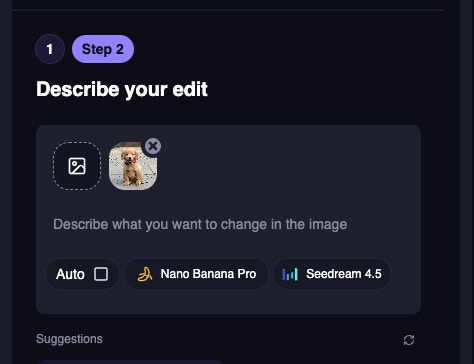 Try it out now: [https://magichour.ai/create/ai-image-editor](https://magichour.ai/create/ai-image-editor)
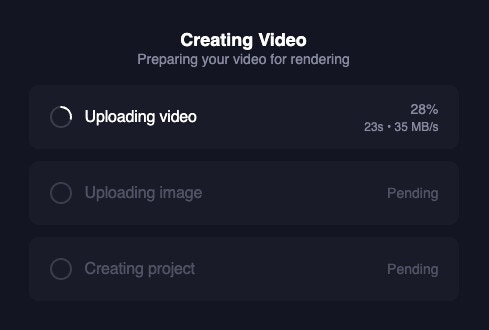
 Plus, we added a lot of behind the scene changes to make the upload process faster and more reliable, especially for spotty internet connections.
We now
* retry the upload on any network error (up to 40 times)
* resume the upload from the last uploaded chunk so you don't have to start over if the upload is interrupted
Plus, we added a lot of behind the scene changes to make the upload process faster and more reliable, especially for spotty internet connections.
We now
* retry the upload on any network error (up to 40 times)
* resume the upload from the last uploaded chunk so you don't have to start over if the upload is interrupted
 Try it out now: [https://magichour.ai/create/face-swap-video](https://magichour.ai/create/face-swap-video)
## New Mobile /create Page UI
We redesigned the /create page UI for mobile users to be more user-friendly and intuitive.
Try it out now: [https://magichour.ai/create/face-swap-video](https://magichour.ai/create/face-swap-video)
## New Mobile /create Page UI
We redesigned the /create page UI for mobile users to be more user-friendly and intuitive.
 Try it out now: [https://magichour.ai/create](https://magichour.ai/create)
## New AI Selfie Product Page
We redesigned the AI Selfie Product Page to be more user-friendly and intuitive.
Try it out now: [https://magichour.ai/products/ai-selfie-generator](https://magichour.ai/products/ai-selfie-generator)
Try it out now: [https://magichour.ai/create](https://magichour.ai/create)
## New AI Selfie Product Page
We redesigned the AI Selfie Product Page to be more user-friendly and intuitive.
Try it out now: [https://magichour.ai/products/ai-selfie-generator](https://magichour.ai/products/ai-selfie-generator)
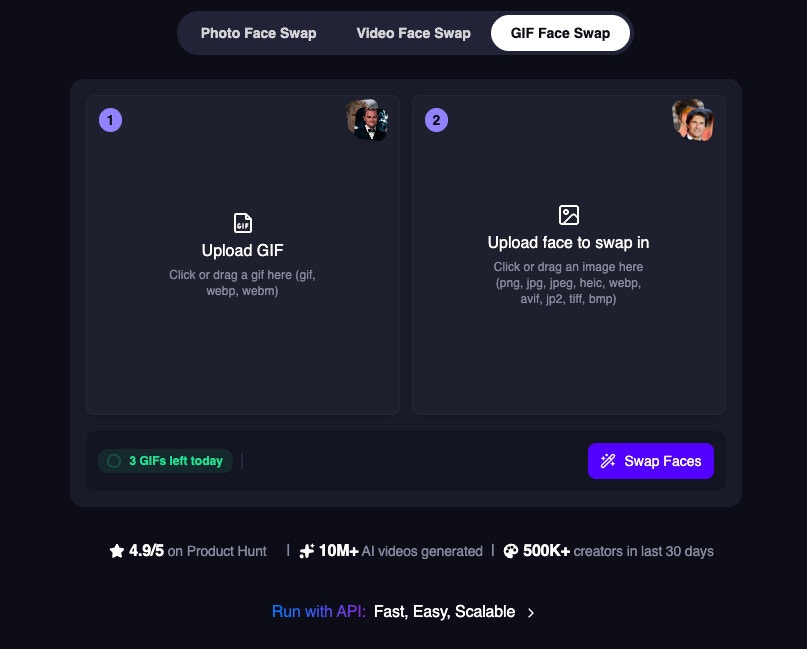 Try it out now: [https://magichour.ai/products/face-swap/gif](https://magichour.ai/products/face-swap/gif)
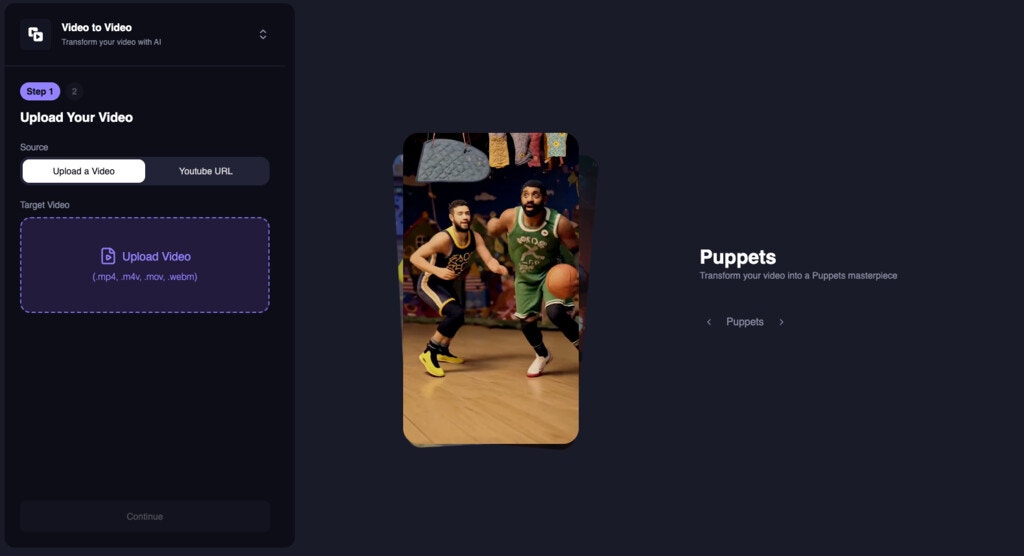 Try it out now: [https://magichour.ai/create/video-to-video](https://magichour.ai/create/video-to-video)
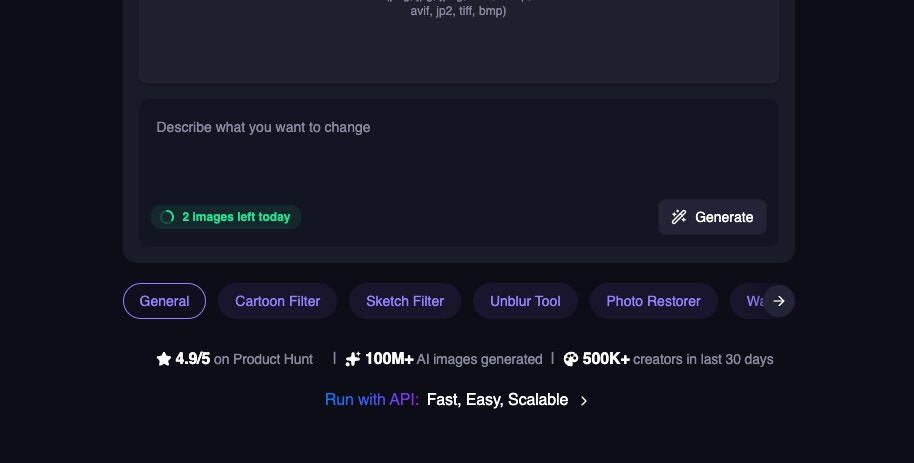 Try it out now: [https://magichour.ai/products/ai-image-editor](https://magichour.ai/products/ai-image-editor)
## Image-to-Image Free Tool
We launched a free tool for Image-to-Image. Try it out without signing up!
Try it out now: [https://magichour.ai/products/ai-image-editor](https://magichour.ai/products/ai-image-editor)
## Image-to-Image Free Tool
We launched a free tool for Image-to-Image. Try it out without signing up!
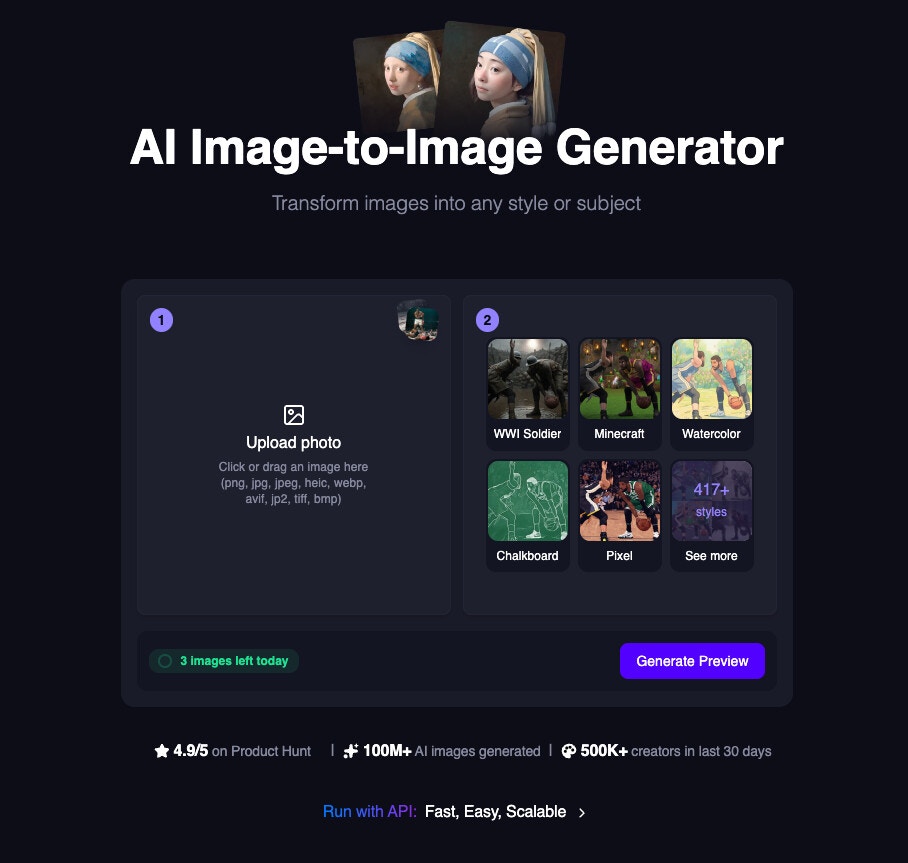 Try it out now: [https://magichour.ai/products/image-to-image](https://magichour.ai/products/image-to-image)
## New AI Headshot Generator Product Page
We redesigned the AI Headshot Generator Product Page to be more user-friendly and intuitive.
Try it out now: [https://magichour.ai/products/ai-headshot-generator](https://magichour.ai/products/ai-headshot-generator)
Try it out now: [https://magichour.ai/products/image-to-image](https://magichour.ai/products/image-to-image)
## New AI Headshot Generator Product Page
We redesigned the AI Headshot Generator Product Page to be more user-friendly and intuitive.
Try it out now: [https://magichour.ai/products/ai-headshot-generator](https://magichour.ai/products/ai-headshot-generator)
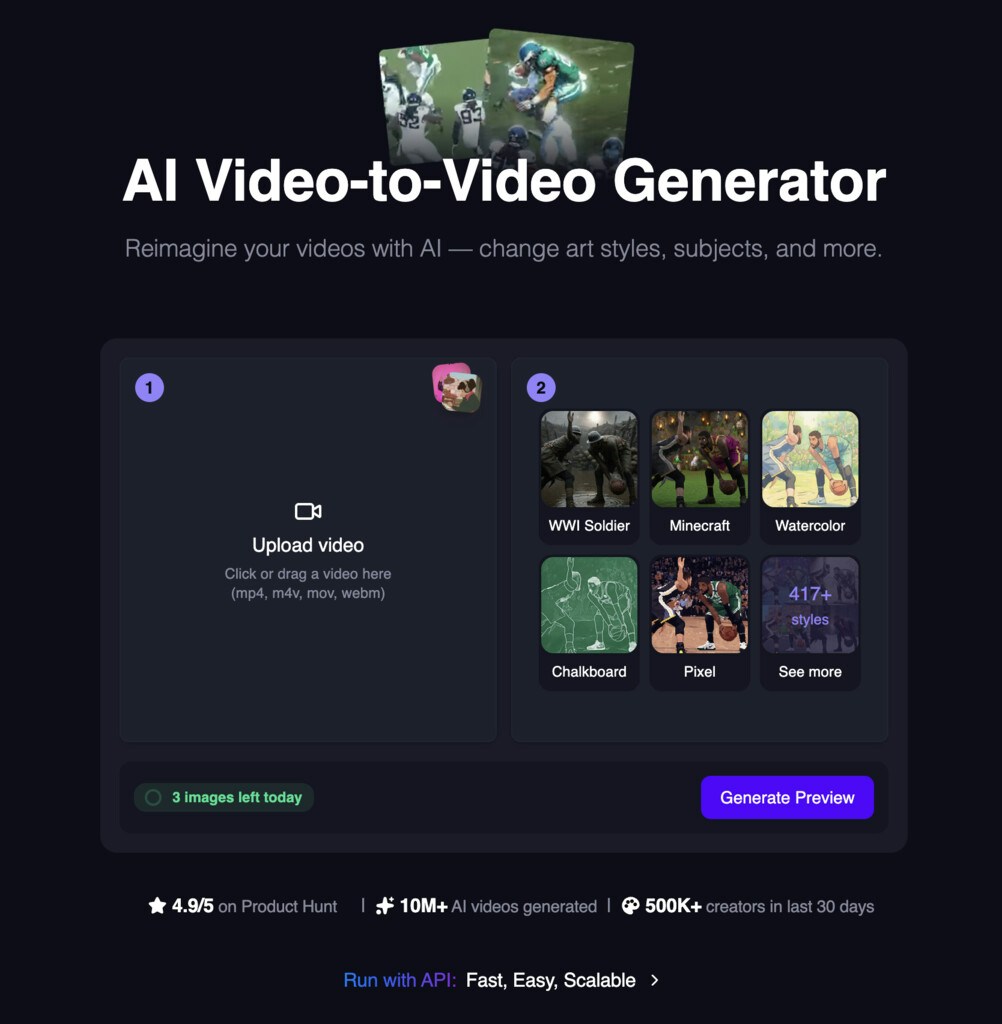 Try it out now: [https://magichour.ai/products/video-to-video](https://magichour.ai/products/video-to-video)
## New UI for AI Image Generator Product Page
We redesigned the AI Image Generator Product Page to be more user-friendly and intuitive.
Try it out now: [https://magichour.ai/products/ai-image-generator](https://magichour.ai/products/ai-image-generator)
Try it out now: [https://magichour.ai/products/video-to-video](https://magichour.ai/products/video-to-video)
## New UI for AI Image Generator Product Page
We redesigned the AI Image Generator Product Page to be more user-friendly and intuitive.
Try it out now: [https://magichour.ai/products/ai-image-generator](https://magichour.ai/products/ai-image-generator)
 Try it out now: [https://magichour.ai/products/ai-talking-photo](https://magichour.ai/products/ai-talking-photo)
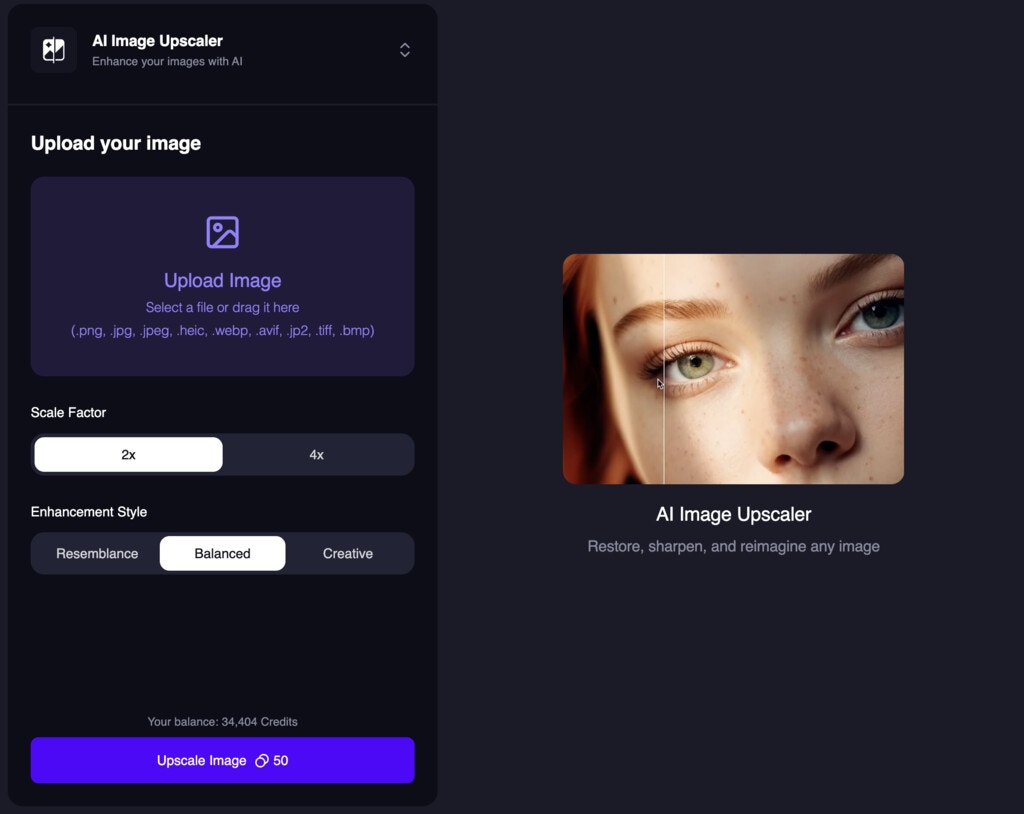 Try it out now: [https://magichour.ai/create/ai-image-upscaler](https://magichour.ai/create/ai-image-upscaler)
## New UI for Image Background Remover
We redesigned the Image Background Remover UI to be more user-friendly and intuitive.
Try it out now: [https://magichour.ai/create/ai-image-upscaler](https://magichour.ai/create/ai-image-upscaler)
## New UI for Image Background Remover
We redesigned the Image Background Remover UI to be more user-friendly and intuitive.
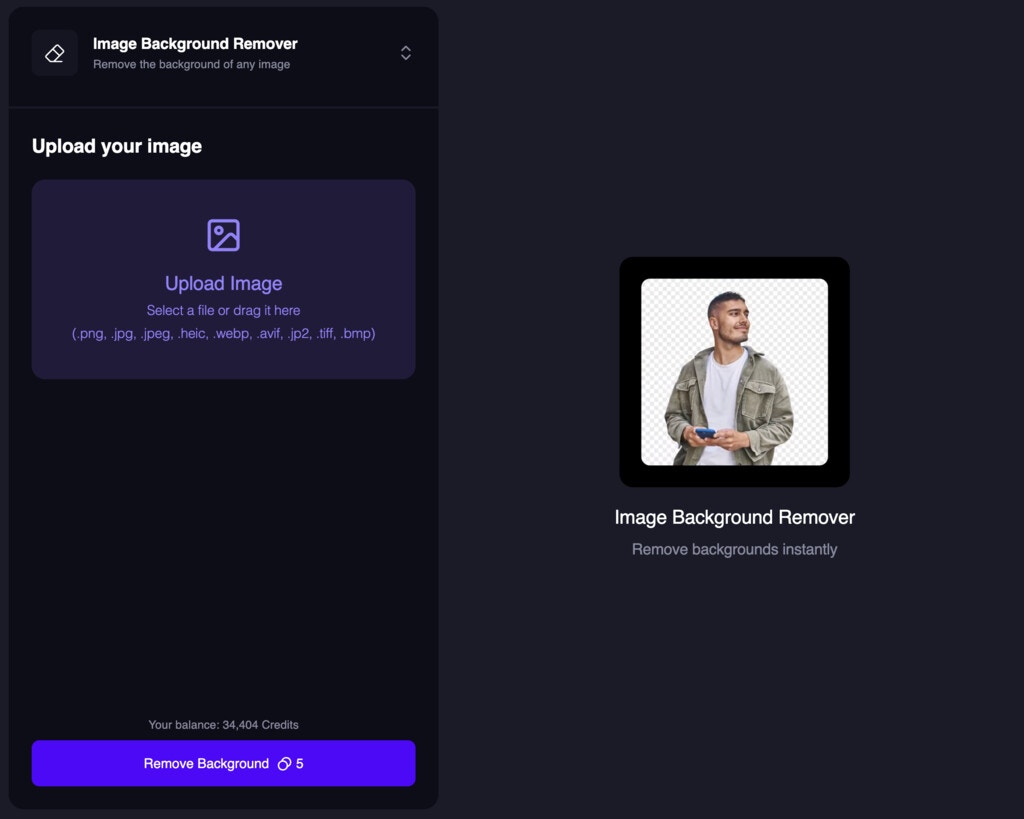 Try it out now: [https://magichour.ai/create/image-background-remover](https://magichour.ai/create/image-background-remover)
 Try it out now: [https://magichour.ai/products/lip-sync](https://magichour.ai/products/lip-sync)
## Product Switcher to allow easy navigation between products
We added a new product switcher to the header so you can easily navigate between products.
Try it out now: [https://magichour.ai/products/lip-sync](https://magichour.ai/products/lip-sync)
## Product Switcher to allow easy navigation between products
We added a new product switcher to the header so you can easily navigate between products.
 ## New UI for AI Headshot Generator
We redesigned the AI Headshot Generator UI to be more user-friendly and intuitive.
## New UI for AI Headshot Generator
We redesigned the AI Headshot Generator UI to be more user-friendly and intuitive.
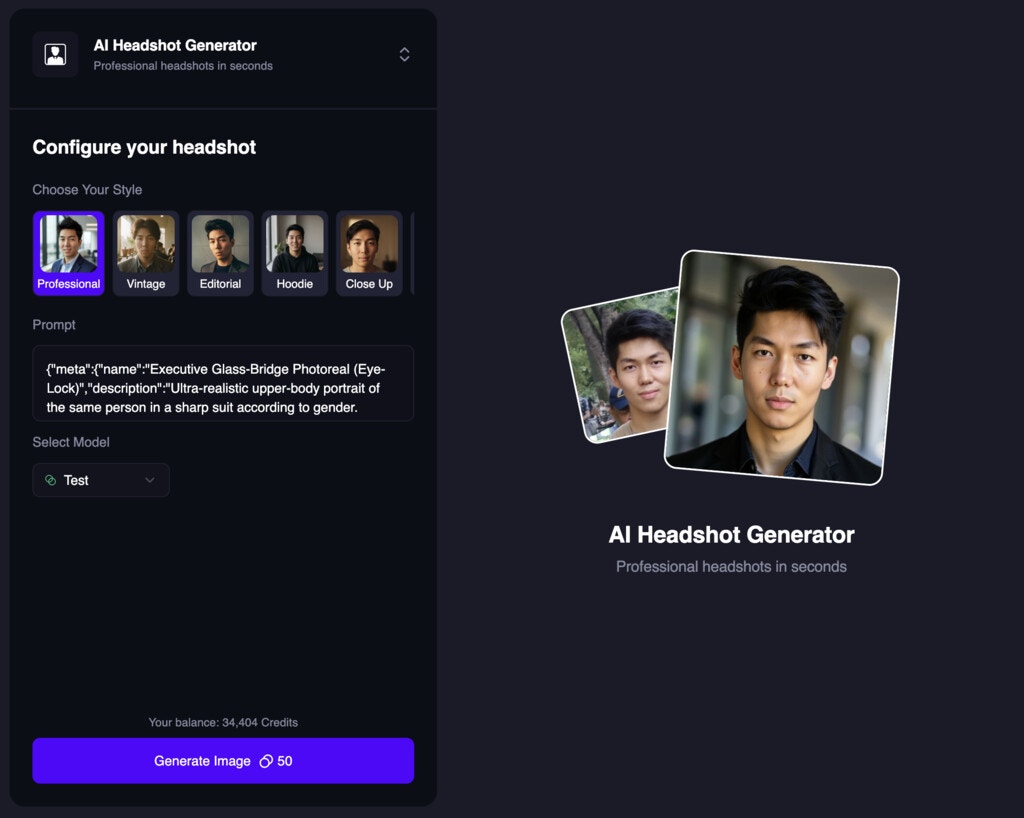 Try it out now: [https://magichour.ai/create/ai-headshot-generator](https://magichour.ai/create/ai-headshot-generator)
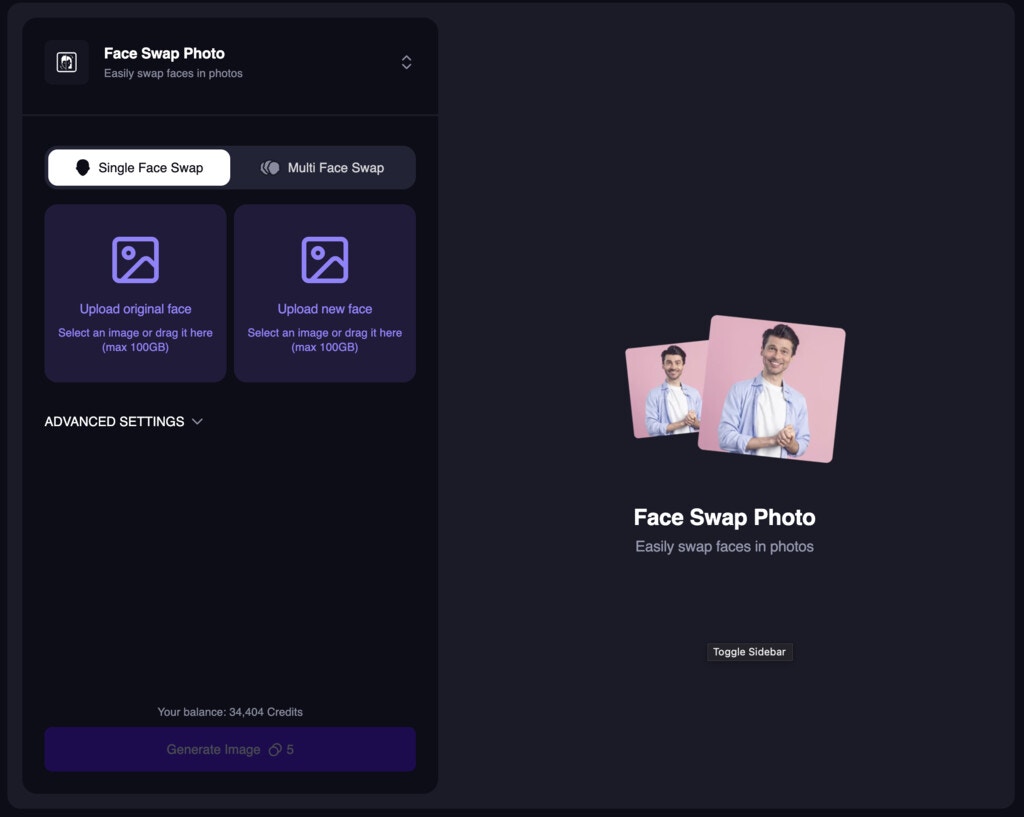

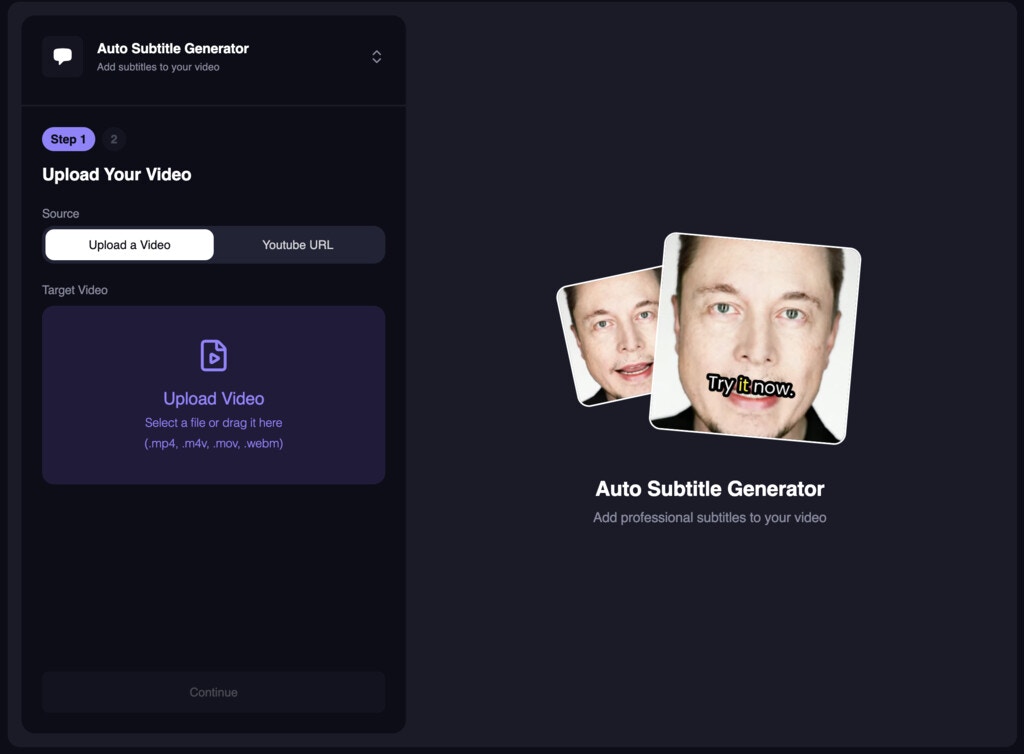 Try it out now: [https://magichour.ai/create/auto-subtitle-generator](https://magichour.ai/create/auto-subtitle-generator)
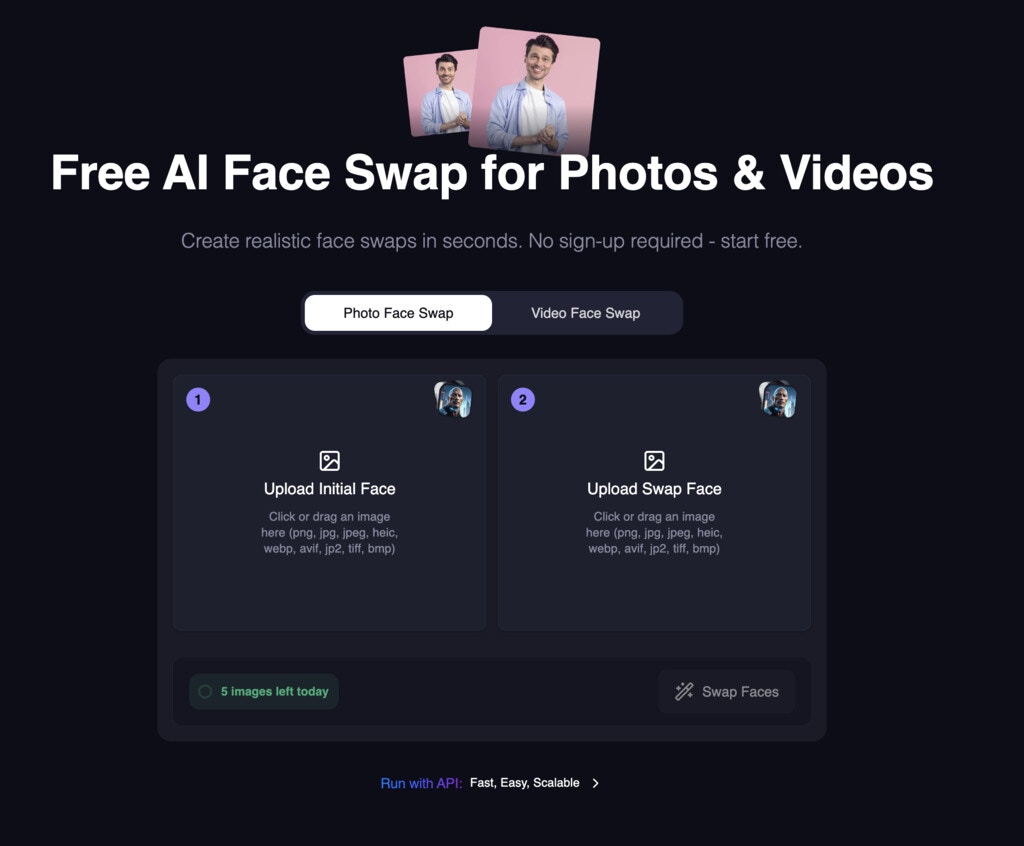 Try it out now: [https://magichour.ai/products/face-swap](https://magichour.ai/products/face-swap)
## New UI for Dashboard AI Clothes Changer
New UI for AI Clothes Changer in dashboard.
Try it out now: [https://magichour.ai/products/face-swap](https://magichour.ai/products/face-swap)
## New UI for Dashboard AI Clothes Changer
New UI for AI Clothes Changer in dashboard.
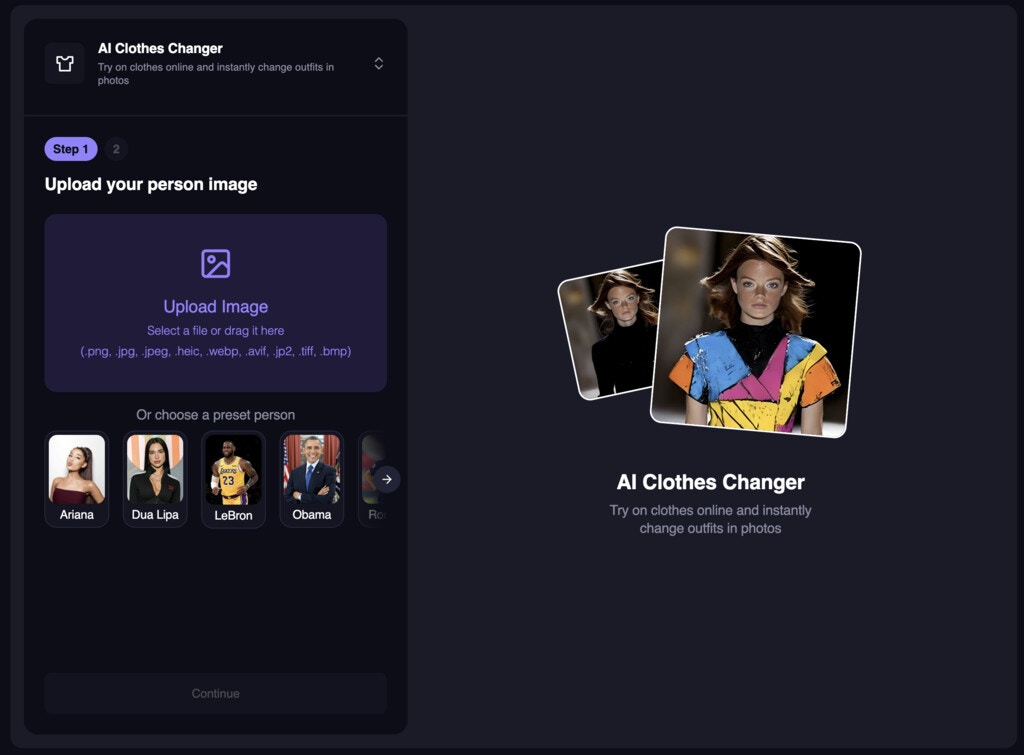 Try it out now: [https://magichour.ai/products/ai-clothes-changer](https://magichour.ai/products/ai-clothes-changer)
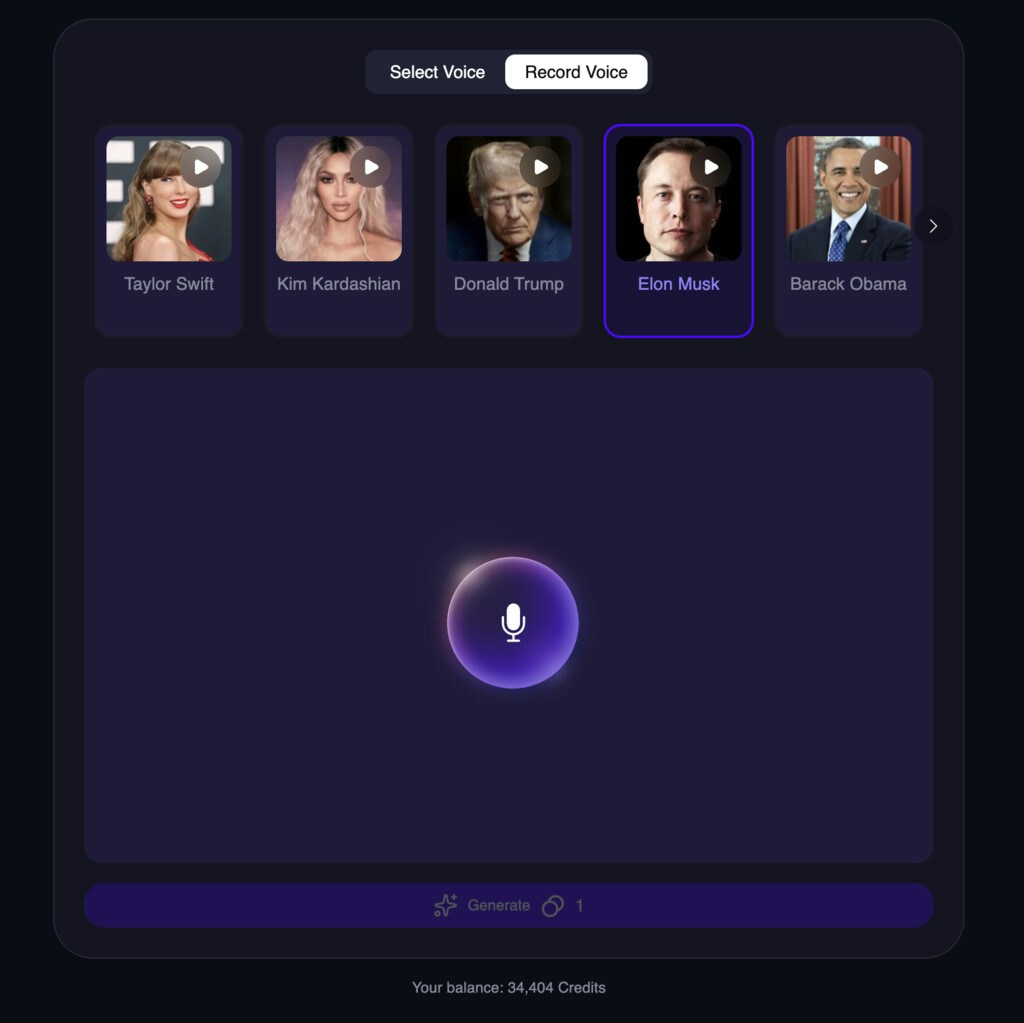 Try it out now: [https://magichour.ai/create/ai-voice-changer](https://magichour.ai/create/ai-voice-changer)
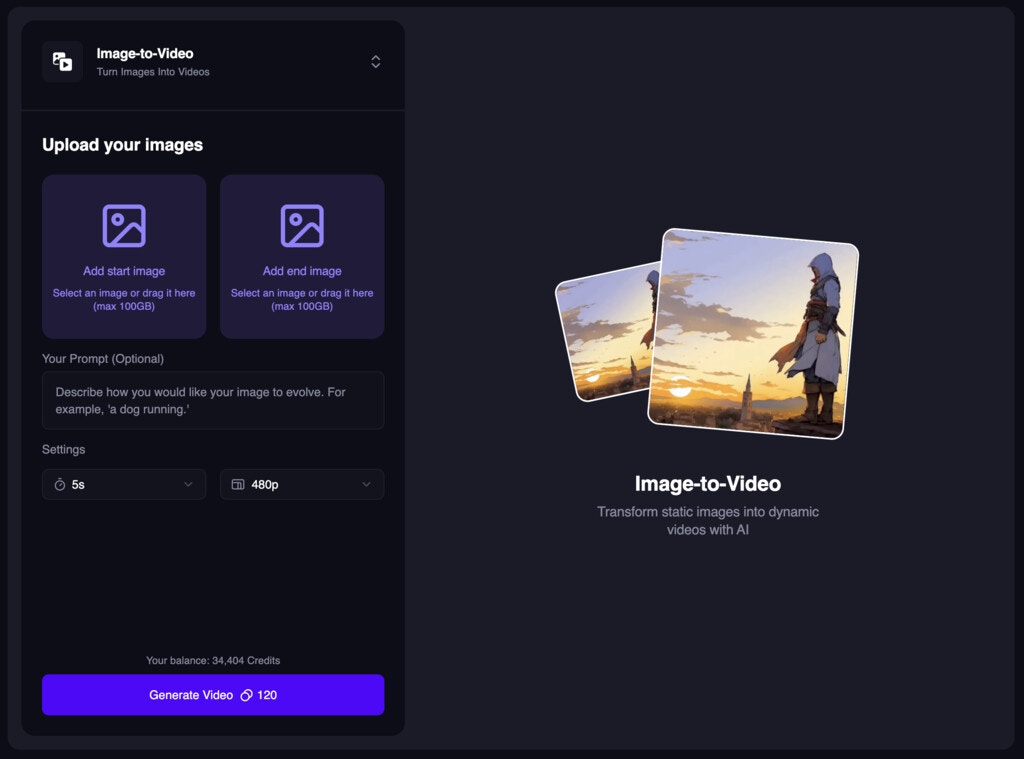 Try it out now: [https://magichour.ai/create/image-to-video](https://magichour.ai/create/image-to-video)
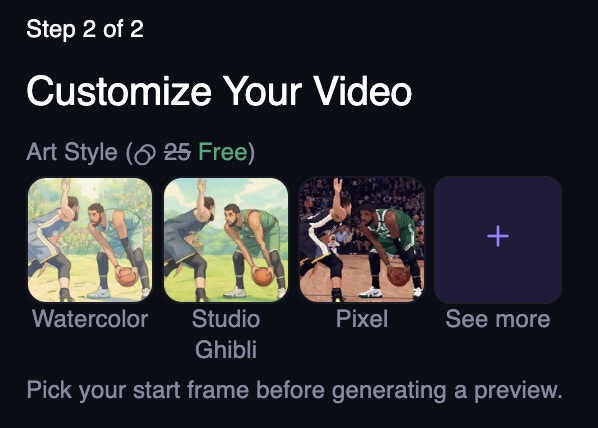 Try it out now: [https://magichour.ai/create/video-to-video](https://magichour.ai/create/video-to-video)
## Faster and more variety for AI Image Editor suggestions
We made two big improvements to AI Image Editor suggestions:
* Suggestions are now 50% faster
* On suggestion refresh, we now show more variety of suggestions.
## AI Voice Changer Free Tool and Dashboard Tool
We launched a new free tool to change the voice of an audio file. Just upload an audio file and we'll change the voice for you.
Try it out now: [https://magichour.ai/create/video-to-video](https://magichour.ai/create/video-to-video)
## Faster and more variety for AI Image Editor suggestions
We made two big improvements to AI Image Editor suggestions:
* Suggestions are now 50% faster
* On suggestion refresh, we now show more variety of suggestions.
## AI Voice Changer Free Tool and Dashboard Tool
We launched a new free tool to change the voice of an audio file. Just upload an audio file and we'll change the voice for you.
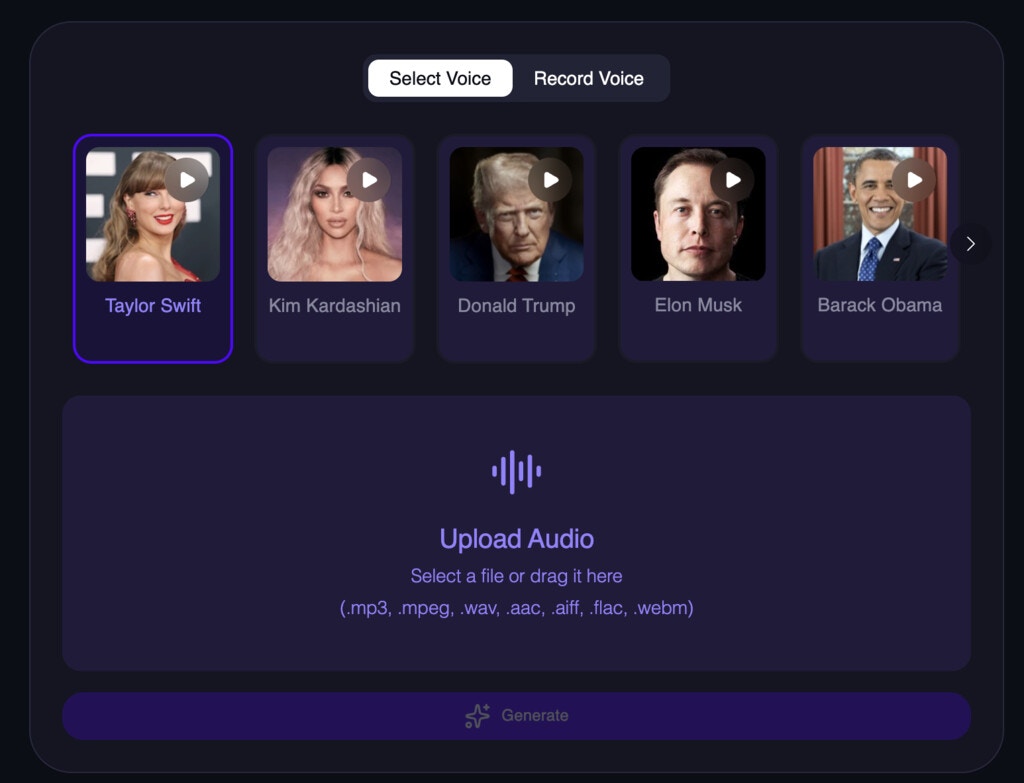 Try it out now: [https://magichour.ai/products/ai-voice-changer](https://magichour.ai/products/ai-voice-changer) and [https://magichour.ai/create/ai-voice-changer](https://magichour.ai/create/ai-voice-changer)
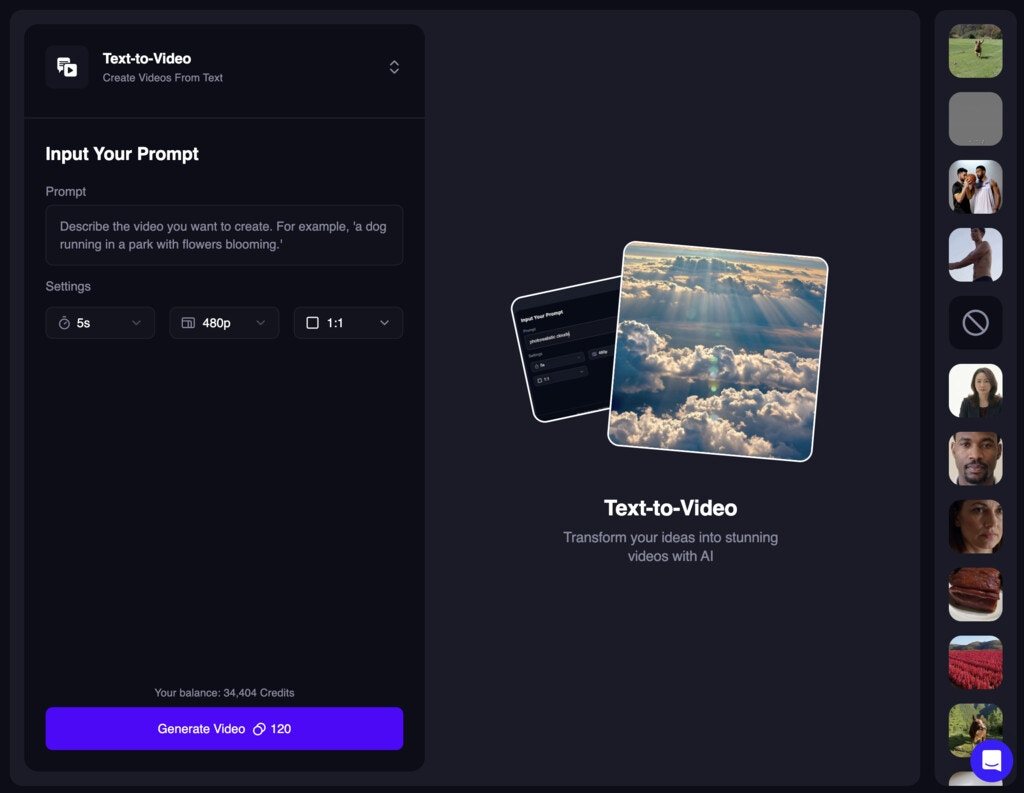 Try it out now: [https://magichour.ai/create/text-to-video](https://magichour.ai/create/text-to-video)
 Try it out now: [https://magichour.ai/create/ai-image-editor](https://magichour.ai/create/ai-image-editor)
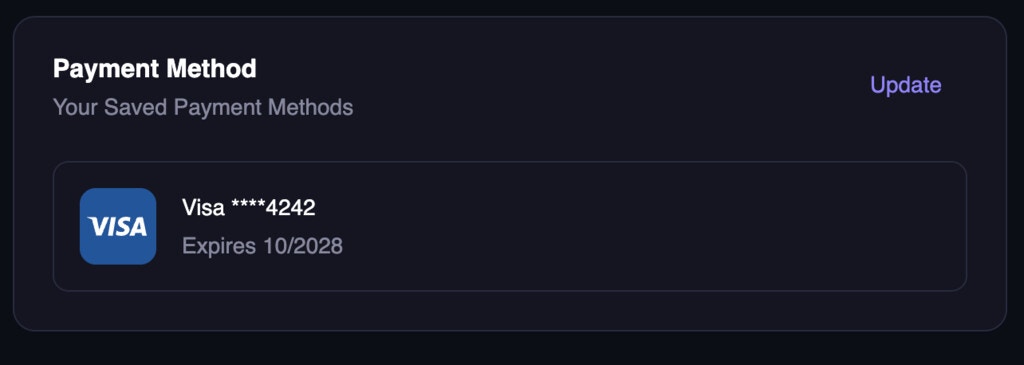 Try it out now: [https://magichour.ai/my-plan](https://magichour.ai/my-plan)
 Try it out now: [https://magichour.ai/create/ai-image-generator](https://magichour.ai/create/ai-image-generator)
Note: The 4k resolution is only available for users with an business subscription.
Try it out now: [https://magichour.ai/create/ai-image-generator](https://magichour.ai/create/ai-image-generator)
Note: The 4k resolution is only available for users with an business subscription.
 Try it out now: [https://magichour.ai/create/ai-image-editor](https://magichour.ai/create/ai-image-editor)
 Try it out now: [https://magichour.ai/create/image-to-video](https://magichour.ai/create/image-to-video) or [https://magichour.ai/create/text-to-video](https://magichour.ai/create/text-to-video)
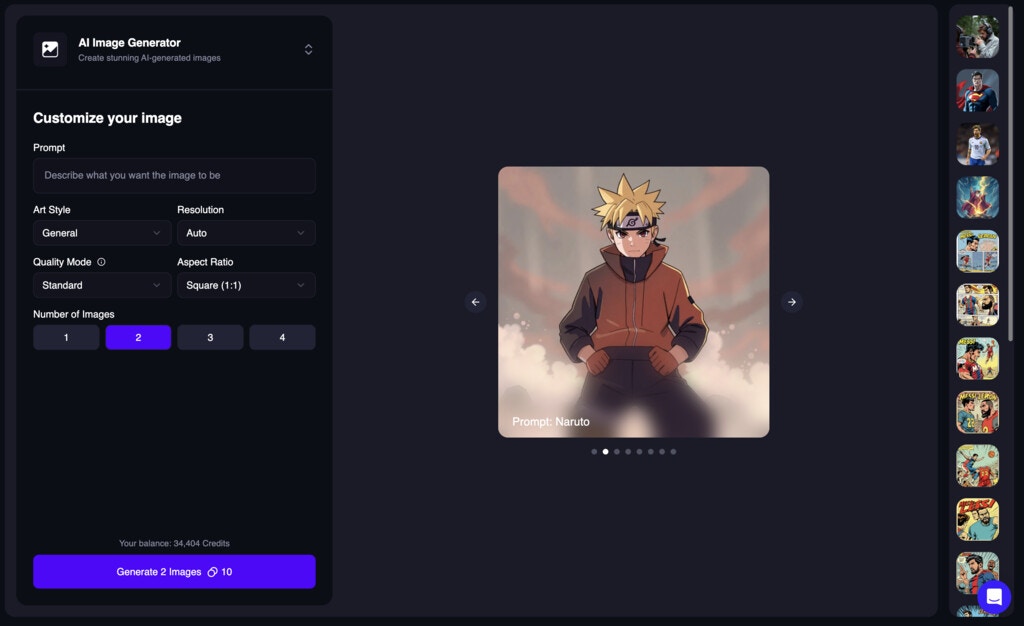 Try it out now: [https://magichour.ai/create/ai-image-generator](https://magichour.ai/create/ai-image-generator)
## Voice Cloner Free Tool
We launched a new free tool to clone voices. Just upload a voice and we'll clone it for you.
Try it out now: [https://magichour.ai/create/ai-image-generator](https://magichour.ai/create/ai-image-generator)
## Voice Cloner Free Tool
We launched a new free tool to clone voices. Just upload a voice and we'll clone it for you.
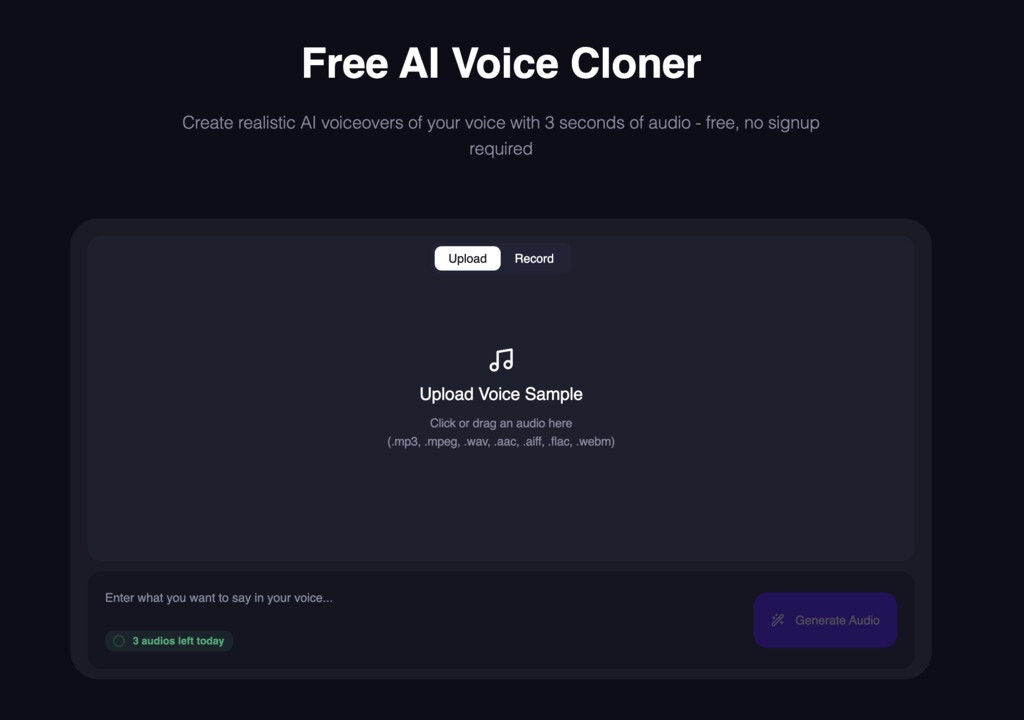 Try it free now: [https://magichour.ai/products/ai-voice-cloner](https://magichour.ai/products/ai-voice-cloner)
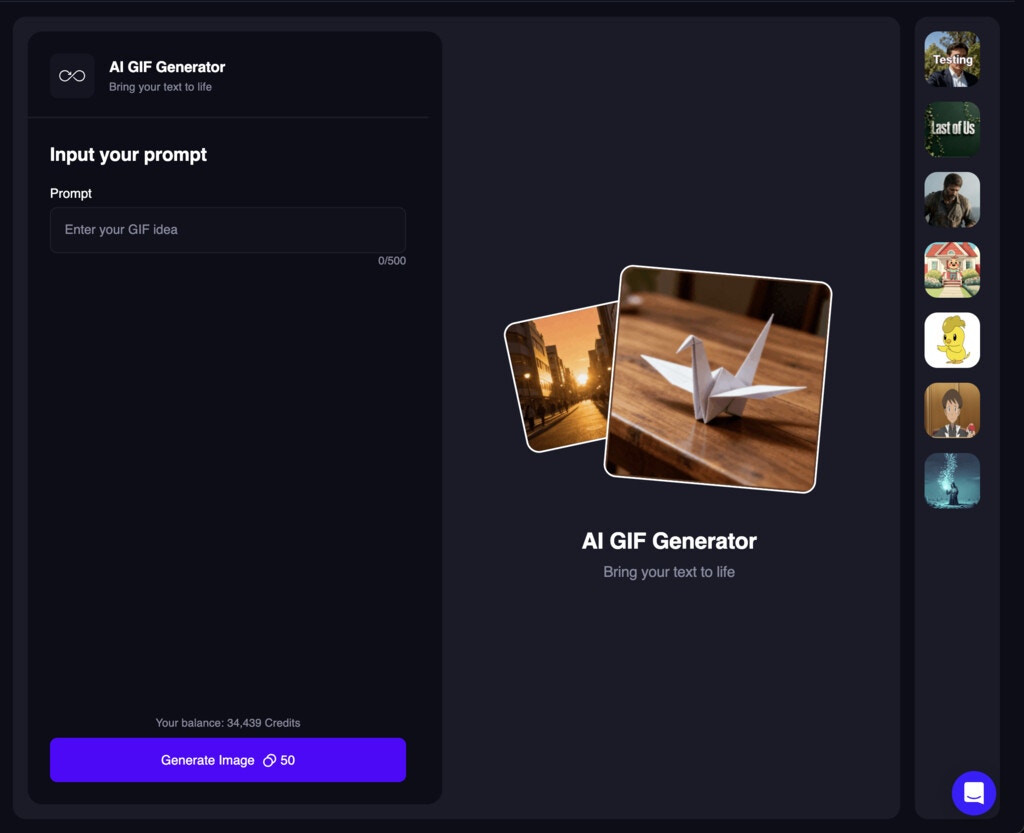 Try it out now: [https://magichour.ai/create/ai-gif-generator](https://magichour.ai/create/ai-gif-generator)
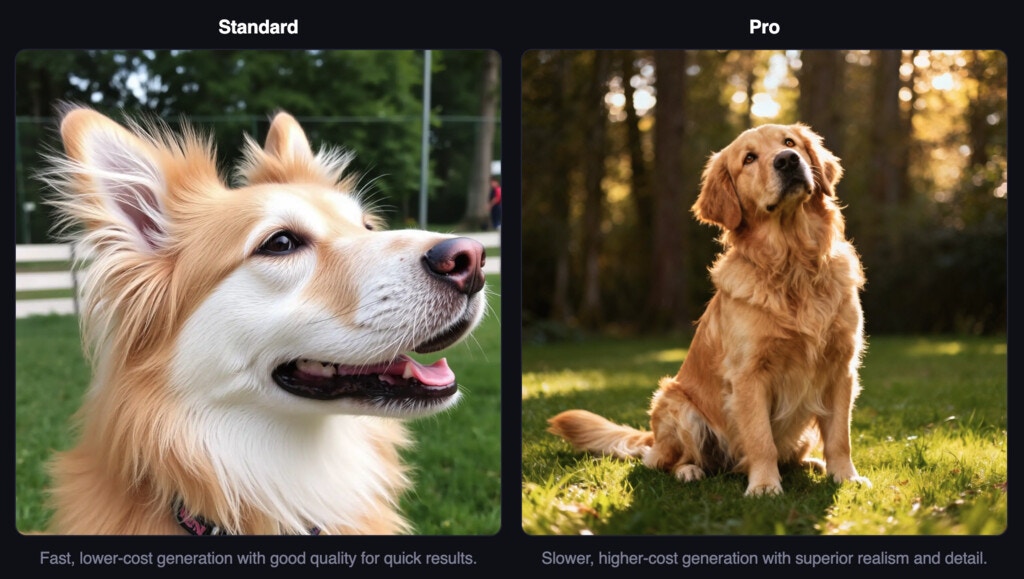 Try it out now: [https://magichour.ai/create/ai-image-generator](https://magichour.ai/create/ai-image-generator) and select the `Pro` mode to get started.
**Note**: The `Pro` mode is only available for users with an existing subscription.
Try it out now: [https://magichour.ai/create/ai-image-generator](https://magichour.ai/create/ai-image-generator) and select the `Pro` mode to get started.
**Note**: The `Pro` mode is only available for users with an existing subscription.
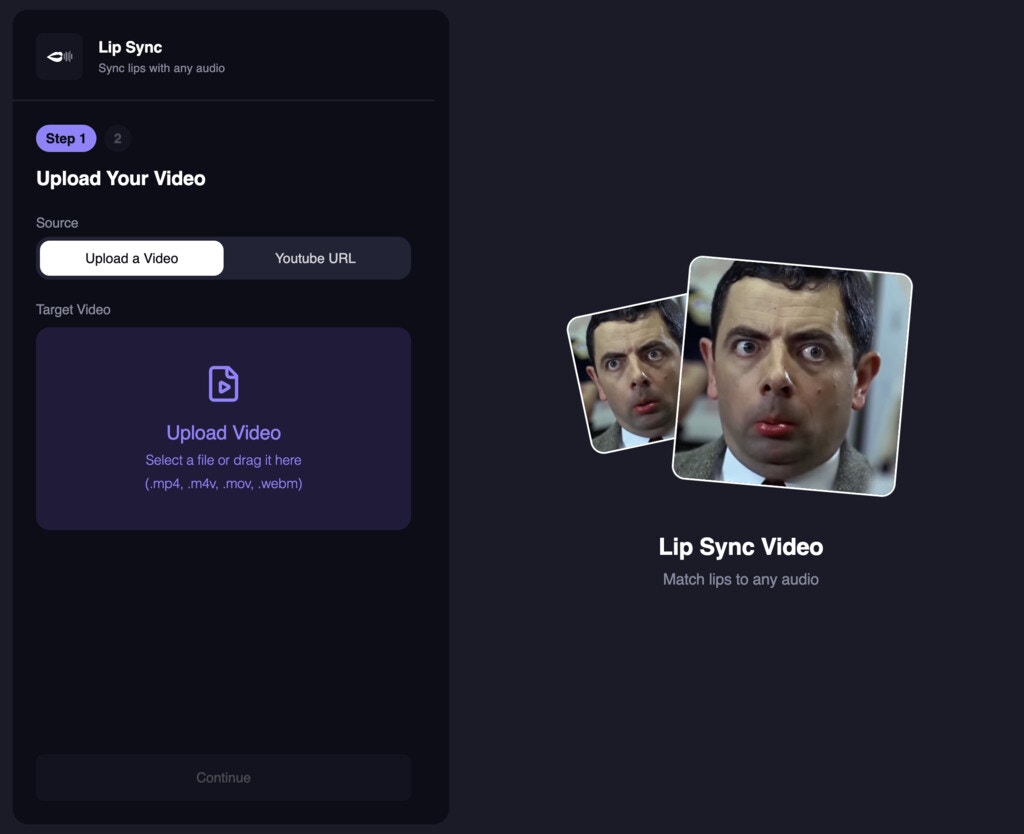 Try it out now: [https://magichour.ai/create/lip-sync](https://magichour.ai/create/lip-sync)
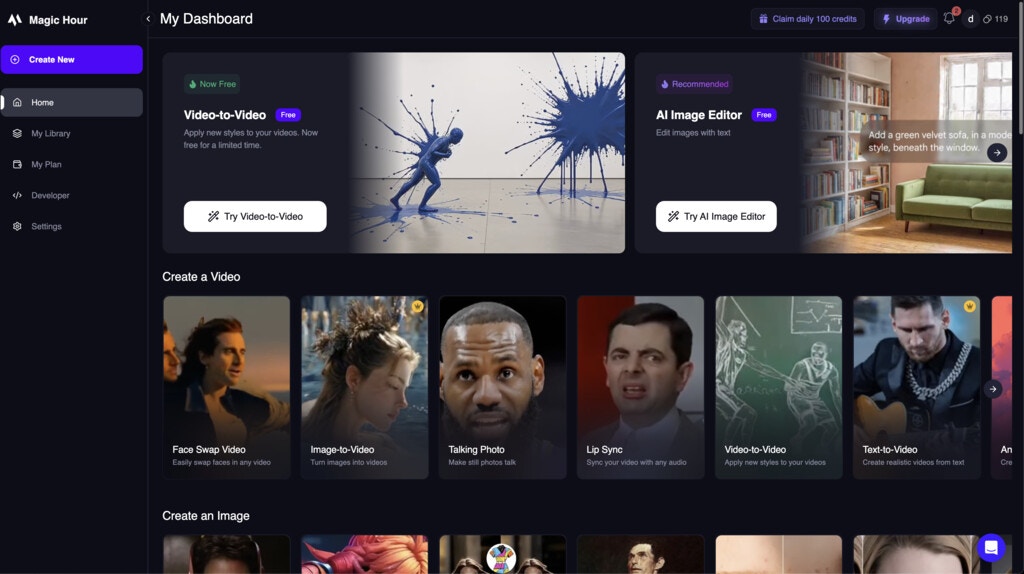 Try it out now: [https://magichour.ai/create](https://magichour.ai/create)
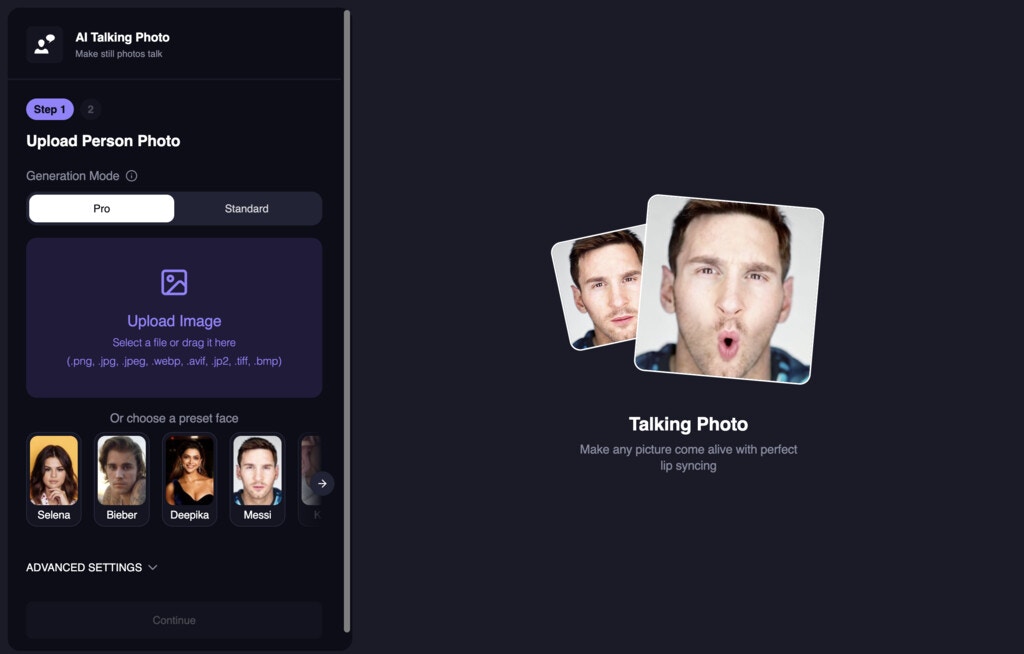 Try it out now: [https://magichour.ai/create/ai-talking-photo](https://magichour.ai/create/ai-talking-photo)
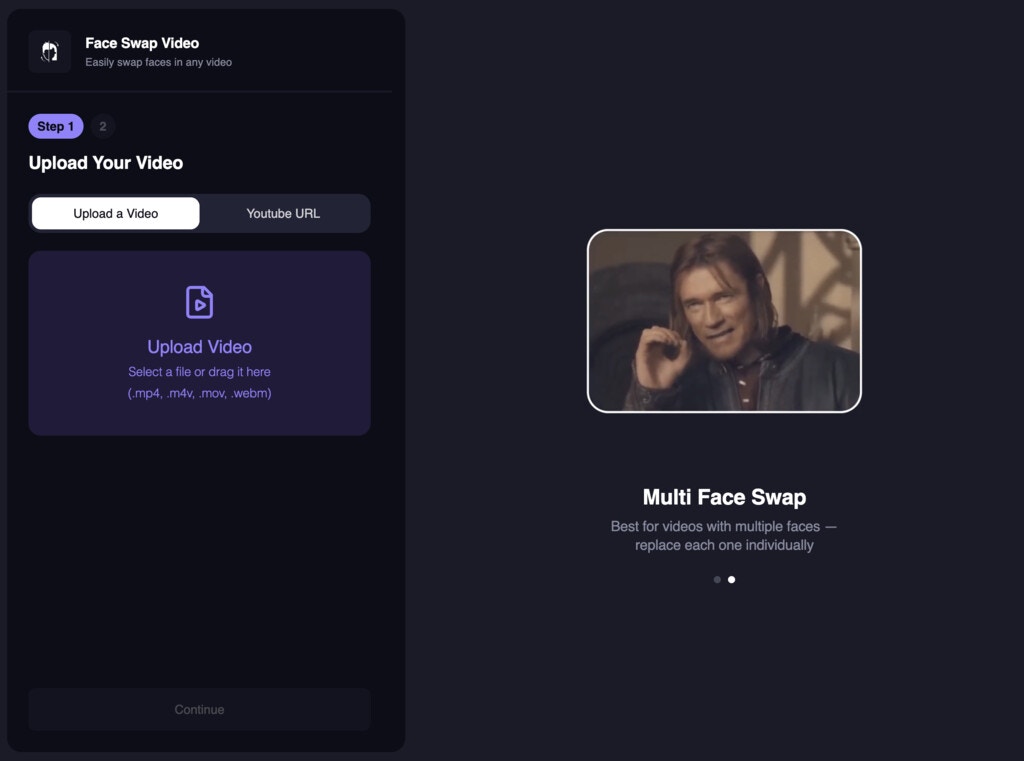 Try it out now: [https://magichour.ai/create/face-swap-video](https://magichour.ai/create/face-swap-video)
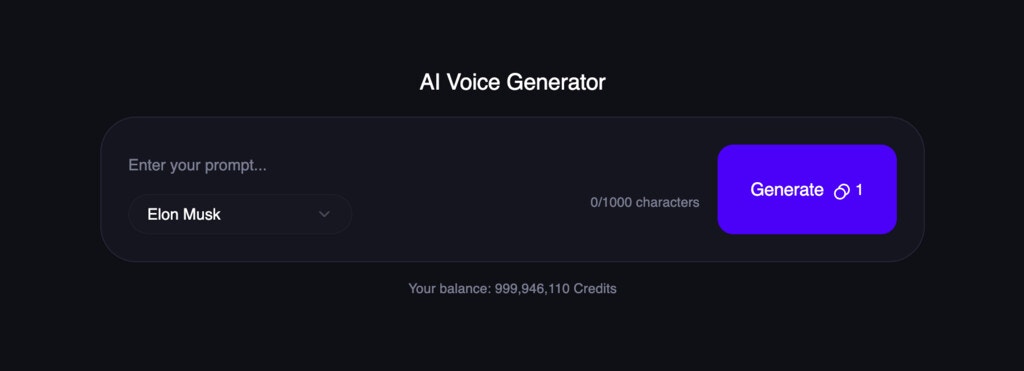 Try it out now: [https://magichour.ai/create/ai-voice-generator](https://magichour.ai/create/ai-voice-generator). This feature is available to all users!
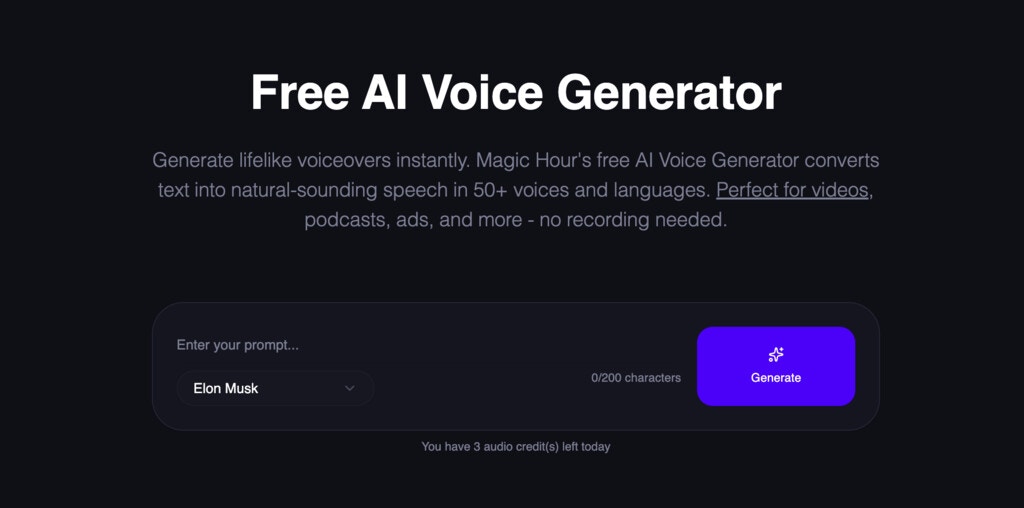 Try it out now: [https://magichour.ai/products/ai-voice-generator](https://magichour.ai/products/ai-voice-generator)
**Note**: The free tool is limited to 200 characters per generation.
Try it out now: [https://magichour.ai/products/ai-voice-generator](https://magichour.ai/products/ai-voice-generator)
**Note**: The free tool is limited to 200 characters per generation.
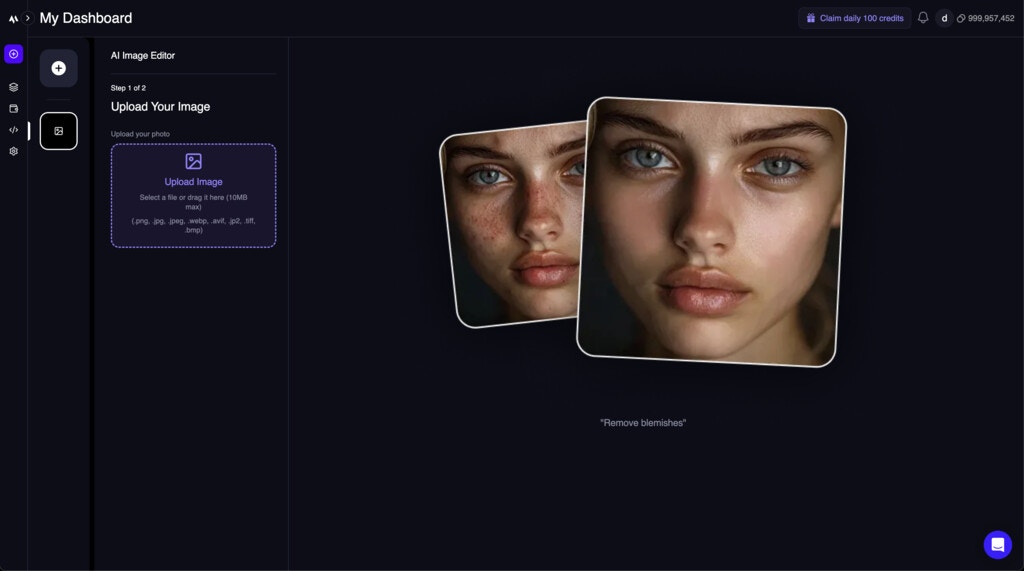 Try it out now: [https://magichour.ai/create/ai-image-editor](https://magichour.ai/create/ai-image-editor)
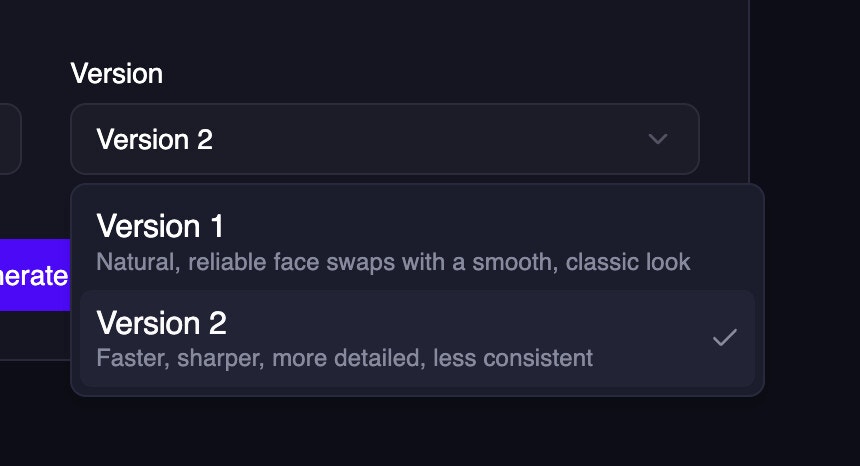 Try it out now: [https://magichour.ai/create/face-swap-photo](https://magichour.ai/create/face-swap-photo)
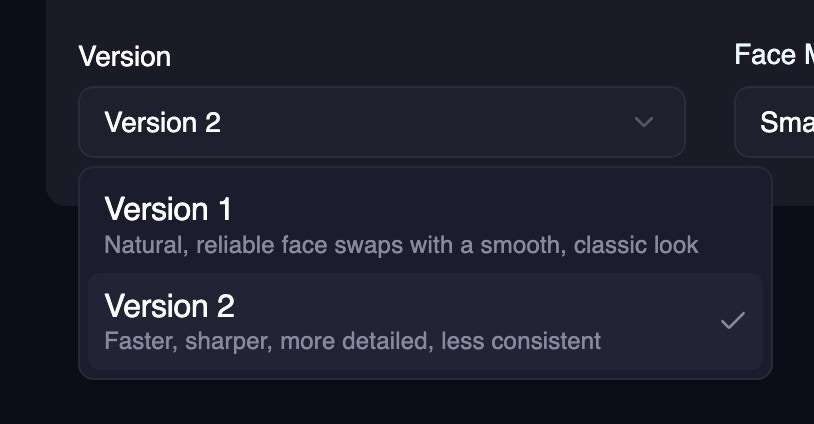 Try it out now: [https://magichour.ai/create/face-swap-video](https://magichour.ai/create/face-swap-video)
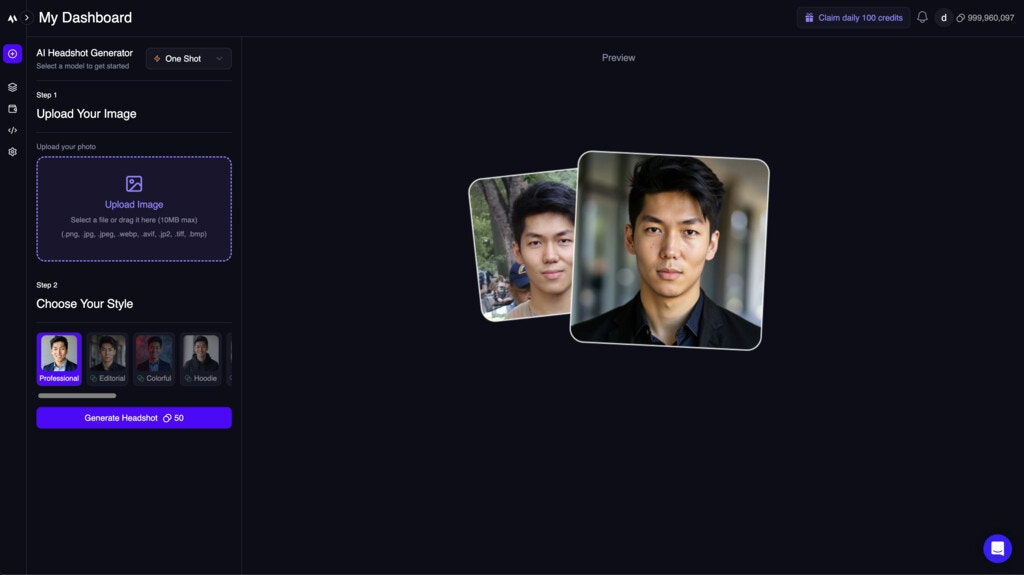 Try it out now: [https://magichour.ai/create/ai-headshot-generator](https://magichour.ai/create/ai-headshot-generator)
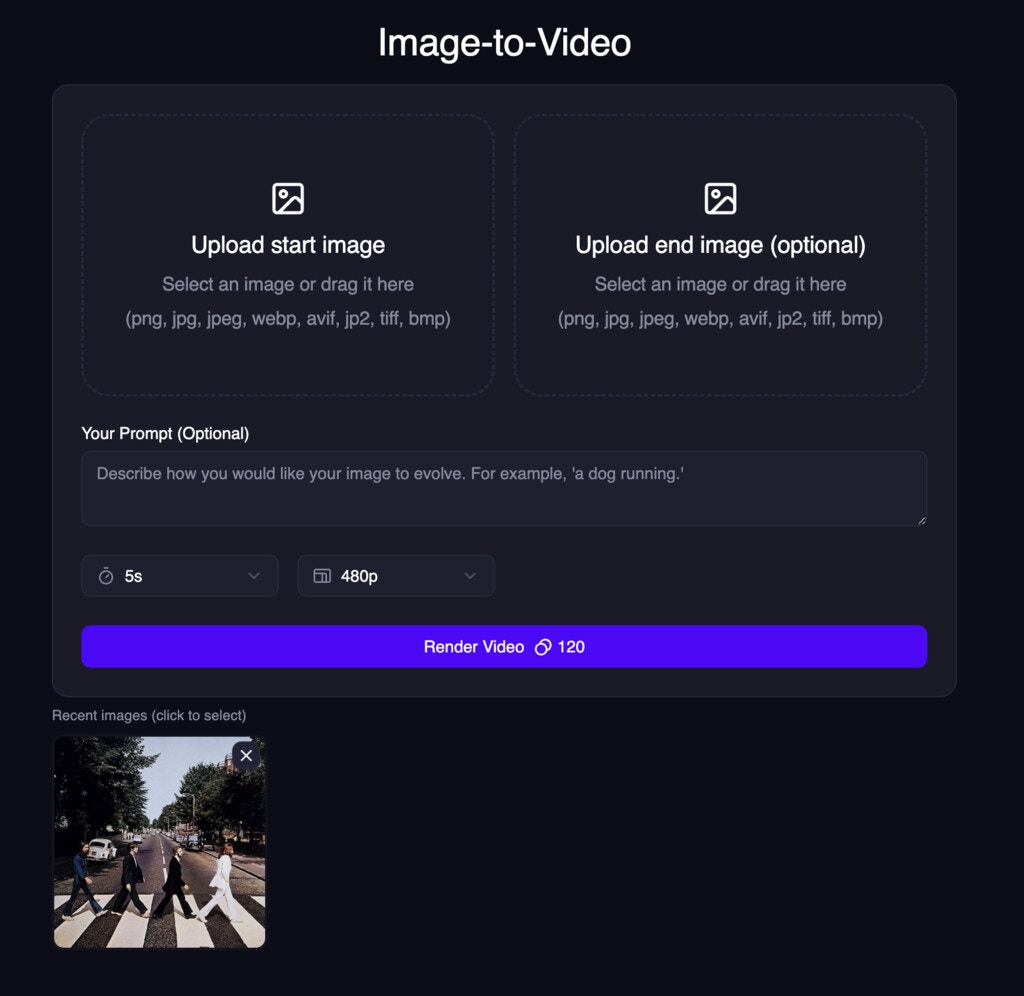 Try it out now: [https://magichour.ai/create/image-to-video](https://magichour.ai/create/image-to-video)
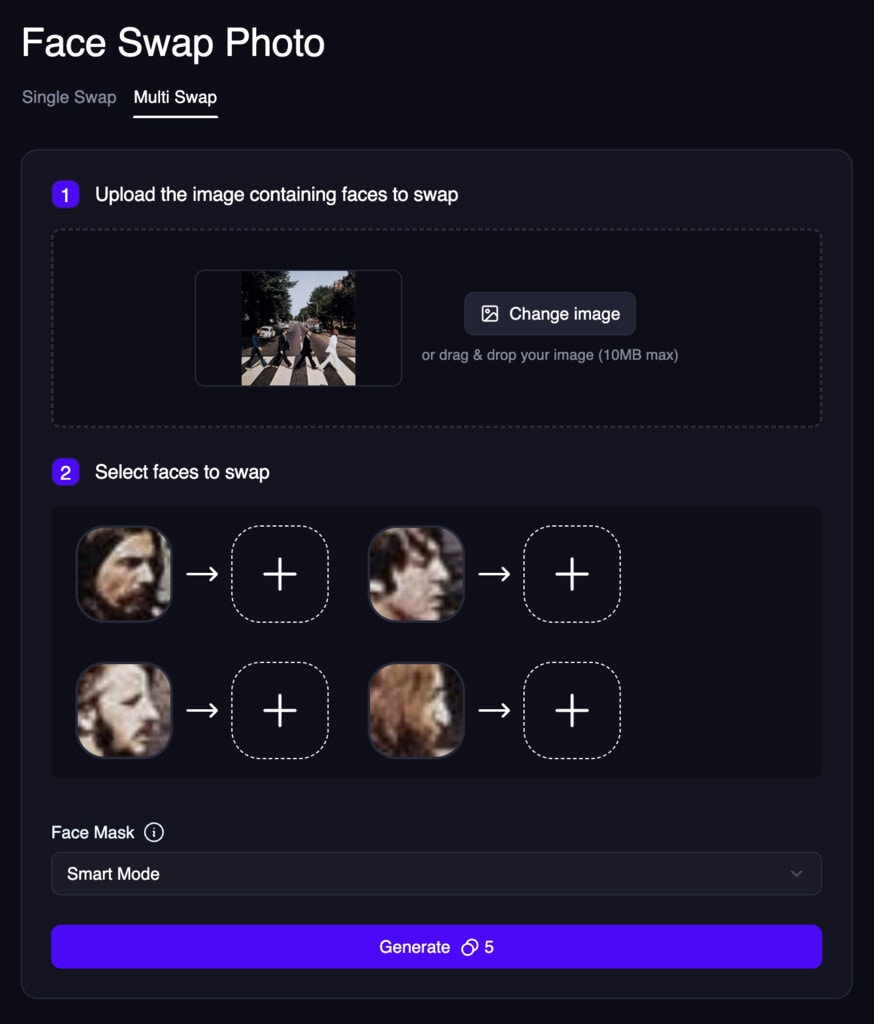 Try it out now: [https://magichour.ai/create/face-swap-photo](https://magichour.ai/create/face-swap-photo)
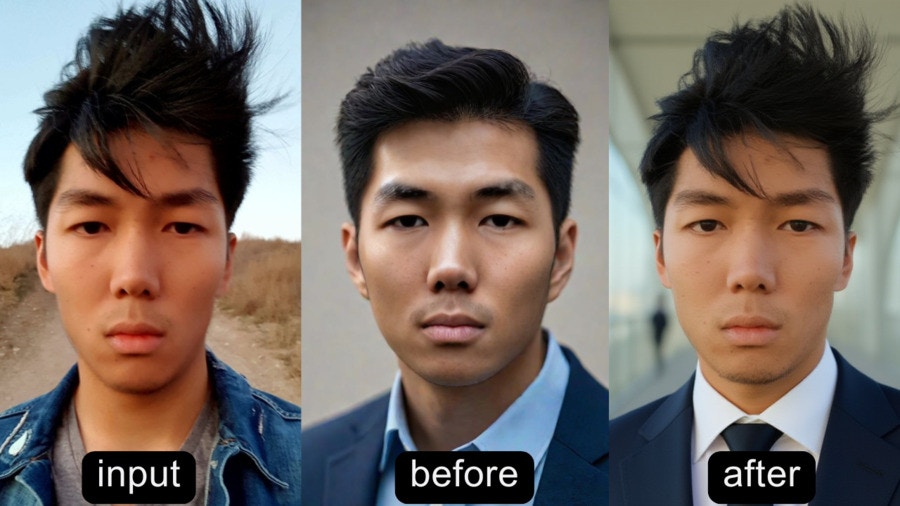 Head over to [https://magichour.ai/create/ai-headshot-generator](https://magichour.ai/create/ai-headshot-generator) to try it out now!
## Train Model Page
We created a new page to train your own model and see the list of models you've trained.
Head over to [https://magichour.ai/create/ai-headshot-generator](https://magichour.ai/create/ai-headshot-generator) to try it out now!
## Train Model Page
We created a new page to train your own model and see the list of models you've trained.
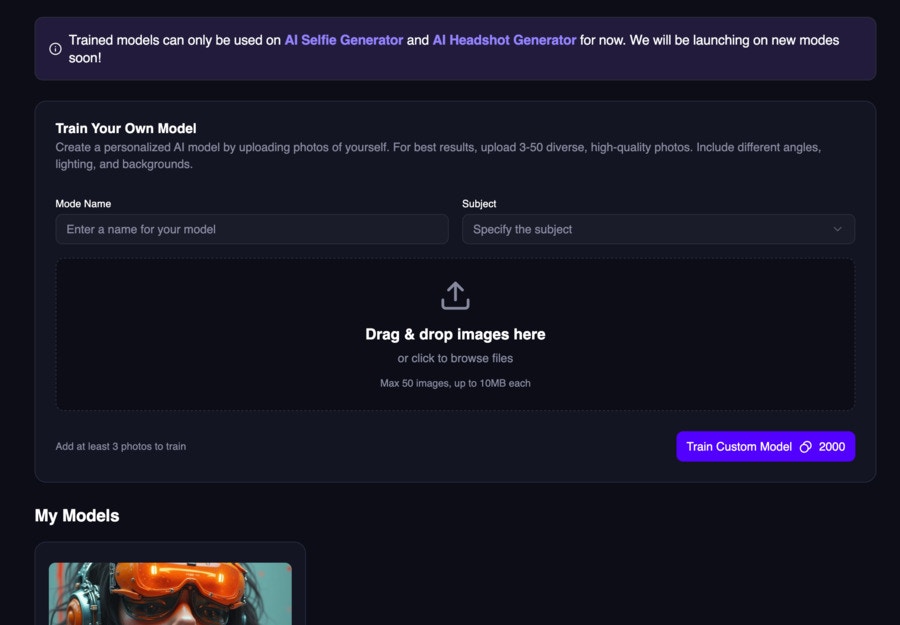 Head over to [https://magichour.ai/create/train-model](https://magichour.ai/create/train-model) to try it out now!
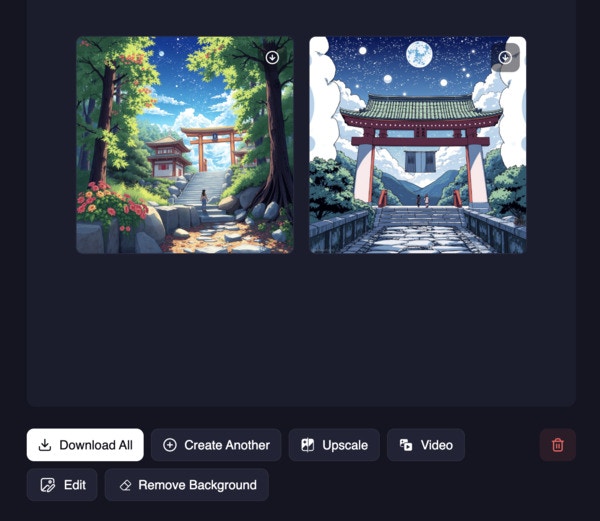 We added additional functions to the Image Details modal, including:
* Upscale
* Edit
* Turn into video
* Remove background
We added additional functions to the Image Details modal, including:
* Upscale
* Edit
* Turn into video
* Remove background
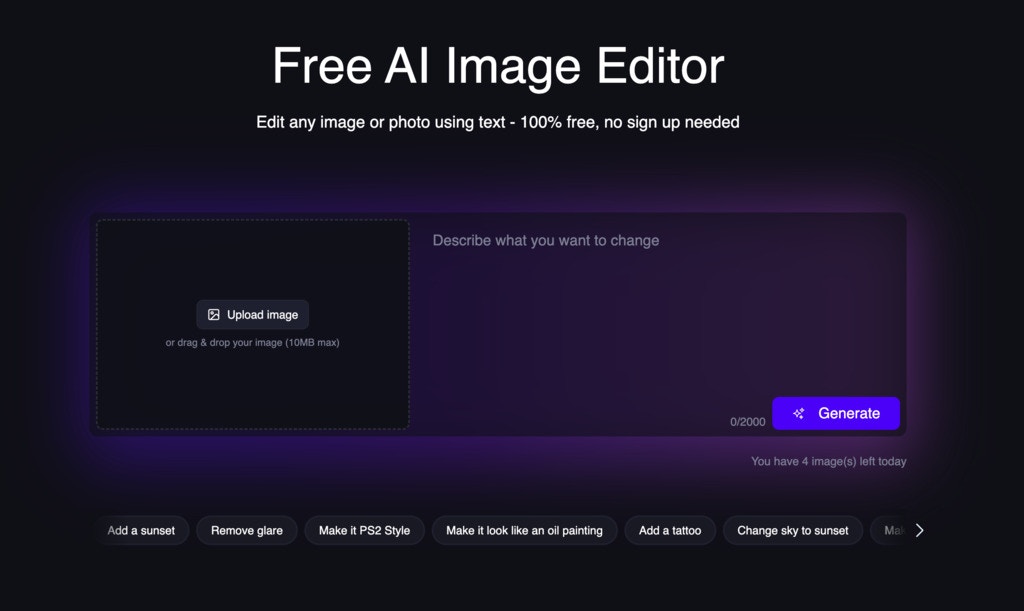 To take advantage of the this change, please upgrade your sdk version to `v0.25.0`.
* [Python SDK v0.25.0](https://github.com/magichourhq/magic-hour-python/releases/tag/v0.25.0)
* [Node SDK v0.25.0](https://github.com/magichourhq/magic-hour-node/releases/tag/v0.25.0)
* [Go SDK v0.25.0](https://github.com/magichourhq/magic-hour-go/releases/tag/v0.25.0)
* [Rust SDK v0.25.0](https://github.com/magichourhq/magic-hour-rust/releases/tag/v0.25.0)
To take advantage of the this change, please upgrade your sdk version to `v0.25.0`.
* [Python SDK v0.25.0](https://github.com/magichourhq/magic-hour-python/releases/tag/v0.25.0)
* [Node SDK v0.25.0](https://github.com/magichourhq/magic-hour-node/releases/tag/v0.25.0)
* [Go SDK v0.25.0](https://github.com/magichourhq/magic-hour-go/releases/tag/v0.25.0)
* [Rust SDK v0.25.0](https://github.com/magichourhq/magic-hour-rust/releases/tag/v0.25.0)
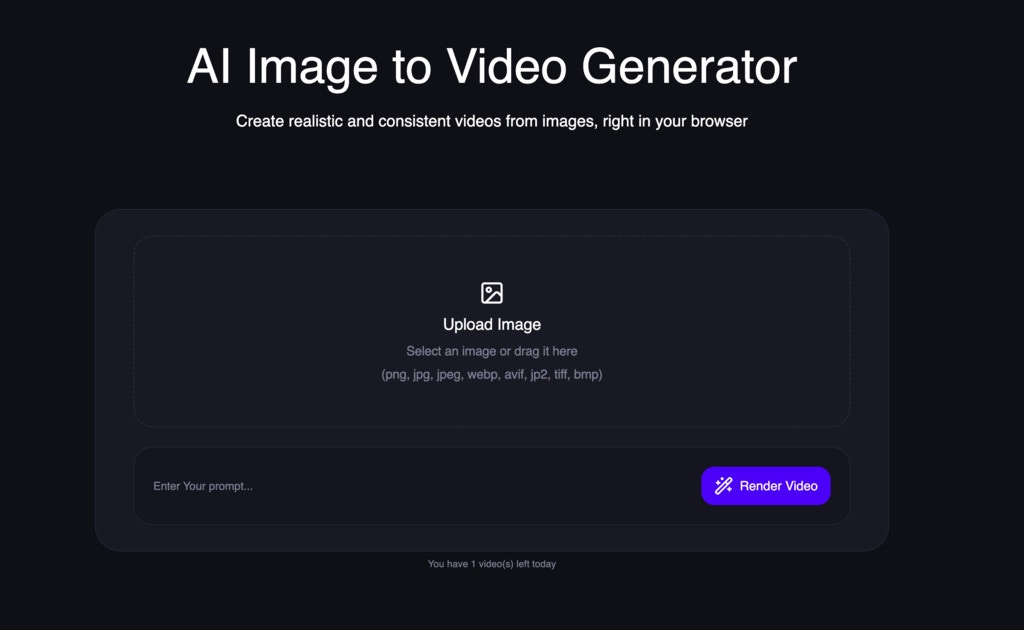 Try it out now: [https://magichour.ai/products/image-to-video](https://magichour.ai/products/image-to-video)
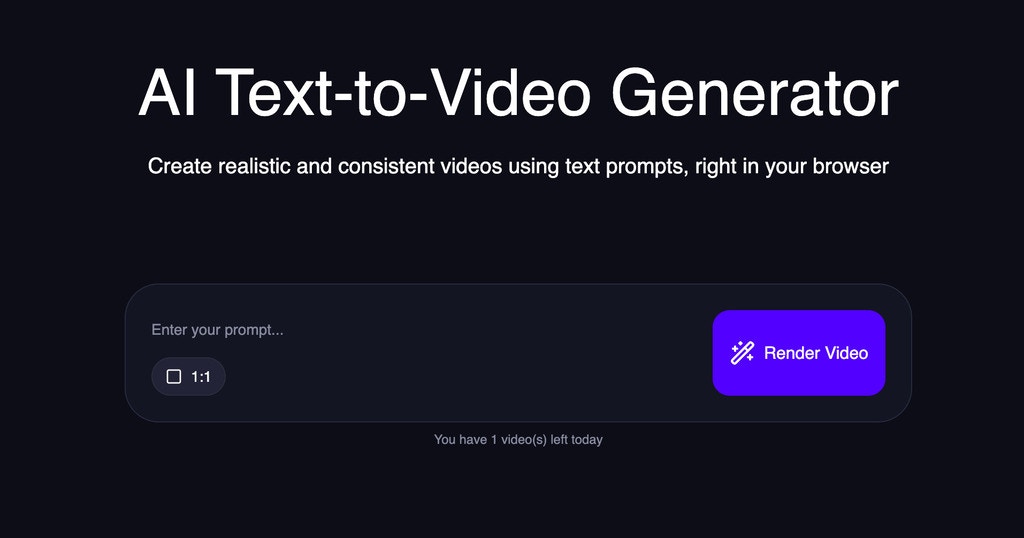 Try it out now: [https://magichour.ai/products/text-to-video](https://magichour.ai/products/text-to-video)
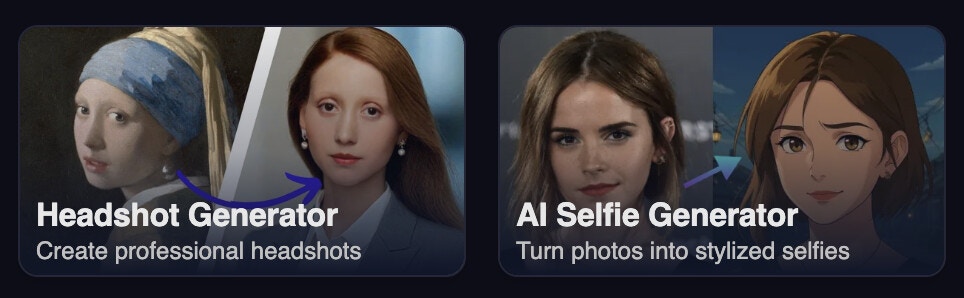
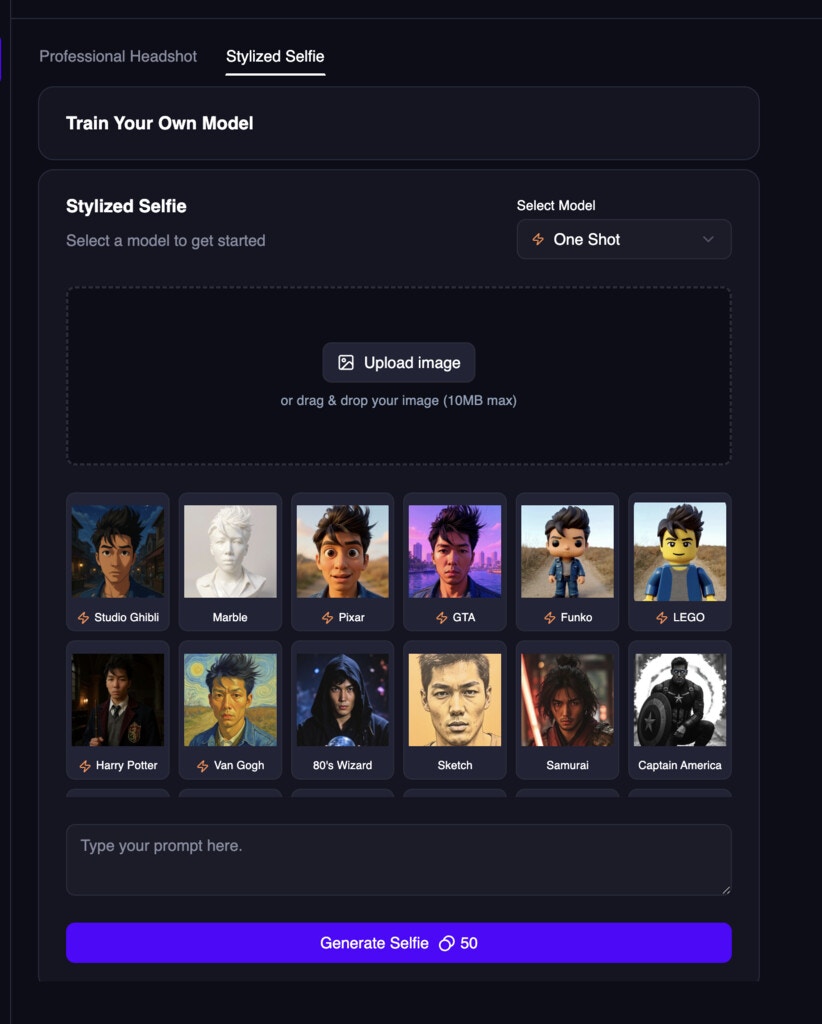 Look for styles with the following icon:
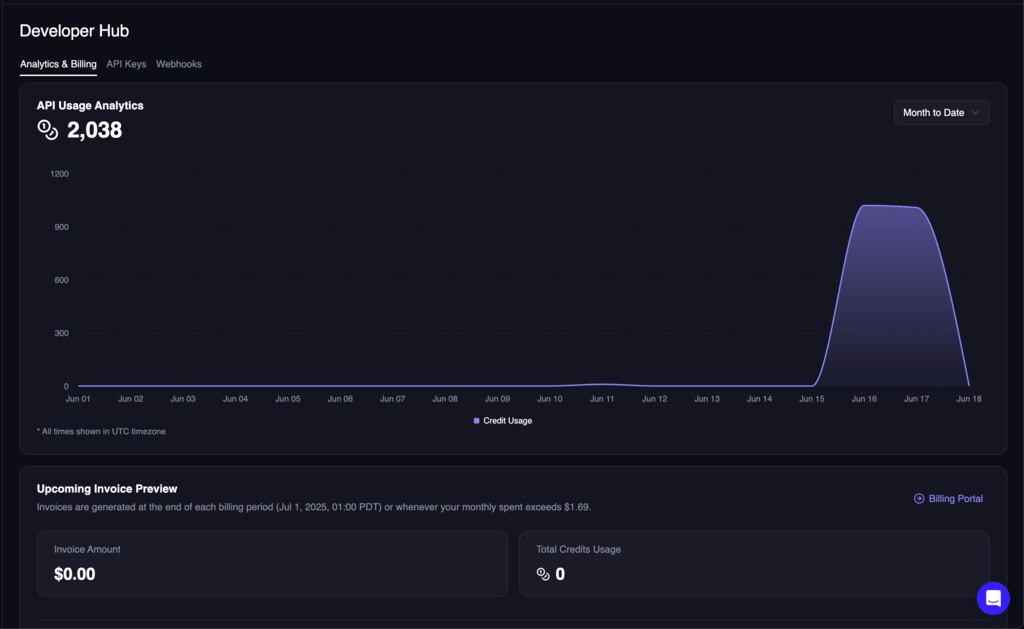 * unified usage analytics with the rest of the developer hub, so you don't have to visit a different url to see your usage.
* split up the page into multiple tabs for `Analytics & Billing`, `API Keys`, and `Webhooks`.
* added an invoice history table to show all prior invoices, and also showing if any credit is applied.
* unified usage analytics with the rest of the developer hub, so you don't have to visit a different url to see your usage.
* split up the page into multiple tabs for `Analytics & Billing`, `API Keys`, and `Webhooks`.
* added an invoice history table to show all prior invoices, and also showing if any credit is applied.
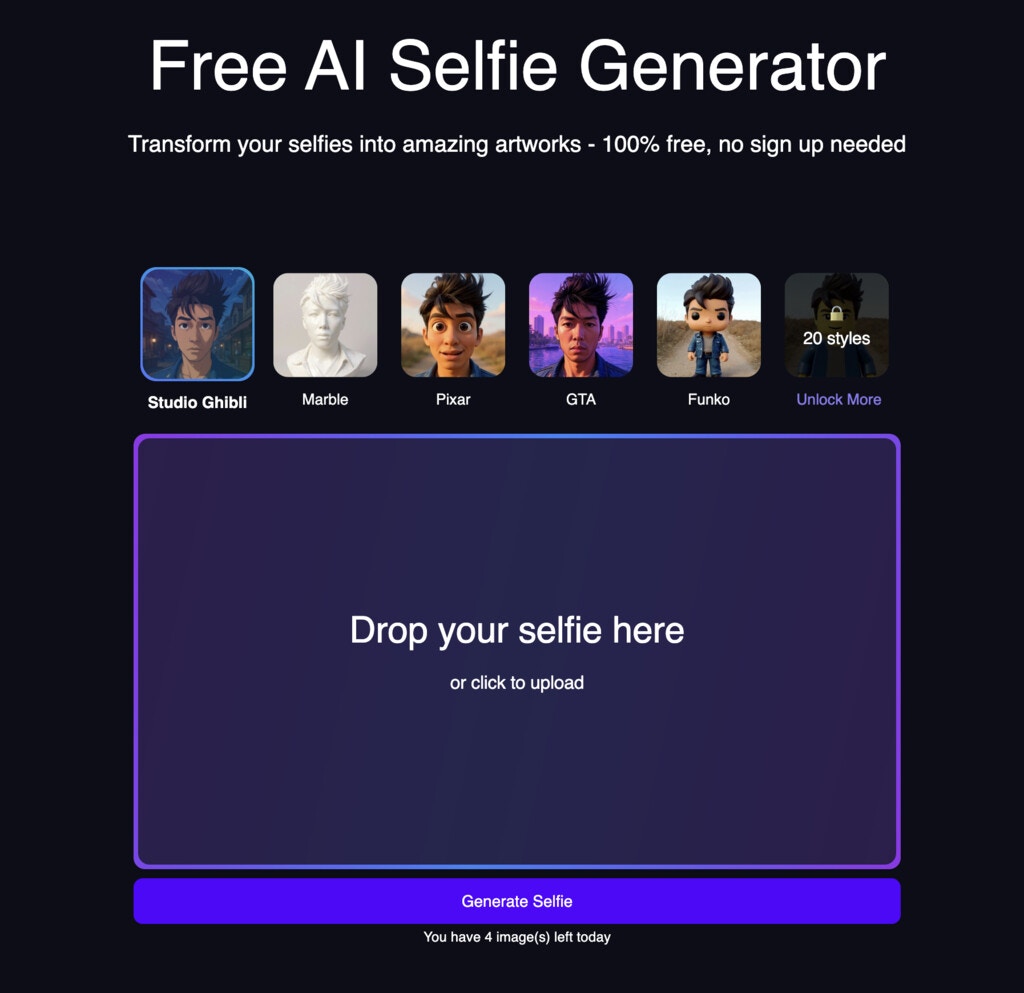 Try it out now: [https://magichour.ai/products/ai-selfie-generator](https://magichour.ai/products/ai-selfie-generator)!
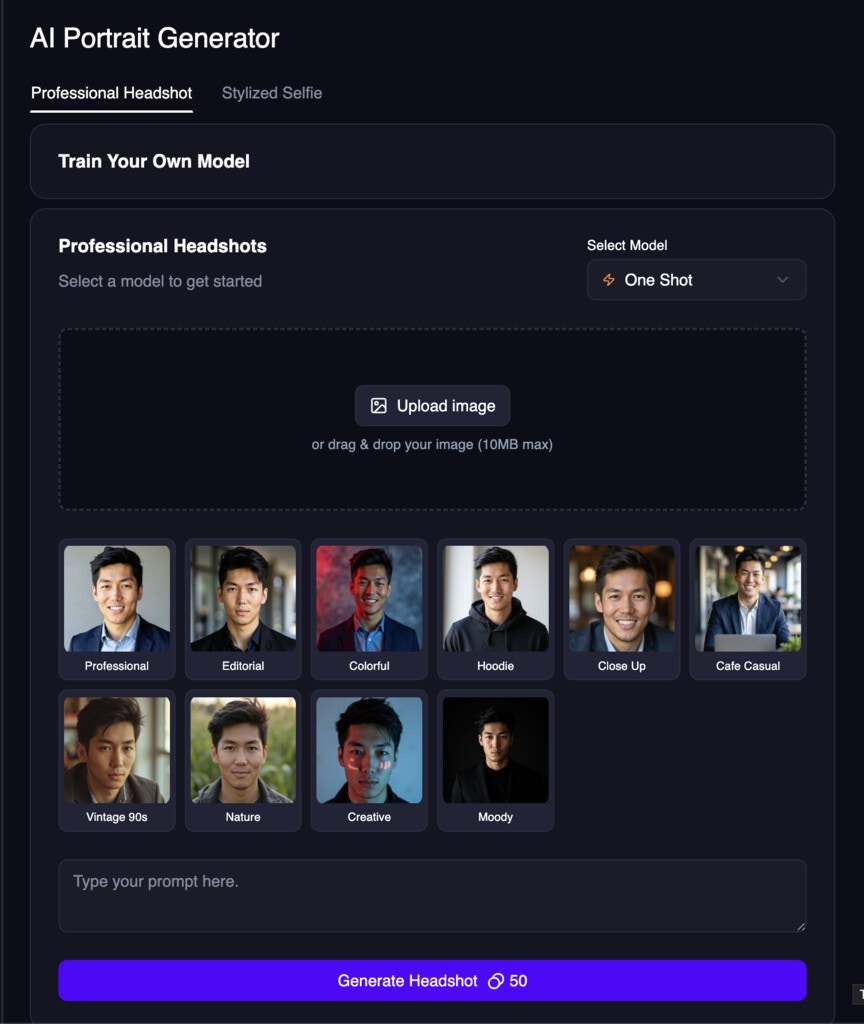 Try it out now: [https://magichour.ai/create/ai-headshot-generator](https://magichour.ai/create/ai-headshot-generator)!
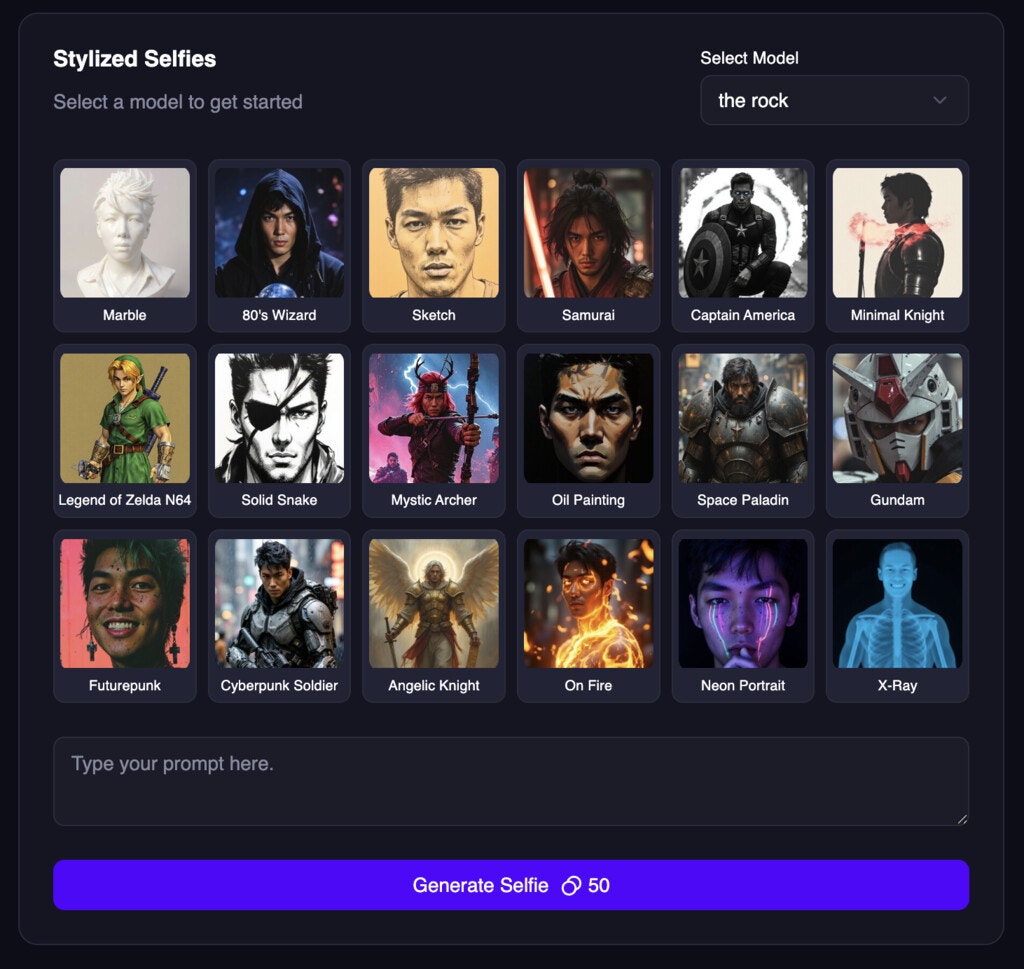 Try it out now: [https://magichour.ai/create/ai-selfie-generator](https://magichour.ai/create/ai-selfie-generator)!
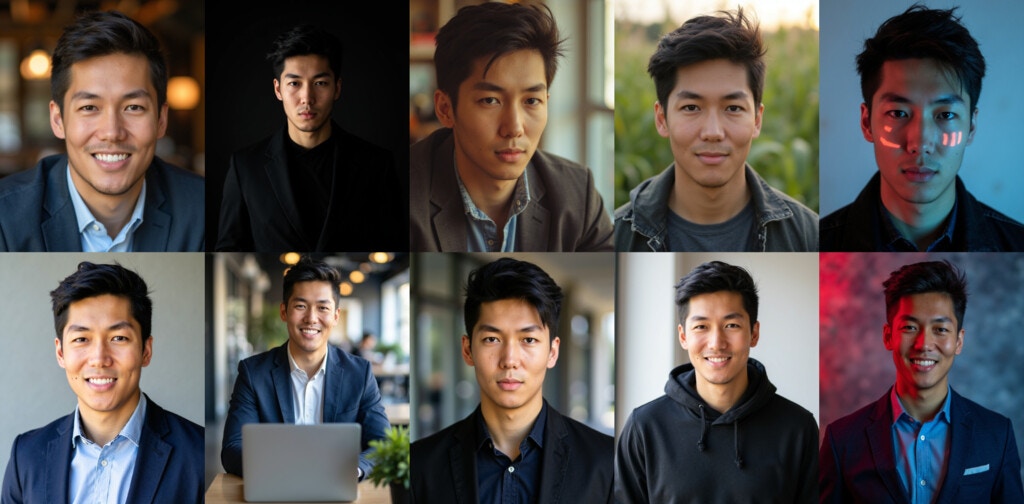 (Note: each training costs 2,000 credits)
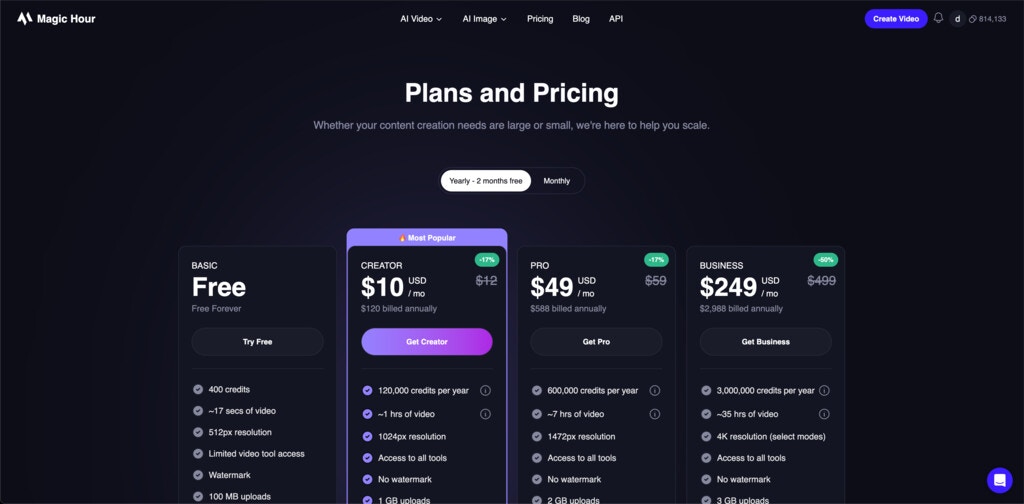
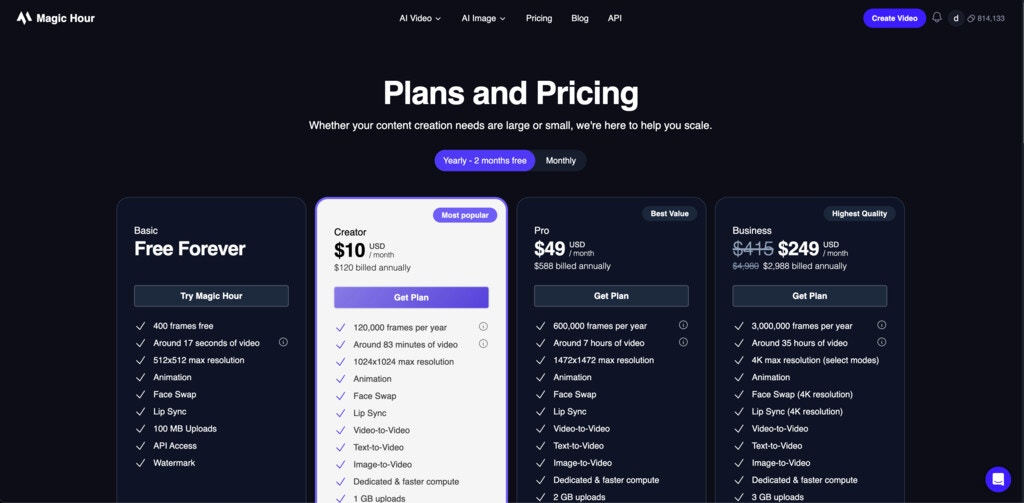
 ## High Bitrate in Face Swap Video and Lip Sync
We launched High Bitrate in Face Swap Video and Lip Sync, which maintains output video quality.
This feature is currently available to users with a Pro or Business subscription.
## High Bitrate in Face Swap Video and Lip Sync
We launched High Bitrate in Face Swap Video and Lip Sync, which maintains output video quality.
This feature is currently available to users with a Pro or Business subscription.
 Try it now [https://magichour.ai/create](https://magichour.ai/create)
The GIF Generator is also available via [API](/api-reference/image-projects/ai-gif-generator).
To take advantage of the this change, please upgrade your sdk version to `0.19.0`.
* [Python SDK v0.19.0](https://github.com/magichourhq/magic-hour-python/releases/tag/v0.19.0)
* [Node SDK v0.19.0](https://github.com/magichourhq/magic-hour-node/releases/tag/v0.19.0)
* [Go SDK v0.19.0](https://github.com/magichourhq/magic-hour-go/releases/tag/v0.19.0)
* [Rust SDK v0.19.0](https://github.com/magichourhq/magic-hour-rust/releases/tag/v0.19.0)
Try it now [https://magichour.ai/create](https://magichour.ai/create)
The GIF Generator is also available via [API](/api-reference/image-projects/ai-gif-generator).
To take advantage of the this change, please upgrade your sdk version to `0.19.0`.
* [Python SDK v0.19.0](https://github.com/magichourhq/magic-hour-python/releases/tag/v0.19.0)
* [Node SDK v0.19.0](https://github.com/magichourhq/magic-hour-node/releases/tag/v0.19.0)
* [Go SDK v0.19.0](https://github.com/magichourhq/magic-hour-go/releases/tag/v0.19.0)
* [Rust SDK v0.19.0](https://github.com/magichourhq/magic-hour-rust/releases/tag/v0.19.0)
 Try it out now [https://magichour.ai/products/ai-gif-generator](https://magichour.ai/products/ai-gif-generator)
## Simplify Image-to-Video API
We removed `height` and `width` as required params for the `POST /v1/image-to-video` API. We now will automatically figure out orientation of the output video based on the input image.
To take advantage of the this change, please upgrade your sdk version to `0.18.0`.
* [Python SDK v0.18.0](https://github.com/magichourhq/magic-hour-python/releases/tag/v0.18.0)
* [Node SDK v0.18.0](https://github.com/magichourhq/magic-hour-node/releases/tag/v0.18.0)
* [Go SDK v0.18.0](https://github.com/magichourhq/magic-hour-go/releases/tag/v0.18.0)
* [Rust SDK v0.18.0](https://github.com/magichourhq/magic-hour-rust/releases/tag/v0.18.0)
## Photo Colorizer in Create Page + API
Try it out now [https://magichour.ai/products/ai-gif-generator](https://magichour.ai/products/ai-gif-generator)
## Simplify Image-to-Video API
We removed `height` and `width` as required params for the `POST /v1/image-to-video` API. We now will automatically figure out orientation of the output video based on the input image.
To take advantage of the this change, please upgrade your sdk version to `0.18.0`.
* [Python SDK v0.18.0](https://github.com/magichourhq/magic-hour-python/releases/tag/v0.18.0)
* [Node SDK v0.18.0](https://github.com/magichourhq/magic-hour-node/releases/tag/v0.18.0)
* [Go SDK v0.18.0](https://github.com/magichourhq/magic-hour-go/releases/tag/v0.18.0)
* [Rust SDK v0.18.0](https://github.com/magichourhq/magic-hour-rust/releases/tag/v0.18.0)
## Photo Colorizer in Create Page + API
 If you have any old black/white photos, you can now colorizer it in the dashboard. Try it now [https://magichour.ai/create](https://magichour.ai/create)
The colorizer is also available via [API](/api-reference/image-projects/photo-colorizer).
To take advantage of the this change, please upgrade your sdk version to `0.17.0`.
* [Python SDK v0.17.0](https://github.com/magichourhq/magic-hour-python/releases/tag/v0.17.0)
* [Node SDK v0.17.0](https://github.com/magichourhq/magic-hour-node/releases/tag/v0.17.0)
* [Go SDK v0.17.0](https://github.com/magichourhq/magic-hour-go/releases/tag/v0.17.0)
* [Rust SDK v0.17.0](https://github.com/magichourhq/magic-hour-rust/releases/tag/v0.17.0)
If you have any old black/white photos, you can now colorizer it in the dashboard. Try it now [https://magichour.ai/create](https://magichour.ai/create)
The colorizer is also available via [API](/api-reference/image-projects/photo-colorizer).
To take advantage of the this change, please upgrade your sdk version to `0.17.0`.
* [Python SDK v0.17.0](https://github.com/magichourhq/magic-hour-python/releases/tag/v0.17.0)
* [Node SDK v0.17.0](https://github.com/magichourhq/magic-hour-node/releases/tag/v0.17.0)
* [Go SDK v0.17.0](https://github.com/magichourhq/magic-hour-go/releases/tag/v0.17.0)
* [Rust SDK v0.17.0](https://github.com/magichourhq/magic-hour-rust/releases/tag/v0.17.0)
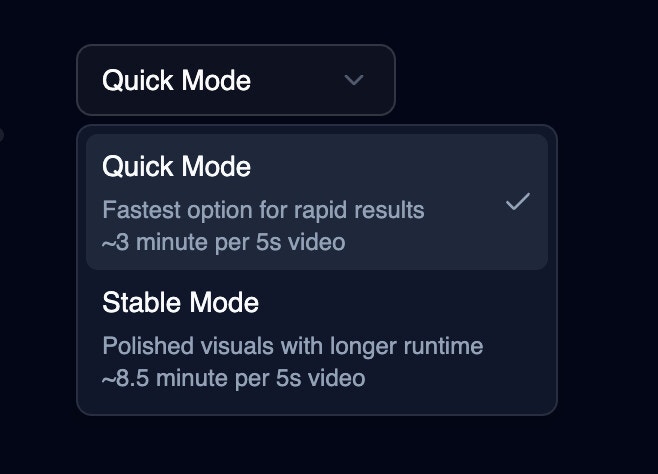 This feature is available to all web and API users.
 ## API Changes
To take advantage of the latest changes, please upgrade to `0.13.0`.
* [Python SDK v0.13.0](https://github.com/magichourhq/magic-hour-python/releases/tag/v0.13.0)
* [Node SDK v0.13.0](https://github.com/magichourhq/magic-hour-node/releases/tag/v0.13.0)
* [Go SDK v0.13.0](https://github.com/magichourhq/magic-hour-go/releases/tag/v0.13.0)
* [Rust SDK v0.13.0](https://github.com/magichourhq/magic-hour-rust/releases/tag/v0.13.0)
### 🎉 Create Memes via API
We added `POST /v1/ai-meme-generator` to our APIs and SDKs. Now you can create memes even faster!
Check out [API reference](/api-reference/image-projects/ai-meme-generator)
### ⚠️ Breaking changes in GET image/video project APIs
The `GET /v1/video-projects/:id` and `GET /v1/image-projects/:id` API type field is updated from enum to string field. This field is mainly used for internal filtering, and having the field being enum means any new mode we add becomes a breaking change. So we decided to introduce this breaking change once so we can more easily add new modes down the line.
## 🎉 Edit Face in Create Page
Now you can create memes in our create page, meaning your outputs will be saved and you have no daily limit! Each meme costs 10 frames.
## API Changes
To take advantage of the latest changes, please upgrade to `0.13.0`.
* [Python SDK v0.13.0](https://github.com/magichourhq/magic-hour-python/releases/tag/v0.13.0)
* [Node SDK v0.13.0](https://github.com/magichourhq/magic-hour-node/releases/tag/v0.13.0)
* [Go SDK v0.13.0](https://github.com/magichourhq/magic-hour-go/releases/tag/v0.13.0)
* [Rust SDK v0.13.0](https://github.com/magichourhq/magic-hour-rust/releases/tag/v0.13.0)
### 🎉 Create Memes via API
We added `POST /v1/ai-meme-generator` to our APIs and SDKs. Now you can create memes even faster!
Check out [API reference](/api-reference/image-projects/ai-meme-generator)
### ⚠️ Breaking changes in GET image/video project APIs
The `GET /v1/video-projects/:id` and `GET /v1/image-projects/:id` API type field is updated from enum to string field. This field is mainly used for internal filtering, and having the field being enum means any new mode we add becomes a breaking change. So we decided to introduce this breaking change once so we can more easily add new modes down the line.
## 🎉 Edit Face in Create Page
Now you can create memes in our create page, meaning your outputs will be saved and you have no daily limit! Each meme costs 10 frames.
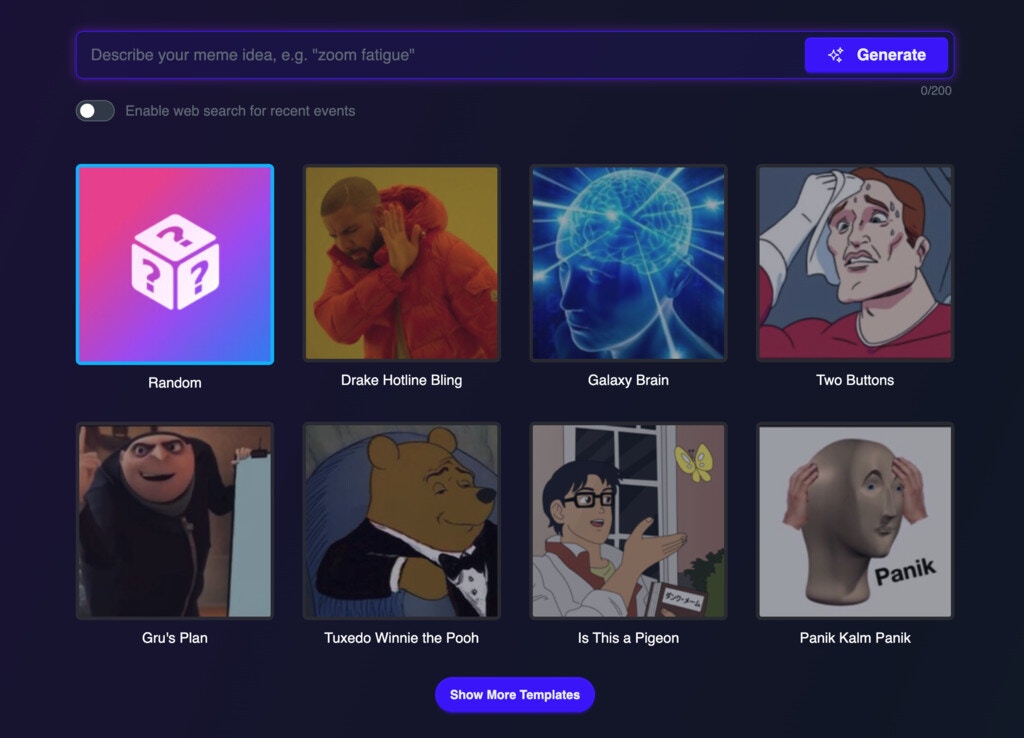
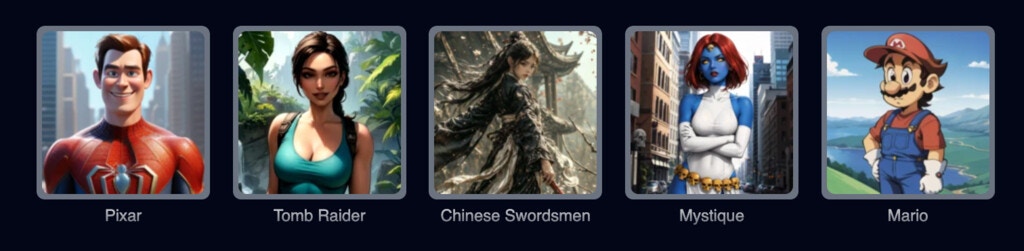 Try them now: [Video-to-Video](https://magichour.ai/create/video-to-video)
## Improved Error Banner
We updated the error banner you see in the image/video details
Try them now: [Video-to-Video](https://magichour.ai/create/video-to-video)
## Improved Error Banner
We updated the error banner you see in the image/video details
 The new banner includes additional info on why the render failed, and provided some quick actions to retry or contact us for assistance.
 With this launch, you can:
* generate up to 10 seconds of video, vs 5 seconds in the free tool.
* utilize our text-to-speech feature as the basis for your audio
Try it now at [AI Talking Photo Create Page](https://magichour.ai/create/ai-talking-photo)
With this launch, you can:
* generate up to 10 seconds of video, vs 5 seconds in the free tool.
* utilize our text-to-speech feature as the basis for your audio
Try it now at [AI Talking Photo Create Page](https://magichour.ai/create/ai-talking-photo)
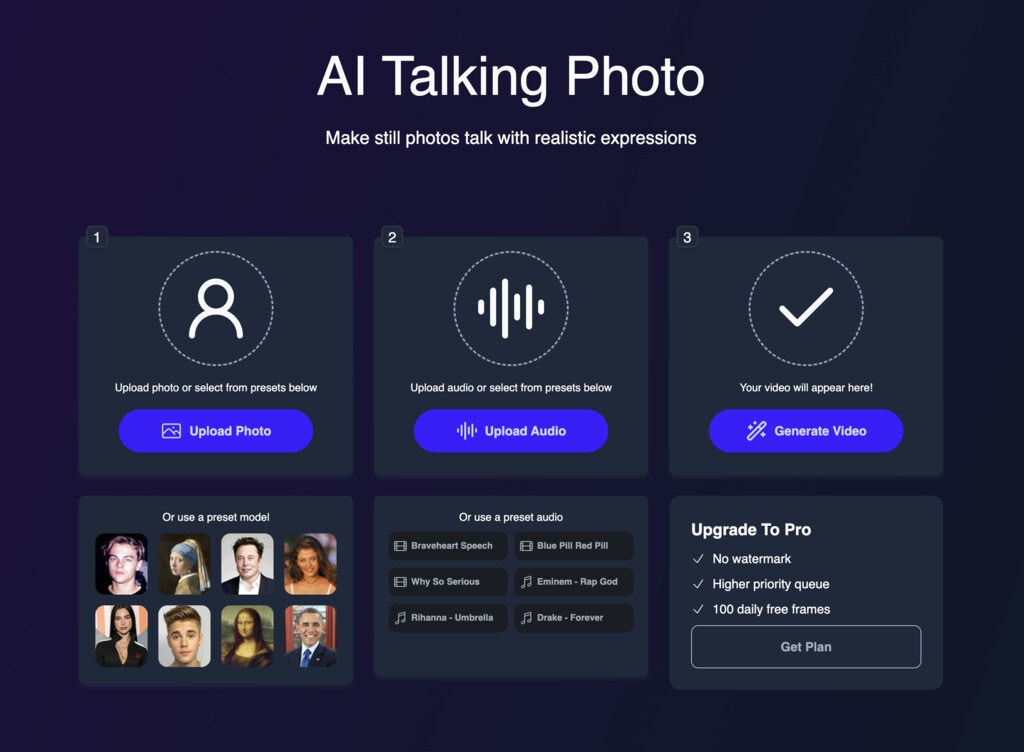
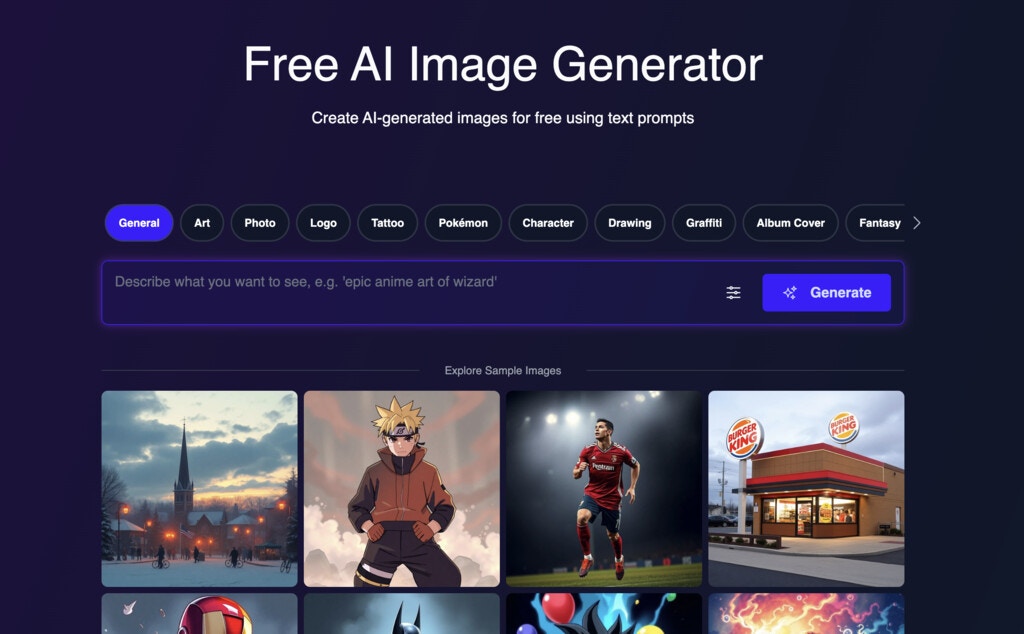 Try it for free: [https://magichour.ai/products/ai-image-generator](https://magichour.ai/products/ai-image-generator)
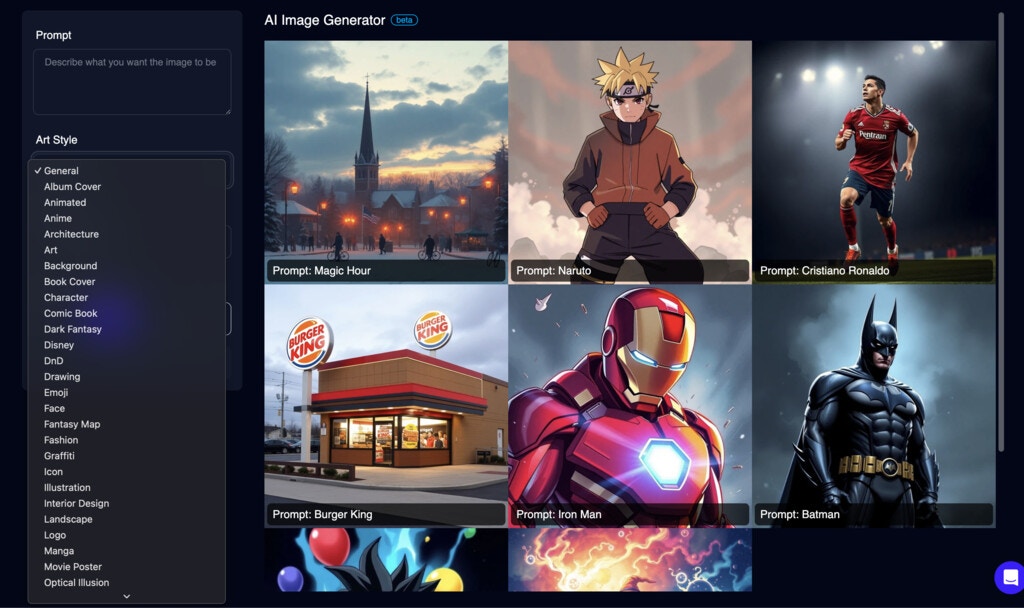 Create an account to create more [https://magichour.ai/create/ai-image-generator](https://magichour.ai/create/ai-image-generator)
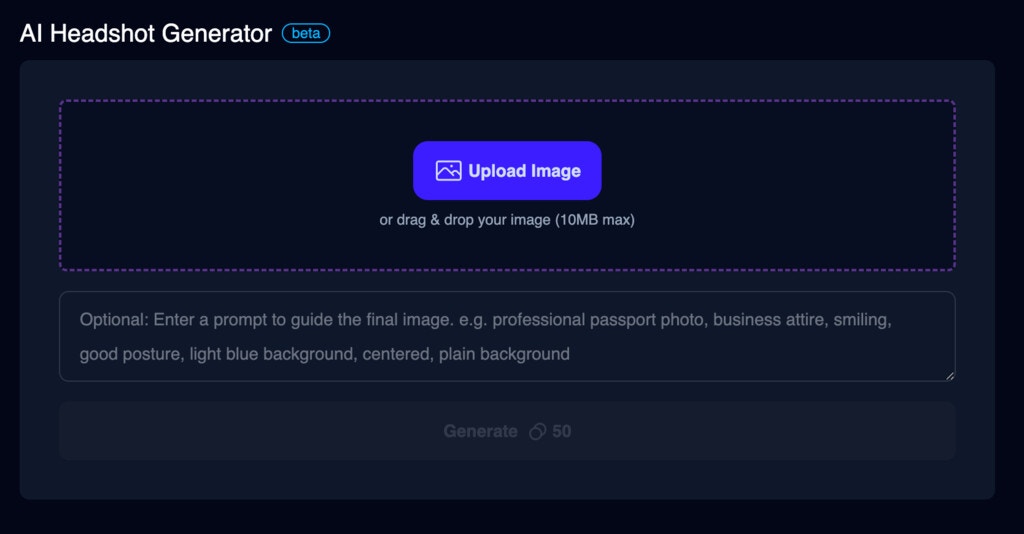 To try it out, head over to [AI Headshot Generator](https://magichour.ai/create/ai-headshot-generator).
To use custom prompt with Rest API, add the `prompt` param to your request.
```json theme={null}
{
"style": {
"prompt": "professional passport photo"
}
}
```
For SDKs, please upgrade to `0.10.0` to use custom prompt with AI Headshot Generator.
* [Python SDK v0.10.0](https://github.com/magichourhq/magic-hour-python/releases/tag/v0.10.0)
* [Node SDK v0.10.0](https://github.com/magichourhq/magic-hour-node/releases/tag/v0.10.0)
* [Go SDK v0.10.0](https://github.com/magichourhq/magic-hour-go/releases/tag/v0.10.0)
* [Rust SDK v0.10.0](https://github.com/magichourhq/magic-hour-rust/releases/tag/v0.10.0)
To try it out, head over to [AI Headshot Generator](https://magichour.ai/create/ai-headshot-generator).
To use custom prompt with Rest API, add the `prompt` param to your request.
```json theme={null}
{
"style": {
"prompt": "professional passport photo"
}
}
```
For SDKs, please upgrade to `0.10.0` to use custom prompt with AI Headshot Generator.
* [Python SDK v0.10.0](https://github.com/magichourhq/magic-hour-python/releases/tag/v0.10.0)
* [Node SDK v0.10.0](https://github.com/magichourhq/magic-hour-node/releases/tag/v0.10.0)
* [Go SDK v0.10.0](https://github.com/magichourhq/magic-hour-go/releases/tag/v0.10.0)
* [Rust SDK v0.10.0](https://github.com/magichourhq/magic-hour-rust/releases/tag/v0.10.0)
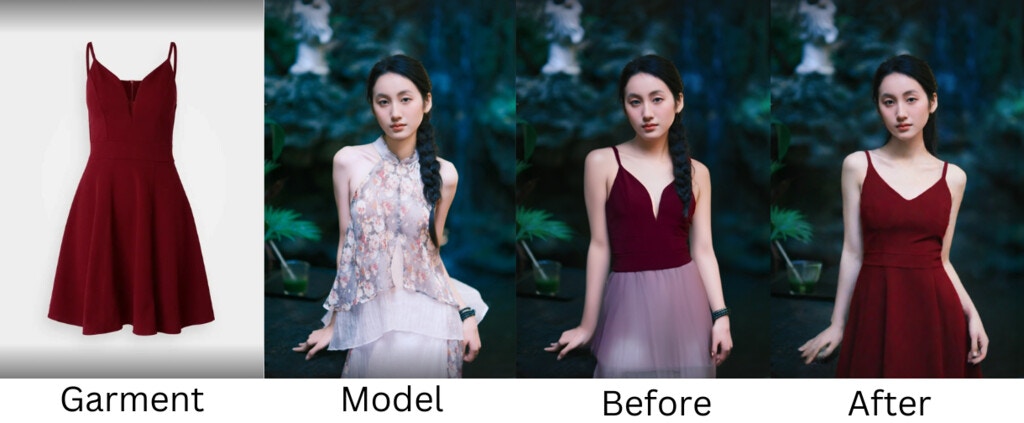
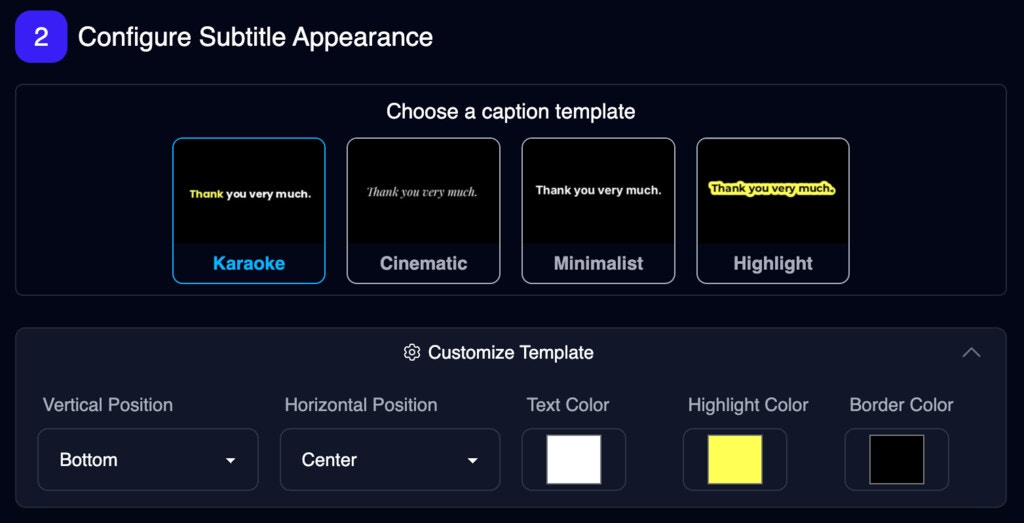 Try it now: [Auto Subtitle Generator](https://magichour.ai/create/auto-subtitle-generator)
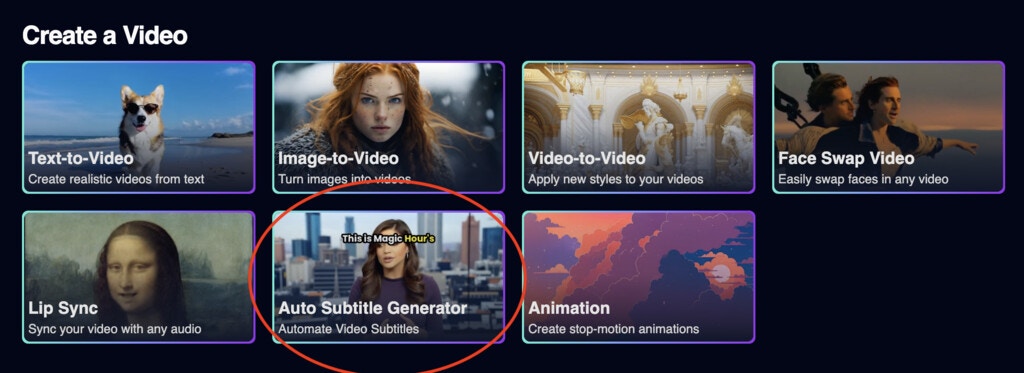 Try it now: [Auto Subtitle Generator](https://magichour.ai/create/auto-subtitle-generator)
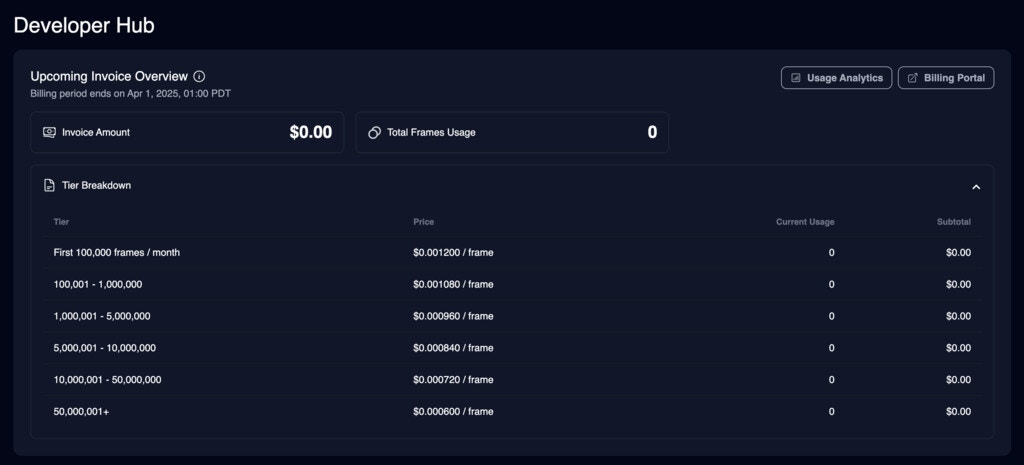 Plus, get detailed analytics on your usage:
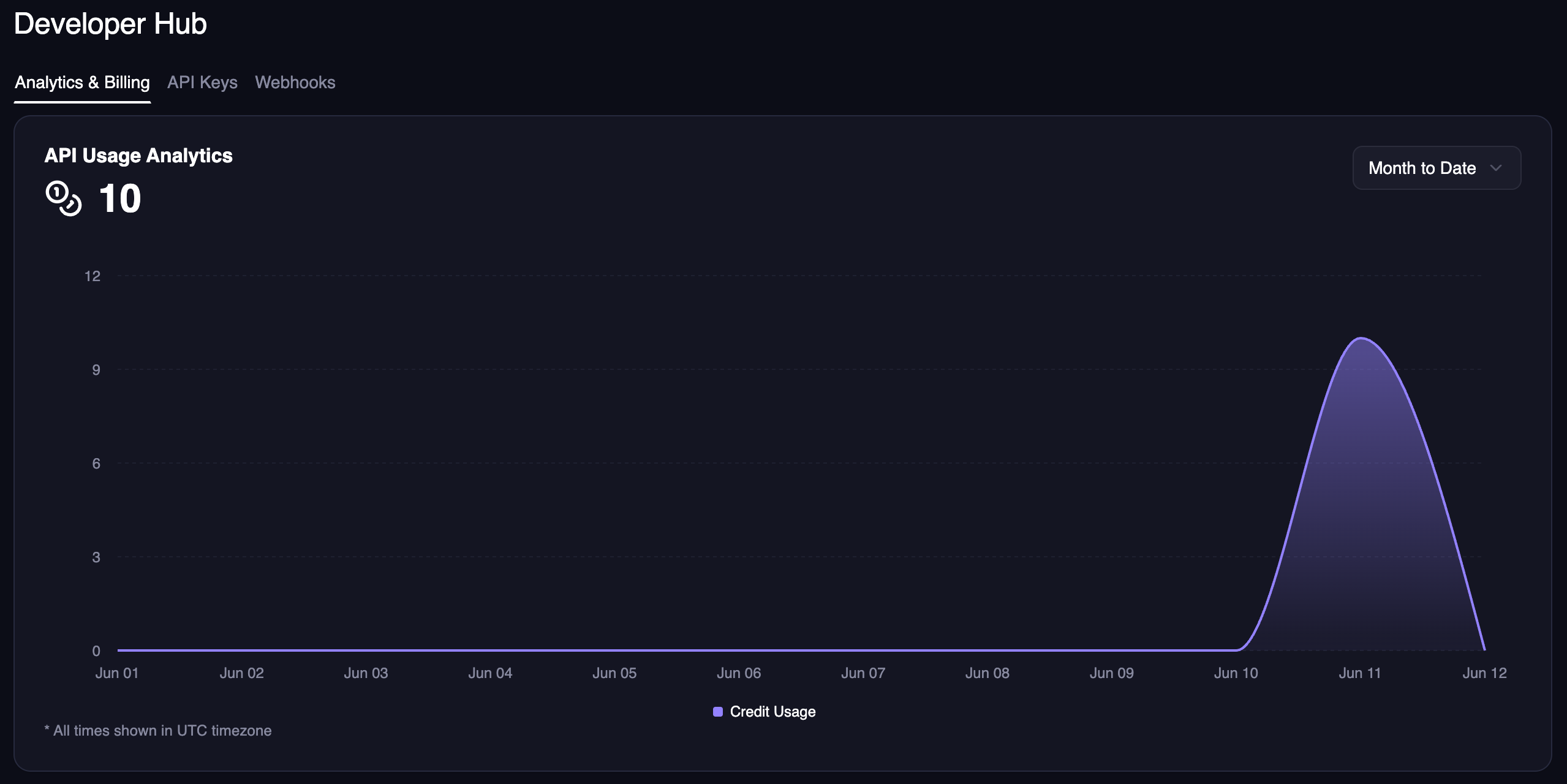
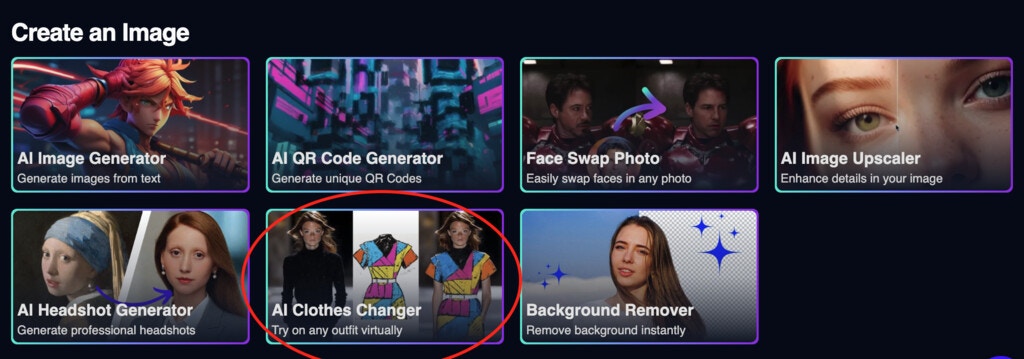 We also launched a free tool to the [AI Clothes Changer Product Page](https://magichour.ai/products/ai-clothes-changer) so you can try out the new product for free!
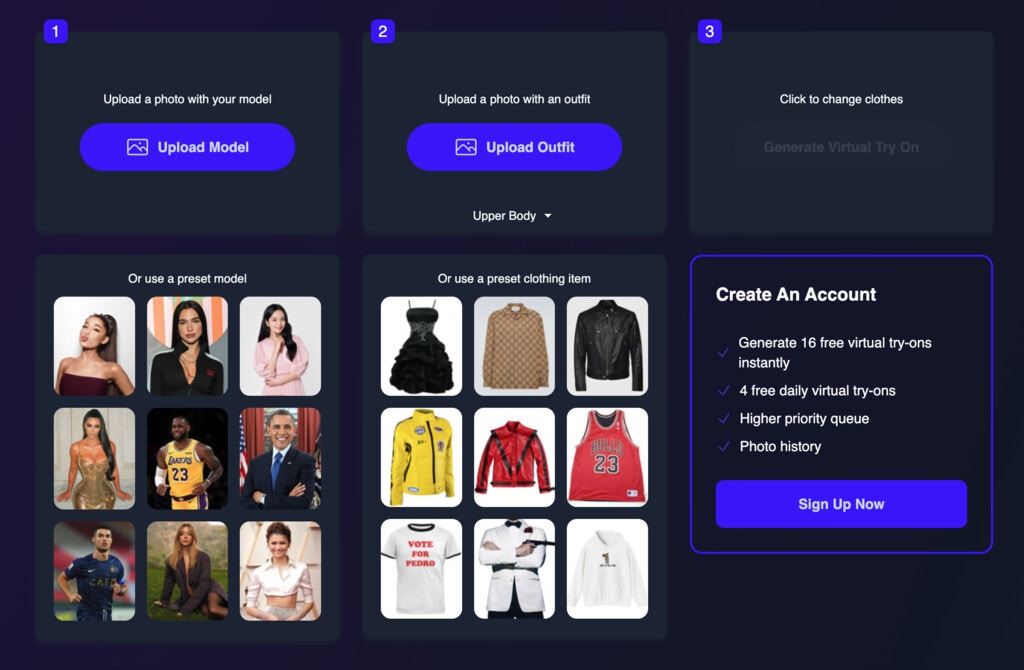
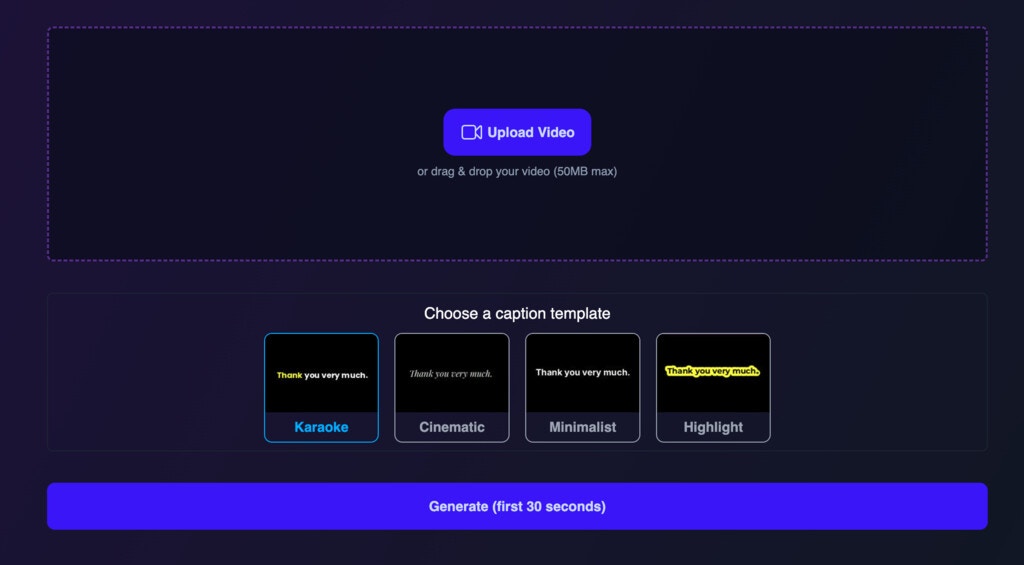 Each generation is limited to 30 seconds, and you can generate 3 videos free per day. That's 1.5 minutes of free usage every day!