How Usage-Based Billing Works
Usage-based billing invoices the credits you consume each month instead of requiring prepaid credits. Graduated volume discounts apply automatically. This payment method currently requires setup assistance.The Basics
- Add a payment method to your account
- Choose your tier based on expected usage and which resolution options you need
- Use the API - credits are consumed as you generate content
- Get billed monthly based on your actual usage
- Automatic volume discounts apply as you use more credits
Key Benefits
✅ No upfront costs - Start using immediately without buying credits in advance✅ Pay for actual usage - Only pay for credits you actually consume
✅ Automatic billing - Monthly invoices based on previous month’s usage
✅ Volume discounts - Up to 50% savings as you scale
✅ No waste - Never lose unused credits
How It Differs from Prepaid Credits
Choose Your Tier
Each tier has a different rate per credit. Paid tiers unlock the same higher-resolution options as the matching subscription; requesting those options costs more credits, independent of which paid tier you are on. See resolution.Rates and Volume Discounts
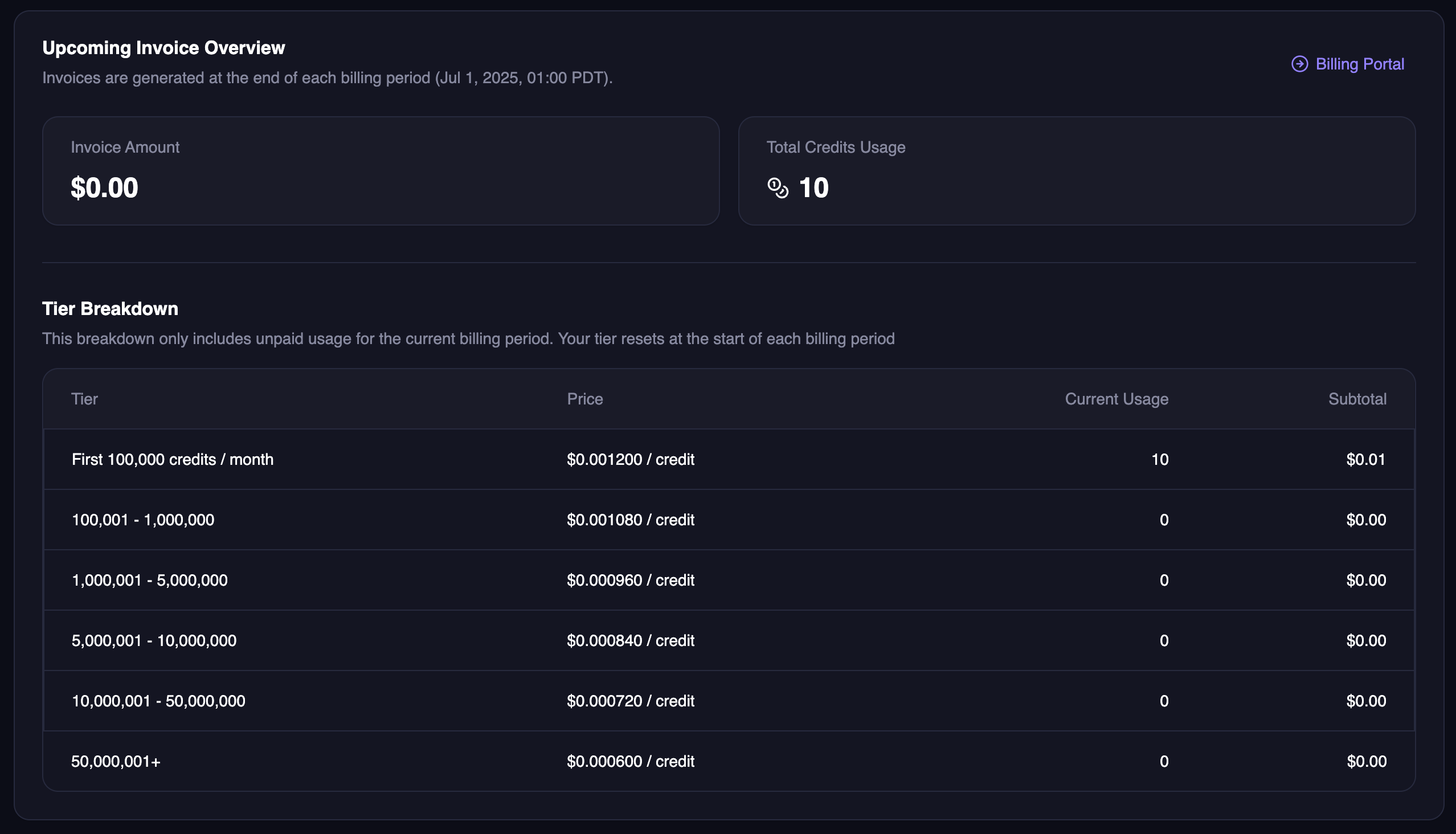
You are charged per credit consumed. The more credits you use in a month, the cheaper each additional credit becomes. Discounts are banded: they apply to the credits falling inside each range, not retroactively to your whole bill.Usage resets at midnight on the first of each month, PST.
Estimating Your Bill
Two things set your monthly cost: the tier you’re on, which fixes the base rate, and your monthly credit volume, which determines how much of that volume falls into discounted bands. Example. On Creator, 150,000 credits in a month bills the first 100,000 at $0.001200 and the next 50,000 at $0.001080, for $174.00. The effective rate falls gradually as you grow rather than dropping all at once when you cross a threshold. To turn generations into credits, see models and credit costs, or model a full month with the API cost calculator.Getting Started
To get started:-
Contact our team to set up usage-based billing:
- Email: support@magichour.ai
- Use the Intercom chat widget on our website
- Choose your tier based on expected volume and the per-credit rate you want
- Add payment method - We’ll help you set this up securely
- Start using the API - Credits are tracked automatically
Billing Process
- Monthly billing on the same date each month
- High usage accounts may be billed earlier (e.g., at $500 threshold)
- Detailed invoices show credit usage breakdown by tier
- Volume discounts applied automatically
Tracking usage
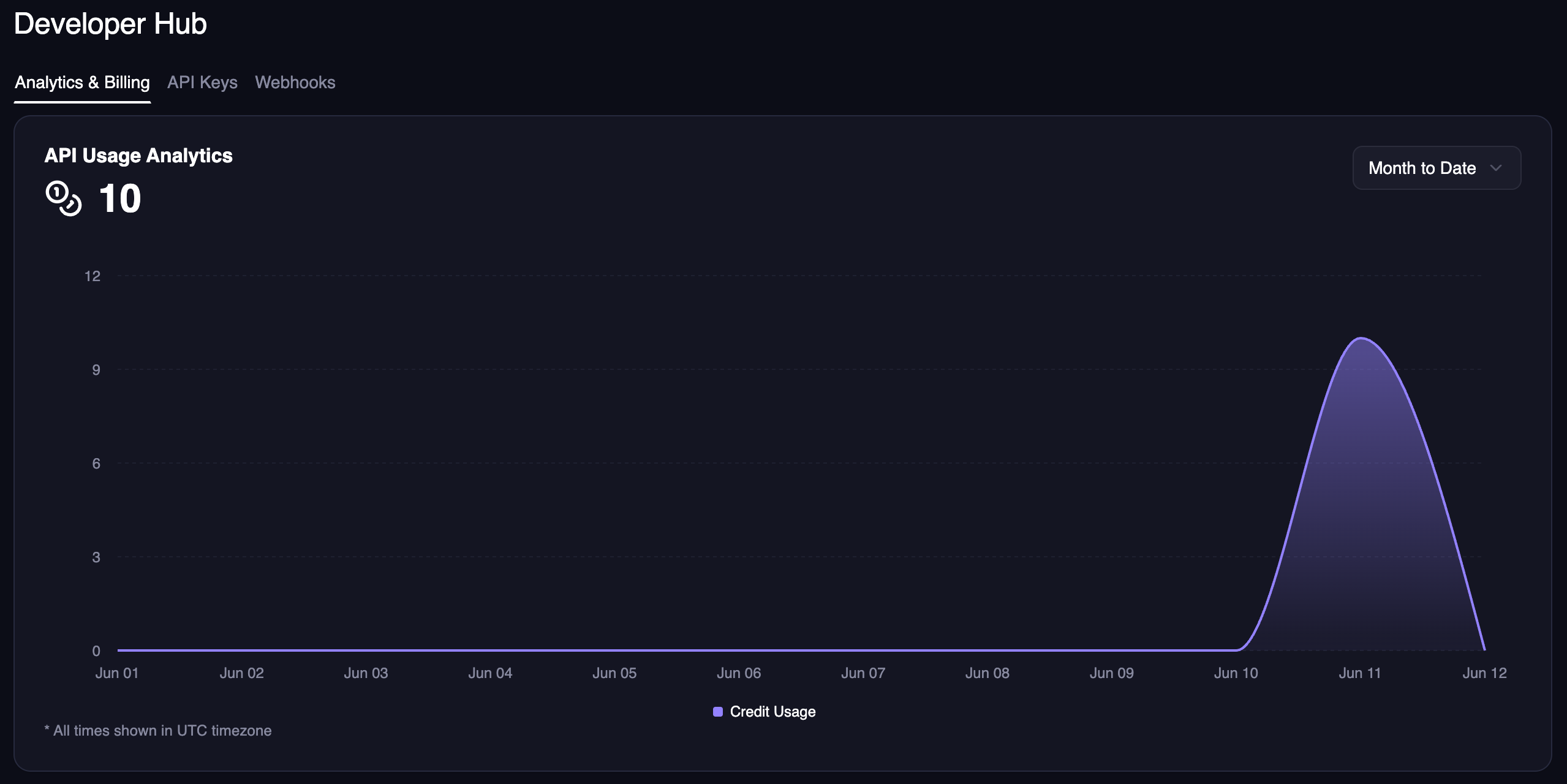
In the Developer Hub, you can see your usage analytics for specific time ranges.