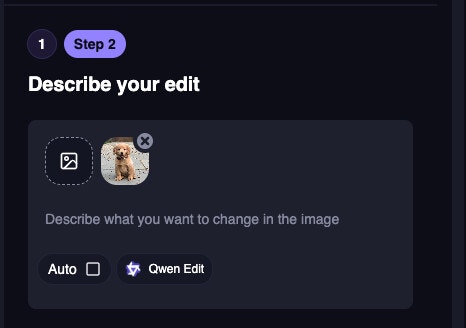
Web App
Reference Uploaded Images More Easily
AI Image Editor now adds number labels to uploaded images, making it easier to refer to specific images in your prompt.Continue Editing Video Outputs
You can now continue working from video outputs with new chaining options:- Add Subtitles opens the Auto Subtitle Generator with your video prepopulated. Free users are taken to https://magichour.ai/create/auto-subtitle-generator.
- Edit Video takes you directly to the AI Video Editor.
AI Avatar Generator Is Now Live
AI Avatar Generator is now available at https://magichour.ai/create/ai-avatar-generator. Create an avatar by choosing a character and voice, generating the character in a new setting, and writing a script for the avatar to perform.Preset characters and voices are linked, and the generator works with characters that include voices. Your avatar projects and history are managed separately from Talking Photo.Web App
New Character Animate Free Tool
You can now try Character Animate for free directly from the Motion Control page. Switch between Character Animate and Character Replace to create new motion-controlled videos with the workflow you already know.Try it out now: https://magichour.ai/products/motion-controlNew Magic Hour MCP Setup Page
We added a public Magic Hour MCP landing and setup page with connection instructions, client-specific configuration, example prompts, supported capabilities, and links to the technical documentation and GitHub repository.Visit https://magichour.ai/mcp to learn how to connect Magic Hour to a supported AI agent.Web App
Translate Videos in the Create Flow
You can now translate uploaded videos directly from the Create page. Choose a target language from 54 supported languages, optionally trim the video, and receive a lip-synced translated MP4.Videos can be up to 60 processed seconds, with usage charged at 48 credits per processed second. The source language is detected automatically.Web App
LTX-2.3 Now Available for UGC Generation
LTX-2.3 is now available as a model option for UGC generation. All users can generate with LTX-2.3, while free users have access to 480p resolution.Web App
Create Free AI UGC Ads with LTX 2.3
You can now create AI UGC ads for free using an image and a script. Upload an image to use as-is, add your script, and generate a video up to 3 seconds long with LTX 2.3 at 480p.Free users can generate one UGC ad per day.Try it out now: https://magichour.ai/products/ai-ugc-ad-generatorWeb App
Add Audio References to LTX 2.3 Video Generation
You can now upload audio when using LTX 2.3 for text-to-video and image-to-video. Add a start frame to use the image-to-video flow, or generate from text without one; audio is used to guide the resulting video.Control Voice Speed Across Audio Tools
Voice Generator, Voice Cloner, and Voice Changer now include a Voice Speed control from 0.75x to 1.30x, with 1.00x as the default and 0.01x increments. The same control is also available for text-to-speech in Talking Photo and Lip Sync.Speed changes preserve the original pitch, so you can fine-tune delivery without making voices sound higher or lower.Use References with End Frames in Image-to-Video
Image-to-video generation now supports combining reference images with an end frame, giving you more control over both the visual guidance and how the video finishes.Add Characters to More Creation Modes
You can now select saved Characters in FSV, FSP, CR, BS, and TP. When adding an image in these modes, choose Add Character to open your saved Characters and use their primary image.APIWeb App
Added Kling 2.6 for Text-to-Video and Image-to-Video
Kling 2.6 is now available for text-to-video and image-to-video generation. It replaces Kling 2.5 as the lower-cost Kling option, and API requests for Kling 2.5 are routed to Kling 2.6.Web App
New Photo, Face, and Skin Enhancer Tools
You can now enhance photos, faces, and skin directly from the creation dashboard. Each tool includes three transformation strengths, giving you more control over the final look.Try it out now:Web App
Added Seedance 2.5 for Video Generation
Seedance 2.5 is now available for text-to-video, image-to-video, and reference-to-video generation. It delivers high-quality results with improved realism, detail, and motion at 24 FPS.The model supports 480p and 720p output. Generation costs 288 credits per second at 480p and 576 credits per second at 720p.Create AI Music Videos
You can now turn an audio track, optional reference images, and creative direction into a complete music video. Choose story mode or lip sync mode, with support for 9:16, 16:9, and 1:1 aspect ratios.Try it out now: Create an AI music videoWeb App
Start Character and Moodboard Creation with Drag and Drop
You can now drag and drop an image directly into the Characters or Moodboards view to start the creation process. After dropping an image, you’ll continue in the dedicated creation page.Web App
Build Photorealistic AI Influencers from Traits
Create a photorealistic AI influencer with a game-style character builder instead of writing a prompt. Select traits like character type, appearance, occupation, and accessories from the left panel, then generate the result in the center preview.Customize skin and eye colors with presets or HEX values, expand Advanced options for additional details, and keep your selections intact while generating or retrying.Try it out now: https://magichour.ai/create/ai-influencer-generatorNew AI Avatar Generator Product Page
Explore the upcoming AI Avatar Generator, designed to turn a Character or photo into a lifelike talking video with a matching voice, custom scene, and script.The new product page covers preset and custom avatars, voice selection, scene creation, first-frame previews, script-based generation, and use cases for marketing, education, social content, and more. The tool is coming soon.Try it out now: https://magichour.ai/products/ai-avatar-generatorUse Photo, Face, and Skin Enhancers from Their Product Pages
You can now enhance images directly from the Photo Enhancer, Face Enhancer, and Skin Enhancer product pages.Try it out now:Web App
Improved LTX 2.3 in Audio-to-Video
The improved LTX 2.3 model is now available in Audio-to-Video. Provide audio, a text prompt, and an aspect ratio to create video whose timing is driven by the uploaded audio.Check it out at https://magichour.ai/create/audio-to-videoWeb App
New Free Video Colorizer
You can now colorize videos with a simple drag-and-drop workflow. The free tool supports videos up to 5 seconds at 480p, with 3 uses available per day.Start colorizing without configuring a color strength setting—just drop in your video and get started.APIWeb App
Create Videos with Video Colorizer
You can now create colorized videos directly from the dashboard. Choose a video, select a resolution from 480p, 720p, or 1080p, and adjust the color strength between low, balance, and high.Try it out now: https://magichour.ai/create/video-colorizerImproved LTX 2.3 Talking Photo Expressive mode.
Talking Photo Expressive now uses an improved LTX 2.3 model. Provide an image, audio, and text prompt to anchor the subject’s identity and composition while the audio drives timing and lip sync.Create Moodboards for Consistent Styles
You can now create Moodboards to capture and replicate an art style, mood, or visual vibe. Moodboards use a collage of reference images and are available alongside Characters, with presets to help you get started quickly.Try it out now: https://magichour.ai/create/moodboardsWeb App
New Free Character Replace Tool
You can now replace a character in a video using a simple two-input workflow: upload a video and an image. The tool automatically selects the character and uses the first 3 seconds of your video—no trimming required.The free tool supports up to three generations per day at 480p. Explore the new experience at https://magichour.ai/products/character-replaceWeb App
Add Image References to Google Omni Video Editor
Google Omni Video Editor now supports up to 10 additional image references alongside the primary video. Upload images through the compact Add media box, then review or remove them as compact thumbnails before generating.The primary video remains unchanged, with inline validation for unsupported files, duration, and size limits.Save Cloned Voices for Reuse
You can now save a cloned voice after uploading or recording audio in AI Voice Cloner. Saved voices are available in AI Voice Generator, AI Voice Changer, and in-app text-to-speech tools.Newly saved voices appear first, followed by voices ordered by recent use, so your most relevant voices are easy to find.APIWeb App
Try the Free AI Video Editor
You can now use the AI Video Editor as a free tool with LTX 2.3. Generations are limited to 3 seconds and 3 uses per day, using the first 3 seconds of your video automatically.Try it out now: https://magichour.ai/products/ai-video-editorManually Select Characters for Character Replacement
Character replacement now supports manually selecting the character you want to replace, giving you more control over the editing process.Web App
Chain Character Outputs Into New Creations
You can now continue creating directly from outputs that use a character. Choose Create with character when a single character is used, or Create with characters when multiple characters are included.Image outputs continue to AI Image Generation, while video outputs continue to Text-to-Video.Web App
New LTX Video Editor Mode
You can now transform existing videos with an LTX-based video editor mode. Upload a video, describe the changes you want, and choose an output resolution up to 1080p.Star Your Favorite Voices
You can now star voices using the heart icon on voice cards. Starred voices appear first in the voice selector across voice tools, as well as in your library and creation sidebar.Use Characters in Headshot and Selfie Generator
Headshot and Selfie Generator now supports Character references. Select Add Character from the model dropdown to create a character, or choose an existing character to use its reference image and generation settings in your result.Selecting Add Character takes you to/create/characters, making it easier to create and reuse consistent characters across your generations.Web App
Bring Characters to the AI Image Generator
Users can now discover Characters directly from the AI Image Generator, including a prompt hint to “Add characters with @” and a popup introducing the Characters experience.Characters still use the existing image workflow, directing users to the Characters entrypoint for image creation.APIWeb App
Character Replace and Animate API
You can now use Character Replace through the API, with the option to switch to Animate. The mode defaults to Replace when no option is provided.You can also provide character selection points in the formatx,y,f, where x and y are image coordinates and f is the frame number. Pass multiple points separated by semicolons, or omit them to let Magic Hour select characters automatically.Added Seedance 5 Pro to AI Image Tools
Seedance 5 Pro is now available in AI Image Editor and AI Image Generator for sharp, pro-level detail. Choose from 640px, 1K, or 2K output sizes.640px and 1K images cost 75 credits per image, while 2K images cost 150 credits. 4K output is not supported.Create and Reuse Characters Across Magic Hour
Characters lets you save a person once and reuse them across Magic Hour tools without repeatedly uploading the same reference images. Create a Character with 1–12 photos, choose a primary image, rename or update it, and use it in supported workflows.Characters are now available in Text to Video, Image to Video, AI Image Editor, and AI Image Generator. Text to Video and Image to Video use the primary image, while the image tools use a collage of the Character’s reference images.Added End-Frame Support for Veo 3.1
Veo 3.1 and Veo 3.1 Lite now support an end-frame option in the web app, giving you more control over how generated videos conclude.APIWeb App
AI Video Editor Now Available via the API
You can now use the AI Video Editor through the API. The initial release supports the Google Omni model, with additional models planned for a future update.Updated Library Layout for Folders
The Library UI has been updated to prepare for folders, making it easier to organize image, video, and audio outputs into collections such as projects or favorites.Added Preset Characters to Character Replace and Animate
Character Replace and Animate now include preset characters. Preset names are based on their filenames and use the same interface as other presets, making them easy to find and select.Web App
Choose a Person During Character Replace and Animate Uploads
Video uploads in Character Replace and Animate now include the Auto/Select Person field, giving you control over how the person is identified in your video.APIWeb App
Explore 200+ New Free AI Tools
We added more than 200 free, no-signup AI tool pages under/tools/. Browse new image editing, image generation, and hybrid tools with ready-to-use workflows for transforming photos or creating images from prompts.Try it out now: Explore the free AI toolsUse Magic Hour from MCP Clients
Magic Hour’s MCP endpoint is now available athttps://magichour.ai/mcp/. Claude Code, Codex, and other MCP clients can connect with a Magic Hour API key to call Magic Hour tools, including generating presigned URLs and creating and waiting for image projects.Authentication is passed through securely, invalid keys return a clean authentication failure, and bearer tokens are not logged.Try it out now: Connect to the Magic Hour MCP endpointShared History for Swap Workflows
Face Swap, Head Swap, and Body Swap now share a history by default, making it easier to manage related projects together in one workflow.Added a Switch Feature to Body Swap
Body Swap now includes a switch feature, giving you more control when working with body swap inputs.APIWeb App
Characters
Explore Characters, a new way to upload 1–12 reference photos of a person once and reuse them consistently across Magic Hour tools. Select saved Characters in Text to Video, Image to Video, AI Image Editor, and AI Image Generator without re-uploading or re-describing the same person.Create and manage your Characters at https://magichour.ai/create/characters.Added Nano Banana 2 Lite to AI Image Editor and Generator APIs
Nano Banana 2 Lite is now available in the AI Image Editor and AI Image Generator APIs, giving developers another model option for image generation and editing workflows.Web App
Explore 54 Language-Specific AI Video Translator Pages
You can now browse dedicated AI Video Translator pages for 54 supported languages, including Spanish, French, Japanese, Arabic, Hindi, and more. Each page includes language-specific market context, FAQs, supported-language links, and details on how Magic Hour translates, voice-clones, and lip-syncs your video.The pages also link directly to the translator flow with the selected language prefilled once the tool is available. Farsi searches are redirected to the Persian page.Try it out now: https://magichour.ai/products/ai-video-translatorNew Character Replace
We added the Character Replace. Upload a video, select the person to replace by clicking a point on any frame, and choose a replacement character by uploading an image or selecting a preset.The workspace also supports Character Only and Full Scene modes, along with negative points that mark objects to preserve in the generated video. The initial version focuses on the core replacement flow for uploaded videos.Try it out now: https://magichour.ai/create/character-replaceAdded Nano Banana 2 Lite to AI Image Tools
Nano Banana 2 Lite is now available in AI Image Editor and AI Image Generator. It is built for speed and high-quality results, with the same credit cost as Nano Banana at 1K resolution and the same higher-resolution scaling used for Nano Banana 2.Web App
New AI Video Editor Creation Flow
The AI Video Editor creation flow now brings the core setup into one place: upload and trim a video, add a prompt, choose a model, and select a resolution.The flow uses existing creation components to make it easier to prepare and generate AI video edits.Try it out now: https://magichour.ai/create/ai-video-editorAPIWeb App
Added Gemini Omni for AI Video Editing
Gemini Omni is now available for high-quality video editing with flexible control. It supports 720p output and video lengths from 3 to 10 seconds in 1-second increments.Gemini Omni uses a 6x credit multiplier.Added References to Kling 3.0
Kling 3.0 now supports reference inputs for more flexible video generation. Add image and video assets to your prompt, then reference them with identifiers such as@image_1 and @video_1.Kling supports up to one video reference. The input type is inferred from the asset itself, and references can be combined in prompts like:Web App
New Character Replace and Animate Modes
Create new videos with Character Replace by swapping a person in a driving video with a reference image. You can also use Animate mode to make a reference image follow the motion—including lip sync—from a video while keeping the image’s background in the final result.The workflow supports multiple tracking points, up to 60 seconds of video, and output resolution capped at 1024px. Generation costs 48 credits per second.Web App
Added a Contact Form to the API Page
The API page now includes a dedicated contact form section, giving users a clear way to get in touch about their API needs.Web App
Added Seedance 2 Mini for Video Generation
Seedance 2 Mini is now available for text-to-video, image-to-video, and reference-to-video generation. It delivers fast, consistent video with strong motion quality.Credit multipliers vary by output: 480p uses 2× credits, 720p uses 4×, and 720p with a video reference uses 6×.Web App
Estimate Usage-Based API Costs with Graduated Pricing
The API cost estimator now supports Usage-Based mode. Switch modes from the section header to compare per-1,000-credit pricing tiers, view your subtotal, and see estimated monthly costs calculated from the graduated pricing ladder.You’ll also see the calculated volume discount for your usage. For Face Swap, Lip Sync, and Talking Photo, resolution options now reflect tier availability: resolutions above 1024x are unavailable on Creator, and resolutions above 1472x are unavailable on Pro.Web App
Search and Filter Templates While Creating
You can now search and filter templates directly in the in-creation flow. Browse templates by All, Popular, or New, with the existing randomized template selection available under All.Search and filter controls appear only when Templates is selected.Web App
Estimate API Costs with Subscription Plans
You can now estimate API costs based on your expected tool, model, resolution, and quantity usage. The calculator recommends the lowest subscription tier that covers your estimated monthly usage across Creator, Pro, and Business plans.Compare monthly and yearly billing, review your estimated coverage or shortfall, and use the recommended plan card to fill the calculator with the suggested annual plan. The shared cost engine also provides the foundation for future usage-based estimates.Web App
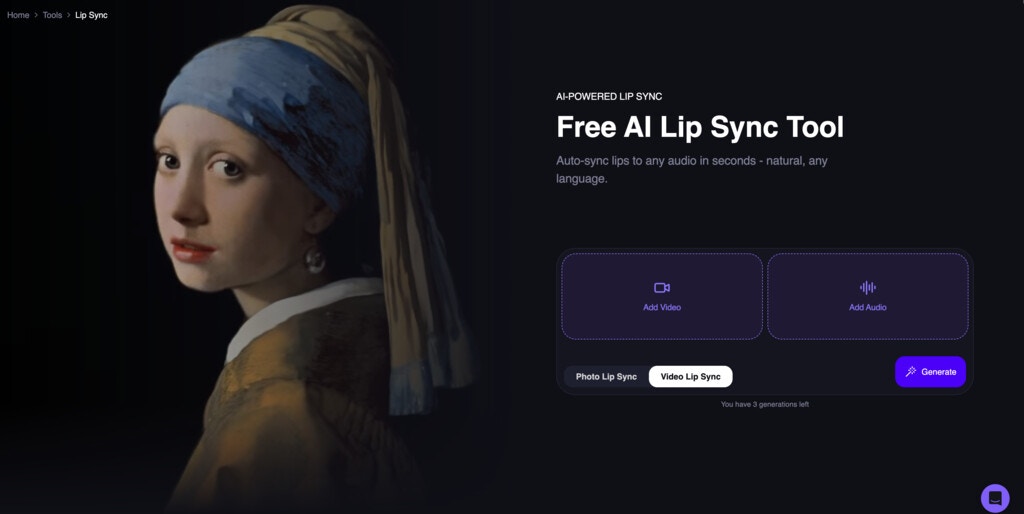
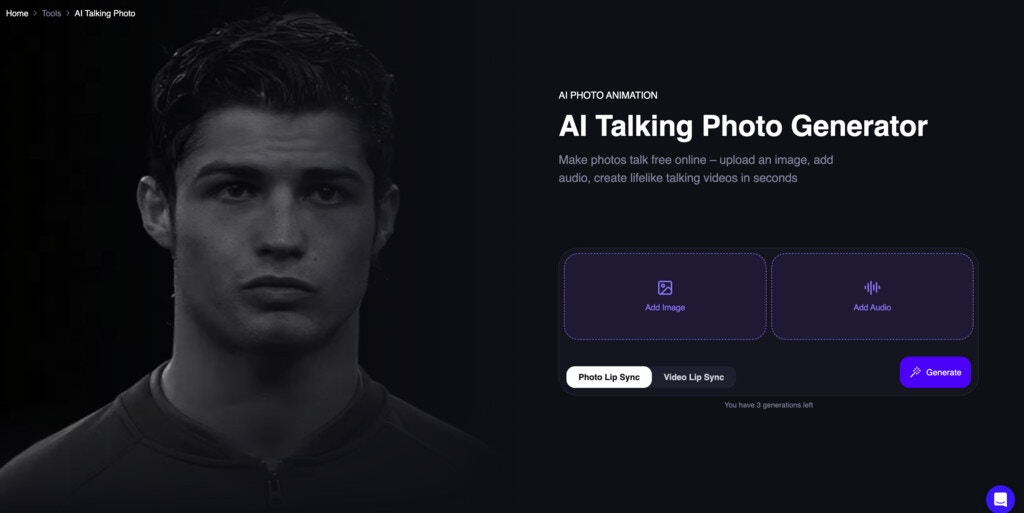
Choose Photo or Video for Lip Sync and Talking Photo
Lip Sync and Talking Photo now include a photo/video toggle, making it easier to choose the right input type before getting started.Explore the New AI Video Editor
Meet AI Video Editor, a new product page for prompt-based video editing. Learn how to remove, replace, add, change, restyle, or enhance elements in your footage without traditional timeline editing.The tool is coming soon, with examples, use cases, and an overview of how prompt-based video editing works.Try it out now: https://magichour.ai/products/ai-video-editorFind Templates in Search
Templates now appear in the search modal alongside tools and models. When tools or models match your search, templates are shown below them using the same search interface; when there are no tool or model results, the modal shows the templates search view directly.Web App
Switch Between Face Swap Photo and Video
You can now toggle between photo and video face swap directly in the dashboard. Your selected new face is preserved when switching between the two formats, making it easier to create both versions without starting over.Web App
Try Flux 2 Klein with Free Image Tools
The Flux 2 Klein model page now includes free tools for both text-to-image generation and image editing with an input image. Explore the model and try either workflow directly from the page.Web App
Explore the New API-v2 Page
We launched a new API-v2 page that brings Magic Hour’s popular tools and available models into one place. Browse tools including Face Swap Video, Image to Video, AI Image Editor, Text to Video, Talking Photo, Lip Sync, and more.The page also includes an API calculator that helps you estimate credit usage, compare subscription plans, and find usage-based pricing when your selected plan doesn’t cover your needs.Try it out now: Explore the API-v2 pageWan 2.2 Now Supports Videos Up to 60 Seconds
We updated the Wan 2.2 script with a method that works better for longer videos and fixes issues affecting long generations. Wan 2.2 can now generate videos up to 60 seconds, with generation times remaining the same in testing.Web App
Compare Face Swap Results with a Before-and-After Toggle
Face Swap Video now includes a before-and-after toggle, making it easier to compare the original video with the face-swapped result. The controls also use a consistent dark theme for a more cohesive experience.A Faster, More Powerful Search Modal
The search modal now makes it easier to find tools, models, and templates. Browse recent tools, trending tools, and popular products, or filter results by All, Models, Tools, and Templates. Selecting a model takes you to a compatible tool with that model preselected.The modal is now centered with an improved layout, whileCtrl+K and Cmd+K continue to open search. Use See All to browse every product at https://magichour.ai/create/tools.APIWeb App
Seedance 1.5 Is Now Available
The web app now uses Seedance 1.5 for Seedance video generation. Existing Seedance traffic is automatically redirected to Seedance 1.5, keeping current integrations working while Seedance 1 is deprecated.Seedance 1.5 supports text-to-video and image-to-video generation, with optional audio and support for end-frame images. Reference mode remains available only with Seedance 2.0.Web App
More Headshot Styles in the Headshot Generator
The dashboard’s headshot generator now includes additional headshot types alongside Professional. Choose from the expanded set of styles to create headshots tailored to different looks and use cases.Web App
Explore AI Templates in One Place
We added a new Templates page at/create/templates, using the same structure as the Effects page. Browse available templates with updated navigation, category pills, and model selection controls.Try it out now at https://magichour.ai/create/templates.New AI Headshot Generator Variation Pages
We launched SEO-optimized variation pages for the AI Headshot Generator, each with its own prompt, title, description, and URL. Every page includes tailored before-and-after examples for male and female inputs, with a streamlined gallery and a CTA into the existing AI Headshot Generator flow.Try it out now at https://magichour.ai/products/ai-headshot-generator.Upgraded to Seedance 1.5 Pro for Video Generation
Image-to-video and text-to-video generation now use Seedance 1.5 Pro on Fal instead of Seedance 1. Seedance 1.5 Pro also supports optional audio generation. Turning audio on uses double the usual credit cost.Web App
Explore the New Flux 2 Klein Model
Flux 2 Klein is now available in the AI Image Generator and AI Image Editor, giving you a new model to use for creating and editing images. You can also learn more about its capabilities on the new model page and find it in the/models directory.Web App
Run More Generations at Once with Plan-Based Concurrency Limits
You can now run multiple web app generations at the same time, based on your plan:- Free: 1 concurrent generation
- Creator: 3 concurrent generations
- Pro: 5 concurrent generations
- Business: Unlimited concurrent generations
Web App
Discover Related Templates from Every Template
Template detail cards now show related templates, making it easier to find similar creative starting points. Related templates use the same similarity scoring already available in For You.View Generation Details While They’re Still Processing
You can now open the details infotip for generations even before they’re complete. Check your generation information while you wait and keep track of what’s in progress.Web App
Kling Now Supports Reference Images
Kling generation now allows you to include reference images, giving you more control over the look and consistency of your results.Web App
Added Flux Klein for AI Image Generation and Editing
Magic Hour now supports the Flux Klein model in both AI Image Generator and AI Image Editor. Flux Klein supports up to 1080p (2K) output and accepts up to 6 input images for image editing.You can also control the output resolution by setting a maximum resolution or providing custom width and height values.Web App
GPT Image 2 Is Now Available
GPT Image 2 now has its own model page and is available in the AI Image Generator and AI Image Editor. You can learn more about the model and start using it directly from the supported creation tools and the/models directory.Scrub to Choose Any Video Frame
The Video Frame Extract modal now includes a timeline scrubber, so you can move through a video and select the exact frame you want to use.The still preview updates as you scrub, and confirming the selection uses the currently displayed frame. Initial positions are preserved for image-to-video slots, including the last frame for start slots and the first frame for end or generic slots.Explore Tutorials on the Create Page
A new Tutorials section on the Create page makes it easier to discover practical AI creation workflows. Browse guides covering video, image, face swap, lip sync, upscaling, anime transformations, and more.The section includes curated tutorials such as Talking Fruits Drama, Time Travel Vlogs, Viral Skeleton Facts, image-to-video workflows, and other popular techniques from the Magic Hour YouTube channel.Web App
Chain Video Outputs into Face Swap
You can now send video outputs directly to Face Swap from the create pages. Select Swap Faces on a video output to open the Face Swap Video workflow with your input video prepopulated.Free users will be directed to the Face Swap Video page to continue.Try it out now: Face Swap VideoUpscale Video Outputs in One Click
You can now send video outputs directly to Video Upscaler from the create pages. Select Upscale on a video output to continue with your input video prepopulated.Subscribers can open the Video Upscaler workflow directly, while free users will see an upgrade prompt to unlock video upscaling.Try it out now: Video UpscalerExtract Video Frames for Image Workflows
You can now extract a frame from a video and use it as an image input across image input forms.Web App
Extract Video Frames with a New Confirmation Modal
Image inputs can now use shared video frame extraction building blocks. When enabled, a video can be converted into a still image with a preview, loading state, and Use this frame or Cancel actions. Pressing Esc or clicking outside the modal cancels the action.The extraction supports both the first and last frame and validates the resulting JPEG before it is used as an image input.Use Video Frames in Image-to-Video Inputs
You can now drop or select a video for either image input in the dashboard and free image-to-video tools. A confirmation modal previews the extracted frame before adding it to your form.The start image defaults to the video’s last frame, while the end image defaults to the first frame. Canceling, pressing Esc, or clicking outside the modal leaves your form unchanged. Existing image uploads continue to work as before.Try it out now:Extract Video Frames from More Image Inputs
Video frame extraction is now available across additional image inputs in both free tools and dashboard tools. Upload a video where an image is expected, preview the extracted still, and confirm it before using it in your generation.By default, image inputs use the last frame of a video. In image-to-video end-image inputs, the first frame is used instead.Web App
Expand Your Videos with AI
The new AI Video Expander free tool lets you extend your videos with AI. Choose from preset aspect ratios and expand videos up to 5 seconds, with output capped at 1024px (1K).Try it out now: https://magichour.ai/products/ai-video-expanderAPIWeb App
Talking Photo Enables Multi-Minute Generations
Talking Photo now supports multi-minute video generations, making it possible to create substantially longer talking photo videos.Remove Watermarks from Face Swap Videos
Free face swap video outputs now include a Remove watermark option in the dashboard. Users can view subscription options from the output and, after subscribing, have the watermark removed from their existing video without regenerating it.Web App
Explore 300 New AI Voices
The AI Voice Generator now includes 300 additional voices, with new subpages to help you discover and preview them. We also updated metadata for existing voices, including tags, to make browsing the voices library more useful.Web App
New AI Music Generator Product Page
Explore Magic Hour’s new AI Music Generator page to learn how to create original music from a text prompt. Discover use cases, generation features, and helpful guidance for making music for videos, social posts, podcasts, games, ads, and more.Try it out now: https://magichour.ai/products/ai-music-generatorCreate Music from the Dashboard
The AI Music Generator is now available through a dedicated dashboard creation flow. Describe the music you want, adjust your generation settings, preview the result, and download your track. Generation costs 1 credit per second.APIWeb App
AI Music Generator Colab Script
Added a Colab notebook for generating AI music, including songs up to 120 seconds long. Each generation only requires rerunning the section under EDIT INPUTS.Generation takes about 40 seconds on an L4 GPU and about 8 seconds on a full RTX GPU. The notebook requires approximately 18 GB of GPU VRAM.New Face Swap Photo Inspiration
Added a Face Swap Photo inspiration tab to the creation flow, making it easier to discover examples and get started with face swap photos.Web App
Manage Multiple Library Items at Once
My Library now supports grid and list views with bulk selection. Select multiple items to download or delete them in one action, with progress feedback while each operation is processing.API
Add Audio to Video to the API
You can now add audio to video through the Magic Hour API, making it easier to create videos with sound programmatically.Web App
Add Audio References to Seedance 2.0
Seedance 2.0 now supports audio references in the web app, giving you more control over your video generations.Discover GPT Image 2 in the Create Carousel
GPT Image 2 is now featured in the/create carousel for state-of-the-art image generation and editing.Get Helpful Tips While Your Render Processes
Select modes now show rotating tips at the bottom of the render modal. Use the wait time to learn techniques and ideas that can help improve your future results.Web App
Discover the AI Image Extender
We launched a new AI Image Extender product page to help you learn how to expand images beyond their borders, resize without cropping, and reframe visuals for social media, ads, ecommerce, and design. The page walks through uploading an image, choosing an aspect ratio or custom padding, and extending the image with AI.Explore use cases, key features, and answers to common questions about outpainting, supported formats, output resolutions, and more. The free tool section is marked as coming soon.Try it out now: https://magichour.ai/products/ai-image-extenderWeb App
Create Images with AI Image Expander
The new AI Image Expander creation flow is now available on the web. Upload an image, optionally add a prompt to guide the out-painted area, choose an output aspect ratio—including a custom ratio—and select a 640px, 1K, or 2K resolution.The flow is currently available behind a feature flag while the generation script is being prepared.Try it out now: AI Image ExpanderWeb App
Create Image Variations with Nano Banana Models
The AI Image Editor now includes a Variations tab with nine ways to generate multiple images from a single input image: Profile Picture Generator, Ad Variations, Product Shots, Relight, Style Variations, Headshot Variations, Angles, Outfit Variations, and Background Variations.Choose from Nano Banana, Nano Banana 2, and Nano Banana Pro, along with 1:1, 16:9, or 9:16 aspect ratios and 2x2 or 3x3 grids. The editor also applies the appropriate model defaults for each variation mode.Use Image References in the AI Image Generator
You can now drag and drop an image into the AI Image Generator prompt box to continue in the AI Image Editor with your existing inputs preserved. If you were using Z-Image or Flux Schnell, the model automatically switches to the AI Image Editor’s default model.Web App
Filter Inspiration Templates by Model
Inspirations for Image-to-Video and Text-to-Video now include model breakdowns. Select a model to view templates created with it, with only models that have at least 8 templates shown.More Model Filters on Effects
The Effects page and modal now include additional model pills for Image-to-Video and Text-to-Video. Models with at least 7 templates are included, making it easier to find effects built for the models you want to use.Web App
Added Five AI Image Variation Tools
We added five new product pages and free tools powered by AI Image Editor Variations:- AI Ad Creative Generator — Ad Variations
- AI Product Photography — Product Shots
- AI Background Changer — Background Variations
- AI Photo Relighting — Relight
- AI Multi-Angle Photo Generator — Angles
Added Video Expander Creation Flow
You can now start a Video Expander project from the dashboard by adding a video and choosing an aspect ratio. Select from common presets—including vertical, widescreen, square, portrait, standard, photo, and cinematic formats—or define a custom width-to-height ratio.Added GPT Image 2 to the Models Page
GPT Image 2 is now available on the Magic Hour models page, making it easier to discover the new model alongside the rest of the available options.Web App
Improved Video-to-Video Form Layout
The video-to-video form now adapts its menu height to the available space. When no video has been uploaded, the video file input remains visible on most devices, making it easier to get started.New AI Variations Product Pages and Free Tools
We added dedicated product pages and free tools for six AI Image Editor Variations features:- AI Profile Picture Generator
- AI Ad Creative Generator
- AI Product Photography
- AI Background Changer
- AI Photo Relighting
- AI Multi-Angle Photo Generator
Added Image Extender Generation Script
We built an image extender script that supports adjustable image, resolution, aspect ratio, padding, and an optional prompt. Resolution options include 640px, 1K, and 2K, with custom aspect ratios supporting separate left, right, top, and bottom padding controls.Web App
See Video Duration Before Generating
Video tools in the dashboard now show the selected duration persistently above the Generate button. You can confirm the length of your video before starting generation, alongside a more compact resolution display.APIWeb App
Reuse Previously Used Assets in Face Swap Photo
You can now select previously used assets when creating a face swap photo. The asset picker matches the face swap video experience and is available above Advanced Settings.Add Kling 3.0 4K to Text-to-Video and Image-to-Video API
The API now supports Kling 3.0 4K for text-to-video and image-to-video generation.Web App
Explore Templates by AI Model
New model template pages make it easier to discover what each AI model can create. Browse curated templates in a gallery directly beneath the model overview, then open any template in the familiar template details modal.Each page also includes structured metadata and breadcrumbs to improve discoverability.Create Image Variations with More Control
The AI Image Editor now includes a Variations workflow for generating multiple versions of an image at once. Choose from 1:1, 16:9, or 9:16 aspect ratios; 2×2 or 3×3 grids; 1K, 2K, or 4K image sizes; and NB1, NB2, or NBP models.Describe the variation you want with a prompt, then generate a grid of results that can be split into individual images.Web App
Refined Face Swap Product Navigation
We productionized the face swap cluster navigation with a cleaner, more integrated experience across the face swap, multiple face swap, head swap, and body swap pages. Users can now explore the available modes from compact, crawlable links, with single and multiple face swap rows linking to their photo pages and format pills linking directly to photo, video, and GIF pages.The navigation also includes clearer active states, polished hover and focus behavior, and improved spacing across desktop and mobile layouts.Added Video Output Info Tips
Video modes with a middle panel now include an info-tip next to the full-screen control. Open it to view additional information about the video output directly within the create experience.Web App
Add Reference Assets to Seedance 2.0
You can now use reference assets with Seedance 2.0 for text-to-video and image-to-video generation. Add images, videos, or audio references and mention them in your prompt with tags like@Image1 or @Video1 to guide character appearance, style, motion, and more.Every asset referenced in the prompt must be included in the references list, or the generation will be rejected.Web App
Filter Effects by Video or Image
You can now filter the Effects page by video or image effects, making it easier to find the right tool for your project on desktop and mobile.Web App
Added GPT Image 2 to AI Image Generator and Editor
GPT Image 2 is now available in both the AI Image Generator and AI Image Editor. It offers strong prompt adherence and editing with model-default quality.Pricing is 50 credits at 640 px, 100 credits at 1K, 200 credits at 2K, and 400 credits at 4K.Web App
Create Videos in New Aspect Ratios with Video Outpainting
Video outpainting is now available as an add-on to Any-to-Video v2, using the same base models and infrastructure. Upload a video, choose an output aspect ratio, and expand the frame into a new composition.You can trim the source video, select a custom aspect ratio from 1:8 to 8:1, and generate at the resolution available for your plan. Custom aspect ratios are available when you choose Custom.View Face Swap Results in the Middle Panel
Face Swap now displays generated videos in the middle panel, while video trimming uses the same contextual trimmer available in Lip Sync. This keeps editing and output review in a more consistent workflow.Add Multiple Faces to Photo and Video Face Swap
The free Face Swap tool now supports multi-face swapping across photo, video, and GIF modes. Select multiple detected faces and choose the replacement face for each one without leaving the existing workflow.Try it out now at Multiple Face Swap or Multiple Face Swap Video.Discover Talking Photo Templates
Talking Photo templates are now supported across the template experience. You can submit Talking Photo generations as templates, filter for them in Create and Templates, and browse them at/templates/talking-photo.Selecting a Talking Photo template from /create/ai-talking-photo now automatically populates its values so you can get started faster.Try it out now at AI Talking Photo or Talking Photo Templates.See Popular Templates at a Glance
Template usage counts are now displayed as a fire component, making popular templates easier to recognize while browsing.Web App
New AI Video Expander Product Page
Explore AI Video Expander, a new way to expand video frames and change aspect ratios without cropping. The product page covers video outpainting use cases, including repurposing horizontal clips for TikTok, Reels, Shorts, and vertical videos for YouTube, ads, and presentations.Learn how AI-generated surrounding content can create room for captions, CTAs, and overlays while keeping the original video intact. The free tool is coming soon.Try it out now: https://magichour.ai/products/ai-video-expanderWeb App
Create AI Videos from Text, Images, or Clips
The AI Video Generator product page now includes free Text-to-Video and Image-to-Video tools in one place. Switch between text, images, and clips using the same familiar controls as the existing free tools.The page description has also been updated to: “Create AI videos from text, images, or clips — all in one place.” Switching between tools keeps you on the same page without changing the URL or other page content.Web App
Discover Face Swap Inspiration in Video-to-Video
The Video-to-Video tool now includes an Inspiration tab with a random assortment of face swap video templates each session, making it easier to find a starting point for your next creation.Generate Kling 3.0 Videos in 4K
Kling 3.0 now supports 4K video generation. 4K generations cost 30 credits per second, with pricing set proportionally to the existing 720p and 1080p options.Use Voice Cloner for Lip Sync and Talking Photo
Voice Cloner is now available as an option in the Lip Sync and Talking Photo tools from the dashboard. Select a cloned voice when creating your next talking video.Upgraded Audio to Video to LTX-2.3
Audio to Video now uses LTX-2.3, with support for the new FFLF mode. Audio to Video and IA2V modes support Audio to Video generation, while IA2V can also be used for Talking Photo creations.IA2V now replaces the previous v4 workflow for Talking Photo, while existing credits, GPU requirements, and length limitations remain unchanged.Web App
Improved Model Selection Across Creation Tools
We redesigned the model dropdowns in Text-to-Video, Image-to-Video, AI Image Editor, and AI Image Generator. You can now view model descriptions and metadata together, making it easier to compare options and choose the right model.The updated selectors also include search, model filtering, and Favorites for quicker access to frequently used models. On desktop, dropdowns preserve visibility of the input, while mobile uses a focused pop-up experience for browsing available models.Web App
New Free Video Tools for Seedance, Wan, and LTX-2
You can now try free video tools for Seedance 1.0, Wan 2.2, and LTX-2. Seedance 1.0 is available once per day, while Wan 2.2 and LTX-2 are each available three times per day.Web App
New Text-to-Video and Image-to-Video Creation Flow
We launched a new creation flow for text-to-video and image-to-video, with a streamlined layout for setting up your generations and applying effects. Generation history remains in the standard vertical stack for a familiar browsing experience.New Free Flux Schnell and Z-Image Turbo Tools
You can now use dedicated free tools for Flux Schnell and Z-Image Turbo, making it easier to try both text-to-image models directly in the web app.Web App
Try Free Tools Directly from Model Pages
Model pages now include free tools for image editing, text-to-image, and video generation. You can try Qwen Edit, Nano Banana 2, Nano Banana, Seedream 4, Flux Schnell, Z-image Turbo, Seedance 1.0, Wan 2.2, and LTX-2 without leaving the model catalog.Daily free usage varies by model, with up to 10 uses for Flux Schnell and Z-image Turbo, and 3 uses for the other models.Try it out now: Browse the modelsWeb App
Explore Lip Sync Inspiration Templates
The Lip Sync tool now includes an Inspiration tab with a random assortment of video templates each session, making it easier to discover ideas and get started.APIWeb App
Body Swap Is Now Available via the API
You can now use Body Swap through the Magic Hour API, making it easier to add body-swapping workflows to your applications.New API Pages for Our Models
We’ve added API-focused pages for our models, with model details and code examples to help you get started quickly.Explore the new model pages at magichour.ai/models/seedance-2-0.Try it out now: View the model pagesWeb App
Multi-Image Support for Nano Banana 2
You can now use multiple images with Nano Banana 2 in the AI Image Editor, bringing its multi-image workflow to the 4K-capable model.Explore Image-to-Video Effects
The new Effects page brings Magic Hour’s Image-to-Video templates into one place. Browse templates across Camera Motion, Transitions, Visual Effects, Transformations, Styles, Actions, and Showcase.Try it out now: https://magichour.ai/create/effectsA New Template-Focused Create Page
The Create page is now organized around the tools, models, and templates users want to explore. Discover popular tools, top picks, and top models, then browse all available video, image, and audio tools from one place.Image-to-Video effects are grouped into Camera Motion, Transitions, Visual Effects, Transformations, Styles, Actions, and Showcase.Web App
Discover Face Swap Ideas with the New Inspiration Tab
The Face Swap video tool now includes an Inspiration tab with a random assortment of templates each session, making it easier to find a starting point for your next video.Web App
Chain Image Outputs into Face Swap
You can now start a face swap directly from image outputs in our/create pages. Select Swap Faces from an image output to continue with that image as the base image.Free users are taken to the Face Swap page with the base image prepopulated.Try it out now: https://magichour.ai/create/face-swap-photoWeb App
Control Audio Timing in Talking Photo
You can now set the audio start and end time when creating a Talking Photo, giving you more control over which portion of your audio is used for the result.Web App
Chain Image Outputs into Talking Photo
You can now send image outputs from the/create pages directly to Talking Photo. Select Talking Photo from an image output, and you’ll be taken to the Talking Photo tool with your image prepopulated.Try it out now: Create a Talking PhotoCreate More Consistent Videos with Kling 3.0 Omni
Kling 3.0 Omni is now available for image-to-video generation. Add reference images and videos to create more consistent characters, replace characters, and remix videos.You can use up to one reference video or seven reference images. When a reference video is included, you can upload up to four total reference images or elements. Generations support durations of up to 15 seconds.Add Reference Videos to Seedance 2.0
Seedance 2.0 now supports reference-to-video generation with reference videos, images, and audio. Add up to one video, nine images, and three audio references to guide your generation.Reference videos can be 2–15 seconds long, while image and audio references must be under 10 MB each. Video inputs are supported in MP4 and MOV formats.Web App
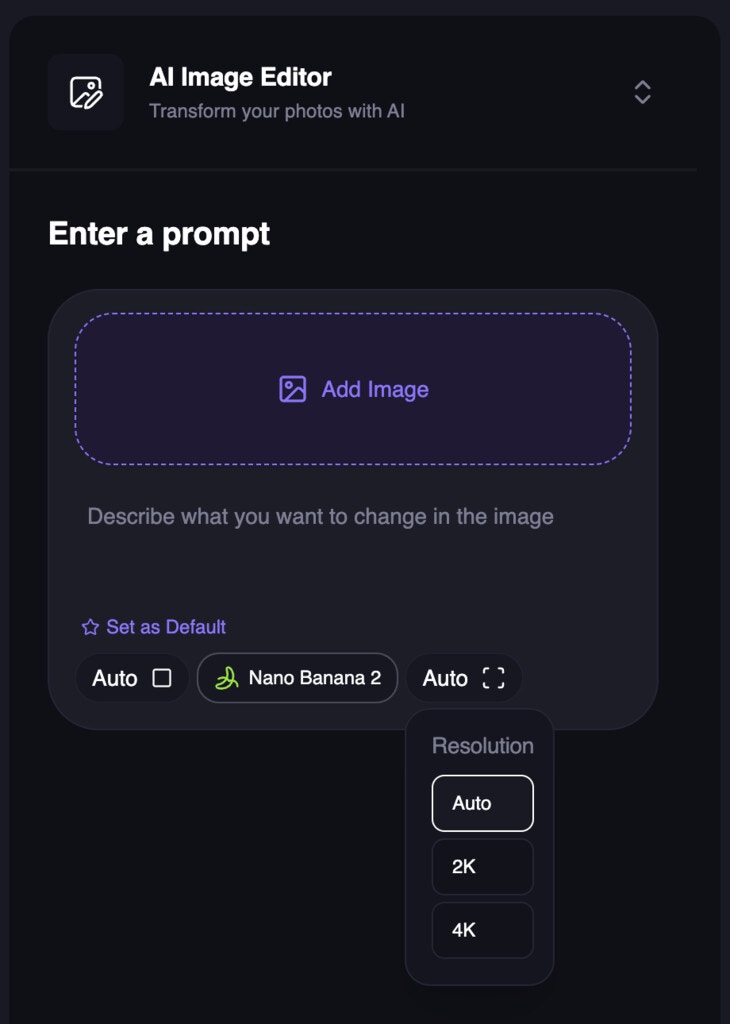
Resolution-Based Pricing for Image Generation and Editing
Image generation and editing now support resolution-based credit pricing. Choose from Auto, 2K, or 4K where supported by the selected model, with credits charged based on the selected resolution bucket—not the final image dimensions.Free users are limited to the default 640px resolution, while paid users can access higher resolutions for eligible models. The selected resolution preserves the image’s aspect ratio and is adjusted to provider-supported dimensions. 4K is not available for Qwen, Z-Image, or Flux Schnell.Web App
Free AI Character Swap Tool
You can now swap a character into any image with Magic Hour’s free character swap tool—no sign-up required. Upload a target scene, upload the person you want to swap in, and click Swap Characters to generate a new still image.Free usage includes 1 character swap per day. The new product page also includes step-by-step instructions, use cases, feature highlights, and guidance for getting the best results.The original product page is no longer publicly available.APIWeb App
LTX Image-to-Video Now Supports 1- and 2-Second Generations
LTX image-to-video generations now support 1-second and 2-second durations in both the Magic Hour web app and API, giving you more flexibility for short video clips.Seedance 2.0 Is Now Available in Create
Seedance 2.0 is now featured in the Create carousel as a newly launched model for state-of-the-art video generation. It’s designed for cinematic shots, action, and storytelling, with options for both text-to-video and image-to-video.New Model Leaderboards Across Four Modalities
We added model leaderboard pages for Text-to-Image, Text-to-Video, Image-to-Video, and Text-to-Speech. Compare models across each modality, including available performance and speed data.Character Swap Dashboard Is Now Available
Character Swap is now available in the dashboard alongside Head Swap. Upload a target scene and the person to swap in, then generate the result for 100 credits.The Character Swap API supportstype: "character-replace" with two image keys: one for the target scene and one for the person being swapped in.Web App
Added Seedance 2.0 for Text-to-Video and Image-to-Video
You can now create videos with Seedance 2.0 in both Text-to-Video and Image-to-Video. The model is available at 480p and 720p, with 720p generation priced at $0.2427 per second.Web App
New AI Image Editing Model Leaderboard
You can now explore the AI Image Editing model leaderboard to compare available models in one place. This release includes a model leaderboard hub and a dedicated AI Image Editing leaderboard page, with a flexible format ready for additional categories in the future.Web App
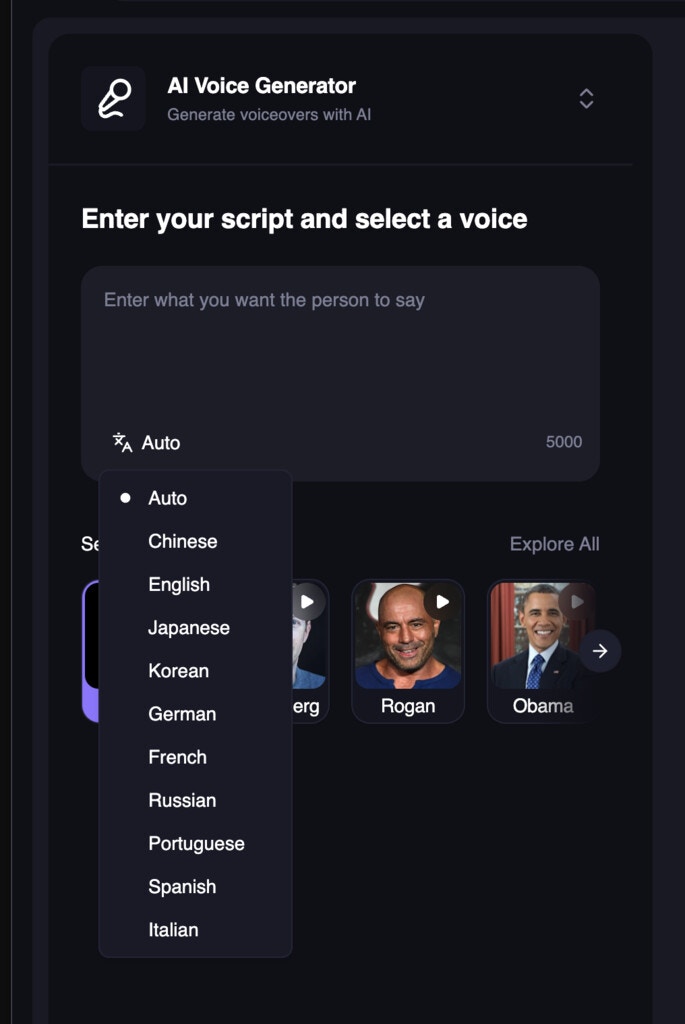
Choose a Language for Voice Generation and Cloning
The free Voice Generator and Voice Cloner now include a language selector. Choose Auto, Chinese, English, Japanese, Korean, German, French, Russian, Portuguese, Spanish, or Italian for more control over your audio results.Add Tags When Submitting Templates
You can now add tags when submitting templates, making it easier to categorize and organize them from the start.Added Veo 3.1 Lite for Text-to-Video and Image-to-Video
Veo 3.1 Lite is now available for text-to-video and image-to-video generation as a more affordable option for fast, high-quality daily generations.Veo 3.1 Lite costs 48 credits per second at 720p and 72 credits per second at 1080p.Web App
Explore All Tools in One Place
We built a new/create/tools page to make it easier to discover and access Magic Hour’s creative tools. Newly launched tools can now be highlighted using a simple recency-based “New” label.Drag and Drop Files Anywhere on Free Tools
Free tools that accept file uploads now support full-screen drag and drop. When a tool accepts different file types, dropping a file routes it to the correct input automatically.For tools with two inputs of the same type, the screen is split into two equally sized drop zones so you can place each file where it belongs.API
WAN 2.2 Model in Text-to-Video and Image-to-Video API
We’ve added the WAN 2.2 model to both the Text-to-Video and Image-to-Video APIs, giving you another high-quality option for generation.Choose it by setting the model to “wan-2.2” in your request.Web App
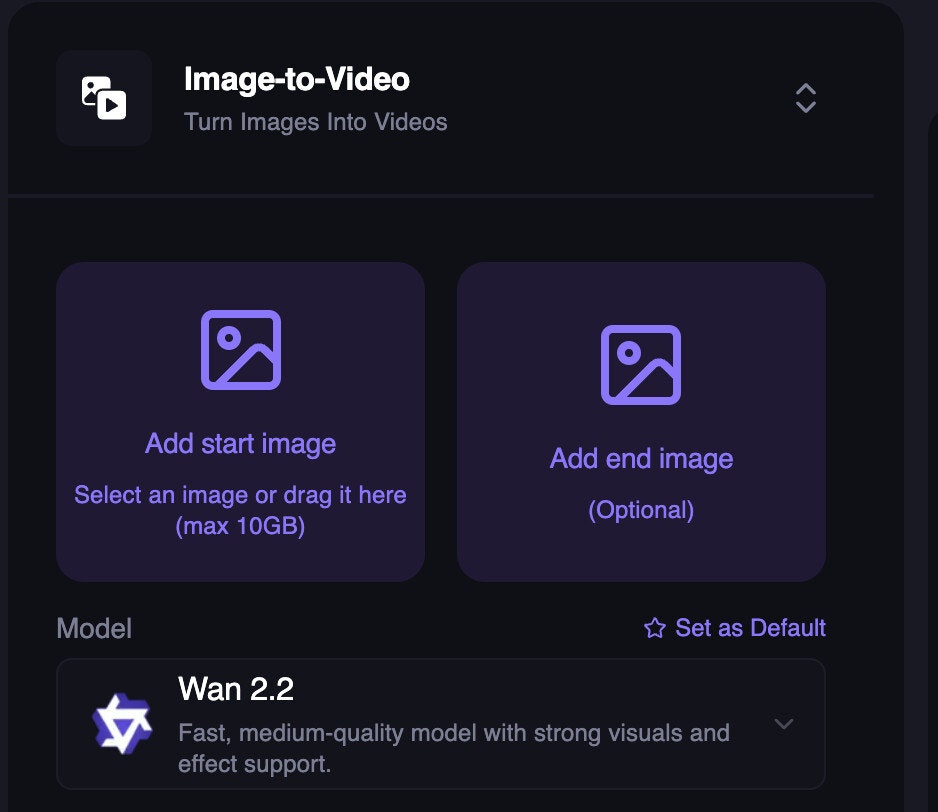
Added Wan 2.2 for Image-to-Video and Text-to-Video
Web App
Storyboard Generator Upgraded to Nano Banana 2; Nano Banana Deprecated
Nano Banana 2 (NB2) is now available in the Storyboard Generator. NB2 supports 4K and delivers higher quality results than the original Nano Banana.The original Nano Banana model is deprecated.Try it out now: https://magichour.ai/create/ai-storyboard-generatorAPI
Head Swap in the API
Head swap is now available in the Magic Hour API, enabling you to programmatically swap heads in your content.Use it to automate personalized creatives and power interactive experiences directly from your app or workflow.Try it out now: https://docs.magichour.ai/api-reference/image-projects/head-swapWeb App
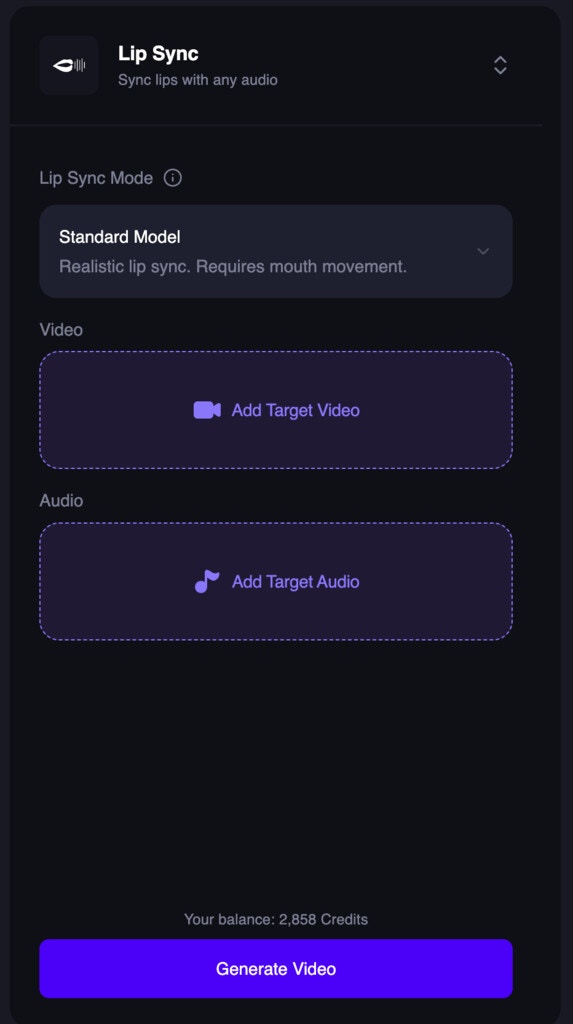
One-Step Lip Sync Creation
Web App
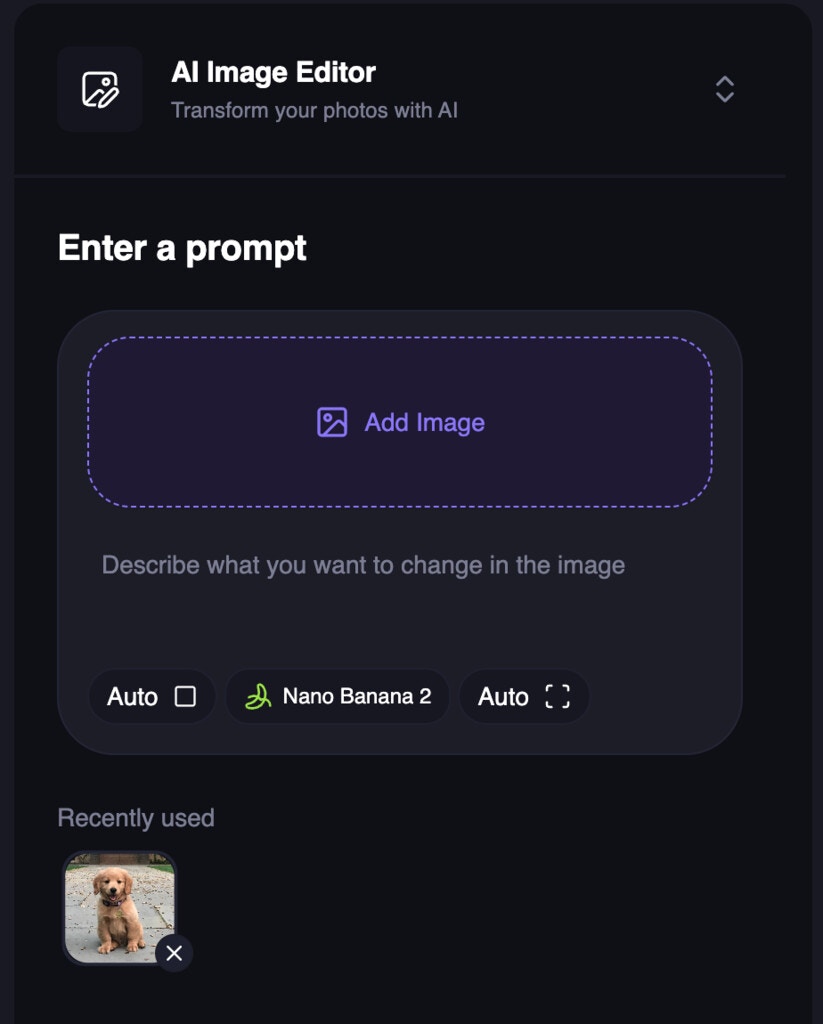
Previously Used Images in AI Image Editor (Desktop)
Web App
Specifying Language in Voice Tools
Web App
Choose Output Resolution in AI Image Editor
API
End-Frame Support in Image-to-Video API
We added end-frame support to the Image-to-Video API. Now, you can provide an end frame to use as the last frame of the video.APIWeb App
Out-of-credit API errors now return HTTP 402
Our API now returns HTTP 402 Payment Required when a request fails due to insufficient credits (previously 422). This better reflects the billing-related nature of the error.If you check for specific status codes, update your error handling to look for 402.Refreshed Lip Sync free tool UI
Revamped Talking Photo free tool UI
Web App
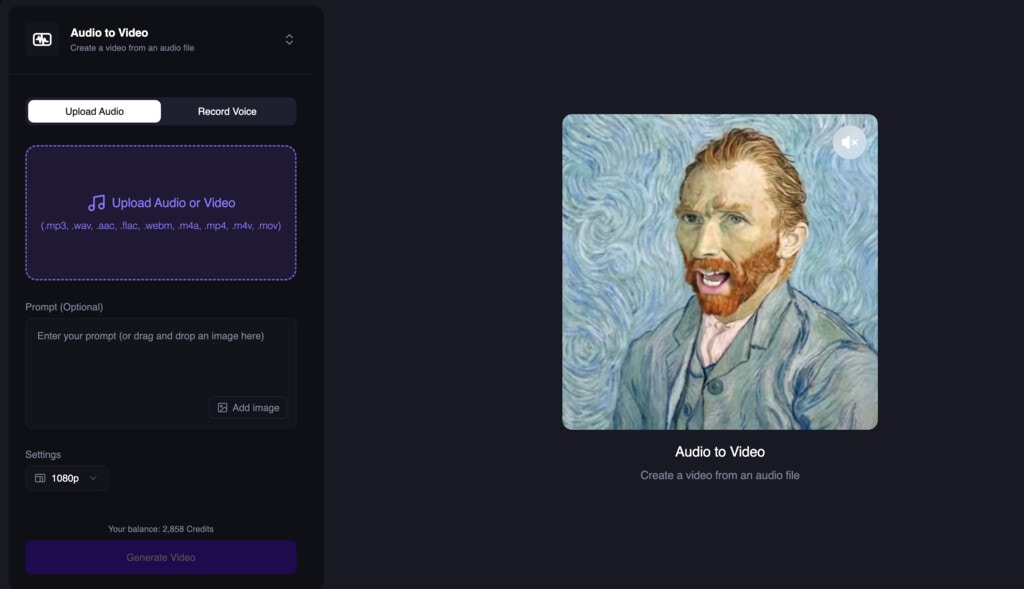
Audio-to-Video Comes to the Dashboard
Web App
Free Video Extender
Web App
New AI Video Extender
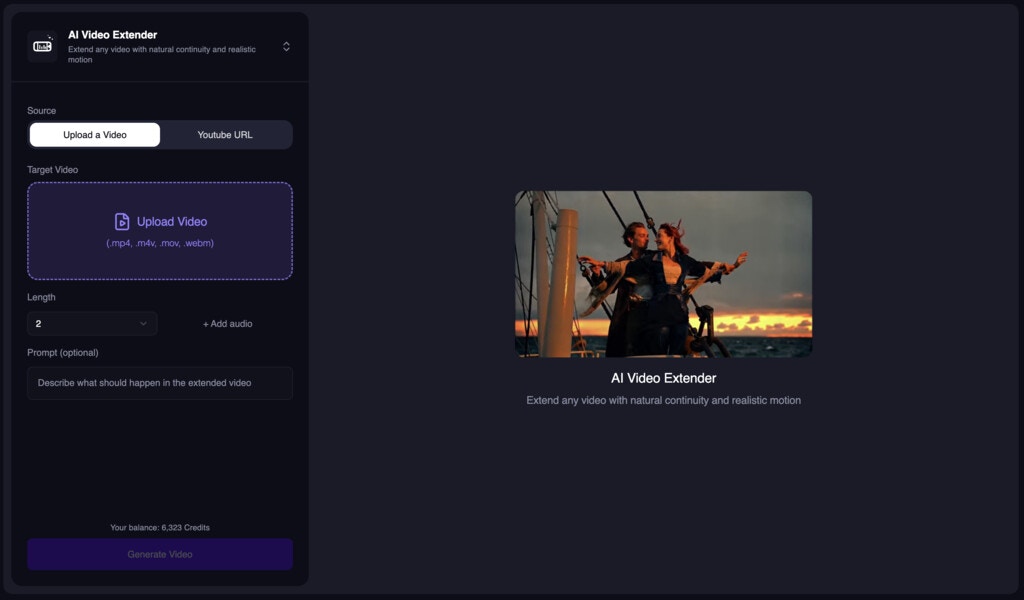
- Cost: 1 credit per frame
- Typical speed: ~60s for a 5s 576x576 video
- Inputs: Video, Length, Resolution, Prompt (optional), Audio (optional)
Web App
Free Add Sound to Video (5s Preview)
Nano Banana 2 in AI Image Editor and Generator
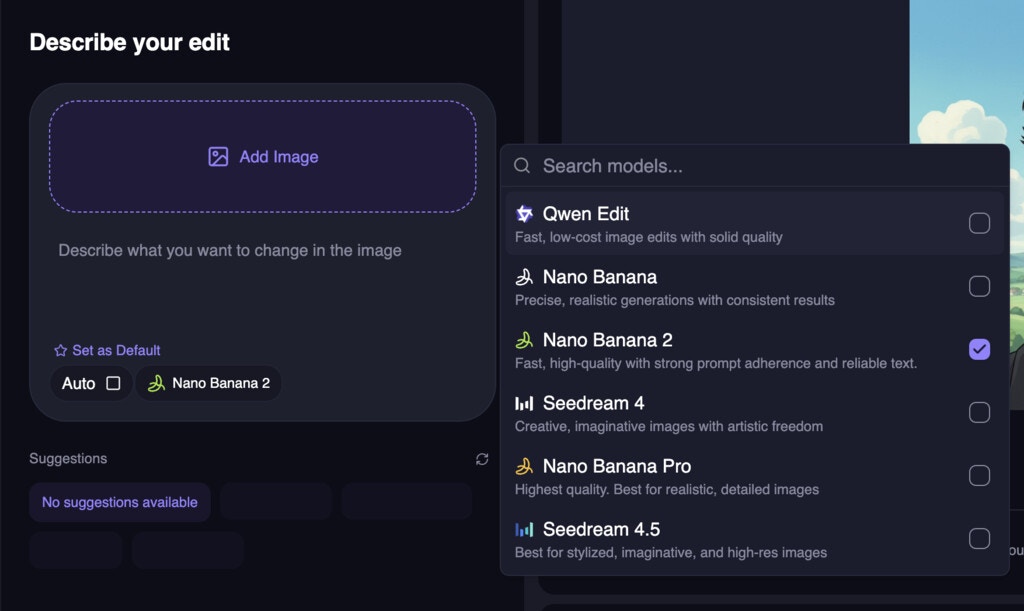
Web App
New Video to Audio Tool
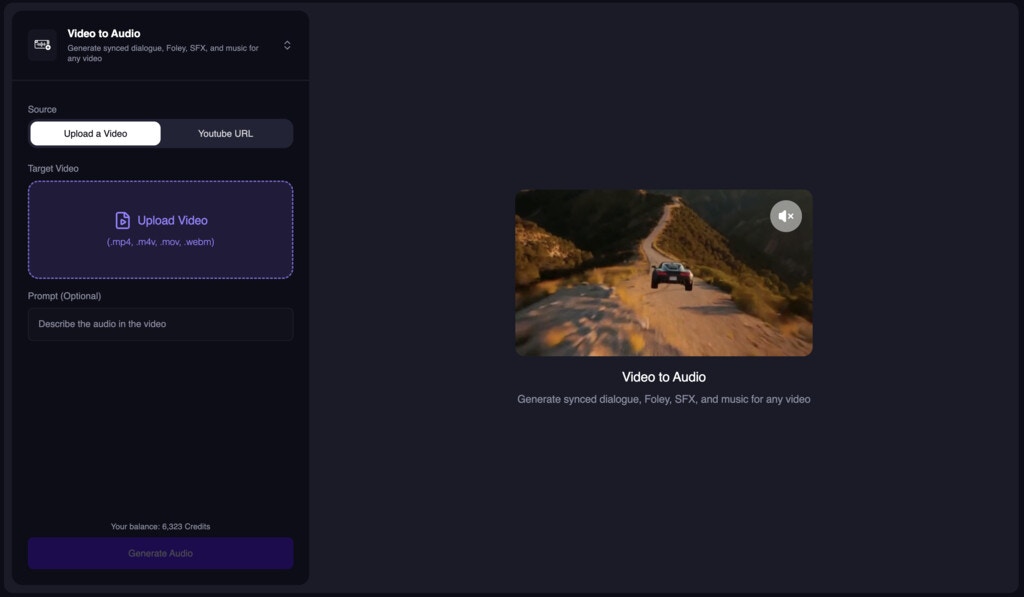
- Video
- Length (trims video if shorter than the source)
- Resolution
- Prompt (optional)
Web App
Added LTX-2 Model for Image-to-Video and Text-to-Video
We now added LTX-2 Model for Image-to-Video and Text-to-Video. The big change we made is that you can use LTX-2 (at 480p) without a subscription.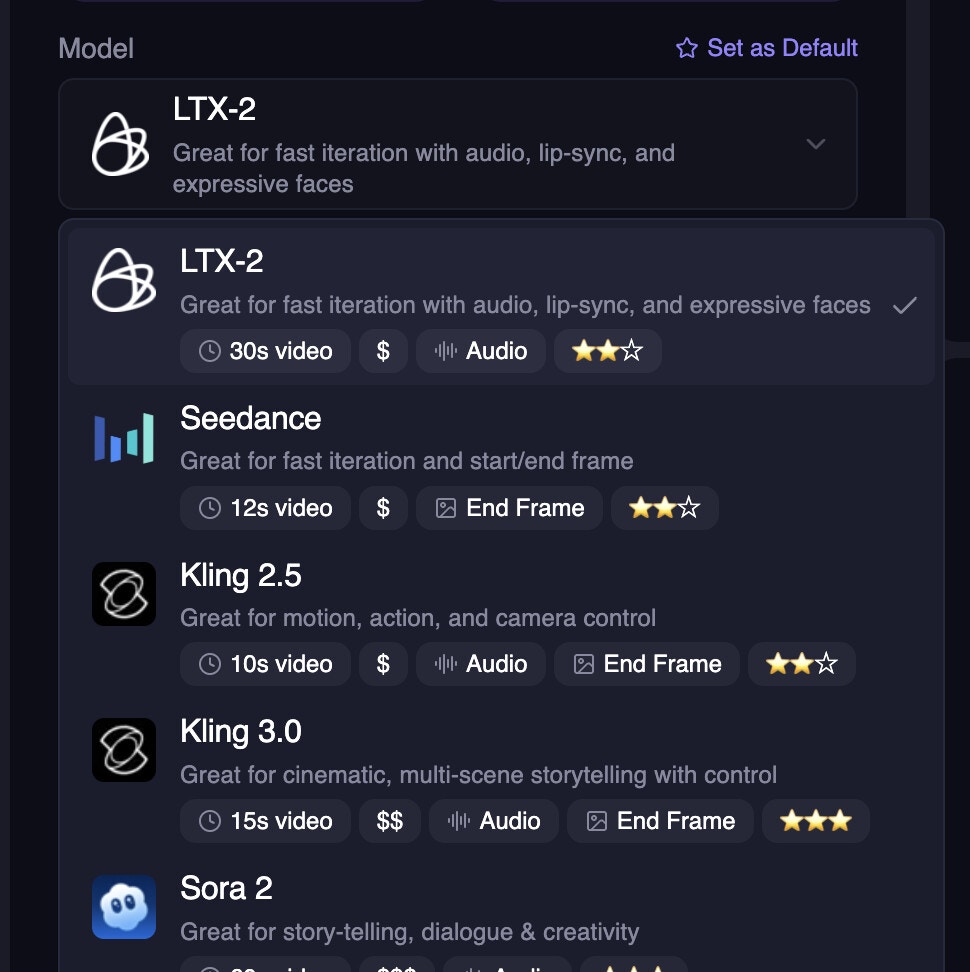
API
Added Kling 3.0 support to APIs
We now added Kling 3.0 to our API and released it for all SDKs.Web App
Added Kling 3.0 To Image-to-Video and Text-to-Video
We introduced Kling 3.0 to Image-to-Video and Text-to-Video. It is a new model that is faster, sharper, and has better results.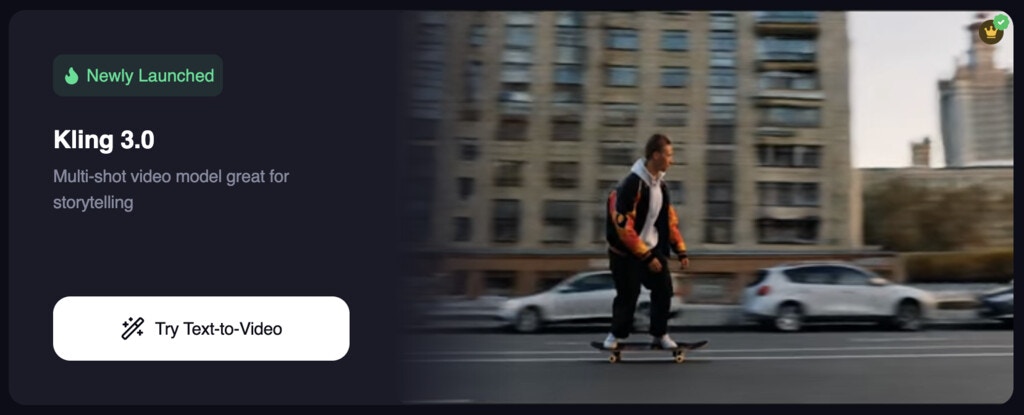
API
Named export for Client in Node SDK
To resolve import issues between cjs/esm modules, we have added a named export for the Client class in the Node SDK. This fixes the issue “TypeError: Client is not a constructor” when importing the Client class in a Node.js environment.API
Updated AI Image Editor API to include models param
You can now specify the following models for AI Image Editor:qwen-editnano-banananano-banana-proseedream-v4seedream-v4.5
Web App
AI Storyboard Generator
We launched a new tool called AI Storyboard Generator. It allows you to generate a storyboard for your video project.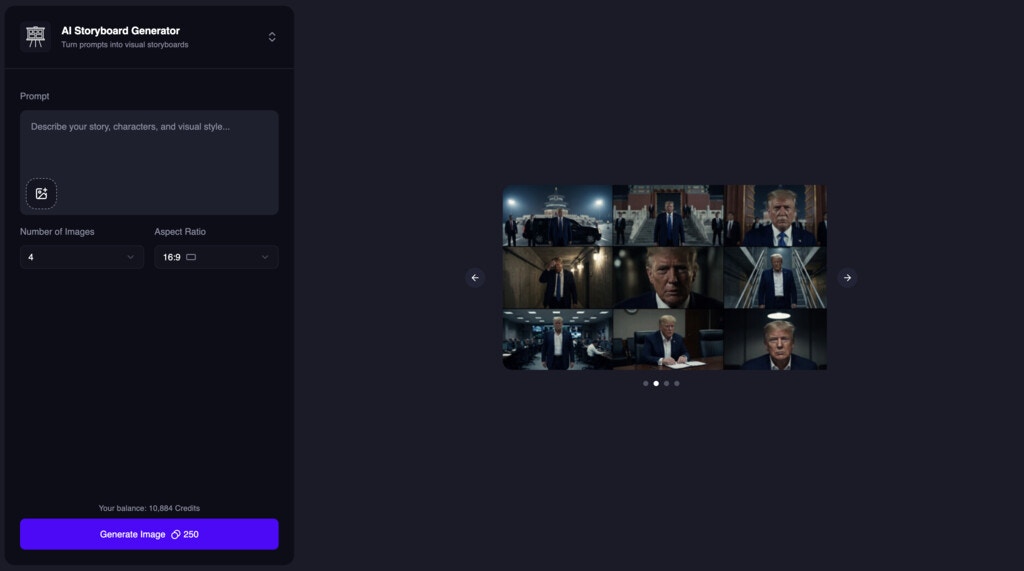
Web App
Cheaper AI Image Upscaler
We introduced a new mode for AI Image Upscaler that is 50% cheaper. We are calling itPro mode.Try it out now: https://magichour.ai/create/ai-image-upscaler
Web App
M4A Audio Support
Added support for.m4a audio uploads so you can upload more types of audio files. This feature is available to all modes with audio input.Web App
Lip Sync Mode Improvements
We made some internal improvements to Lip Sync standard and pro modes for smoother, more reliable results.Try it out now: https://magichour.ai/create/lip-syncNote: This feature is currently available to users with a subscription.Web App
Video Upscaler Dashboard Tool
Added a new dashboard tool to upscale videos.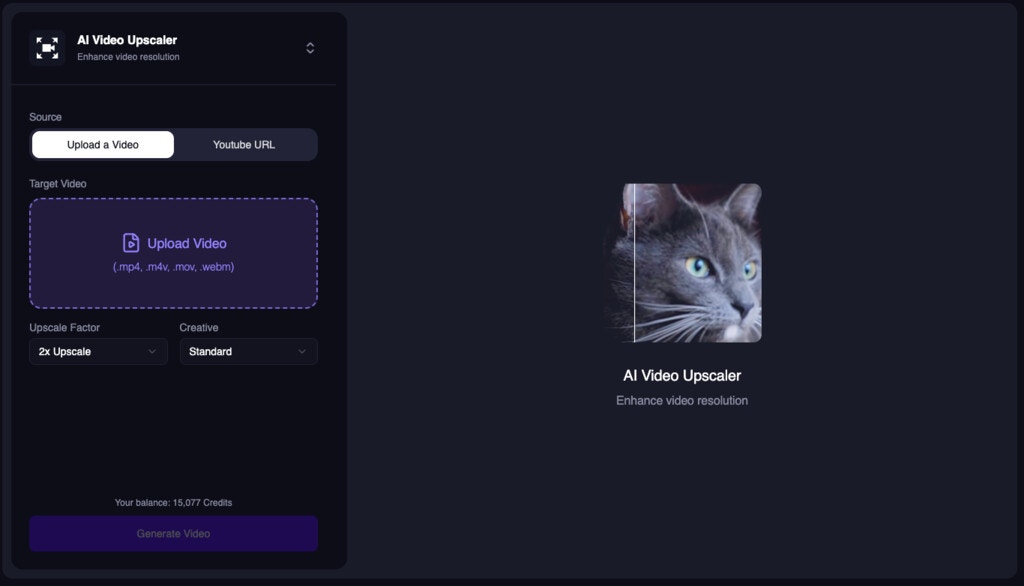
API
AI Image Generator API Model Selection
The AI Image Generator API now accepts amodel parameter so users can choose between available models.Web App
Improved Head Swap Dashboard
We added Head Swap to the dashboard experience.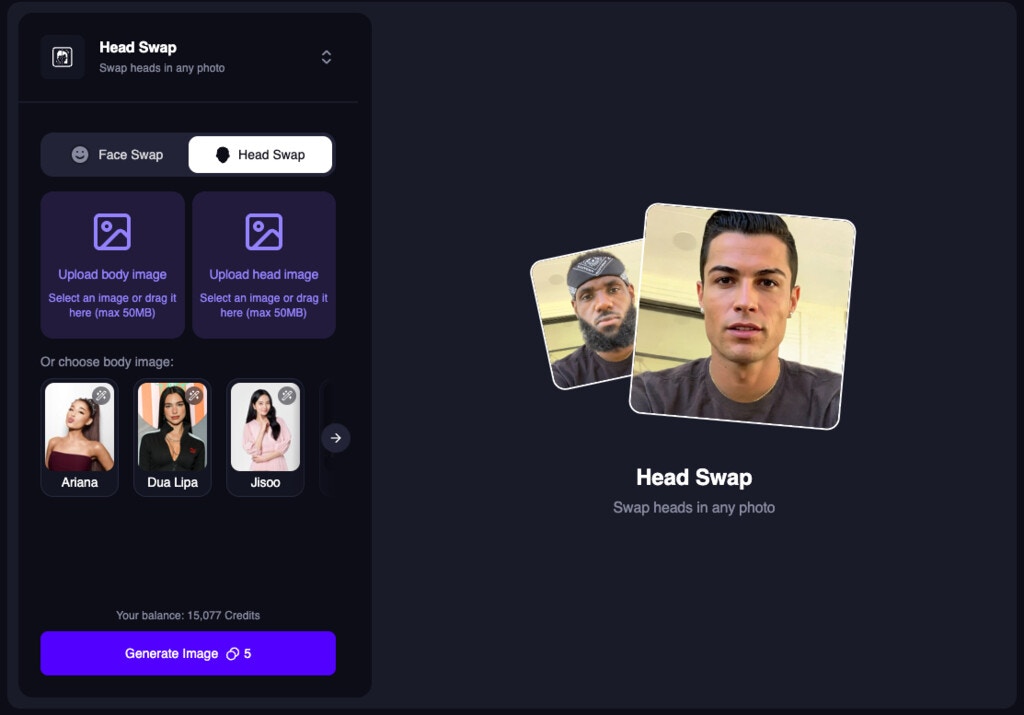
API
Model Selection for Image-to-Video and Text-to-Video APIs
Added amodel parameter to the Image-to-Video and Text-to-Video APIs so users can choose between available models. This brings the same model selection experience to the API as the create page.Web App
Head Swap Free Tool
Launched the free Head Swap tool at/products/head-swap for quick, zero-cost swaps.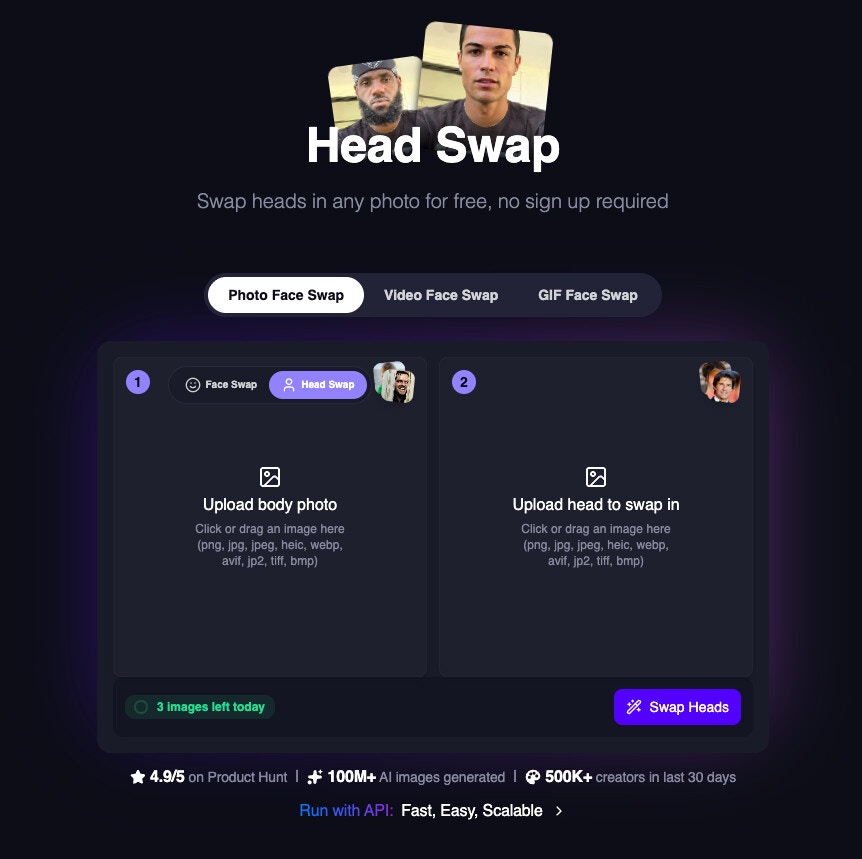
Web App
API
Node SDK URL Inputs
The Node SDK now supports URL inputs for.generate functions in v0.45.0, previously it only supported local file paths.Added max_resolution to AI Talking Photo API
We added a new max_resolution param to the AI Talking Photo API. You can now specify the maximum resolution of the output video if you want a specific resolution.Web App
Added Nano Banana Pro to AI Image Generator
AI Image Generator now includes Nano Banana Pro as a new model option.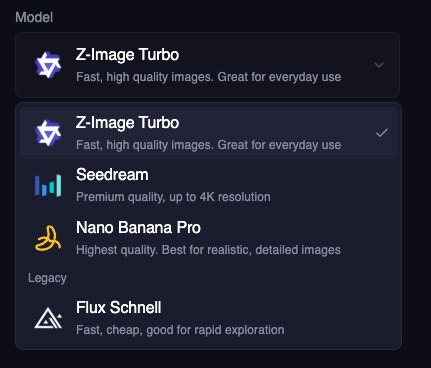
Web App
Higher Free User Resolution
Free users can now generate sharper outputs with a higher max resolution of 576px (up from 512px).Web App
Improved AI Clothes Changer
We improved the AI Clothes Changer to use Qwen for better results.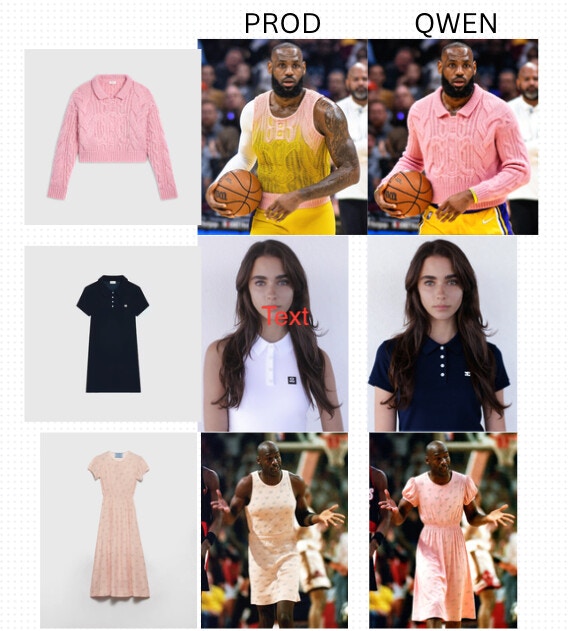
APIWeb App
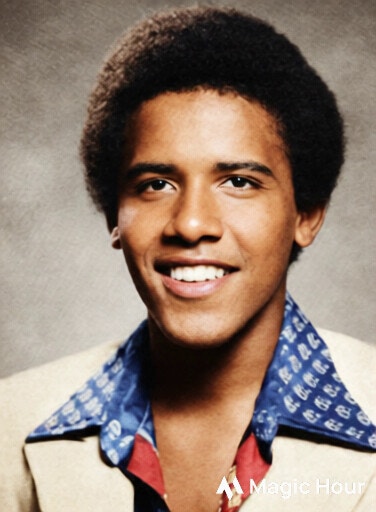
Improved Photo Colorizer
We’ve improved the Photo Colorizer with better color accuracy and more natural results. Try it out now!Before: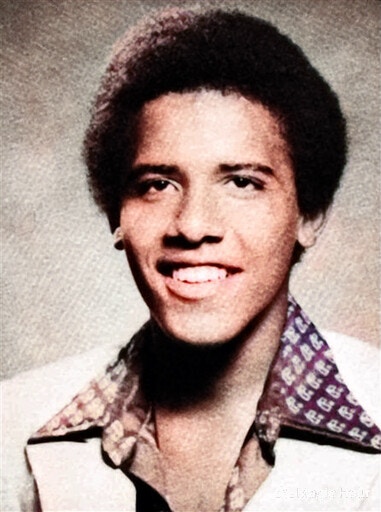
Voice Cloner API
We’ve added support for the Voice Cloner API, allowing you to clone voices programmatically.To take advantage of this change, please upgrade your SDK version to the latest.Web App
Qwen-Edit Model for AI Image Editor
We added Qwen-Edit as a new model option for AI Image Editor. This model has great performance at 1/5 the cost of our other models.