

Overview
Magic Hour uses API keys to authenticate requests. Your API keys carry many privileges, so be sure to keep them secure! Do not share your secret API keys in publicly accessible areas such as GitHub, client-side code, and so forth. All API requests must be authenticated by including your API key in theAuthorization header:
Creating Your First API Key
1
Sign in to Magic Hour
Visit magichour.ai and sign in to your account. If you don’t have an account yet, you can create one for free.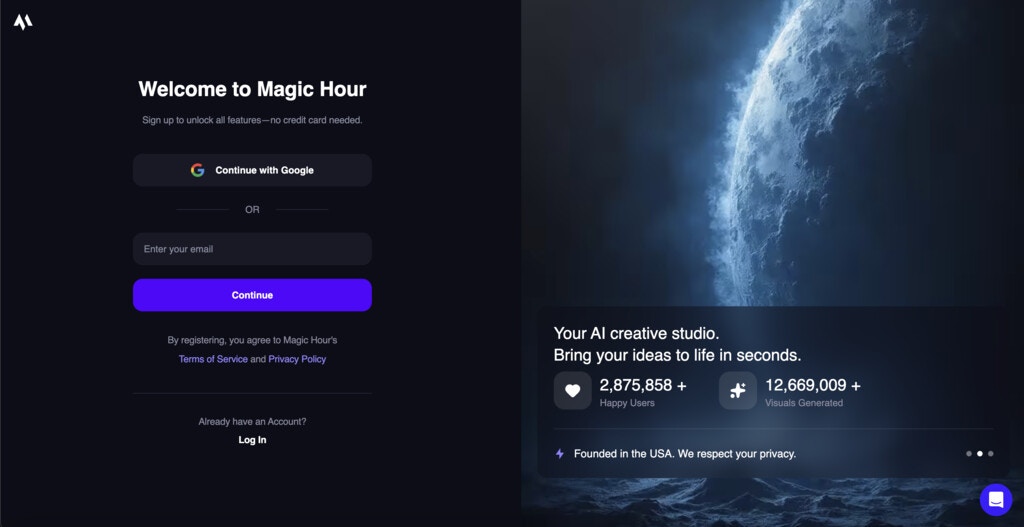
2
Navigate to Developer Hub
Once signed in, go directly to the API Keys section of the Developer Hub.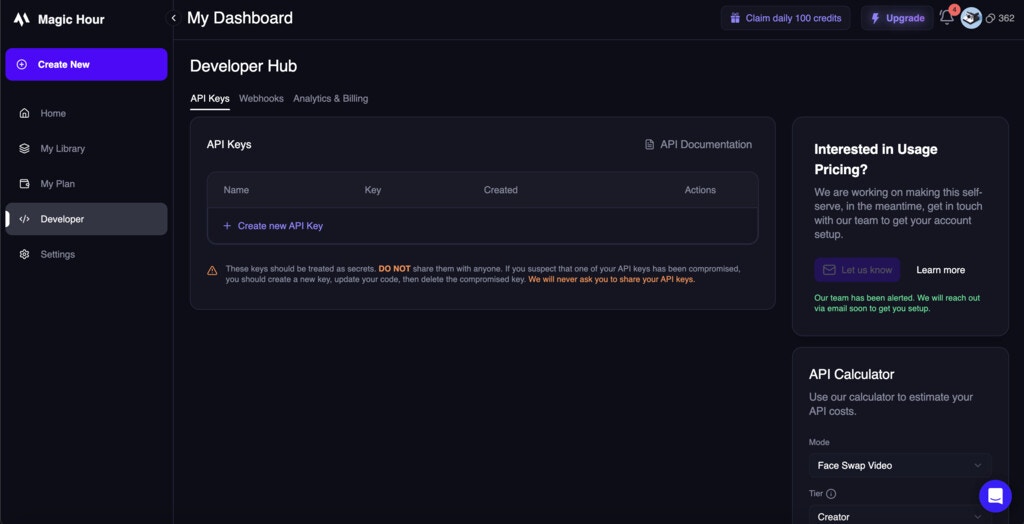
3
Create New API Key
Click the “Create API Key” button to generate a new key.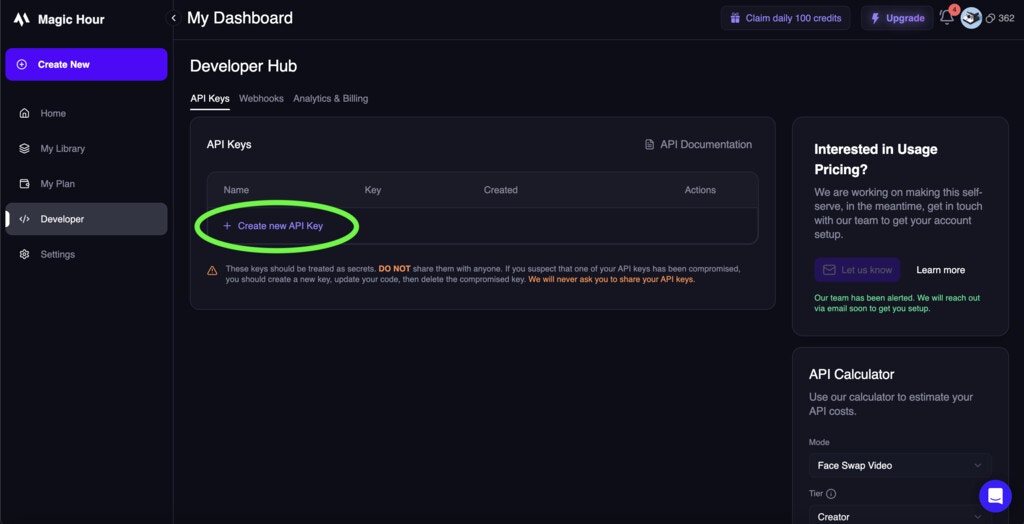
4
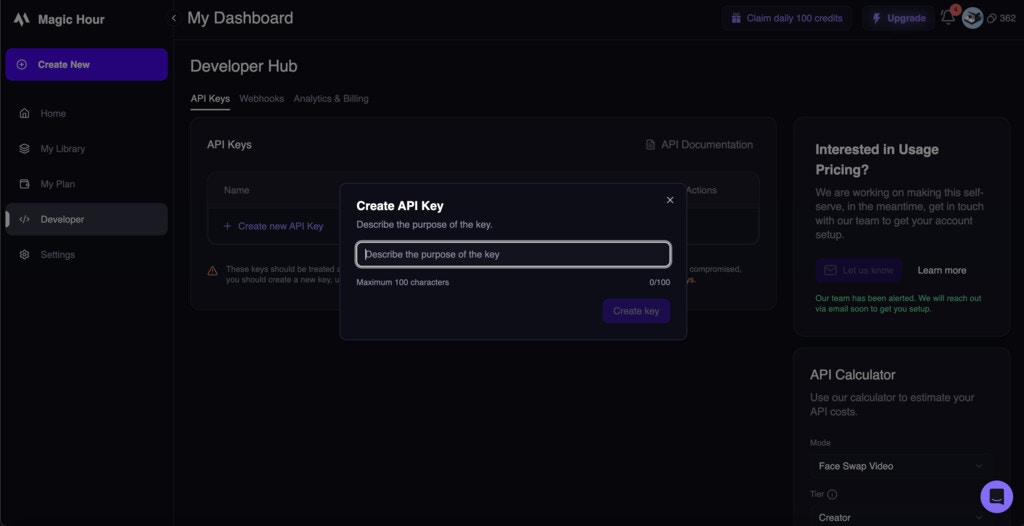
Configure Your API Key
Give your API key a descriptive name to help you identify its purpose later:
-
Name: Choose a clear name (e.g., “Production App”, “Development Testing”, “Mobile App”)
5
Copy and Store Your API Key
Important: Your API key will only be shown once. Copy it immediately and store it securely.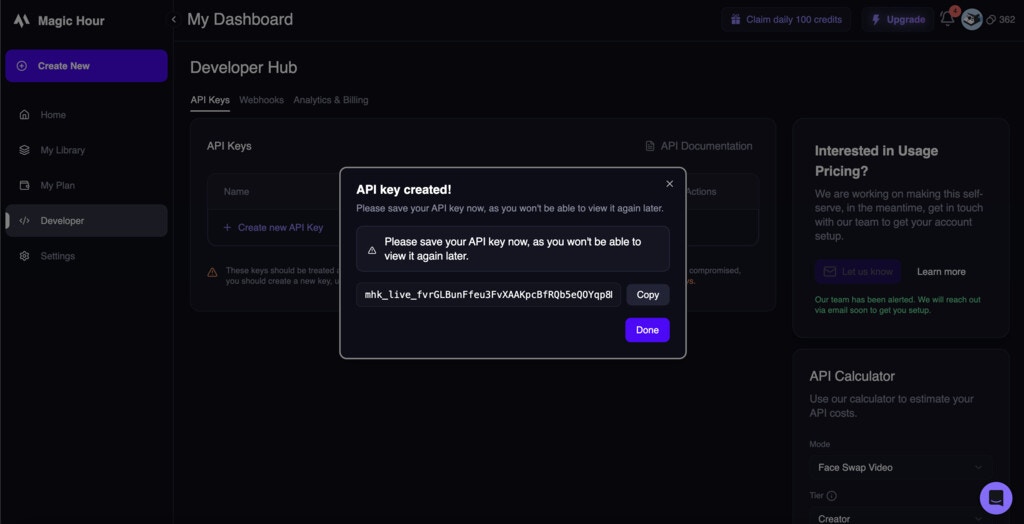
Managing Your API Keys
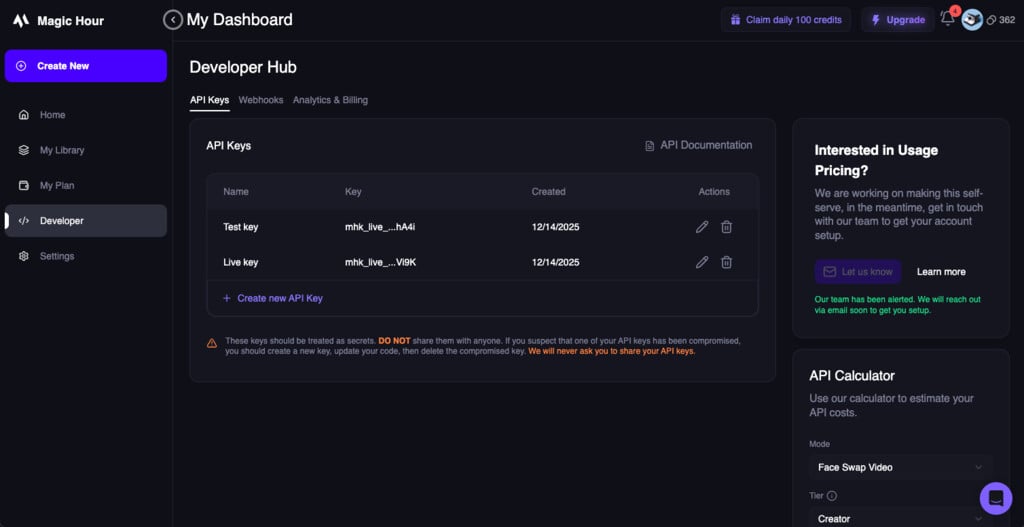
Viewing API Keys
In the Developer Hub, you can see all your API keys with:- Name: The descriptive name you gave the key
- Last 4 Characters: The last 4 characters of the key
- Created: When the key was created
Revoking API Keys
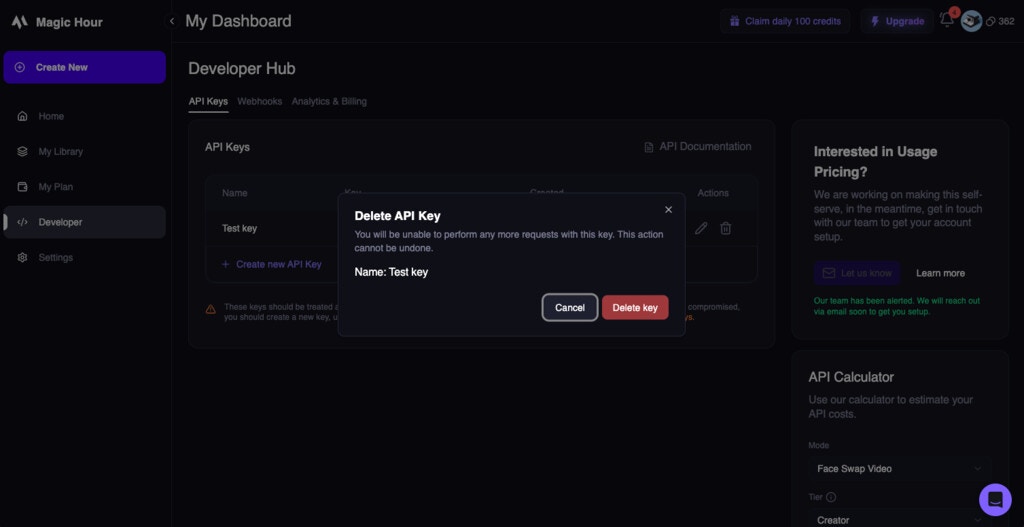
To revoke an API key:- Find the key in your API Keys list
- Click the Delete (Trash Icon) button next to the key
- Click “Delete key” to confirm the revocation
Rotating API Keys
For security best practices, regularly rotate your API keys:- Create a new API key with the same permissions
- Update your applications to use the new key
- Test thoroughly to ensure everything works
- Revoke the old key once you’re confident the new key is working
Using API Keys
In Code
Environment Variables
Store your API key as an environment variable for security:Security Best Practices
✅ Do
- Store keys securely in environment variables or secure key management systems
- Use different keys for different environments (development, staging, production)
- Rotate keys regularly (every 90 days recommended)
- Revoke unused keys immediately
- Monitor key usage in the Developer Hub
- Implement proper error handling for authentication failures
❌ Don’t
- Never commit keys to version control (Git, SVN, etc.)
- Don’t expose keys in client-side code (JavaScript, mobile apps)
- Don’t share keys via email, chat, or other insecure channels
- Don’t use production keys in development environments
- Don’t ignore security warnings about exposed keys
Key Storage Solutions
For Development:- Environment variables (
.envfiles) - Local configuration files (excluded from version control)
- AWS Secrets Manager
- Azure Key Vault
- Google Secret Manager
- HashiCorp Vault
- Kubernetes Secrets
Authentication Errors
Common authentication errors and how to resolve them:401 Unauthorized
Cause: Invalid or missing API key
Solutions:
- Check that your API key is correct
- Ensure the
Authorizationheader is properly formatted - Verify the key hasn’t been revoked
Monitoring Usage
Usage-Based Billing Only: Analytics & Billing monitoring is only available for accounts with
usage-based billing. Subscription users can view basic key information in the API Keys section.
- Credit Usage: Credits consumed by your requests
- Detect unusual activity that might indicate a compromised key
- Plan for capacity and billing
Next Steps
Quick Start Guide
Make your first API call with your new API key
Google Colab Cookbook
Try the Magic Hour APIs with ready-to-run sample code. Just add your API key.
SDKs
Use official SDKs for easier integration
Pricing
Understand how API usage affects billing
Webhooks
Set up webhooks for real-time notifications
Need Help?
If you’re having trouble with authentication:- Check our troubleshooting guide
- Contact support at support@magichour.ai
- Join our community on Discord
Security Concern? If you believe your API key has been compromised, revoke it immediately in
the Developer Hub and create a new one.