

How Subscription Pricing Works
Simple concept: Pay upfront for a set amount of credits that you can use throughout your subscription period. Perfect for predictable usage patterns.The Basics
- Choose your plan based on monthly credit volume and which resolution options you need
- Select billing frequency - monthly or yearly (annual billing is discounted)
- Pay upfront and receive all credits immediately
- Use credits anytime - credits never expire, even after subscription ends
- Auto-renewal ensures continuous access (can be cancelled anytime)
Key Benefits
✅ Predictable costs - Know exactly what you’ll pay each month/year ✅ Credits upfront - Get all your credits immediately to use anytime ✅ Yearly savings - Annual billing is discounted ✅ No usage tracking - Use credits at your own pace ✅ Higher resolution options - Paid plans unlock higher-resolution choices on each toolHow Payment Methods Differ
Choose Your Plan
Higher plans include more credits each month, larger uploads, and more concurrent web generations. API generations do not count toward web plan concurrency limits. Jobs may queue while server capacity becomes available. Resolution is per tool: paid plans unlock higher-resolution options, and requesting those options costs more credits. See resolution. Annual Creator is $144/year, Pro $300/year, Business $792/year. Credit totals above are the monthly allotment; annual plans include twelve months of that allotment (144,000 / 300,000 / 840,000 credits per year). Live checkout is on the pricing page.Need More Credits?
If you use more credits than your plan includes, you can purchase additional credit packs anytime.Credit Packs
Pack sizes, prices, and discounts vary by active offer. Check the pricing page and final checkout for the current offer. Credits are added immediately and never expire. Packs include watermark-free exports and commercial use, subject to the Terms of Service and applicable content rights. A pack alone does not unlock models, resolutions, upload limits, or web concurrency reserved for a paid plan.When to Buy Credit Packs
- Seasonal spikes in usage
- One-time projects requiring extra credits
- Testing higher usage before upgrading plans
- End-of-month credit shortfall
Tip: If you consistently need credit packs, consider upgrading to the next plan tier for
better value.
Choosing a Plan
Pick the plan whose monthly credits cover your expected volume, then check that it unlocks the resolution options you need. Higher resolution on the same plan costs more credits, so a 1080p workload burns through an allotment faster than 480p. If you regularly exhaust your allowance and buy credit packs, the next tier up is usually cheaper than the packs. For API workloads with variable volume, compare against usage-based billing, which invoices usage monthly and applies graduated volume discounts. It currently requires setup assistance.Getting Started
Ready to subscribe? Here’s how to set up your subscription in minutes.1
Visit the Pricing Page
Go to magichour.ai/pricing to see all available plans and current pricing.
2
Choose Billing Frequency
Monthly: Pay monthly, cancel anytime. Yearly: Pay upfront at the discount shown on the
live pricing page.
3
Select Your Plan
Choose based on monthly credits and which resolution options you need:
- Creator: $19/month ($12/month billed annually), 12,000 credits
- Pro: $39/month ($25/month billed annually), 25,000 credits
-
Business: $99/month ($66/month billed annually), 70,000 credits

4
Complete Payment
Enter your payment information using any of these secure methods: - Credit/Debit Cards: Visa,
Mastercard, American Express, Discover - Digital Wallets: Apple Pay, Google Pay - Regional
Options: AliPay and other methods depending on your location All payments are processed securely
through Stripe. Review your plan details and click “Subscribe”.
5
Access Your Credits
After successful payment:
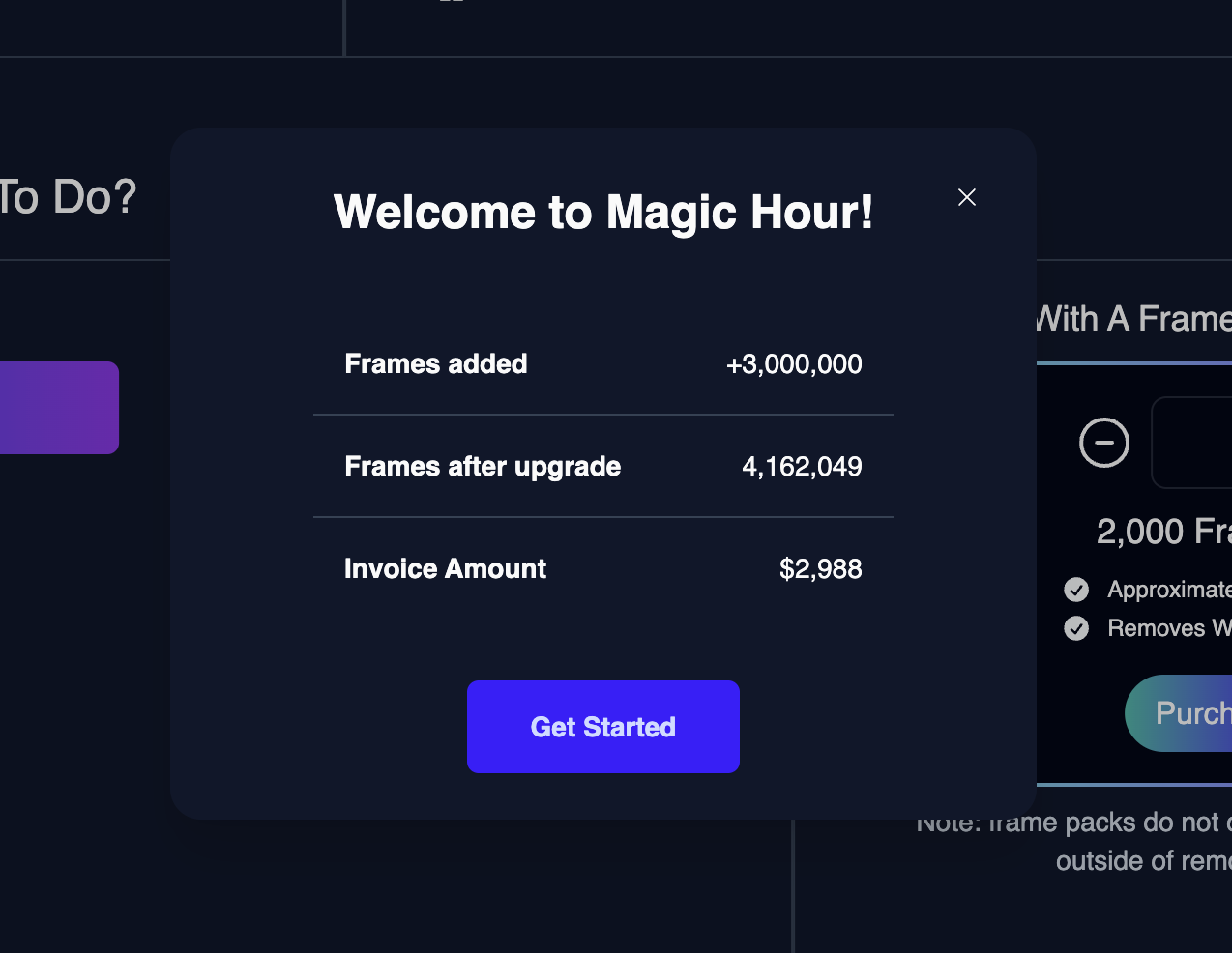
- You’ll be redirected to Settings
- Credits are added to your account within minutes
-
Start using the API immediately
Managing Your Subscription
Tracking Credit Usage
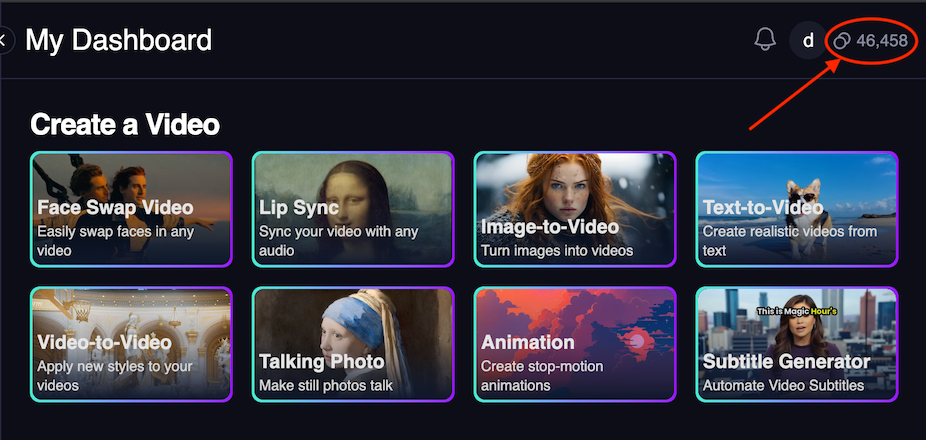
Monitor your remaining credits in multiple ways:- Settings: Visit Settings to see your monthly credit allocation and next renewal date
- Any signed-in page: Check credit balance in the top navigation
Subscription Management
Upgrade Options:- Immediate upgrade: New plan starts right away, billing cycle resets
- End-of-cycle upgrade: Change takes effect at next billing date
- Cancel current subscription in Settings
- Downgrade takes effect at end of current billing cycle
- All unused credits carry over permanently
- Cancel anytime: Access continues until period ends
- Billing frequency: Switch between monthly/yearly anytime
- Auto-renewal: Automatically renews unless cancelled
What Happens When You Downgrade or Cancel
When your subscription ends or you downgrade to Free: ✅ You Keep:- All unused credits - they carry over permanently
- API access - continue making requests with remaining credits
- Account history - all your generated content remains accessible
- Credit-pack benefits - if you have purchased a credit pack, watermark-free exports and commercial-use rights remain available under the Terms of Service and applicable content rights
- Higher resolution options - revert to the Free option on each tool
- Subscription-only watermark removal - accounts without a credit-pack purchase may receive watermarks, depending on the tool
- Monthly credit allocation - starter credits and rewards vary by account; check your current balance
- Premium features - lose priority support, larger uploads, etc.
- Immediate upgrade: New benefits start right away, billing resets
- End-of-cycle upgrade: Changes take effect at next billing date
- Your existing credits work at higher resolutions again
Important Notes
Credits Never Expire: Your credits remain in your account permanently, even after your
subscription ends. Subscription-only benefits, such as higher-resolution options, end with the
subscription. Credit-pack purchases retain watermark-free exports and commercial-use rights under
the Terms of Service and applicable content rights.